Daylite is a project management solution built around features such as contact management, scheduling, and sales pipeline tracking.
$20.83
per month billed yearly
Pipeliner CRM
Score8.7 out of 10
Mid-Size Companies (51-1,000 employees)
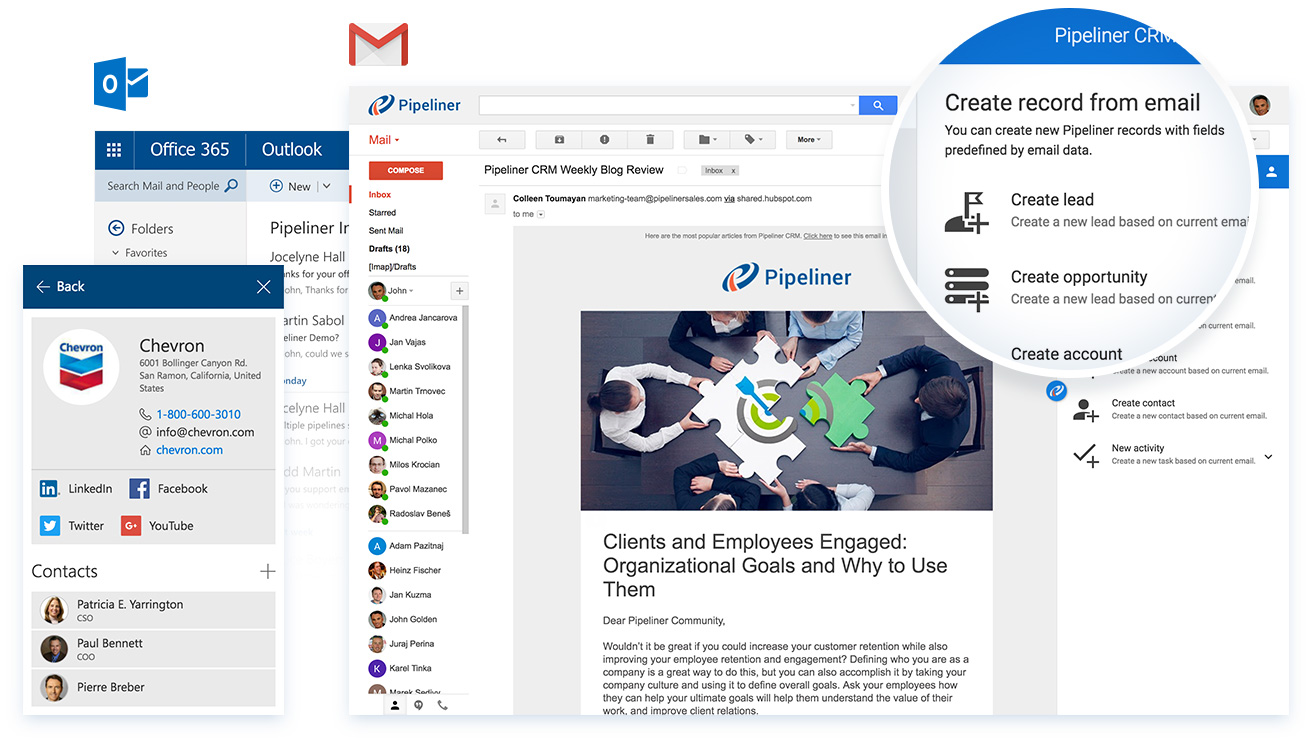
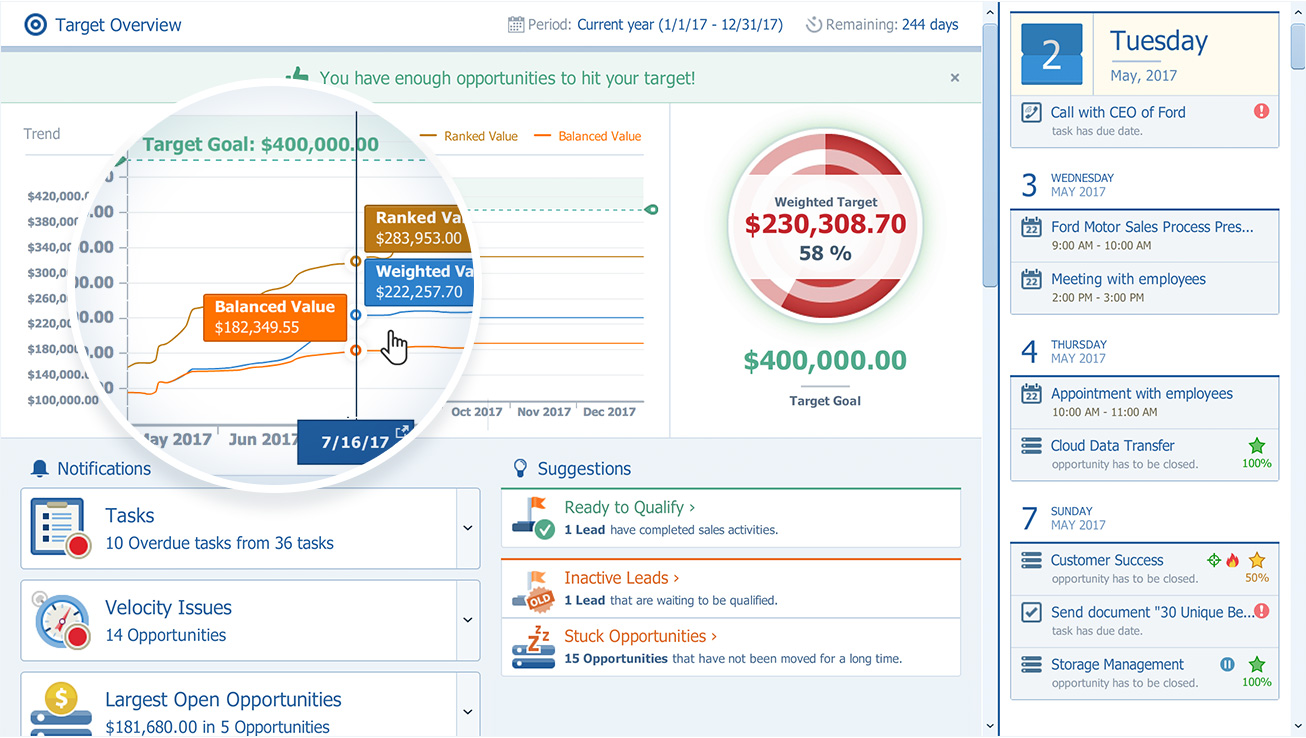
Pipeliner CRM is a sales enablement tool focusing on pipeline management, sales processes, and analytics designed to empower sales professionals. Pipeliner CRM provides a visual sales process, profiles, and charts, all of which aim to help users take the right actions with their buyers and even helps identify key contacts within an organization. Pipeliner CRM Cloud is the latest addition to a product line that already includes Pipeliner CRM Hybrid, an…
$65
Pricing
Daylite
Pipeliner CRM
Editions & Modules
CRM
$20.83
per month billed yearly per user
CRM
$25
per month per user
Sales
$33.33
per month billed yearly per user
Projects
$33.33
per month billed yearly per user
Sales
$40
per month per user
Projects
$40
per month per user
Business
$45.83
per month billed yearly per user
Business
$55
per month per user
STARTER - Basic sales management, tracking and collaboration
$65.00 per user per month
STARTER - Basic sales management, tracking and collaboration
$65 per user per month
BUSINESS - Full CRM functionality, customization and unique productivity features.
$85 per user per month
BUSINESS - Full CRM functionality, customization and unique productivity features.
$85 per user per month
ENTERPRISE - Full CRM functionality with advanced reporting, customization and services.
$115 per user per month
ENTERPRISE - Full CRM functionality with advanced reporting, customization and services.
$115 per user per month
UNLIMITED - Full CRM functionality with advanced reporting, customization and services.
$150 per user per month
UNLIMITED - Advanced CRM functionality including advanced features
Well suited for any size company which needs CRM management. Easy to use. Great for individuals or teams that use Apple products. Daylite and ios expert integration has been key in capturing leads from our website into the Daylite database, plus then if they opt into email marketing, they are entered into the MailChimp database. The web forms also automate the creation of opportunities and are linked with the contacts/companies. Sales Managers with geographical responsibilities can easily filter contacts or projects based on these regions so they only see what they need. Daylite is not appropriate for Windows users.
A de minimis incentive was given to thank the reviewer for their time. The incentive was not used to bias or drive a particular response, nor was the incentive contingent on a positive endorsement. More Info
Pipeliner CRM is very flexible, easy to work with, data capturing is at [its] best, its integration to other major software’s and it aids in the monitoring of the core work process. One distinctive feature is it is very easy to learn without extensive training. This really helps in the [execution] of the task in our organization.
Daylite allows you to link your email so when you email a client it will link to their contact in Daylite and save the communication so anyone on the team can see all the emails that have been sent between the client and our company.
Daylite allows you to create "opportunities" for the different packages and services we offer. This lets us track where someone is in the process, if they are still thinking about a service, have been sold on it, or are not interested.
Daylite lets you leave notes on the account that everyone on the team can see. This has been so helpful for our company because it lets us drop helpful notes on personal things about the client that would be good for everyone to know.
A de minimis incentive was given to thank the reviewer for their time. The incentive was not used to bias or drive a particular response, nor was the incentive contingent on a positive endorsement. More Info
The main drawback of Daylite is that it becomes slow on its iOS mobile devices.
Sometimes I face a lot of retries to log into the account. The mobile app needs a change and needs an upgrade. Apps are lacking in giving appointment reminders on time. Sometimes it does not notify on the right time about the appointment with the client.
A de minimis incentive was given to thank the reviewer for their time. The incentive was not used to bias or drive a particular response, nor was the incentive contingent on a positive endorsement. More Info
The product development team at Pipeliner CRM always seems to be a step or two ahead of what I'm experiencing. Therefore they've already addressed improvements I could have suggested. They are really in touch with their users and overall user experience.
A de minimis incentive was given to thank the reviewer for their time. The incentive was not used to bias or drive a particular response, nor was the incentive contingent on a positive endorsement. More Info
Currently the company is using the Pipeliner CRM because we believe it is a tool that puts the customer as the main focus of business processes in order to understand and anticipate their needs, and then serve them in the best way.
A de minimis incentive was given to thank the reviewer for their time. The incentive was not used to bias or drive a particular response, nor was the incentive contingent on a positive endorsement. More Info
I gave that rating level because it reflects both my satisfaction and expectations about PipelinerCRM.Plus, the adoption rate of this software. I mean the usability rate is very low. It just takes, for learning, a couple of hours less than three days roughly. Return on time investment is low also.
A de minimis incentive was given to thank the reviewer for their time. The incentive was not used to bias or drive a particular response, nor was the incentive contingent on a positive endorsement. More Info
A de minimis incentive was given to thank the reviewer for their time. The incentive was not used to bias or drive a particular response, nor was the incentive contingent on a positive endorsement. More Info
A de minimis incentive was given to thank the reviewer for their time. The incentive was not used to bias or drive a particular response, nor was the incentive contingent on a positive endorsement. More Info
The support from Pipeliner CRM is superb; they have instant customer support and they are on time. They also give enough knowledge of sales and other material for the knowledge. They also have AI in the support by talking with customer support directly from the web or app and so on.
A de minimis incentive was given to thank the reviewer for their time. The incentive was not used to bias or drive a particular response, nor was the incentive contingent on a positive endorsement. More Info
Daylite provides authentic services and features with excellent programming. I have also collaborated on the Daylite calendar with Apple Calendar so that I can never leave behind any updates of the future. Moreover, it keeps on updating its feature for giving better services.
A de minimis incentive was given to thank the reviewer for their time. The incentive was not used to bias or drive a particular response, nor was the incentive contingent on a positive endorsement. More Info
The most important reason for selecting pipeliner CRM:-exceptional user engagement through its sales-friendly interface. With its uniform navigation and visual approach, users can learn the system quickly. Users can easily customize what they see to make the system their own. Best user interface & fast to learn.
A de minimis incentive was given to thank the reviewer for their time. The incentive was not used to bias or drive a particular response, nor was the incentive contingent on a positive endorsement. More Info
A de minimis incentive was given to thank the reviewer for their time. The incentive was not used to bias or drive a particular response, nor was the incentive contingent on a positive endorsement. More Info
A de minimis incentive was given to thank the reviewer for their time. The incentive was not used to bias or drive a particular response, nor was the incentive contingent on a positive endorsement. More Info
A de minimis incentive was given to thank the reviewer for their time. The incentive was not used to bias or drive a particular response, nor was the incentive contingent on a positive endorsement. More Info
Daylite has been very helpful for new employees to answer their own questions about contacts/passwords, etc.
We found the tiny notification bell to be weak, sometimes a project comes in with a tight deadline and we have to double-check and ask an employee if they saw the notification. More time would be saved by just chatting about the project and its expectations.
A huge benefit is the institutional knowledge that can be had by reading past projects. We've tracked everything, so the history is there.
A de minimis incentive was given to thank the reviewer for their time. The incentive was not used to bias or drive a particular response, nor was the incentive contingent on a positive endorsement. More Info