
Chose ConnectWise PSA
ConnectWise PSA vs. Datto Autotask PSA
ConnectWise PSA vs. Datto Autotask PSA
| Product | Rating | Most Used By | Product Summary | Starting Price |
|---|---|---|---|---|
 ConnectWise PSA | Small Businesses (1-50 employees) | ConnectWise PSA (formerly Manage) is a business management platform for companies that sell, service, and support technology. The platform is cloud-based and integrates automation, help desk and customer service, sales, marketing, project management, and business analytics. It is the hub of the ConnectWise suite. | $35 Per Tech Per Month | |
 Autotask PSA | N/A | Autotask PSA is designed as a complete IT Business Management Platform for MSPs, now from Datto (resulting from the Autotask merger with Datto in 2017). | N/A |
| ConnectWise PSA | Datto Autotask PSA | |||||||||||||||
|---|---|---|---|---|---|---|---|---|---|---|---|---|---|---|---|---|
| Editions & Modules |
| No answers on this topic | ||||||||||||||
| Offerings |
| |||||||||||||||
| Entry-level Setup Fee | No setup fee | No setup fee | ||||||||||||||
| Additional Details | — | — | ||||||||||||||
| More Pricing Information | ||||||||||||||||
| ConnectWise PSA | Datto Autotask PSA | |
|---|---|---|
| Considered Both Products |  ConnectWise PSA  Kyle Forward Technical Analyst Chose ConnectWise PSA ConnectWise is the champion when it comes to integrations by far. The others may have some nice features, but overall are lacking with integrations.  James Buchholz IT Technician Chose ConnectWise PSA ConnectWise Manage is better than all of them. It's more complete and has a consistent interface across all of its modules. Very easy to filter and find data with Views. I like that it has its own program too, not just a website. I think the program is essentially like a mini …  Garry Adams Client Relationship Manager Chose ConnectWise PSA  Stana Steen President Chose ConnectWise PSA I had looked at Autotask when I was looking for a CRM for IT and at the time it just didn't compare with ConnectWise. ConnectWise had much more features we needed and also their sales team was very helpful in explaining the features and limitations. We were using Commit CRM at …  Brian Hopper Solutions Manager Chose ConnectWise PSA ConnectWise is a full management application that integrates with our quoting and rmm tools, which is why we chose it.  Ian Hansen IT Service Director Chose ConnectWise PSA We chose ConnectWise because it has a reputation of good support. I am glad that we have chosen ConnectWise as our platform for support, because that has definitely been our experience. When questions or issues have arisen, ConnectWise support was able to help us get things …  Richard Raue CEO (Chief Executive Officer) Chose ConnectWise PSA We used Autotask for 5 years prior to switching to CW. Many of us still miss it after 2 years of CW, but we do feel that we made the right choice. CW consistently improves, has a great user base and tons of 3rd party integrations.  Shael Risman CEO Chose ConnectWise PSA Autotask - very similar functionality, some great additional benefits, We chose CW because there was an on premise solution and there was far more user engagement. As the years have gone on, the support has been waning and Autotask has had positive feedback from peers that …  Greg Hardy CEO / Member Chose ConnectWise PSA I just felt that ConnectWise was more intuitive than the other PSA solutions that I evaluated.  Rob Wong President Chose ConnectWise PSA [We] initially used Autotask but was too early in adoption, hence failures caused us to move to ConnectWise.  Mark Nagel Chief Operating Officer Chose ConnectWise PSA Connectwise Manage suits our business model better.  Ariel Donahue Service Manager Chose ConnectWise PSA We've evaluated several options in the past, but none offered all the features, integration, and control that ConnectWise does. Autotask is the classic competitor that never quite stacked up, while Kaseya BMS is the newer rival that is also short on some features, as well as …  David Lay Owner Chose ConnectWise PSA  Karl Bickmore Partner Chose ConnectWise PSA ConnectWise shows vision and leadership unlike their competitors. Their community is heads and shoulders above their competition. Their vendor integrations are better. Their workflow management is better. ConnectWise's basic issue tracking and documentation systems are way …  Delano Collins Chief Information Officer Chose ConnectWise PSA We selected ConnnectWise over Autotask due to the tighter integration for sales modules, workflow capabilities and improved product integration. |  Autotask PSA Garry Adams Director of Operations Chose Datto Autotask PSA It has been many years since we compared Autotask to the competition. We made the decision early on because of the overall solution that Autotask provides. It suits our needs well and we have not had a need to change since.  Mark Hitchcock Server Engineer Chose Datto Autotask PSA Autotask stacks up fairly well against software like Kaseya, ConnectWise, and Tigerpaw. They all have their own strengths and weaknesses, however I feel that ConnectWise and Autotask have improved the most as of the last 10 years. The reason we chose Autotask is because it … |
| ConnectWise PSA | Datto Autotask PSA | |||||||||||||||||||||
|---|---|---|---|---|---|---|---|---|---|---|---|---|---|---|---|---|---|---|---|---|---|---|
| Incident and problem management |
| |||||||||||||||||||||
| Self Help Community |
| |||||||||||||||||||||
| Multi-Channel Help |
|
| ConnectWise PSA | Datto Autotask PSA | |
|---|---|---|
| Small Businesses |  Agiloft Service Desk (discontinued) Score 9.0 out of 10 |  Teamwork.com Score 8.9 out of 10 |
| Medium-sized Companies | Agiloft Service Desk (discontinued) Score 9.0 out of 10 | Teamwork.com Score 8.9 out of 10 |
| Enterprises |  SysAid Score 9.1 out of 10 |  Planview AdaptiveWork Score 7.4 out of 10 |
| All Alternatives | View all alternatives | View all alternatives |
| ConnectWise PSA | Datto Autotask PSA | |
|---|---|---|
| Likelihood to Recommend | 8.1 (118 ratings) | 10.0 (30 ratings) |
| Likelihood to Renew | 7.6 (25 ratings) | 9.0 (1 ratings) |
| Usability | 8.3 (30 ratings) | 9.0 (2 ratings) |
| Availability | 8.0 (4 ratings) | - (0 ratings) |
| Performance | 1.0 (7 ratings) | - (0 ratings) |
| Support Rating | 4.5 (20 ratings) | 8.4 (4 ratings) |
| Online Training | 5.0 (8 ratings) | - (0 ratings) |
| Implementation Rating | 1.0 (5 ratings) | - (0 ratings) |
| Configurability | 1.0 (1 ratings) | - (0 ratings) |
| Ease of integration | 1.0 (2 ratings) | - (0 ratings) |
| Product Scalability | 1.0 (7 ratings) | - (0 ratings) |
| Vendor post-sale | 1.0 (1 ratings) | - (0 ratings) |
| Vendor pre-sale | 10.0 (1 ratings) | - (0 ratings) |
| ConnectWise PSA | Datto Autotask PSA | |
|---|---|---|
| Likelihood to Recommend | ConnectWise
| Kaseya
 Howard Rabb President |
| Pros | ConnectWise
 Alissa Levanway Purchasing Agent | Kaseya
 Daniel J. Lewis System Administrator |
| Cons | ConnectWise
 John Trevino Director of IT | Kaseya
|
| Likelihood to Renew | ConnectWise
Delano Collins Chief Information Officer | Kaseya
Daniel J. Lewis System Administrator |
| Usability | ConnectWise
 Wes Jensen Chief Anxiety Eliminator | Kaseya
|
| Reliability and Availability | ConnectWise
| Kaseya No answers on this topic |
| Performance | ConnectWise
 David Pavuk Director of Compliance and Efficiency | Kaseya No answers on this topic |
| Support Rating | ConnectWise
 Jennifer Henney Systems Analyst | Kaseya
 Ashley Beal Senior Office Administrator |
| Online Training | ConnectWise
 Graham Green Commercial Manager | Kaseya No answers on this topic |
| Implementation Rating | ConnectWise
| Kaseya No answers on this topic |
| Alternatives Considered | ConnectWise
 Stephen Muenstermann President/CEO | Kaseya
 Dan Gospe Chief Operating Officer, and HIPAA Privacy Officer |
| Scalability | ConnectWise
 Nicolas Poague NOC/Design Technician | Kaseya No answers on this topic |
| Return on Investment | ConnectWise
 Daren Anderson, MSIS President | Kaseya
|
| ScreenShots | ConnectWise PSA Screenshots   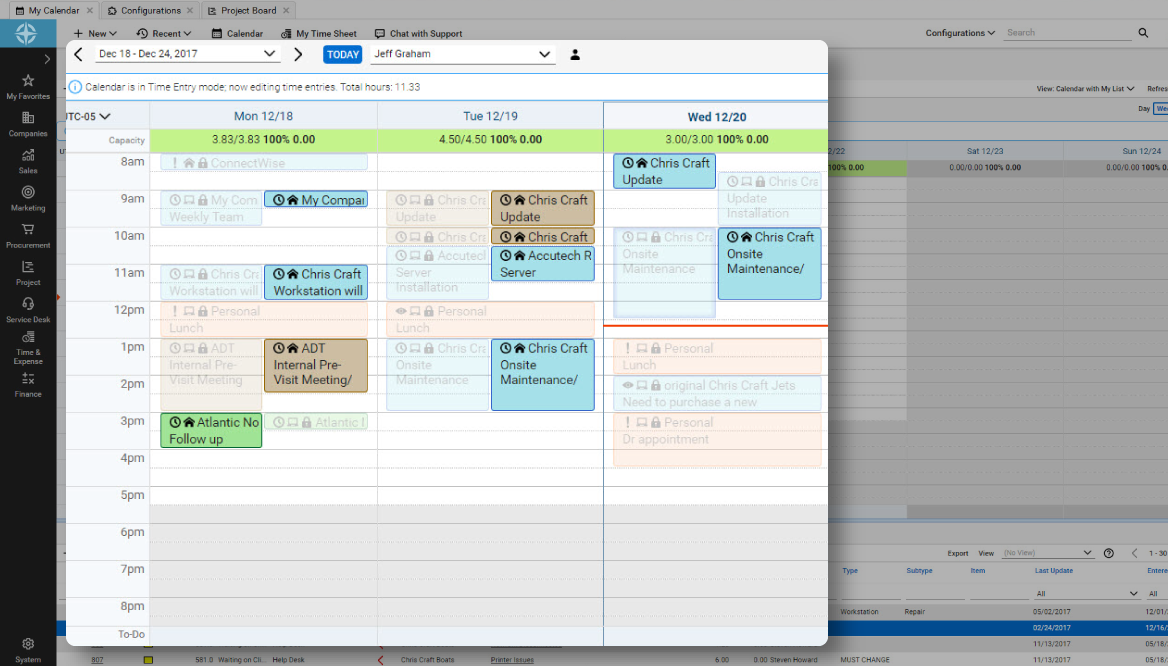   |