Dataiku vs. Powerslide

Overview
ProductRatingMost Used ByProduct SummaryStarting Price
Dataiku
Score 7.6 out of 10
N/A
The Dataiku platform unifies all data work, from analytics to Generative AI. It can modernize enterprise analytics and accelerate time to insights with visual, cloud-based tooling for data preparation, visualization, and workflow automation.N/A
Powerslide
Score 9.5 out of 10
N/A
Created in 2019, Powerslide is a data storytelling and data visualization solution. This software helps business users to create usages around data. Powerslide is a solution for data analysis, visualization and presentation. Interactive and collaborative, Powerslide aims to answer data issues in a simple, practical and design interface, and help users simplify the analysis and communication of…N/A
Pricing
DataikuPowerslide
Editions & Modules
Discover
Contact sales team
Business
Contact sales team
Enterprise
Contact sales team
No answers on this topic
Offerings
Pricing Offerings
DataikuPowerslide
Free Trial
YesYes
Free/Freemium Version
YesNo
Premium Consulting/Integration Services
NoNo
Entry-level Setup FeeNo setup feeOptional
Additional DetailsOur rates are flexible and adapt to the size and use of your organization. Contact us and let’s discuss about it.
More Pricing Information
Community Pulse
DataikuPowerslide
Features
DataikuPowerslide
Platform Connectivity
Comparison of Platform Connectivity features of Product A and Product B
Dataiku
9.1
Ratings
8% above category average
Powerslide
-
Ratings
Connect to Multiple Data Sources10.00 Ratings00 Ratings
Extend Existing Data Sources10.00 Ratings00 Ratings
Automatic Data Format Detection10.00 Ratings00 Ratings
MDM Integration6.50 Ratings00 Ratings
Data Exploration
Comparison of Data Exploration features of Product A and Product B
Dataiku
10.0
Ratings
18% above category average
Powerslide
-
Ratings
Visualization9.90 Ratings00 Ratings
Interactive Data Analysis10.00 Ratings00 Ratings
Data Preparation
Comparison of Data Preparation features of Product A and Product B
Dataiku
10.0
Ratings
20% above category average
Powerslide
-
Ratings
Interactive Data Cleaning and Enrichment10.00 Ratings00 Ratings
Data Transformations10.00 Ratings00 Ratings
Data Encryption10.00 Ratings00 Ratings
Built-in Processors10.00 Ratings00 Ratings
Platform Data Modeling
Comparison of Platform Data Modeling features of Product A and Product B
Dataiku
8.7
Ratings
4% above category average
Powerslide
-
Ratings
Multiple Model Development Languages and Tools5.10 Ratings00 Ratings
Automated Machine Learning10.00 Ratings00 Ratings
Single platform for multiple model development10.00 Ratings00 Ratings
Self-Service Model Delivery10.00 Ratings00 Ratings
Model Deployment
Comparison of Model Deployment features of Product A and Product B
Dataiku
9.0
Ratings
5% above category average
Powerslide
-
Ratings
Flexible Model Publishing Options9.00 Ratings00 Ratings
Security, Governance, and Cost Controls9.00 Ratings00 Ratings
BI Standard Reporting
Comparison of BI Standard Reporting features of Product A and Product B
Dataiku
-
Ratings
Powerslide
8.8
Ratings
5% above category average
Pixel Perfect reports00 Ratings8.50 Ratings
Customizable dashboards00 Ratings9.00 Ratings
Report Formatting Templates00 Ratings9.00 Ratings
Ad-hoc Reporting
Comparison of Ad-hoc Reporting features of Product A and Product B
Dataiku
-
Ratings
Powerslide
9.5
Ratings
17% above category average
Drill-down analysis00 Ratings9.50 Ratings
Report sharing and collaboration00 Ratings9.50 Ratings
Report Output and Scheduling
Comparison of Report Output and Scheduling features of Product A and Product B
Dataiku
-
Ratings
Powerslide
9.2
Ratings
9% above category average
Publish to Web00 Ratings9.00 Ratings
Publish to PDF00 Ratings9.50 Ratings
Report Versioning00 Ratings9.00 Ratings
Data Discovery and Visualization
Comparison of Data Discovery and Visualization features of Product A and Product B
Dataiku
-
Ratings
Powerslide
9.0
Ratings
10% above category average
Location Analytics / Geographic Visualization00 Ratings9.00 Ratings
Best Alternatives
DataikuPowerslide
Small Businesses
Jupyter Notebook
Jupyter Notebook
Score 9.4 out of 10
Supermetrics
Supermetrics
Score 10.0 out of 10
Medium-sized Companies
Posit
Posit
Score 10.0 out of 10
Supermetrics
Supermetrics
Score 10.0 out of 10
Enterprises
Posit
Posit
Score 10.0 out of 10
Dataiku
Dataiku
Score 7.6 out of 10
All AlternativesView all alternativesView all alternatives
User Ratings
DataikuPowerslide
Likelihood to Recommend
10.0
(0 ratings)
9.5
(0 ratings)
Usability
10.0
(0 ratings)
-
(0 ratings)
Support Rating
9.4
(0 ratings)
-
(0 ratings)
User Testimonials
DataikuPowerslide
Likelihood to Recommend
I would recommend it because it's an amazing tool for different levels of users. From Business Analysts to Data Scientists to Managers, various employees can make use of this tool to make data-driven decisions. I'm not sure about where it would be less appropriate as I'm using it as Data Scientist and so far it pretty much caters to my need.
Read full review
It provides you with a Beautiful design and layout. Unique dashboards are very helpful. Collaborative functions and useful features are available.
Read full review
Pros
  • Very intuitive and easy to use UI, making a lot of types of users can collaborate with each other easily, by visualizing the same workflow.
  • Many building blocks can be reused immediately, avoid a lot of non-standard boiler plate implementation.
  • Data pre-analysis and feature engineering assistance increase the productivity as well as the efficiency of data scientists.
  • Many data connectors support wide range of data storage, from SQL, TeraData, Hadoop Hive, etc.
  • Support from research till final MaaS solution deployment.
Read full review
  • Collaborative fractures helped a lot.
  • Dashboards are really unique.
Read full review
Cons
  • Its community support is very limited at the moment
  • Complex to integrate with automation tools such as Blue Prism
Read full review
  • Increase the variety of fonts
  • Make templates less serious or business
Read full review
Usability
As I have described earlier, the intuitiveness of this tool makes it great as well as the variety of users that can use this tool. Also, the plugins available in their repository provide solutions to various data science problems.
Read full review
No answers on this topic
Support Rating
The open source user community is friendly, helpful, and responsive, at times even outdoing commercial software vendors. Documentation is also top notch, and usually resolves issues without the need for human interactions. Great product design, with a focus on user experience, also makes platform use intuitive, thus reducing the need for explicit support.
Read full review
No answers on this topic
Alternatives Considered
Strictly for Data Science operations, Anaconda can be considered as a subset of Dataiku DSS. While Anaconda supports Python and R programming languages, Dataiku also provides this facility, but also provides GUI to creates models with just a click of a button. This provides the flexibility to users who do not wish to alter the model hyperparameters in greater depths. Writing codes to extract meaningful data is time consuming compared to Dataiku's ability to perform feature engineering and data transformation through click of a button.
Read full review
Powerslide stands out for having templates that help you easily organize hard data and more delicate information such as numbers and statistics. By having many ways to present and edit it in one place, it makes this a page with variety and empathy with its user.
Read full review
Return on Investment
  • Given its open source status, only cost is the learning curve, which is minimal compared to time savings for data exploration.
  • Platform also ease tracking of data processing workflow, unlike Excel.
  • Build-in data visualizations covers many use cases with minimal customization; time saver.
Read full review
  • Our collaborators do not get bored in meetings and even if it is a lot of information, seeing it in an interesting design makes them pay attention and like to be informed of the numbers they manage to obtain with their work.
Read full review
ScreenShots

Powerslide Screenshots

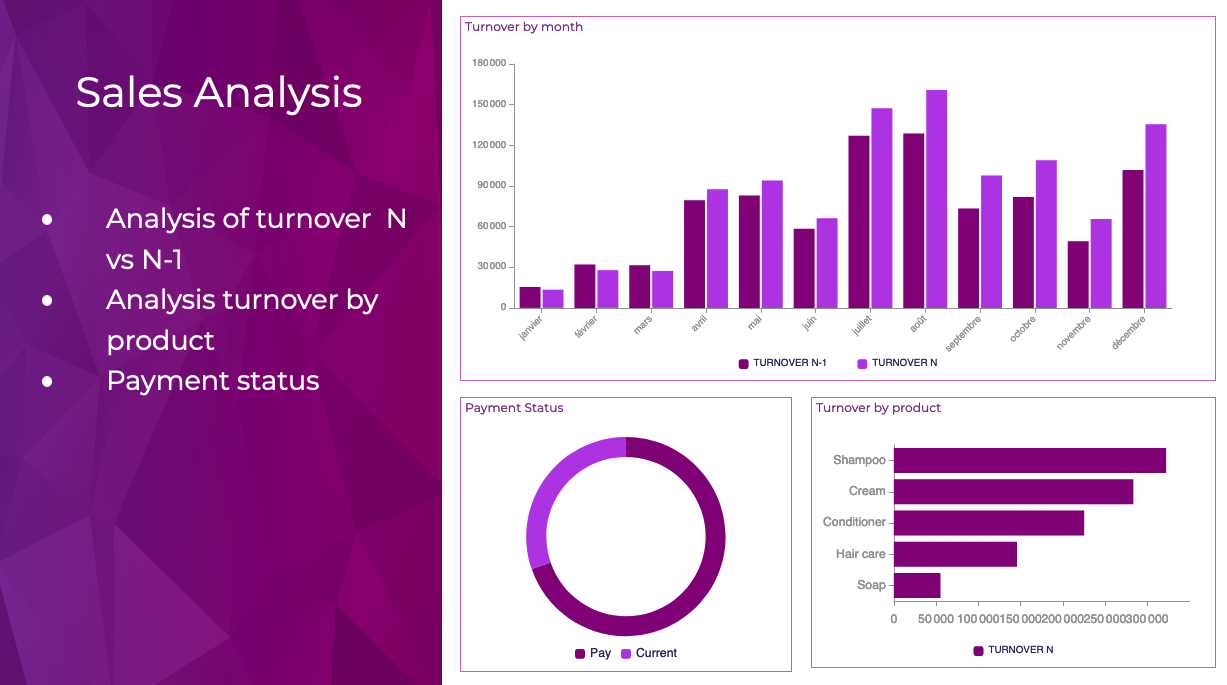
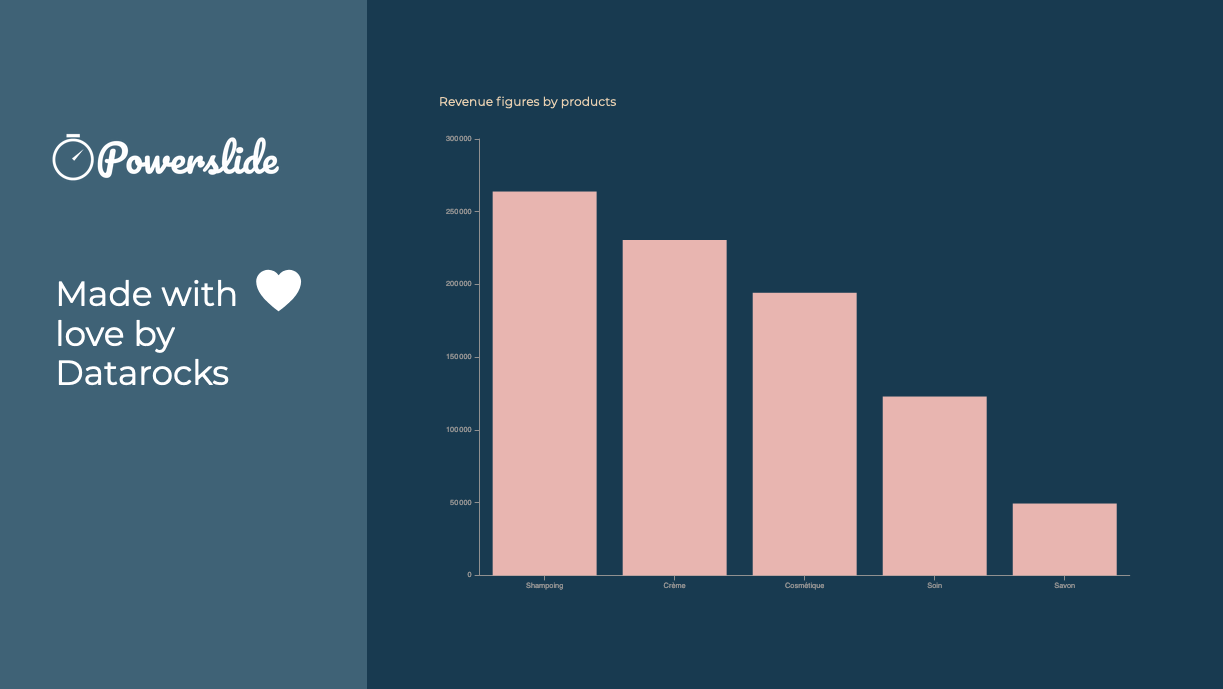
Screenshot of Reporting and dashboards have never been easier to achieve. Interactive, Powerslide takes you to the heart of your data and helps you take better decisions. Simple to use, you can build your graphics in seconds with drag-and-drop and let our suggestion algorithms guide you.Screenshot of Powerslide complies to your graphic chart. Define your color palette and Powerslide takes care of the rest.Screenshot of Powerslide is THE solution provided with love by DatarocksScreenshot of Take advantage of real-time collaboration to work as a team on the same project. Time-saving and flexibility await you !