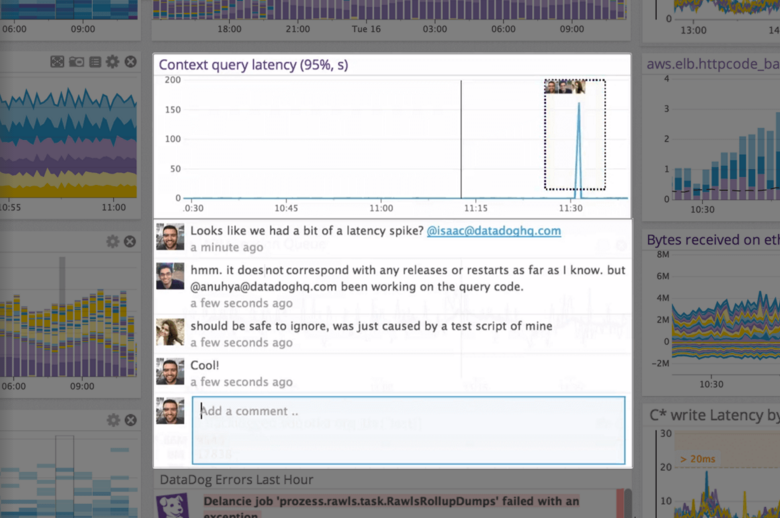
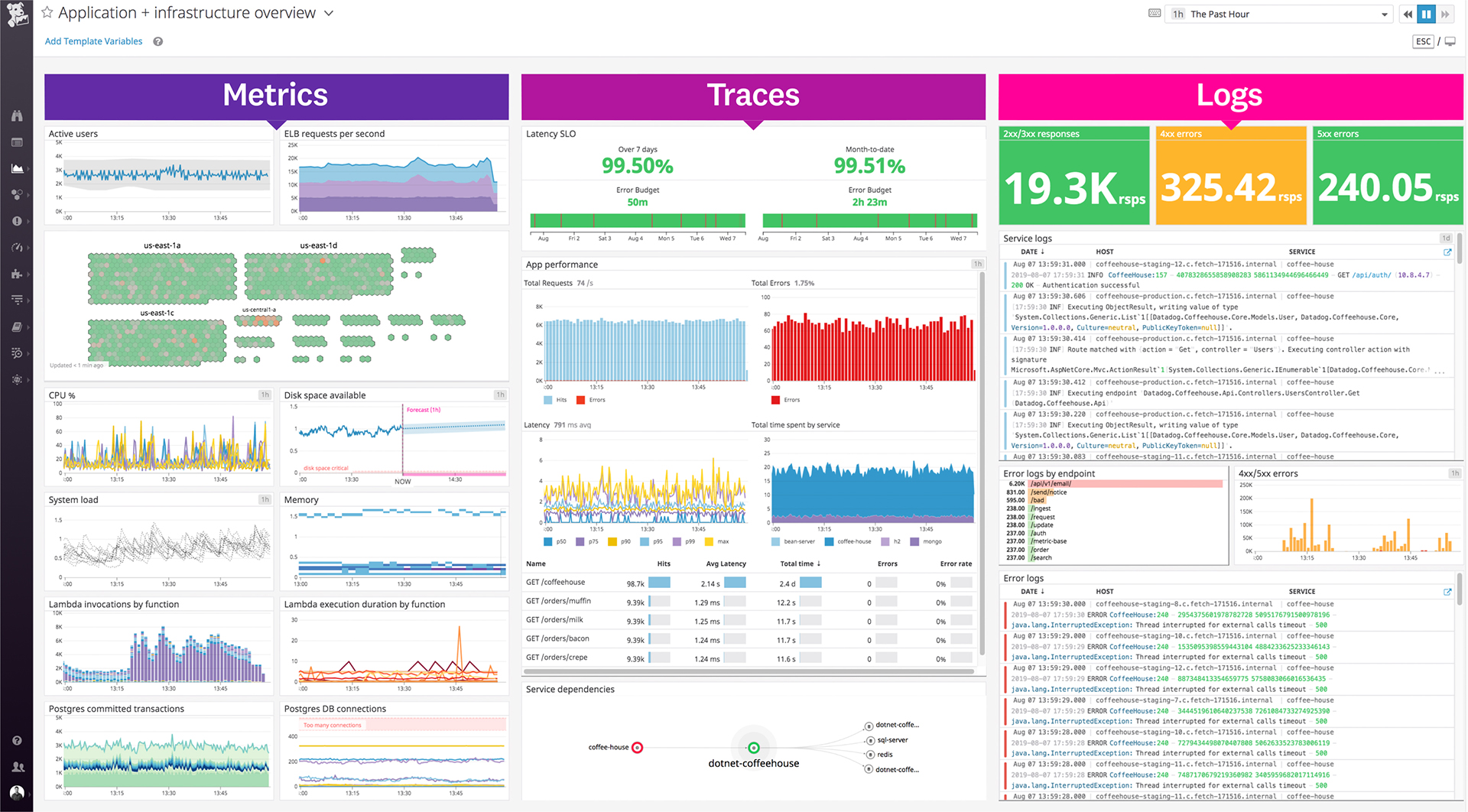
Datadog is a monitoring service for IT, Dev and Ops teams who write and run applications at scale, and want to turn the massive amounts of data produced by their apps, tools and services into actionable insight.
$18
per month per host
VuNet Systems
Score8.7 out of 10
N/A
VuNet Systems headquartered in Bangalore offers an AIOps platform that aims to connect user experience, customer journeys, business transactions, infrastructure and IT operations, and is designed to provide a comprehensive bird’s eye view of the IT operations to derive real time business and operational insights on the platform.
N/A
Pricing
Datadog
VuNet Systems
Editions & Modules
Log Management
$1.27
per month (billed annually) per host
Infrastructure
$15.00
per month (billed annually) per host
Standard
$18
per month per host
Enterprise
$27
per month per host
DevSecOps Pro
$27
per month per host
APM
$31.00
per month (billed annually) per host
DevSecOps Enterprise
$41
per month per host
No answers on this topic
Offerings
Pricing Offerings
Datadog
VuNet Systems
Free Trial
Yes
No
Free/Freemium Version
Yes
No
Premium Consulting/Integration Services
No
No
Entry-level Setup Fee
Optional
No setup fee
Additional Details
Discount available for annual pricing. Multi-Year/Volume discounts available (500+ hosts/mo).
Datadog works really well with complex microservices architecture like any E-commerce platform which will be having multiple services but they all are interdependent to others so in this scenario Datadog will be best to monitor these as it will show the transactions also between those microservices. If you are using multiple services in your architecture whether it will be cloud services or on prem services Datadog will be the best choice to monitor all those service with in Datadog so that you can see everything in a single place. But if you are having small architecture and few services in that then in that scenario you can use Datadog but it will be little costly as compared to other but obviously the features are very well.
A de minimis incentive was given to thank the reviewer for their time. The incentive was not used to bias or drive a particular response, nor was the incentive contingent on a positive endorsement. TR verified that a representative sample of customers was invited. More Info
I definitely [recommend] VuNet Systems for the following. 1. Richness of reports. 2. Ease of use. 3. Strong support team. 4. Flexibility in changing the product road map according to our requirements. 5. Acknowledging and Appreciating our feedback. 6. Improving and prioritizing the product features. 7. Brings confidence and confirmations to the decisions.
A de minimis incentive was given to thank the reviewer for their time. The incentive was not used to bias or drive a particular response, nor was the incentive contingent on a positive endorsement. More Info
Alert windows cause lag in notifications (e.g. if the alert window is X errors in 1 hour, we won't get alerted until the end of the 1 hour range)
I would appreciate more supportive examples for how to filter and view metrics in the explorer
I would like a more clear interface for metrics that are missing in a time frame, rather than only showing tags/etc. for metrics that were collected within the currently viewed time frame
A de minimis incentive was given to thank the reviewer for their time. The incentive was not used to bias or drive a particular response, nor was the incentive contingent on a positive endorsement. More Info
There is some room for improvement, but the Datadog team sends out updates frequently, and the UI is user-friendly for engineers, with no significant loading issues or region-specific problems. That was one of the key reasons we preferred Datadog; our company has employees worldwide, and it wasn't difficult to transition to the tool.
A de minimis incentive was given to thank the reviewer for their time. The incentive was not used to bias or drive a particular response, nor was the incentive contingent on a positive endorsement. More Info
The support team usually gets it right. We did have a rather complicate issue setting up monitoring on a domain controller. However, they are usually responsive and helpful over chat. The downside would be I don’t think they have any phone support. If that is important to you this might not be a good fit.
A de minimis incentive was given to thank the reviewer for their time. The incentive was not used to bias or drive a particular response, nor was the incentive contingent on a positive endorsement. More Info
VuNet team architects fit for purpose solution for the landscape. The tool configuration and project execution is smooth. More the data you provide better you can exploit the feature functionality of VuNet. Be prepared to invest right amount of time during the data discovery and design phase. One needs to spend time in the type of report configuration, choosing the type of metrics required. Structure the support contract till the tool is adopted by your workforce.
We are still trying other products, but people still like Datadog. After setting up a dashboard, it's great for monitoring instances on Datadog. Also, the DevOps team had a good time setting up Datadog. It means Datadog was way easier to set up compared to those others.
A de minimis incentive was given to thank the reviewer for their time. The incentive was not used to bias or drive a particular response, nor was the incentive contingent on a positive endorsement. More Info
A de minimis incentive was given to thank the reviewer for their time. The incentive was not used to bias or drive a particular response, nor was the incentive contingent on a positive endorsement. More Info
We can say it had a very positive impact if we are speaking in terms of ROI. As the result that we got for the time and efforts invested in implementing VuNet in our organization is really great.