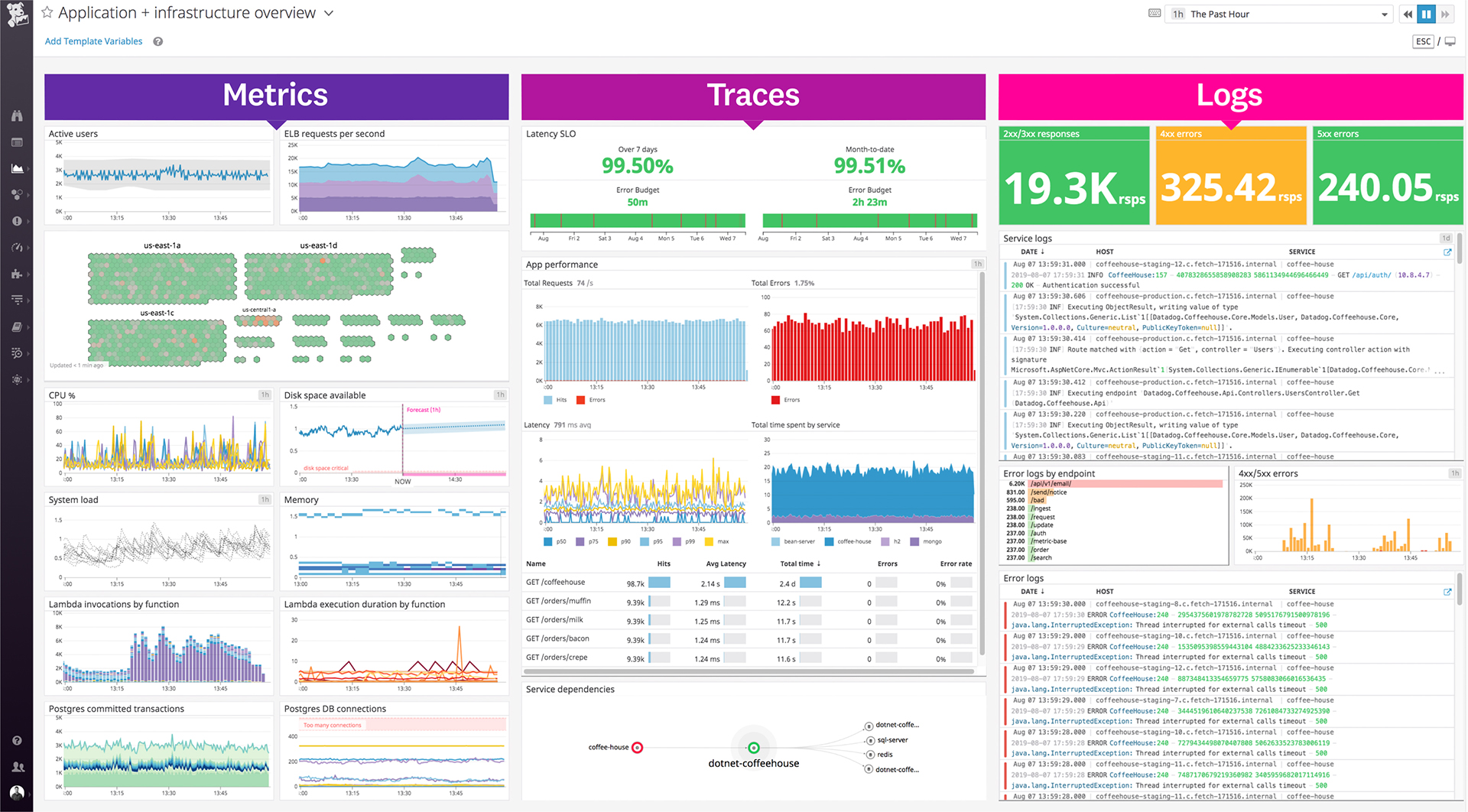
Datadog is a monitoring service for IT, Dev and Ops teams who write and run applications at scale, and want to turn the massive amounts of data produced by their apps, tools and services into actionable insight.
$1.27
per month (billed annually) per host
Symantec Server Management Suite
Score 7.0 out of 10
N/A
The Symantec Server Management Suite is an option for automating the management of servers and deployments.
N/A
Pricing
Datadog
Symantec Server Management Suite
Editions & Modules
Log Management
$1.27
per month (billed annually) per host
Infrastructure
$15.00
per month (billed annually) per host
Standard
$18
per month per host
Enterprise
$27
per month per host
DevSecOps Pro
$27
per month per host
APM
$31.00
per month (billed annually) per host
DevSecOps Enterprise
$41
per month per host
No answers on this topic
Offerings
Pricing Offerings
Datadog
Symantec Server Management Suite
Free Trial
Yes
No
Free/Freemium Version
Yes
No
Premium Consulting/Integration Services
No
No
Entry-level Setup Fee
Optional
No setup fee
Additional Details
Discount available for annual pricing. Multi-Year/Volume discounts available (500+ hosts/mo).
A one-stop solution for everything you need. Multiple functionalities are tailored to meet specific business needs. Logs are essential for any business, and Datadog manages logs effectively. Rum sessions are something new to me and have given us a new perspective on how to reverse engineer issues that we see for our customers.
Alert windows cause lag in notifications (e.g. if the alert window is X errors in 1 hour, we won't get alerted until the end of the 1 hour range)
I would appreciate more supportive examples for how to filter and view metrics in the explorer
I would like a more clear interface for metrics that are missing in a time frame, rather than only showing tags/etc. for metrics that were collected within the currently viewed time frame
The SMP solution is a beast. Each piece is complicated in itself let alone how everything ties together!
There is plenty of documentation online on how to perform a specific task, but you need to pay attention to what VERSION the article is written for. I've been halfway through implementing something only to hit a roadblock since I'm running a newer version and the option the article says to click on doesn't exist anymore...
Datadog's user interface is quite friendly and easy to navigate. With menus clearly categorized, and ability to bookmark important dashboards, one can easily find what they're looking for. For dashboards, ability to move and resize visualizations and group them, is really helpful to organize dashboards. Automatic suggestions from Datadog for important visualizations based on the metrics and logs would provide another level of ease of use.
The support team usually gets it right. We did have a rather complicate issue setting up monitoring on a domain controller. However, they are usually responsive and helpful over chat. The downside would be I don’t think they have any phone support. If that is important to you this might not be a good fit.
I selected Datadog because of its features and the wide range of integration support. As I already told it supports more that 600+ integrations which helps and organization to keep everything in a single place and also its AI feature which is reducing the time for root cause analysis. Its custom dashboards features which helps us to visualize the data in a more attractive way.
I have had exposure to SCCM before we moved to Altiris (aka SMP) and SMP does some things in a more complicated way, but there is a LOT of flexibility too. For example, with Patch Management, it's very similar to SCCM, you download the patches you want to install and then publish them. However, with SCCM, you need to have WSUS running on the back end to handle the patch deployment, while SMP does the installs itself. It syncs the patches with the agents and stages the files, and will install them when the maintenance window opens.
Being able to report on the majority of things you want all from one interface, makes it really easy to get the results you want.
Because my employer didn't provide training, it took working with support, reading technical documentation, and just playing around on my own to learn how to do certain things.
I've had a lot of help from the SMP Support staff and they're great people and very helpful!