Databox is business intelligence software built for teams that need fast, actionable insights.
$199
per month
SAP Lumira Discovery
Score4.4 out of 10
N/A
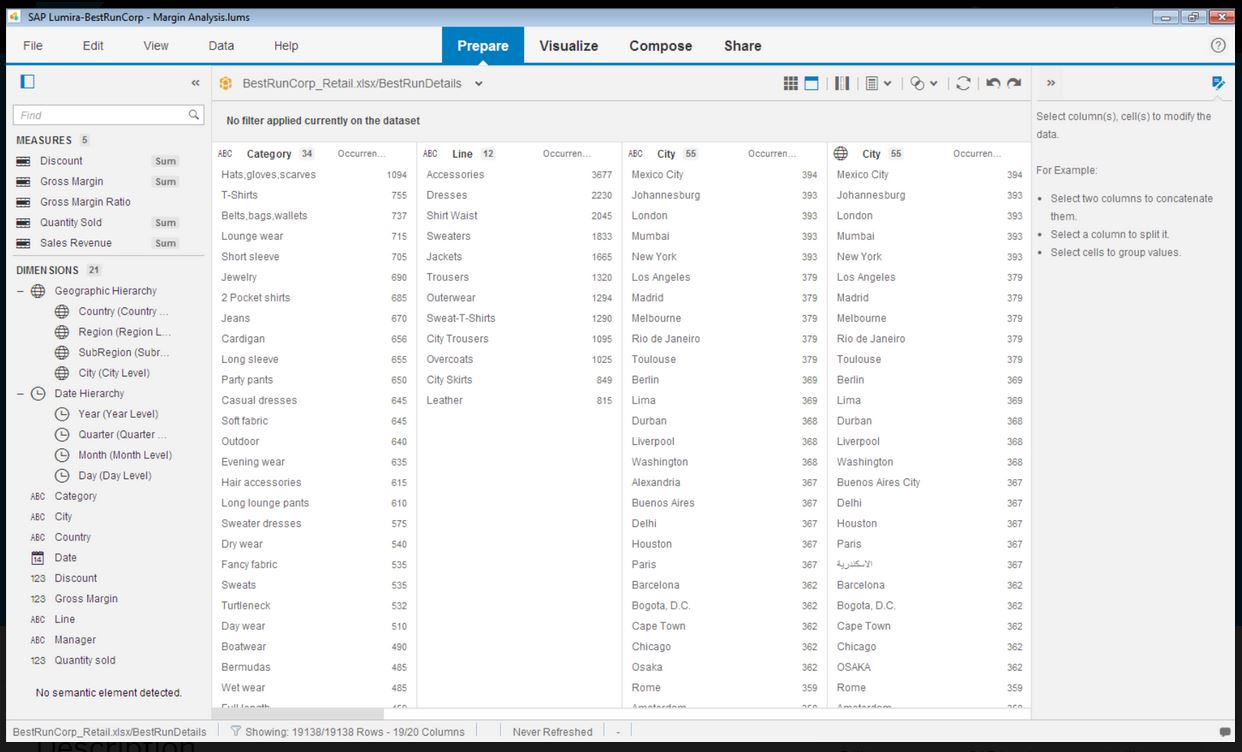
SAP Lumira Discovery is SAP’s data visualization and discovery application. It facilitates data discovery, visualization, and analysis by assisting users with creation of dashboards, infographics, presentations, data facets, tag clouds, and more.
I believe Databox can be an asset for any company. We are a small company, but I can see the value for large companies too. Databox is a great fit for departments or organizations that need to put their data into a readable form without needing a ton of reports. Databox allows you to save time and put together a nice report without having to do too much extra work. Once it is set up, it basically runs on its own at the frequency you set. I personally receive a daily report and have it sent to the respective people on the day of our meeting so we can quickly review it.
A de minimis incentive was given to thank the reviewer for their time. The incentive was not used to bias or drive a particular response, nor was the incentive contingent on a positive endorsement. More Info
Infographics derived from specific data sources appears to be well suited for development using Lumira. The development of executive level dashboards was less appropriate from my perspective. The software does not provide sufficient demonstration or samples for the users to learn from in my opinion.
A de minimis incentive was given to thank the reviewer for their time. The incentive was not used to bias or drive a particular response, nor was the incentive contingent on a positive endorsement. More Info
A de minimis incentive was given to thank the reviewer for their time. The incentive was not used to bias or drive a particular response, nor was the incentive contingent on a positive endorsement. More Info
A de minimis incentive was given to thank the reviewer for their time. The incentive was not used to bias or drive a particular response, nor was the incentive contingent on a positive endorsement. More Info
Some types of data can only be reported on for 1-2 months back. Unless I'm misunderstanding the function of the software this seems really weird. I can't figure out how to report on Activities more than 2 months ago
A de minimis incentive was given to thank the reviewer for their time. The incentive was not used to bias or drive a particular response, nor was the incentive contingent on a positive endorsement. More Info
Even though the process of creating visualizations of data is now greatly improved, it could still be a lot better as users become accustomed to this kind of tool and bring forward edge cases the developers did not anticipate.
It would be awesome to have a cross platform tool that works on more than just Windows.
A de minimis incentive was given to thank the reviewer for their time. The incentive was not used to bias or drive a particular response, nor was the incentive contingent on a positive endorsement. TR verified that a representative sample of customers was invited. More Info
A de minimis incentive was given to thank the reviewer for their time. The incentive was not used to bias or drive a particular response, nor was the incentive contingent on a positive endorsement. More Info
Databox is an intuitive, well-designed platform that can be used by non-technical marketers. It is easy to learn, and while set up takes time, usability is high and the team has enjoyed creating custom dashboards and clients have also given us great feedback regarding its usability and value. While other BI tools are much more complex to navigate, Databox is a breeze.
A de minimis incentive was given to thank the reviewer for their time. The incentive was not used to bias or drive a particular response, nor was the incentive contingent on a positive endorsement. More Info
SAP Lumira is very good self service analytical tool with powerful capabilities. However need to look into other SAP products in BI space, like SAP SAC. SAP Lumira is more used for custom and complex analytical need in business intelligence area. Also SAP Lumira is going out of maintenance in coming future replaced by SAP SAC.
A de minimis incentive was given to thank the reviewer for their time. The incentive was not used to bias or drive a particular response, nor was the incentive contingent on a positive endorsement. More Info
Lumira is a desktop application runs in its own JVM. It installs its own java runtime libraries to avoid any core java version conflicts. The availability of the application is completely relies on individual machine hardware configuration. On a decent desktop, it performs well and always launches in either 32 or 64 bit environment based on the hosts system's OS
A de minimis incentive was given to thank the reviewer for their time. The incentive was not used to bias or drive a particular response, nor was the incentive contingent on a positive endorsement. More Info
The performance is linear with amount of data that is being explored. We have done some benchmarks acquiring 10million data cells without having any performance problems. We need to make proper adjustments to jvm run time properties to start with higher heap size and other parameters that optimizes the run time performance
A de minimis incentive was given to thank the reviewer for their time. The incentive was not used to bias or drive a particular response, nor was the incentive contingent on a positive endorsement. More Info
I have really enjoyed using Databox and have seen the value of it in many ways. They also continue to improve the functions of it and grow their integrations and templates. I look forward to continuing to use Databox in the future, potentially even finding ways to incorporate it into other departments to help them with reporting as well.
A de minimis incentive was given to thank the reviewer for their time. The incentive was not used to bias or drive a particular response, nor was the incentive contingent on a positive endorsement. More Info
It does not have many bugs or issues since not a lot of new features are being added. The customer support for SAP Lumira Discovery is good and anyone considering this as a self-service tool would be happy. It integrates well in the SAP BI suite of products and the overall experience is positive.
A de minimis incentive was given to thank the reviewer for their time. The incentive was not used to bias or drive a particular response, nor was the incentive contingent on a positive endorsement. More Info
A de minimis incentive was given to thank the reviewer for their time. The incentive was not used to bias or drive a particular response, nor was the incentive contingent on a positive endorsement. More Info
Most of the user guides are pretty comprehensive and very easy to understand. The product itself is designed to be self-serve tool, did not need much of the end-user training. Most of the training we had is to how to read the data, how to explore the data, how to acquire the data etc.
A de minimis incentive was given to thank the reviewer for their time. The incentive was not used to bias or drive a particular response, nor was the incentive contingent on a positive endorsement. More Info
Installing the desktop software on end-user machines is always challenging. The machine specifications are the biggest factor when running Lumira and be able to handle large datasets during data exploration. This often demands beefy machines at least for power-users. Although Lumira software licensing is not a big problem but managing partner's extensions and keeping track of their individual licenses may be an issue. If there is a way to bundle the more popular extensions such as vSQL or vOLAP should be bundled in core product and offer them as part of Lumira license instead of a separate license which causer operational burden.
A de minimis incentive was given to thank the reviewer for their time. The incentive was not used to bias or drive a particular response, nor was the incentive contingent on a positive endorsement. More Info
Databox is unique in its ability to report from multiple data sources. Google Analytics is the standard when it comes to web metrics, but it's just one of the tools that integrates with Databox. Tableau is fantastic for data visualizations and reporting, but it's much more expensive than Databox, so it's not ideal for everyone. Tableau is also superior with customization
A de minimis incentive was given to thank the reviewer for their time. The incentive was not used to bias or drive a particular response, nor was the incentive contingent on a positive endorsement. More Info
Even though SAP Analytics Cloud is considered to be better in aspects such as data connectivity or analytics, we decided to choose Lumira as it was easier to understand, learn and use. As our business is not really that big and does not require the inclusion of large amounts of data, Lumira was overall the safest and most comfortable option. Also, some members in our team had previous knowledge so it was easier to adapt
A de minimis incentive was given to thank the reviewer for their time. The incentive was not used to bias or drive a particular response, nor was the incentive contingent on a positive endorsement. More Info
Enterprise wide implementation is a challenge with data security and trustedness. No easy installation can be done across the enterprise. no upgrade paths also available from SAP. They have so much of experience with desktop implementation, there it could be a controlled environment with a capital budget. These may be resolved in the upcoming releases
A de minimis incentive was given to thank the reviewer for their time. The incentive was not used to bias or drive a particular response, nor was the incentive contingent on a positive endorsement. More Info
A de minimis incentive was given to thank the reviewer for their time. The incentive was not used to bias or drive a particular response, nor was the incentive contingent on a positive endorsement. More Info