Salesforce launched Data.com in 2011, in partnership with D&B, but has since decided to gradually sunset the platform. Data.com offered a store of company and customer data for use in sales and prospecting.
N/A
LeadFuze
Score8.7 out of 10
Small Businesses (1-50 employees)
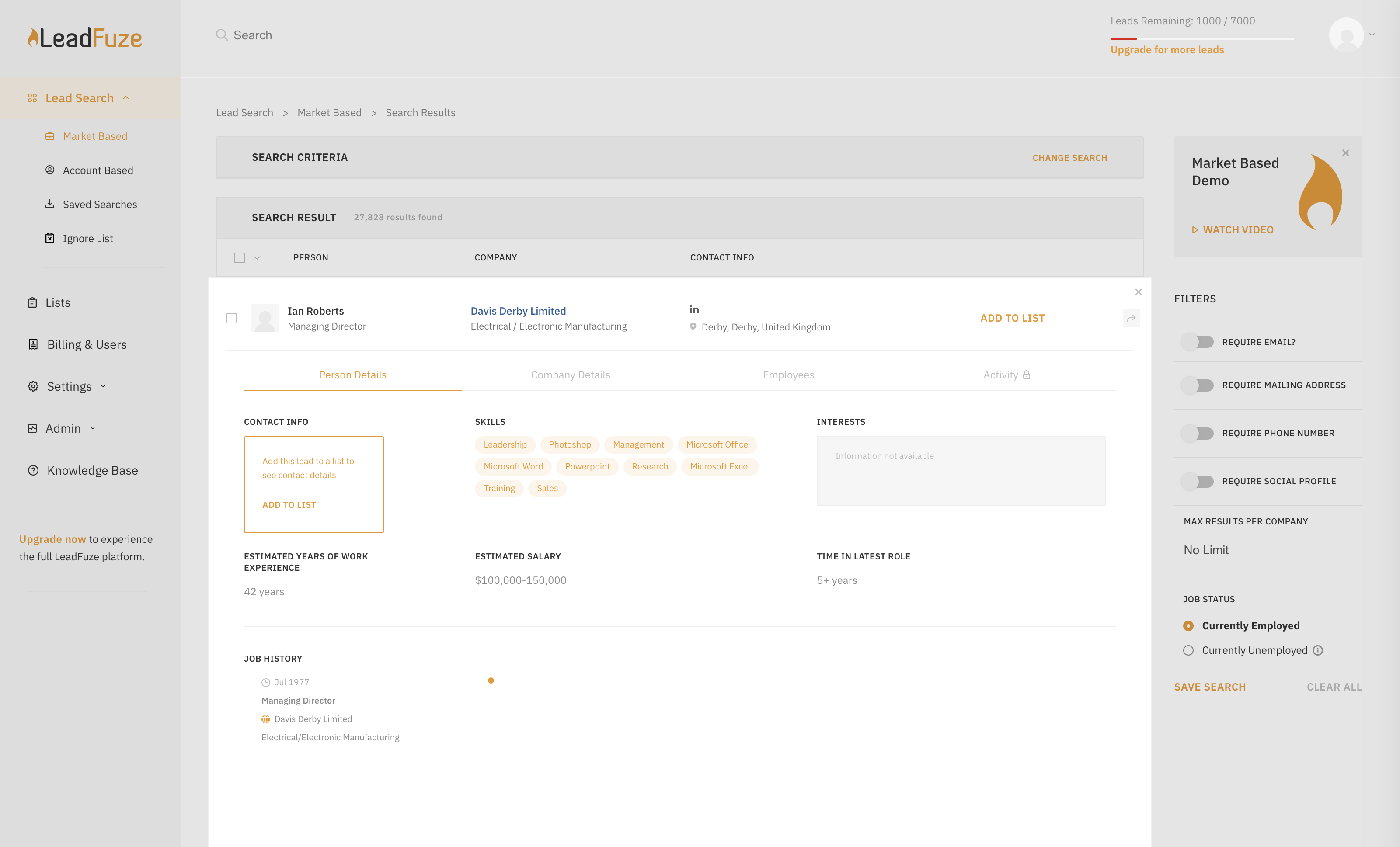
Find any business professional's contact information. Search entire market segments, or for specific individuals or accounts.
Used by salespeople, recruiters, and marketers to help them build their ideal list of leads and candidates. LeadFuze aggregates the world’s professional data to continue to deliver fresh leads.
It's prospecting, automated!
N/A
Pricing
Data.com (discontinued)
LeadFuze
Editions & Modules
No answers on this topic
No answers on this topic
Offerings
Pricing Offerings
Data.com (discontinued)
LeadFuze
Free Trial
No
Yes
Free/Freemium Version
No
No
Premium Consulting/Integration Services
No
No
Entry-level Setup Fee
No setup fee
No setup fee
Additional Details
—
The LeadFuze team offers to write your cold email copy for you on our Professional and Rainmaker subscriptions for no additional cost. We have sent over 2 million cold emails and know what works and you can take advantage of this expertise with this offer.
There are many scenarios that make data.com well suited, but most specifically, it works very well when looking for contacts within a certain zip code. You can sort and find information about these contacts and pay by points. This helps because you are able to pick and choose which you want to pay for.
A de minimis incentive was given to thank the reviewer for their time. The incentive was not used to bias or drive a particular response, nor was the incentive contingent on a positive endorsement. More Info
I give Lead Fuze an excellent rating because the double-checking feature for email addresses makes it so you don't have to purchase additional software and you don't have to worry about emails bouncing back from old, wrong emails like some other lead scrapers do. You can scrape 1000 quality leads in about 1 day and feed them directly into your cold emailing software like High Level, Woodpecker, Active Campaign, etc.
Data.com is a great way to find out accurate revenue and employee numbers for companies across various industries.
Data.com's filtering capabilities allow our team to quickly find the ideal prospects to reach out to.
Data.com, being owned by Salesforce, allows for a seamless integration into our CRM. This saves us an incredible amount of time and ensures data accuracy.
A de minimis incentive was given to thank the reviewer for their time. The incentive was not used to bias or drive a particular response, nor was the incentive contingent on a positive endorsement. More Info
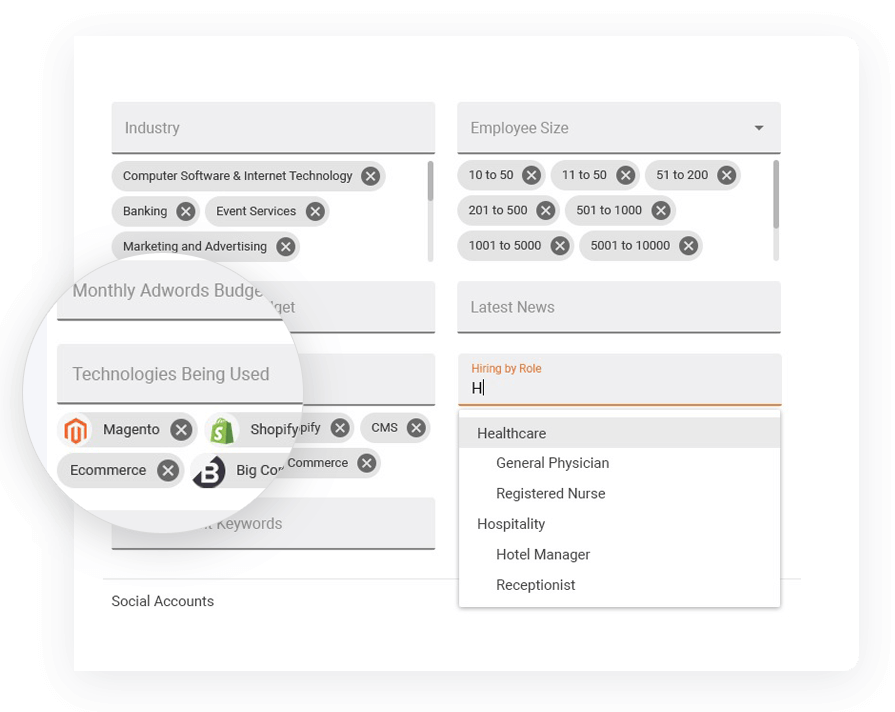
I really like the 'no nonsense' interface and simplicity of LeadFuse. As a digital marketing agency, I also really like the AdWords budget filter... This is great! I can target prospects who are already spending at least 'X' amount of money on paid ads, so I have a basic idea of their budget before I even approach them. This avoids the 'what's your budget' question evasiveness that prospects often give. I can tell them I already know how much they are spending on PPC and cut through the BS.
I also like the 'technology used' filter. Since we work primarily with Wordpress, I can target prospects NOT using WordPress and pitch web design in a more meaningful way. Or, conversely, I can target ONLY companies using WordPress.
Finally, I like the semi-automation feature. I can have FuseBot pull down 100 new leads based on my criteria every Monday and, before I dump them into my automated email outreach/nurture campaign, I can glance over them and make sure the all look ok (admittedly, sometimes there are some weird strays in the results that are not in the geography or industry I'm looking for, so I can skip those).
A de minimis incentive was given to thank the reviewer for their time. The incentive was not used to bias or drive a particular response, nor was the incentive contingent on a positive endorsement. More Info
Some contacts can be old. Perhaps they could consider validating some that are older than 5 years.
They don't always detect duplicate companies. For example, I've added the same company twice before, I don't understand how they allow that, or prevent others from adding duplicates. It doesn't happen very often,, only occasionally.
Sometimes data.com will "autocorrect" a job title incorrectly. For example, entering "Director of People & Culture" will autocorrect it to "Director of peopleandculture" If you don't catch it, it looks pretty bad for the next person who wants to view the contact.
A de minimis incentive was given to thank the reviewer for their time. The incentive was not used to bias or drive a particular response, nor was the incentive contingent on a positive endorsement. More Info
A de minimis incentive was given to thank the reviewer for their time. The incentive was not used to bias or drive a particular response, nor was the incentive contingent on a positive endorsement. More Info
Very intuitive to use and I've never had any confusion with features. Anyone can create an account and use the platform simply by adding a contact or company into the database to earn points. It's a great option if you don't have budget for lists or pay services. It is easy to use and anyone can benefit from it.
A de minimis incentive was given to thank the reviewer for their time. The incentive was not used to bias or drive a particular response, nor was the incentive contingent on a positive endorsement. More Info
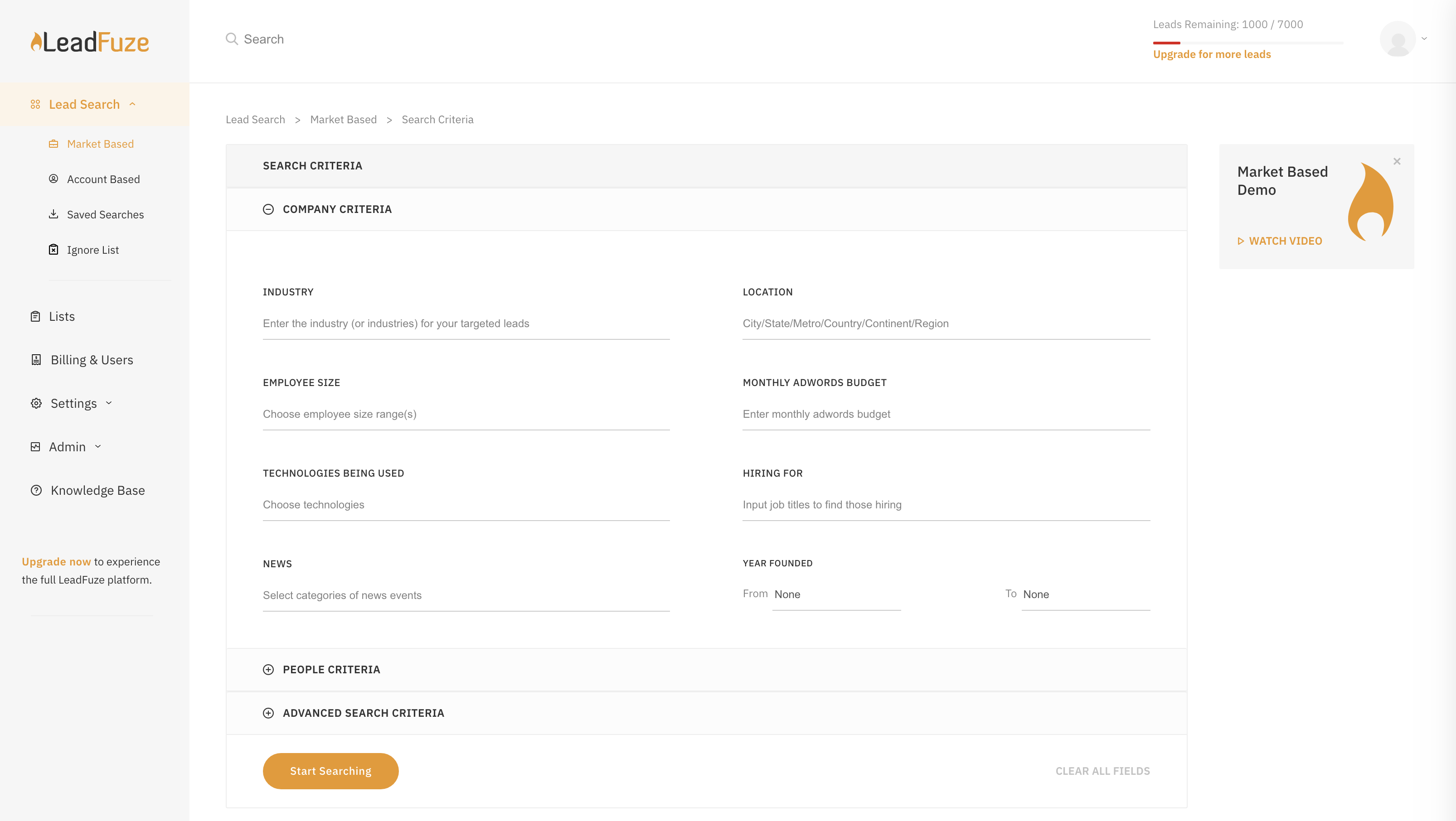
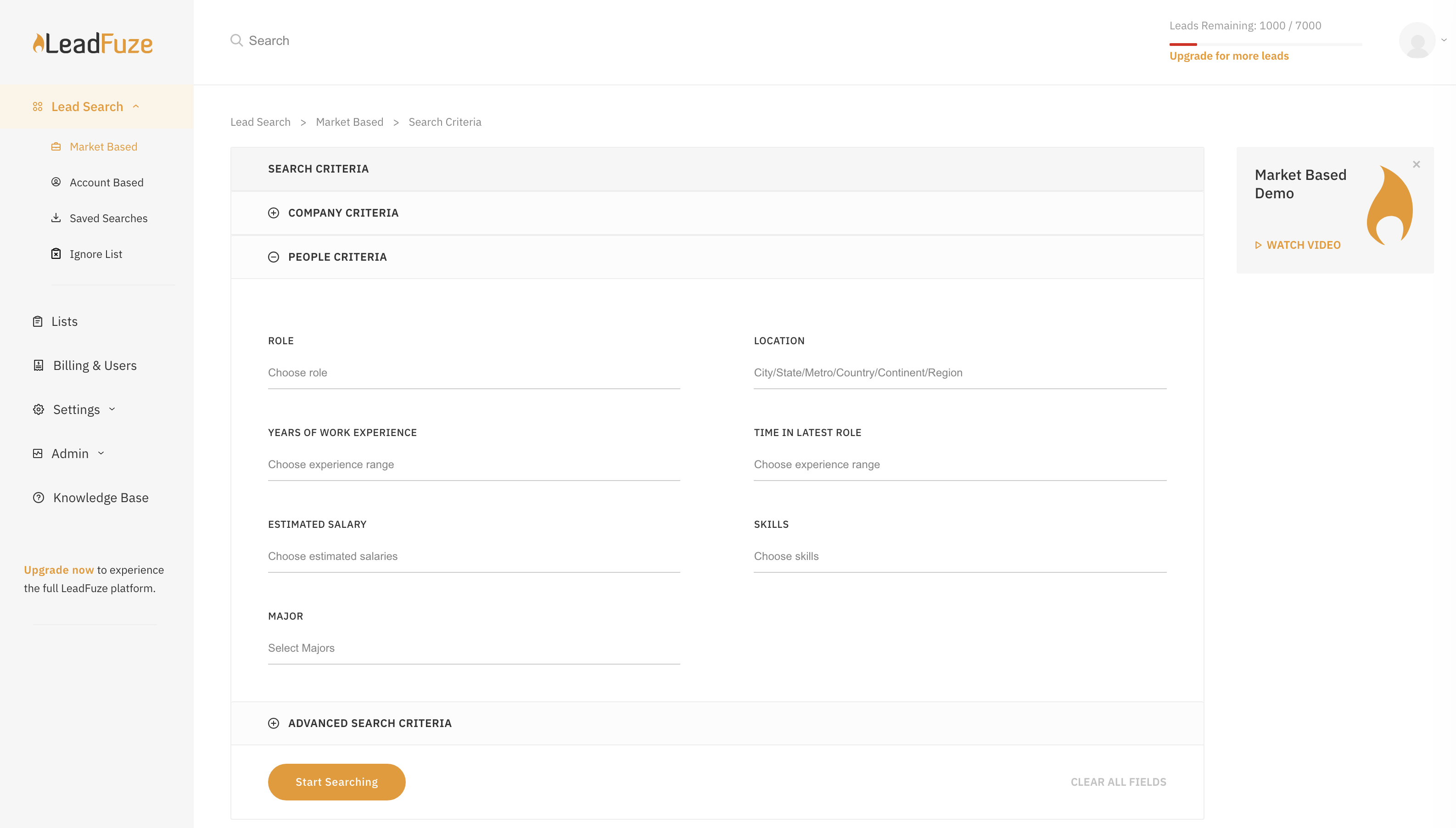
LeadFuze is super easy to get going and start to work with. There are videos to walk you through it but all you have to do is fill out the form that tells the system what kind of leads you're looking for and you're good to go - it does the rest of the work for you!
A de minimis incentive was given to thank the reviewer for their time. The incentive was not used to bias or drive a particular response, nor was the incentive contingent on a positive endorsement. More Info
Whenever I've had a question their support has responded pretty quickly and gives me exactly what I am looking for. I have not had any technical issues so I can't speak to issues there, but as far as general questions from a free user they have impressed me with how quickly they get back to me and the thoroughness of their answers.
A de minimis incentive was given to thank the reviewer for their time. The incentive was not used to bias or drive a particular response, nor was the incentive contingent on a positive endorsement. More Info
Very poor again. I booked 3 demonstrations with them, the first failed to support due to tech issues, the second one failed to arrive for the meeting, as did the third meeting arranged. I had difficulty trying to find anywhere to engage online with them, so the customer experience is very low down in my opinion.
Adobe Workfront may not be the direct competitor of Data.com, but for the services I was using, Workfront looked a little better when it comes to the user interface. But Data.com definitely had more powerful features & better integration capabilities. Also, it was easier to play around with the customer journey in Data.com as compared to other tools I have used in the past.
A de minimis incentive was given to thank the reviewer for their time. The incentive was not used to bias or drive a particular response, nor was the incentive contingent on a positive endorsement. More Info
LeadFuze has more filters than other software I've been using such as FindThatLead and Snovio and that gives me the chance to drill down even further into specific niches. Also, the system is really more user friendly and simple to use even more than other software I used in the past.
A de minimis incentive was given to thank the reviewer for their time. The incentive was not used to bias or drive a particular response, nor was the incentive contingent on a positive endorsement. More Info
We have been able to reduce PPC spend and spend a fraction of that with LeadFuze. We are producing leads and a reasonable percentage is converting into orders and long term clients. Can't beat that.
We now spend less time chasing and generating leads. LeadFuze does all the heavy lifting and we have more time to build the business.
We have obtained several larger, long term clients from being able to get in front of them due to LeadFuze. LeadFuze helps us make that initial contact....the rest is up to us. That is the way it should be and the way I like it.