Customer.io is a customer engagement platform that enables marketers to build sophisticated automated messaging campaigns. With access to real-time behavioral data, users can create personalized and relevant messages to engage and retain customers. This includes sending emails, push notifications, SMS, in-app messages, and more through a visual building experience. Built for scale, Customer.io boasts users among over 5,300 companies, sending over 17 billion messages per year.
$100
per month
Verint Channel Automation
Score8 out of 10
Mid-Size Companies (51-1,000 employees)
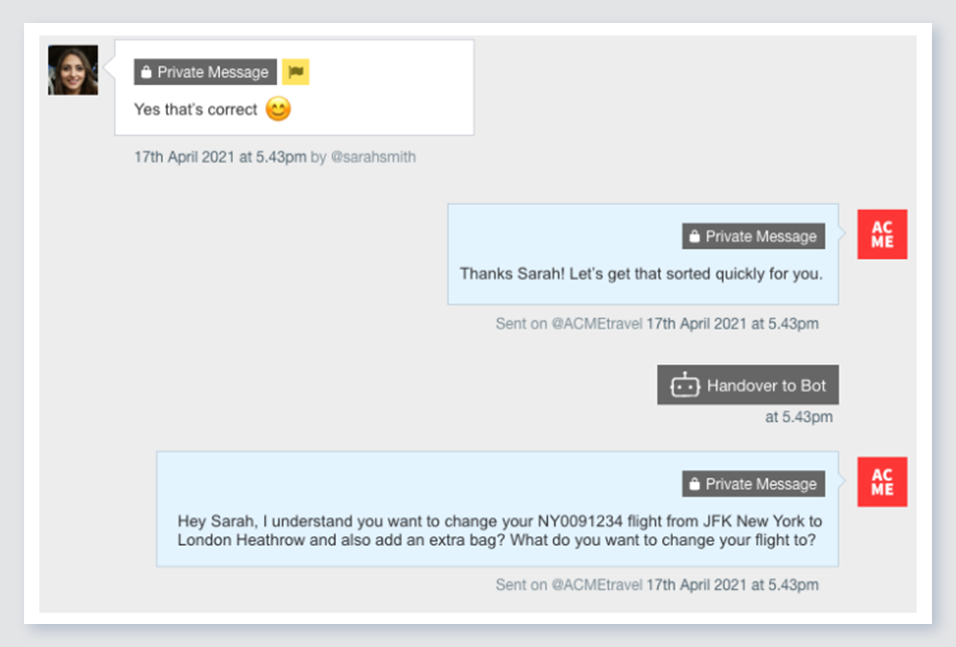
Verint Channel Automation is a social customer service software that enables companies to engage in large volumes of social media conversations with their customers. The cloud-based software combines intelligent prioritization with team management workflows.
N/A
Pricing
Customer.io
Verint Channel Automation
Editions & Modules
No answers on this topic
No answers on this topic
Offerings
Pricing Offerings
Customer.io
Verint Channel Automation
Free Trial
Yes
No
Free/Freemium Version
No
No
Premium Consulting/Integration Services
Yes
Yes
Entry-level Setup Fee
Optional
Optional
Additional Details
Essentials: For startups and small teams engaging customers on their mobile and web apps.
- Up to 5,000 profiles*, Send Emails, Push, In-App, and SMS, Visual Workflow Builder, Segmentation, Two Workspaces, Email Support, Customer Community
Premium: For high-growth companies looking for greater control over their messaging outcomes.
- Everything in Essentials, Custom Data + Message Volume, Premium Product Features, Additional Workspaces, 90-day Onboarding Program, Premium Email & Chat Support, Managed Deliverability, Dedicated IPs, Parcel Pro Licenses, HIPAA Compliance
Enterprise: For at-scale companies looking to create world-class customer experiences.
- Everything in Premium, Managed Infrastructure*, Customer Success Manager, Quarterly Success Reviews, Technical Account Manager*, Audit Logging & Data Governance*, Parcel Business Licenses, Migration Support*, *Available by consultation.
This tool is well-suited for companies looking to run email marketing campaigns or send out newsletters regularly to their users/customers. The workflow setup is especially useful for companies who want to send specific emails based on user behavior - i.e. they've not logged in recently, have bought a specific product, haven't opened any emails, etc. This could also be useful for freelancers like me since you can create different workspaces within Customer.io. I have configured it this way to handle email marketing for a few of my clients, and the software keeps everything organized and separate. This might not be the best tool for small businesses, considering the price. It may be better to start out with a cheaper email marketing tool, and then if/when necessary, scale-up with a tool like Customer.io.
From experience, you may ask the Conversocial team to make recommendations on licenses for larger vs. smaller social customer service teams. The need for support and the amount of usage you may get from the tool's robust offering may differ as a result of those precedents. The tool is adaptable in both scenarios it would seem.
Managing users, attributes and events. You are easily able to modify any user, based on their ID, and add or remove attributes, assign events to them. That makes it very easy to segment later and to assign them to several campaigns based on behavior. Just a warning: this integration isn't so easy (at least it wasn't for us).
Creating workflows of campaigns is very easy. You can quickly create behavioral campaigns based on attributes, segments and add elements to the workflow. You can send an email, then wait, then send another, then exit the campaign if they converted, etc. The workflow is easy to configure and very powerful for automation.
We don't use many email templates (we make them in MJML) but it's very easy to add senders, to change templates and in general to test designs.
Deliverability works very well, at least for us. It sends emails pretty fast and without issues.
Exporting is very quick and easy. Importing wasn't a feature until recently, but it works well too.
Seeing activity it's also useful. In general, logs are awesome (be it of a customer, of activity on the site, email sends, etc.).
We don't use environments, but it might be very useful for a bigger company.
A de minimis incentive was given to thank the reviewer for their time. The incentive was not used to bias or drive a particular response, nor was the incentive contingent on a positive endorsement. More Info
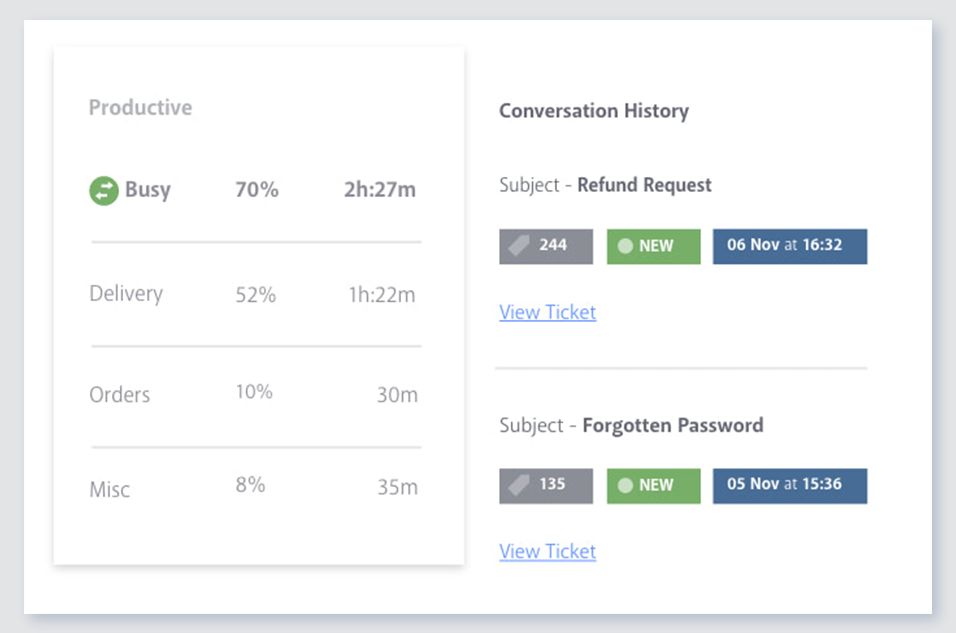
Previous conversations: This is one of the main reasons why I personally love Conversocial over Hootsuite and other social media engagement tools. Conversocial pulls in all previous interactions we've had with community members and it helps us identify if we've already addressed their problem, if they are a detractor/advocate, and so much more. With other engagement tools, it's frustrating as a community member may repost the same thing over and over again, but at different time periods. If you're unable to see what someone has said in the past, we may waste our time replying to the same thing multiple times, or we also risk responding with the same general advice, when we could try a different approach.
Tags and filters: Conversocials use of tags and filters are extremely simple to use. They have shortcuts which help you easily assign a tag to an item and then you can easily pull up each of those tags within Conversocial itself or your can open up an external report. If my team is in a hurry and wants to quickly see a certain tag, we can use the filter option and within seconds we have all the information we need.
Simple shortcuts: Conversocial has several shortcuts that save my team a lot of time. One single button on my keyboard can apply sentiment and archive something so it's out of my way. I can also use shortcuts to apply a tag, assign an item, and do other tasks. It may seem like a small benefit but each second saved really adds up throughout each day and week.
Communication: As we know, technology has issues and every tech issue Conversocial has experiences has been handled extremely well. I've never encountered any issues contacting Conversocial, we're always notified when they are working on a solution and once the problem has been fixed. We also receive random pop-ups within Conversocial to notify us of known issues before our team experiences them, and when there is a new feature that we should be aware of. Their communication is always on point and it's great to know that we can always rely on them.
A de minimis incentive was given to thank the reviewer for their time. The incentive was not used to bias or drive a particular response, nor was the incentive contingent on a positive endorsement. More Info
I may be missing it in the UI, but a place to see the list of emails who qualify for a certain email.
One easy to view chart of all our automated/lifecycle emails to see what a given user would see over their customer journey. (This is really just a feature request/idea - the product itself is really awesome.)
A de minimis incentive was given to thank the reviewer for their time. The incentive was not used to bias or drive a particular response, nor was the incentive contingent on a positive endorsement. More Info
I would like to see an improvement in the reporting dashboard which is something I mentioned to Josh (the CEO) on a call back in April. He said that it is something they are working on but to remember that this is truly a customer service social media platform so some of the features that I would like to see may not fit well with the users of the product.
A de minimis incentive was given to thank the reviewer for their time. The incentive was not used to bias or drive a particular response, nor was the incentive contingent on a positive endorsement. More Info
The only two reasons we would not continue using Conversocial are it's lack of comprehensive analytics and its lack of Radian6's categorization tools. Tags make up for the categorization pretty well, however, and we're considering switching everything over to this now that we've tested tags for a couple months within Conversocial. (I previously wrote that Conversocial lacks support for some social channels like Instagram, LinkedIn, and YouTube, but they have now added Instagram and YouTube.)
It is really difficult to leverage all the neat features without a developer. I actually think the base software could be really great for a small business if the price is right, but there are so many things you *can* do but have to know how to do them or have access to your website and the ability to code.
A de minimis incentive was given to thank the reviewer for their time. The incentive was not used to bias or drive a particular response, nor was the incentive contingent on a positive endorsement. More Info
Because of the number of features it offers and the manner in which they're presented. I've explored a number of other tools that just don't do it as well. When sorting through and responding to hundreds of social media messages each day, the number of clicks it takes to do something really matters. Conversocial does a great job of minimizing clicks and presenting the data we need without having to click to find it
Our account rep at Conversocial has set up a call with me every two weeks to check in, talk about new features, or answer questions. I know I can email or call her for help anytime. Their support team also responds quickly.
Comprehensive training in all aspects of the software and general usages (including social media) for both agents and managers. Simulation workshops really made the live deployment process very smooth.
Customer.io was really the first pure, full-featured drip email program on the market and as far as I know, it's still the simplest and best overall for that specific function. SendGrid has also added drip campaign features, but I would seriously evaluate Customer.io against any other drip email provider because they really have all the key elements you need to make it work.
A de minimis incentive was given to thank the reviewer for their time. The incentive was not used to bias or drive a particular response, nor was the incentive contingent on a positive endorsement. More Info
Early on we did comparisons with Hootsuite and later with Adobe. While they have similarities, the difference at the time and likely currently, was the personal interest and general accessibility of Conversocial's platform and people. The combination of an effective CRM solution and a team that was readily available to help proved to be the winning formula for our business.
Positive impact on the sales side. I'm not sure about the specific ROI (you have to include the designer and the time it takes to set up) but you certainly get back the investment in a few months, once you are able to scale your email marketing.
Customer experience is way better by having more segmented, contextual and accurate messages sent to them.
Integration is costly and it will take several days or weeks to be fully achieved. Expect to invest some money on this.
A de minimis incentive was given to thank the reviewer for their time. The incentive was not used to bias or drive a particular response, nor was the incentive contingent on a positive endorsement. More Info
One of the biggest benefits we are seeing is that we have reduced the number of post-holiday complaints coming into head office. Since we are responding to issues and concerns as they arise, we can impact overall customer satisfaction.
The efficiencies gained from using a centralized platform for managing the response process has enabled us to reduce our team by 50%.
We can track that we are responding to a fan's first message within 30 minutes.
We can track the number of messages each user engages with.
We can see the most effective times of day to post and reply.