TrustRadius: an HG Insights company

Save this comparison

Save this comparison

Add Product

Recommended Comparisons

    Overview
    ProductRatingMost Used ByProduct SummaryStarting Price

    CSV Editor Pro

    N/A
    Small Businesses (1-50 employees)
    CSV Editor Pro is a professional choice for working with CSV files. Its features and tools save users time and effort. Rows and columns can be created, deleted, rearranged, and searched at will. CSV Editor Pro supports sorting, filtering, multiline editing, search and replace, graphing, deduplicate, unicode, undo, and printing. The interface is simplified, and detailed help file is provided.

    $29

    one-time fee

    Vim

    Score8.3 out of 10
    N/AVim is an open source configurable text editor.N/A
    Pricing
    CSV Editor ProVim
    Editions & Modules
    No answers on this topic
    No answers on this topic
    Offerings
    Pricing Offerings
    CSV Editor ProVim
    Free Trial
    YesNo
    Free/Freemium Version
    NoNo
    Premium Consulting/Integration Services
    YesNo
    Entry-level Setup Fee$29 for 5 activationsNo setup fee
    Additional DetailsA license entitles the user to five activations. Activations are not restricted to one machine or user. Once activated, the software will remain activated indefinitely unless it is moved to a different drive, or if a major upgrade (such as 1.0 to 2.0) is installed. Minor upgrades (such as 1.0 to 1.1) are free.—
    More Pricing Information
    Community Pulse
    CSV Editor ProVim
    Considered Both Products
    Gammadyne Corporation
    No answer on this topic
    Open Source
    No answer on this topic
    Key User Insights
    Would buy again
    No answers on this topic
    100%
    Would buy again
    5 Answers
    Delivers good value for the price
    No answers on this topic
    100%
    Delivers good value for the price
    5 Answers
    Happy with the feature set
    No answers on this topic
    100%
    Happy with the feature set
    5 Answers
    Lived up to sales and marketing promises
    No answers on this topic
    100%
    Lived up to sales and marketing promises
    5 Answers
    Implementation went as expected
    No answers on this topic
    100%
    Implementation went as expected
    5 Answers
    Best Alternatives
    CSV Editor ProVim
    Small Businesses
    BBEdit
    Score9.1 out of 10
    BBEdit
    Score9.1 out of 10
    Medium-sized Companies
    Vim
    Score8.3 out of 10
    Notepad++
    Score9.3 out of 10
    Enterprises
    Vim
    Score8.3 out of 10
    Sublime Text
    Score9.8 out of 10
    All AlternativesView all alternativesView all alternatives
    User Ratings
    CSV Editor ProVim
    Likelihood to Recommend
    -
    (0 ratings)
    10.0
    (9 ratings)
    Usability
    -
    (0 ratings)
    8.0
    (1 ratings)
    Support Rating
    -
    (0 ratings)
    6.0
    (5 ratings)
    User Testimonials
    CSV Editor ProVim
    Likelihood to Recommend
    Gammadyne Corporation
    No answers on this topic
    Open Source
    I would recommend Vim in any scenario where text files have to be viewed, created, or edited on GNU/Linux computers. Regardless if you need to quickly change a few things in a configuration file, or you need to write up a full document, Vim is great. I wouldn't use Vim to view, edit, or create anything that requires "rich-text". In other words, if you need to format the text (bolding, font colours, word-art, etc), then Vim isn't the tool to use.
    Incentivized
    Read full review
    Pros
    Gammadyne Corporation
    No answers on this topic
    Open Source
    • The efficient modal editing makes it very fast to write/edit code as I think of it.
    • The customization and wide range of plugins let me do very specific things and automate parts of my workflow.
    • The fact that it runs inside a terminal simplifies my window management and just becomes another Tmux window in my workflow.
    Incentivized
    Read full review
    Cons
    Gammadyne Corporation
    No answers on this topic
    Open Source
    • Without a doubt the hardest program to learn. It is a completely different paradigm of thinking compared to other editors
    • By default it doesn't have lots of fancy features you would find in larger IDE programs like code completion and linking
    • It lives in the command line so a user has to be comfortable with this interface
    Incentivized
    Read full review
    Usability
    Gammadyne Corporation
    No answers on this topic
    Open Source
    I don't consider the steep learning curve to be a hinderance on the overall usability. I would rate this a ten, but to be honest a lot of people do get hung up at the beginning and just abandon it. However, for people who have made the moderate effort to get over the hump, nothing can be more usable.
    Incentivized
    Read full review
    Support Rating
    Gammadyne Corporation
    No answers on this topic
    Open Source
    There is no commercial support for Vim. Thus, it will not get a mark beyond 5. However, community support is very good. You can easily find solutions for most of the problems in the community.
    Incentivized
    Read full review
    Alternatives Considered
    Gammadyne Corporation
    No answers on this topic
    Open Source
    Vim's keybindings are a lot more complex than Notepad++. With that, comes a whole bunch of capability that Notepad++ just can't match. Emacs is comparable, in terms of capabilities--because Vim is built into so many unix systems, I chose to learn it instead of Emacs. Knowing both probably isn't a bad idea, but there's enough to learn in either camp to keep you busy
    Incentivized
    Read full review
    Return on Investment
    Gammadyne Corporation
    No answers on this topic
    Open Source
    • It always increases productivity.
    • Sometimes feature discovery is not easy. It could be documented well like how to install a plugin and if it supported well or not.
    Incentivized
    Read full review
    ScreenShots

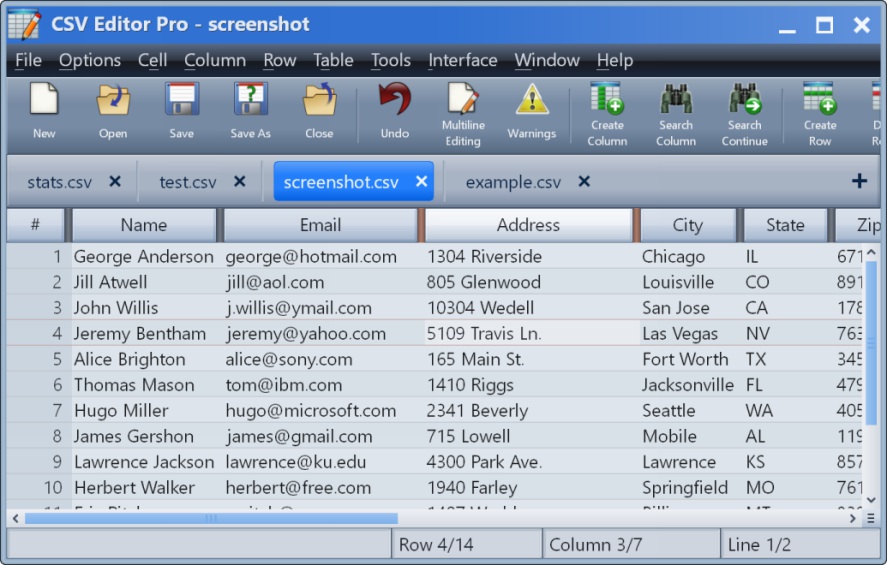
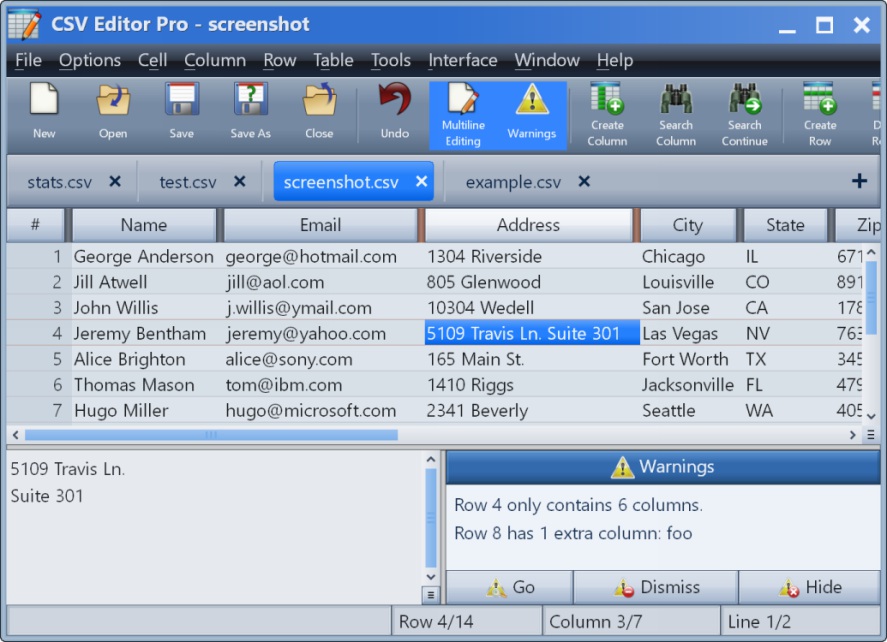
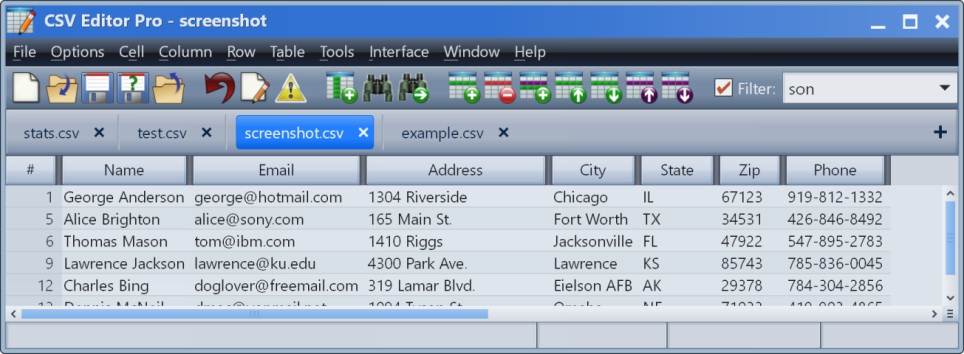
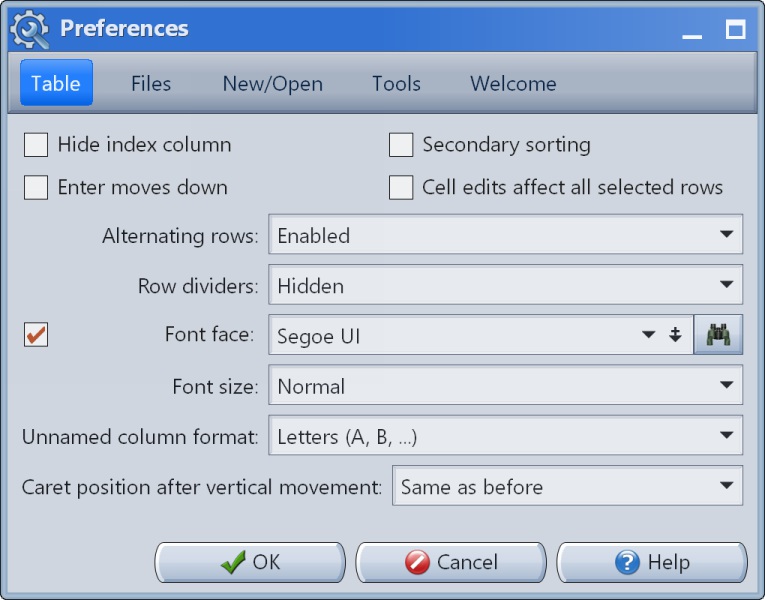
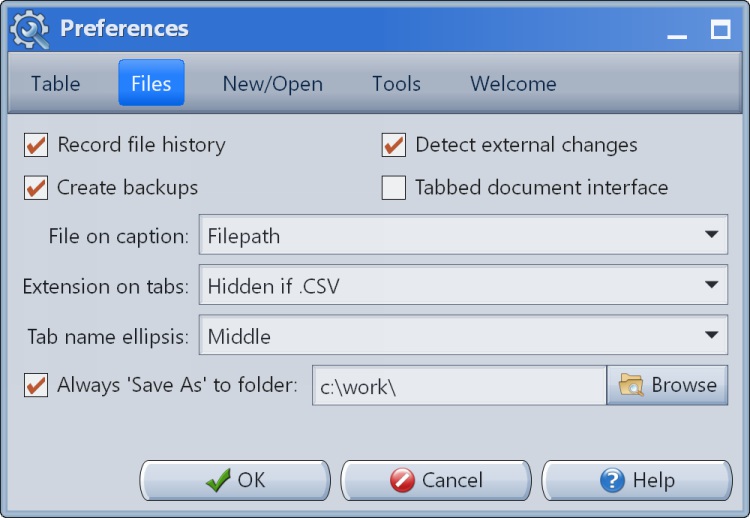
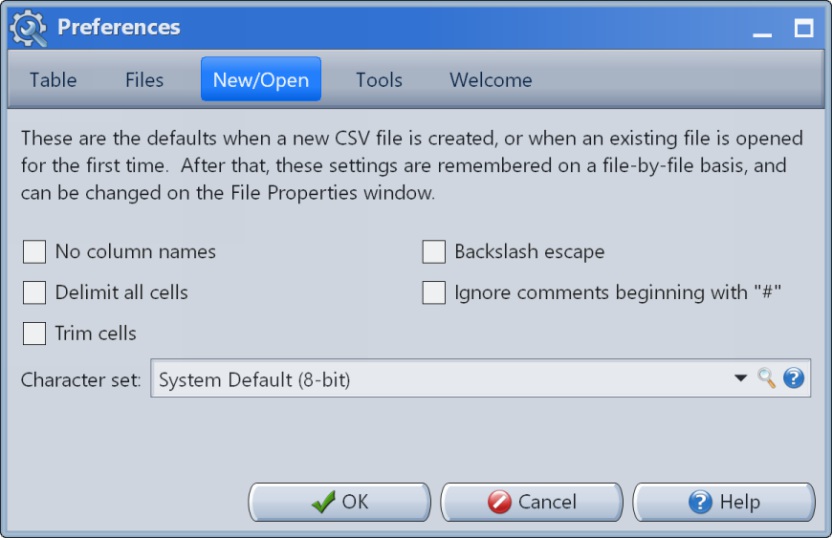
    CSV Editor Pro Screenshots

    Screenshot of the main interface.Screenshot of the multiline editor and warnings panel.Screenshot of the filter in action.Screenshot of Preferences #1Screenshot of Preferences #2Screenshot of Preferences #3