CSV Editor Pro vs. Microsoft Visual Studio Code

Overview
ProductRatingMost Used ByProduct SummaryStarting Price
CSV Editor Pro
Score 0.0 out of 10
Small Businesses (1-50 employees)
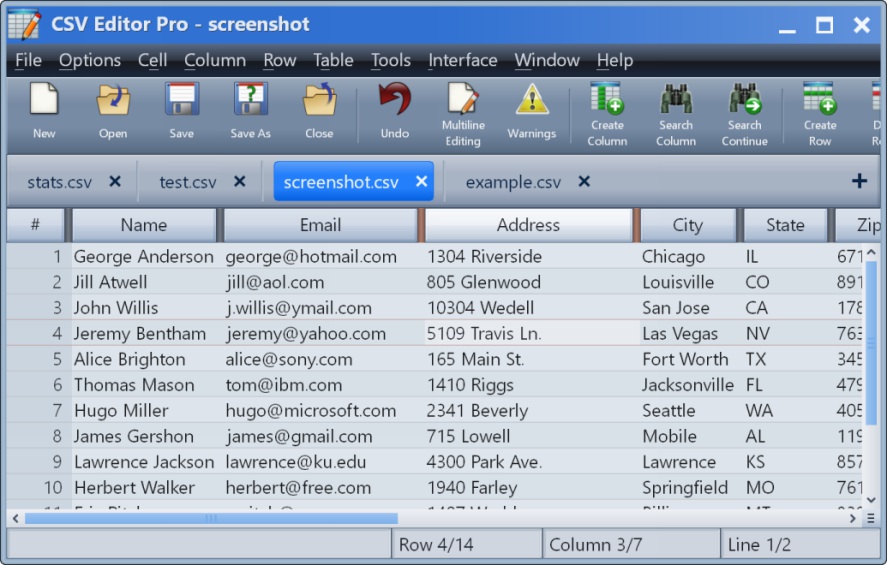
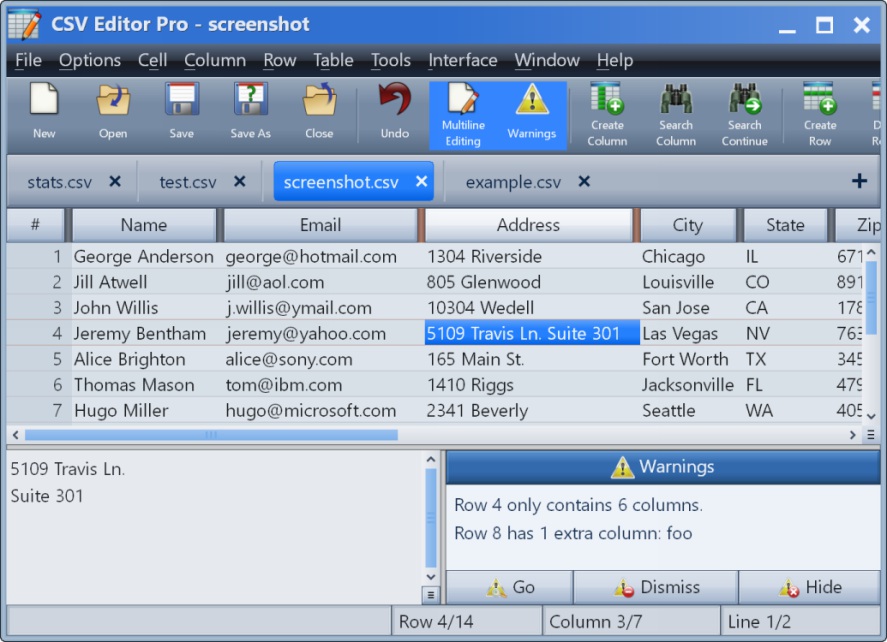
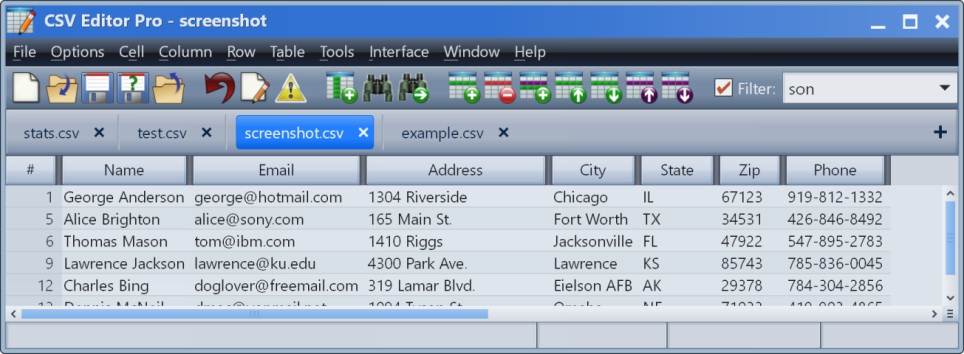
CSV Editor Pro is a professional choice for working with CSV files. Its features and tools save users time and effort. Rows and columns can be created, deleted, rearranged, and searched at will. CSV Editor Pro supports sorting, filtering, multiline editing, search and replace, graphing, deduplicate, unicode, undo, and printing. The interface is simplified, and detailed help file is provided.N/A
Microsoft Visual Studio Code
Score 9.0 out of 10
N/A
Microsoft offers Visual Studio Code, a text editor that supports code editing, debugging, IntelliSense syntax highlighting, and other features.N/A
Pricing
CSV Editor ProMicrosoft Visual Studio Code
Editions & Modules
No answers on this topic
Offerings
Pricing Offerings
CSV Editor ProMicrosoft Visual Studio Code
Free Trial
YesNo
Free/Freemium Version
NoYes
Premium Consulting/Integration Services
NoNo
Entry-level Setup Fee$29 for 5 activationsNo setup fee
Additional DetailsA license entitles the user to five activations. Activations are not restricted to one machine or user. Once activated, the software will remain activated indefinitely unless it is moved to a different drive, or if a major upgrade (such as 1.0 to 2.0) is installed. Minor upgrades (such as 1.0 to 1.1) are free.
More Pricing Information
Community Pulse
CSV Editor ProMicrosoft Visual Studio Code
Best Alternatives
CSV Editor ProMicrosoft Visual Studio Code
Small Businesses
BBEdit
BBEdit
Score 9.1 out of 10
BBEdit
BBEdit
Score 9.1 out of 10
Medium-sized Companies
Vim
Vim
Score 8.3 out of 10
Vim
Vim
Score 8.3 out of 10
Enterprises
Vim
Vim
Score 8.3 out of 10
Vim
Vim
Score 8.3 out of 10
All AlternativesView all alternativesView all alternatives
User Ratings
CSV Editor ProMicrosoft Visual Studio Code
Likelihood to Recommend
-
(0 ratings)
8.5
(0 ratings)
Likelihood to Renew
-
(0 ratings)
9.4
(0 ratings)
Usability
-
(0 ratings)
8.5
(0 ratings)
Support Rating
-
(0 ratings)
9.7
(0 ratings)
User Testimonials
CSV Editor ProMicrosoft Visual Studio Code
Likelihood to Recommend
No answers on this topic
If your Source Control Software is Team Foundation Server then skip Visual Studio Code. If you're using GitHub and are creating small projects Visual Studio Code is the way to go. If you need to create a large, enterprise-level application, Visual Studio Code makes it easier to set up interactions between related projects (client & server). If you're interested in getting back to the old way of using the command line to create projects and you know what to enter in the console window then Visual Studio Code is great. Visual Studio Code is a better choice if you don't know the console commands and prefer to make selections from a menu.
Read full review
Pros
No answers on this topic
  • Robust plugin architecture replete with fantastic add-ons that make developer life delightful.
  • Integrated Terminal window allows you to stay in one application to perform most required tasks.
  • Customization options are robust. It is easy to modify VS Code to your own specifications.
  • It's free! Hard to believe such a well made, well maintained, robust software is a free download.
  • Command+P/Command+Shift+P key commands will improve your workflow dramatically.
Read full review
Cons
No answers on this topic
  • Unlike for most languages I have used, Ruby and Rails support available for Code users isn't great. The most popular Ruby extension is unofficial, and leaves much to desire. As an example, code navigation even with language server Solargraph installed isn't as good as IntelliJ's RubyMine.
  • Even there is quite good support for a language or a framework, it is almost never as good as a dedicated IDE for it. In terms of the sheer number of features available, IntelliJ IDEs handily beat Code.
  • Microsoft has close-sourced some of the extensions it develops for Code itself, e.g. Pylance for Python, and that has not been perceived as a good move for open-source.
Read full review
Likelihood to Renew
No answers on this topic
Solid tool that provides everything you need to develop most types of applications. The only reason not a 10 is that if you are doing large distributed teams on Enterprise level, Professional does provide more tools to support that and would be worth the cost.
Read full review
Usability
No answers on this topic
Looking at our current implementation, Microsoft Visual Studio Code is perfect for writing code and performing debug operations. Integration with SVN repository is easy and changes can be tracked effectively. Microsoft Visual Studio Code supports developers to write code productively using syntax check and easy customization. Microsoft Visual Studio Code also provides support for IntelliSense which prompts suggestions for code completion. It is easy to step through code using interactive debugger to inspect the root cause of error quickly.
Read full review
Support Rating
No answers on this topic
Active development means filing a bug on the GitHub repo typically gets you a response within 4 days. There are plugins for almost everything you need, whether it be linting, Vim emulation, even language servers (which I use to code in Scala). There is well-maintained official documentation. The only thing missing is forums. The closest thing is GitHub issues, which typically has the answers but is hard to sift through -- there are currently 78k issues.
Read full review
Alternatives Considered
No answers on this topic
All the previously listed are incredible development environments that perfectly fulfill this function, but [Microsoft] Visual Studio Code goes one step ahead by providing flexibility, customization and adaptability to development environments with its own methodology, for all this productivity. of the work team is greatly increased helping to achieve the objectives set in the organization.
Read full review
Return on Investment
No answers on this topic
  • Saves money by replacing suites of tools such as Visual Studio, IntelliJ, etc.
  • Speeds development time and developer environment setup time
  • Strengthens code quality with integrated autoformatting and linting
  • Strengths Git practices by keeping version control tightly connected with the code
Read full review
ScreenShots

CSV Editor Pro Screenshots

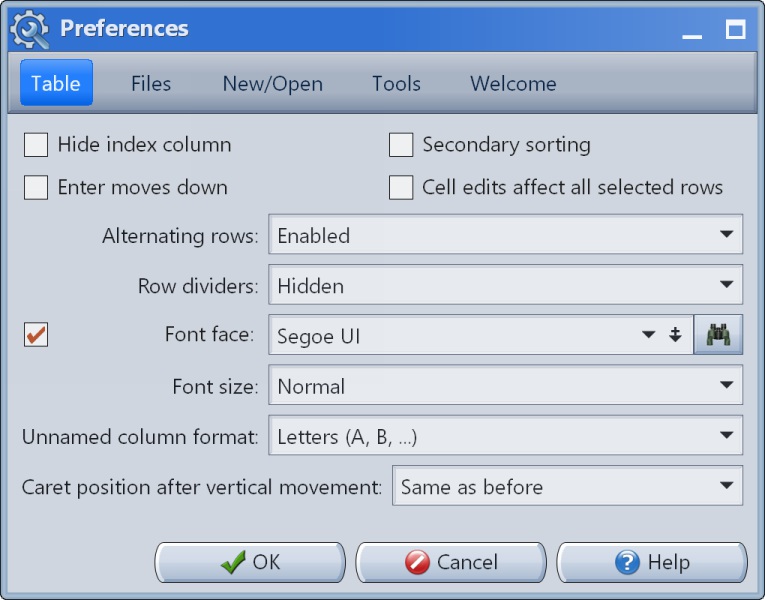
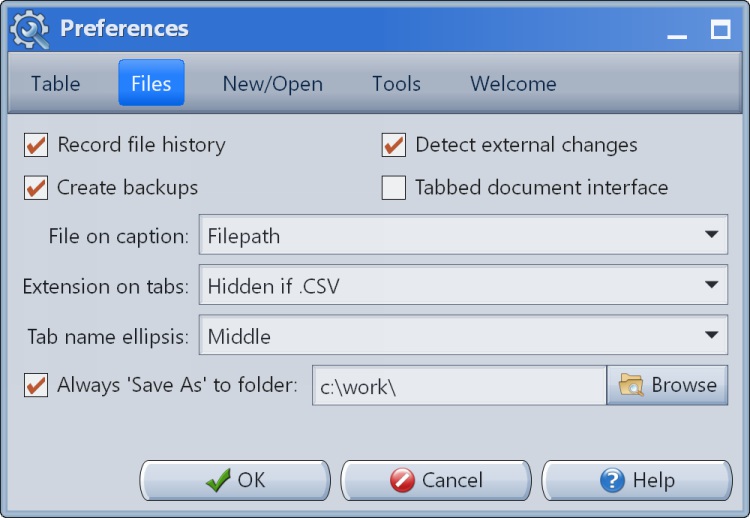
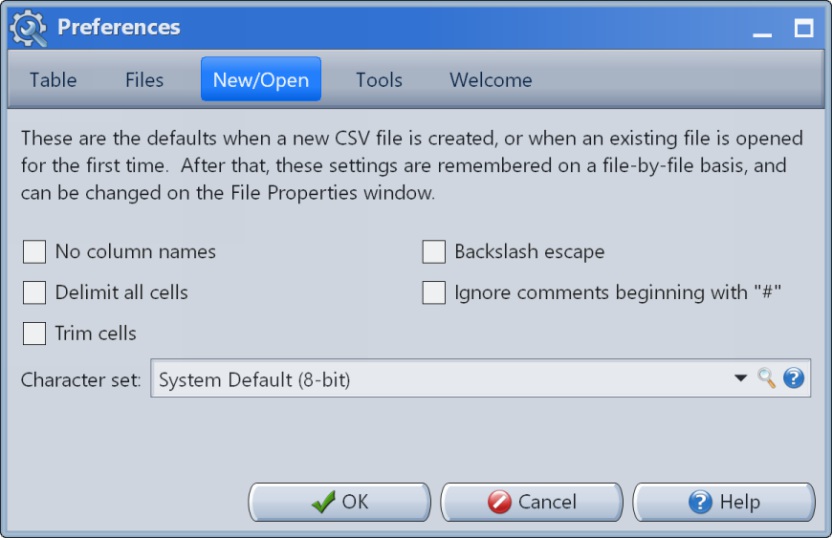
Screenshot of the main interface.Screenshot of the multiline editor and warnings panel.Screenshot of the filter in action.Screenshot of Preferences #1Screenshot of Preferences #2Screenshot of Preferences #3