TrustRadius: an HG Insights company

Crossware Mail Signature vs. gSignature

Save this comparison

Save this comparison

Add Product

Recommended Comparisons

    Overview
    ProductRatingMost Used ByProduct SummaryStarting Price

    Crossware Mail Signature

    Score10 out of 10
    N/ACrossware Mail Signature is email signature software from New Zealand company Crossware.N/A

    gSignature

    N/A
    Mid-Size Companies (51-1,000 employees)
    gSignature helps businesses create professional email signatures for employees. It integrates with Google Workspace to automatically populate user information like names, titles, and contact details. Email signatures can be designed with logos, banners, disclaimers, and social media links. gSignature also offers features for managing large teams, including user acceptance of pre-installed signatures, CSV import/export for employee data, and scheduled signature updates for employees. This…

    $1

    per month per user

    Pricing
    Crossware Mail SignaturegSignature
    Editions & Modules
    No answers on this topic
    Premium Plan
    $1
    per month per user
    Offerings
    Pricing Offerings
    Crossware Mail SignaturegSignature
    Free Trial
    NoYes
    Free/Freemium Version
    NoNo
    Premium Consulting/Integration Services
    NoNo
    Entry-level Setup FeeNo setup feeNo setup fee
    Additional DetailsPremium package - Aligns employee data with the company's signature template. Supported by the automatic assignment of signatures for new hires in the company. Theconsole for central management of signatures is pay per use.
    More Pricing Information
    User Ratings
    Crossware Mail SignaturegSignature
    Likelihood to Recommend
    10.0
    (2 ratings)
    -
    (0 ratings)
    Support Rating
    9.0
    (1 ratings)
    -
    (0 ratings)
    User Testimonials
    Crossware Mail SignaturegSignature
    Likelihood to Recommend
    Crossware
    It works really well with Exchange Online/Office 365 environments with a very simple setup and ease of customization and easy to use and understand management panel. Not sure how well it works on on-premises deployments as I have not tested it in that scenario.
    Incentivized
    Read full review
    gSignature
    No answers on this topic
    Pros
    Crossware
    • Creates beautiful email signatures.
    • Ensures consistent branding and legality.
    • Everything is backed up in the cloud.
    Read full review
    gSignature
    No answers on this topic
    Cons
    Crossware
    • The signature editor could be more intuitive.
    • The rules and the way they are applied need to be simplified/streamlined.
    • A better way to test the signatures.
    Incentivized
    Read full review
    gSignature
    No answers on this topic
    Support Rating
    Crossware
    Fortunately, we haven't had to deal with support much, but every time we have, they were very responsive and were able to either fix our problem or explain the way it worked in a timely and polite manner. Not much else to say other than being in the same region is also a plus for support.
    Incentivized
    Read full review
    gSignature
    No answers on this topic
    Alternatives Considered
    Crossware
    It was not bad but crosswire is a far more mature product with great support.
    Read full review
    gSignature
    No answers on this topic
    Return on Investment
    Crossware
    • Positive ROI.
    • Received great leads.
    • Effective branding.
    Read full review
    gSignature
    No answers on this topic
    ScreenShots

    Crossware Mail Signature Screenshots

    Product screenshotProduct screenshot

    gSignature Screenshots

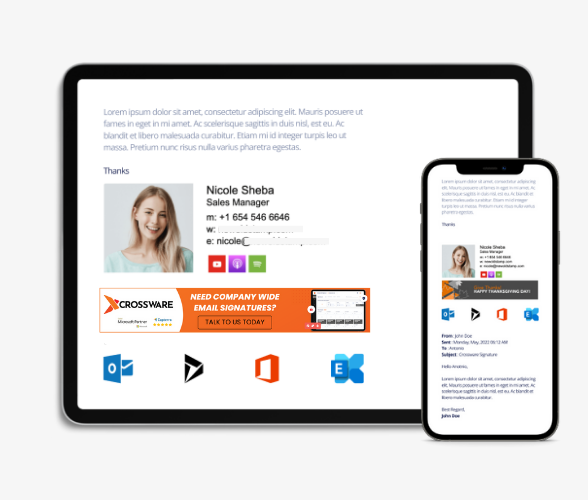
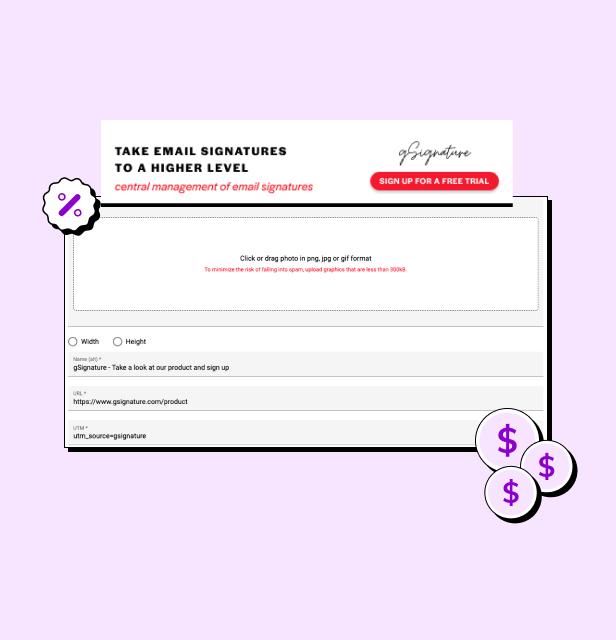
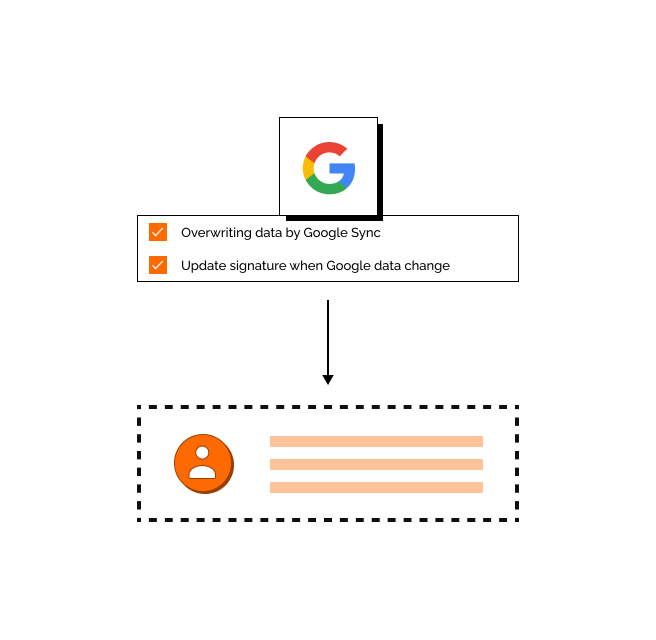
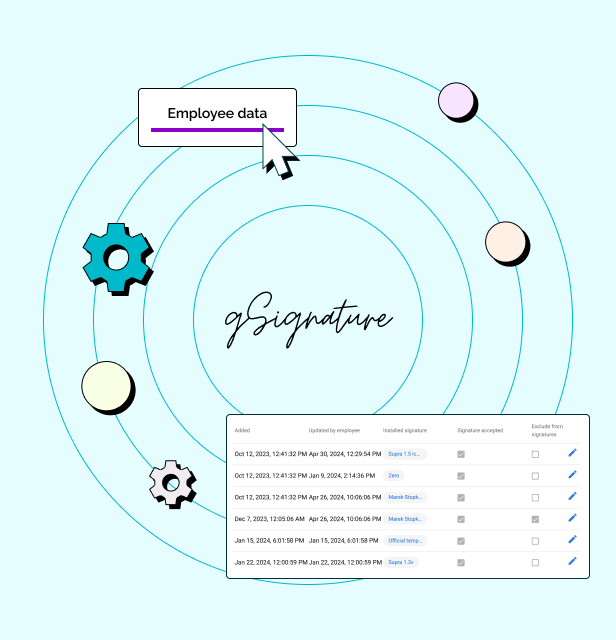
    Screenshot of an example email signatureScreenshot of the company footer, which can be used as a tool to support marketing goals.Screenshot of how changes made in the Google Workspace admin console are immediately visible in employee signatures. Each new position added to Google Workspace and its email address, will receive the default signature set by the administrator.Screenshot of how in the system, each employee receives a file with information that can be presented in the footer. If there is no complete data in Google Workspace then no problem - it can be imported in bulk from a CSV file. The IT administrator or authorized persons from other departments can manage employee data, as well as data representing the company's image.