Creatio is a provider of a no-code platform to automate industry workflows. The Creatio offering includes a no-code platform (Studio Creatio), along with CRM applications for Marketing, Sales, and Service, industry workflows for 20 verticals and marketplace add-ons. Marketing Creatio - a ready-to-use platform to automate marketing campaigns and lead management workflows with no-code and maximum degree of freedom. Sales Creatio - an end-to-end…
$25
per month per user
Kissflow
Score 6.8 out of 10
Enterprise companies (1,001+ employees)
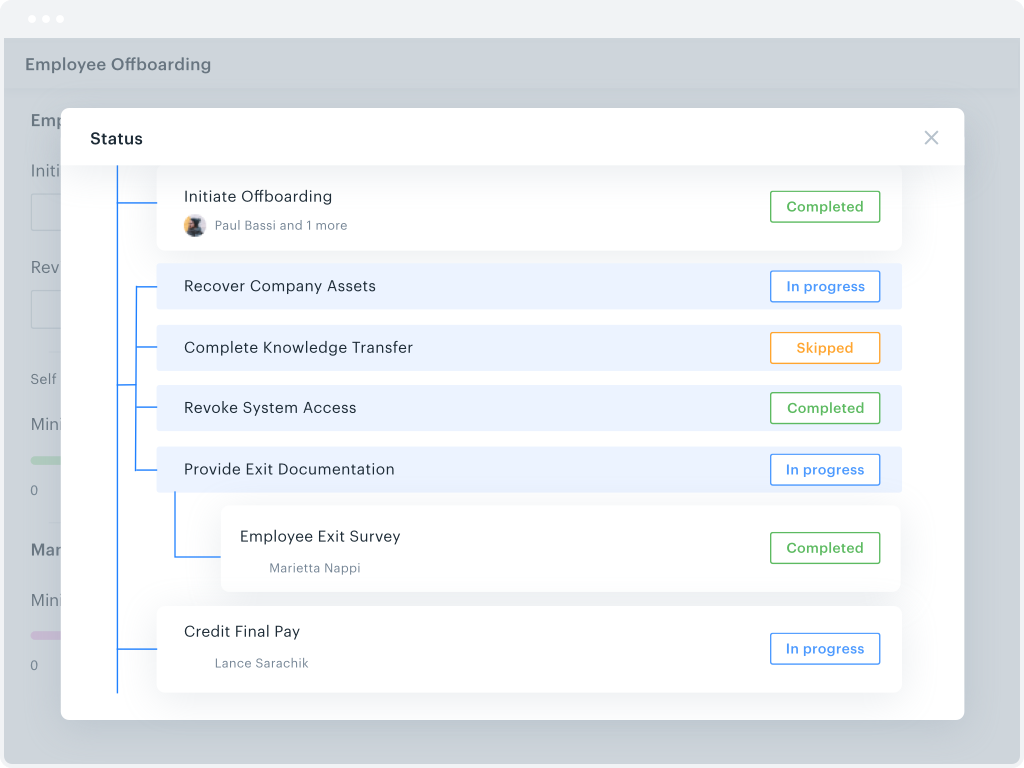
Kissflow is a low-code platform for custom application development tailored to business operations. Kissflow empowers process owners and IT developers to automate and build processes and applications for internal business operations.
$1,500
per month
Pricing
Creatio
Kissflow
Editions & Modules
Growth
$25
per month per user
Enterprise
$55
per month per user
Unlimited
$85
per month per user
Small Business
$1500
per month
Offerings
Pricing Offerings
Creatio
Kissflow
Free Trial
Yes
Yes
Free/Freemium Version
No
No
Premium Consulting/Integration Services
No
No
Entry-level Setup Fee
No setup fee
No setup fee
Additional Details
Creatio Sales, Creatio Marketing, and Creatio Service are available as add-ons for $15 per month, per user. Creatio AI is included in every tier of the Creatio platform (Growth, Enterprise, and Unlimited). Additional AI Tokens are available for $150 per pack. 5 user minimum.
—
More Pricing Information
Community Pulse
Creatio
Kissflow
Features
Creatio
Kissflow
Low-Code Development
Comparison of Low-Code Development features of Product A and Product B
Creatio is well suited in following scenarios: Complex Business process modelling and automation, Low code No code development which is best for efficient timelines, customized reporting and dashboarding, seamless integration with other technologies. Scenarios where Creatio is less appropriate: Solutions which require high cutomizations on the frontend side as this can be done by javascript modifications but it increases the load on the page and slows it down.
KiSSFLOW is well suited for any information heavy paperwork that multiple people approve and have access to complete work. It is less suited for processes that require a lot of back and forth with a form initiator. The workflows like to be very linear without much back tracking. It can do that but it prefers to be forward linear.
Creatio's client success team is super. The team is collaborative, solution-oriented, and client-driven. We have weekly meetings with the team. They show up prepared with solutions/ideas to business requests and they are clearly engaged.
Creatio's infrastructure team has been critical to our ability to execute our cloud strategy. They have worked with us to set up our testing and production environments within Azure, assisted in testing, and are responsive and flexible to our unique requirements.
Creatio has been very flexible to requests for customization. We have taken their low-code out-of-the-box solution and "Ringlerized" it. The benefit for us is an application that meets our niche business needs.
I appreciate the automatic email notifications when it is your turn to complete a task. This keeps everyone on track.
I appreciate being able to "reassign" a task as well--leaving flexibility for some folks to cover for others when needed.
I appreciate the personal check-ins from our rep, asking how things are going. That makes me feel like someone is paying attention and wants me to be happy with the product.
When we started using Creatio in 2022 the new user interface had just been released and did not include all the features we needed; however, we used a more classic user interface and were still satisfied with the results.
The ability to capture a digital signature directly within the application was missing in the base system; however, Creatio connected us with a partner that provided a solution for this specific situation.
Learning. If you are coming from a 100% paper process and have employees who know nothing more, then there is definitely a learning curve. You will need to bring someone in to help you train employees on the core concept of the change (the "Why are we doing this" questions). KiSSFLOW does have support, but this is more getting down to the details in your own work environment.
Visual learners will love it, but not non-visual. If you are an accountant, and your brain works like an accountant, then this program will be difficult to learn. It is very visual, and I have seen more success with visual learners than any others.
Bugs. A few years ago, there were a lot of bugs. There are not that many anymore. This is to be expected with any program, so if you are training an impatient staff who doesn't do well with error messages, you will want to be sure to pad the training sessions. I have not seen error messages in a long time; however, the nature of the beast is that you won't see one until you actually find one...
We have always used a CRM and Creatio has proven to be much more effective in meeting our needs than our previous provider. Its customizability will allow us to adapt this product as our business may change in the future.
It's very user friendly, at least to me ;-) No downtime, quick with updates, lot's op possibilities and options to explore and work with. I also realy like to use the Creatio Academy, it's a bit much but in this case less is more is the opposite: the more the better
The system has room to grow as it's limited by not being able to edit POs after they've been approved. The system is great for registrations and syncing to other systems while including the attachments. The reporting from Kissflow is also easy to setup to link to other platforms such as Looker
Other than the daily maintenance window where the server may be inaccessible for a few minutes, there have been no issues with accessing our Creatio site. The daily maintenance window is outside normal business hours so it does not affect our Users - just myself when I am looking to implement changes.
Some Users have reported slow responses from the server at times which seems to be localized. Users are based across four different time zones and the issue is intermittent.
Creatio support is generally very responsive and often responds much faster than the expected SLAs. We have very rarely had "blocking" problems when creating new applications or features, and in all cases, Creatio has been able to help us or direct us to a solution. Overall, we are very satisfied with their support.
I haven't encountered a need for support with KiSSFLOW. It's not a perfect platform, but it's functional, dependable, and reasonably intuitive. I can't fault a support team just because their product works!
Most of the roadblocks to learning were not discovered until the users were actually in the system using it on a day to day basis. Our Customer Success Manager has offered to setup additional training sessions as needed to close the gaps in our learning. Some areas which required some additional training are setting up filters, dashboards, and generating reports.
The project manager for our implementation was great to work with and took the time to understand our business. We felt very comfortable going into the project with a reasonable scope of work to provide us with a functional version of Creatio to meet our needs. Unfortunately, we came across multiple challenges with this partner in their deliverables and timelines. Thankfully Creatio was able to provide support resources to ensure we were able to launch. We have since changed partners for our third-party support.
Creatio is miles ahead of Infor - now, looking back on Infor, it seems very dated and restricted. I love how you can work things out and change things yourself in Creatio. And if things are a bit more complicated, you have your dedicated team person to help you. We have Olga, who is amazing and really understands what we are trying to achieve.
KiSSFLOW wants you to be able to increase productivity, make it possible to "manage the chaos" (their own words) and simply make things better. It is exactly what it sounds like. For a visual learner, KiSSFLOW is perfect. It really does make good on its promise to help you manage the chaos, and it makes it easy for your employees to understand how your business works. More specifically, I recommended this program for a small school that had never automated anything. They knew nothing about the process. Bringing in KiSSFLOW allowed them to not only refine their process, but it gave awareness to other employees and ensure that they could work as a team, knowing the intricacies of how each department works (so, the Director would understand the many steps of Admissions before taking over after enrollment -- they would know what each family experienced).
We went from manually processing Work Orders into Invoices once a day - representing significant impact to turn around speeds - to submitting automatically in real time, eliminating a great deal of human transcription errors and freeing up a great deal of operations time
Custom Implementation automation in Creatio has eliminated 4-6 hours of configuration work per sale in comparison to our old manual methods
Somewhat expensive compared to other cheap (or free) task management alternatives. ROI depends on your specific needs and the size of your organization.
ROI can be ambiguous since KiSSFLOW is primarily for internal company use. A simple email thread could accomplish many of the same things, but with less efficiency.