CrankWheel Screen Sharing vs. Zoho Meeting

Overview
ProductRatingMost Used ByProduct SummaryStarting Price
CrankWheel Screen Sharing
Score 9.1 out of 10
Mid-Size Companies (51-1,000 employees)
CrankWheel Screen Sharing is a web conferencing and sales engagement solution to compliment phone calls. This solution can be used on almost any browser as well as mobile devices. Users can share a full screen, application window or a single browser tab. CrankWheel also provides a preview window that shows the user exactly what their customer is seeing. Co-branding is included with all paid plans and full white-labeling is available as an add-on.
$0
Forever 15 sessions a month
Zoho Meeting
Score 9.2 out of 10
N/A
Zoho Meeting is a web-based online meeting solution.
$3
per month
Pricing
CrankWheel Screen SharingZoho Meeting
Editions & Modules
Freemium
$0
Forever 15 sessions a month
Starter team
$89
per month Unlimited users, 100 sessions a month
Team
$229
per month 300 sessions a month, unlimited users
Department
$499
per month 750 sessions a month, unlimited users
Enterprise
$20,000
per year Starts at 20.000 a year, 3.000 meetings and more
MEETING - 10
$3
per month
MEETING - 50
$9
per month
MEETING-100
$12
per month
MEETING - 250
$18
per month
Webinar -25
$19
per month
Webinar - 50
$29
per month
Webinar - 100
$39
per month
Webinar - 250
$79
per month
Webinar - 500
$125
per month
Webinar - 1000
$200
per month
Offerings
Pricing Offerings
CrankWheel Screen SharingZoho Meeting
Free Trial
YesYes
Free/Freemium Version
YesYes
Premium Consulting/Integration Services
NoNo
Entry-level Setup FeeNo setup feeNo setup fee
Additional DetailsTrial period with unlimited usage available for a fixed fee.You can also get the toll-free add-on at $20/month and additional storage space for 200 sessions recording at $20/month for your organization.
More Pricing Information
Community Pulse
CrankWheel Screen SharingZoho Meeting
Features
CrankWheel Screen SharingZoho Meeting
Performance & Compatibility of Online Events Software
Comparison of Performance & Compatibility of Online Events Software features of Product A and Product B
CrankWheel Screen Sharing
9.1
Ratings
13% above category average
Zoho Meeting
8.5
Ratings
7% above category average
High quality video9.10 Ratings00 Ratings
Mobile support9.10 Ratings8.80 Ratings
High quality audio00 Ratings8.80 Ratings
Low bandwidth requirements00 Ratings8.00 Ratings
Screen Sharing
Comparison of Screen Sharing features of Product A and Product B
CrankWheel Screen Sharing
9.1
Ratings
14% above category average
Zoho Meeting
8.9
Ratings
12% above category average
Desktop sharing9.10 Ratings8.90 Ratings
Online Meetings / Events
Comparison of Online Meetings / Events features of Product A and Product B
CrankWheel Screen Sharing
-
Ratings
Zoho Meeting
8.9
Ratings
7% above category average
Calendar integration00 Ratings9.00 Ratings
Meeting initiation00 Ratings8.70 Ratings
Record meetings / events00 Ratings9.00 Ratings
Online Events Collaboration
Comparison of Online Events Collaboration features of Product A and Product B
CrankWheel Screen Sharing
-
Ratings
Zoho Meeting
8.5
Ratings
4% above category average
Live chat00 Ratings8.50 Ratings
Audience polling00 Ratings8.50 Ratings
Q&A00 Ratings8.50 Ratings
Online Events Security
Comparison of Online Events Security features of Product A and Product B
CrankWheel Screen Sharing
-
Ratings
Zoho Meeting
8.6
Ratings
6% above category average
User authentication00 Ratings8.60 Ratings
Participant roles & permissions00 Ratings8.60 Ratings
Confidential attendee list00 Ratings8.70 Ratings
Best Alternatives
CrankWheel Screen SharingZoho Meeting
Small Businesses
Intermedia AnyMeeting Pro
Score 7.1 out of 10
Intermedia AnyMeeting Pro
Score 7.1 out of 10
Medium-sized Companies
JioMeet
JioMeet
Score 10.0 out of 10
JioMeet
JioMeet
Score 10.0 out of 10
Enterprises
Webex Meetings
Webex Meetings
Score 8.4 out of 10
Webex Meetings
Webex Meetings
Score 8.4 out of 10
All AlternativesView all alternativesView all alternatives
User Ratings
CrankWheel Screen SharingZoho Meeting
Likelihood to Recommend
9.1
(0 ratings)
8.9
(0 ratings)
Usability
-
(0 ratings)
8.5
(0 ratings)
Support Rating
-
(0 ratings)
8.5
(0 ratings)
User Testimonials
CrankWheel Screen SharingZoho Meeting
Likelihood to Recommend
In my business, I am required to show people my product and go over the details with them in a webinar. For people on the go and away from a computer, this is the perfect answer to be able to share my product over their smartphone. It is highly effective. It is easy for me to use and for my client to use.
Read full review
I would definitely like to say that for a team lead who sends pie charts, surveys and questions to the teams, this software would be his best choice as the analytics of this all data by Zoho Meeting is one of the best in the market. The only downside of Zoho Meeting is its webinar pricing which could be a bit tough to pay for NGO's or less earning companies.
Read full review
Pros
No answers on this topic
  • Very very simple to use
  • Audio quality is very much clear
  • We have the recording facility with this tool, so we can record the meeting or webinar for the future purpose
  • We get the upcoming meeting and past meeting in the home page so we have less chance to miss any meeting.
  • we can share the screen and can give the control to others as well.
Read full review
Cons
No answers on this topic
  • One of the negative aspects of this service is that there is no user or meeting management when you are in one videoconference.
  • Another negative aspect of Zoho Meeting is that the chat and messaging option does not exist in the middle of a webinar or video conference.
Read full review
Usability
No answers on this topic
Zoho Meeting is very easy to use and very effective collaborating tool. If I say about the usability, this application is highly usable because oaf it's cost effective nature, user friendly interface, empathetic customer services and amazing application features. Most importantly, it ensures data security for the company. Overall, the usability of the application is trustworthy.
Read full review
Support Rating
No answers on this topic
Zoho Meeting is fantastic in terms of proper after sale service as well as delivering the expectations of the clients. We, as a business, successfully achieved the engaging organisation status through this platform. Our employees are also happy with the supports from Zoho. We appreciate the efforts of Zoho and recommend to others.
Read full review
Alternatives Considered
No answers on this topic
Zoom focuses on video webinars, meetings, chat options, integration, and high-definition video conferencing, whereas Microsoft Teams focuses on Microsoft integrations that include real-time video chat. Both Google Meet and Zoho Meeting offer various features, including HD video conferencing, scheduling, recording, app sharing, and HD videoconferencing in private meeting rooms. In addition to the unique characteristics of Zoho's UI, embedding meeting links, and so forth, these are excellent features that help the end-user tremendously.
Read full review
Return on Investment
No answers on this topic
  • Zoho Meeting helped us save money because of their low cost packages.
  • Unfortunately because of their bad video quality we had to look for other options.
  • Some clients were not familiar with Zoho Meeting because of the less popularity so we had to use other meeting applications to organize meetings
Read full review
ScreenShots

CrankWheel Screen Sharing Screenshots

Screenshot of Share a screen to any device, any browser. Send a link during a phone call and start sharing the screen.Screenshot of No setup or registration required for the viewer.Screenshot of Ideal for sales teams to close the deal in one call and customer support agents for onboarding and reducing churn.

Zoho Meeting Screenshots

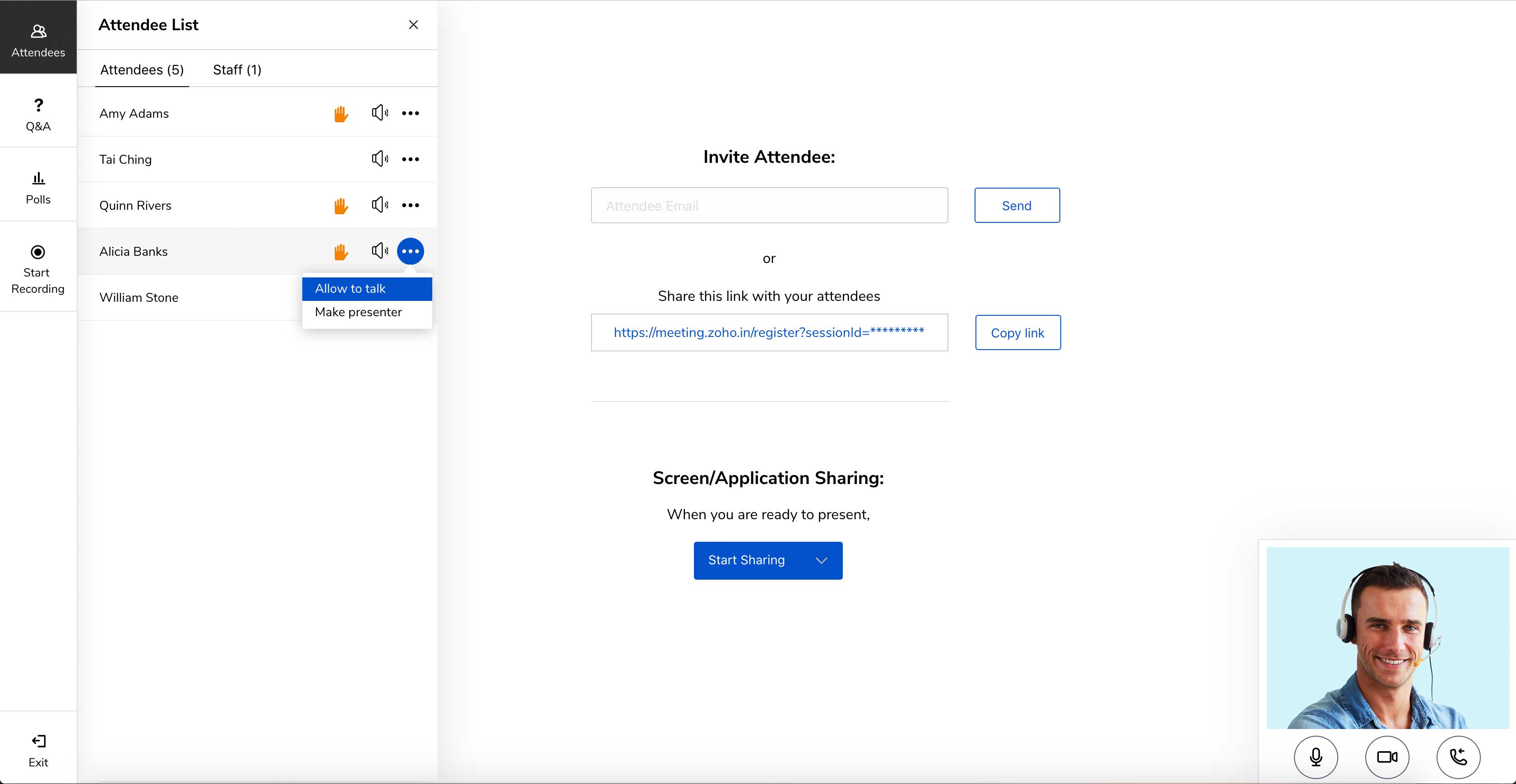
Screenshot of Meet across devices using Zoho MeetingScreenshot of Host moderator controlled meetings with Zoho MeetingScreenshot of Organize engaging webinars with Zoho MeetingScreenshot of Engage attendees during the webinarScreenshot of Meeting participant's viewing presenter's screen