
Craft.io vs. Planview AgilePlace
| Product | Rating | Most Used By | Product Summary | Starting Price |
|---|---|---|---|---|
 Craft.io | Score8.3 out of 10 | N/A | Craft, from the company of the same name in Tel Aviv, is presented by the vendor as a better way for Product Managers to manage and plan their products in agile environment. | N/A |
 Planview AgilePlace | Score9.9 out of 10 | N/A | AgilePlace is a project management solution built around flexibility, data-driven analytics, and workflow automation. The software was acquired by Planview in December 2017 to expand that company's capabilities. | $19 per user, per month |
| Craft.io | Planview AgilePlace | |||||||||||||||
|---|---|---|---|---|---|---|---|---|---|---|---|---|---|---|---|---|
| Editions & Modules | No answers on this topic |
| ||||||||||||||
| Offerings |
| |||||||||||||||
| Entry-level Setup Fee | No setup fee | No setup fee | ||||||||||||||
| Additional Details | — | All editions include unlimited boards. | ||||||||||||||
| More Pricing Information | ||||||||||||||||
| Craft.io | Planview AgilePlace | |
|---|---|---|
| Considered Both Products | No answer on this topic | No answer on this topic |
| Key User Insights | ||
| Would buy again | ||
No answers on this topic | 100% Would buy again 16 Answers | |
| Delivers good value for the price | ||
No answers on this topic | 100% Delivers good value for the price 13 Answers | |
| Happy with the feature set | ||
No answers on this topic | 100% Happy with the feature set 16 Answers | |
| Lived up to sales and marketing promises | ||
No answers on this topic | No answers on this topic | |
| Implementation went as expected | ||
No answers on this topic | 100% Implementation went as expected 9 Answers | |
| Craft.io | Planview AgilePlace | ||||||||||||||||||||||||||||||||||||||||
|---|---|---|---|---|---|---|---|---|---|---|---|---|---|---|---|---|---|---|---|---|---|---|---|---|---|---|---|---|---|---|---|---|---|---|---|---|---|---|---|---|---|
| Project Management |
| ||||||||||||||||||||||||||||||||||||||||
| Agile Development |
| ||||||||||||||||||||||||||||||||||||||||
| Craft.io | Planview AgilePlace | |
|---|---|---|
| Small Businesses |  productboard Score6.5 out of 10 |  monday dev Score8.9 out of 10 |
| Medium-sized Companies |  ProductPlan Score9.5 out of 10 |  IBM Targetprocess Score8.5 out of 10 |
| Enterprises |  Roadmunk Score9 out of 10 |  IBM Cloud Continuous Delivery Score9.9 out of 10 |
| All Alternatives | View all alternatives | View all alternatives |
| Craft.io | Planview AgilePlace | |
|---|---|---|
| Likelihood to Recommend | 8.0 | 10.0 |
| Likelihood to Renew | - | 8.6 |
| Usability | - | 8.2 |
| Availability | - | 8.3 |
| Performance | - | 8.0 |
| Support Rating | 9.2 | 10.0 |
| Implementation Rating | - | 7.7 |
| Configurability | - | 7.0 |
| Ease of integration | - | 8.0 |
| Product Scalability | - | 8.0 |
| Vendor post-sale | - | 9.3 |
| Vendor pre-sale | - | 9.3 |
| Craft.io | Planview AgilePlace | |
|---|---|---|
| Likelihood to Recommend |
|
|
| Pros |
|
|
| Cons |
|
|
| Likelihood to Renew | No answers on this topic |
|
| Usability | No answers on this topic |
|
| Reliability and Availability | No answers on this topic |
|
| Performance | No answers on this topic |
|
| Support Rating |
|
|
| Implementation Rating | No answers on this topic |
|
| Alternatives Considered |
|
|
| Scalability | No answers on this topic |
|
| Return on Investment |
|
|
| ScreenShots | Planview AgilePlace Screenshots 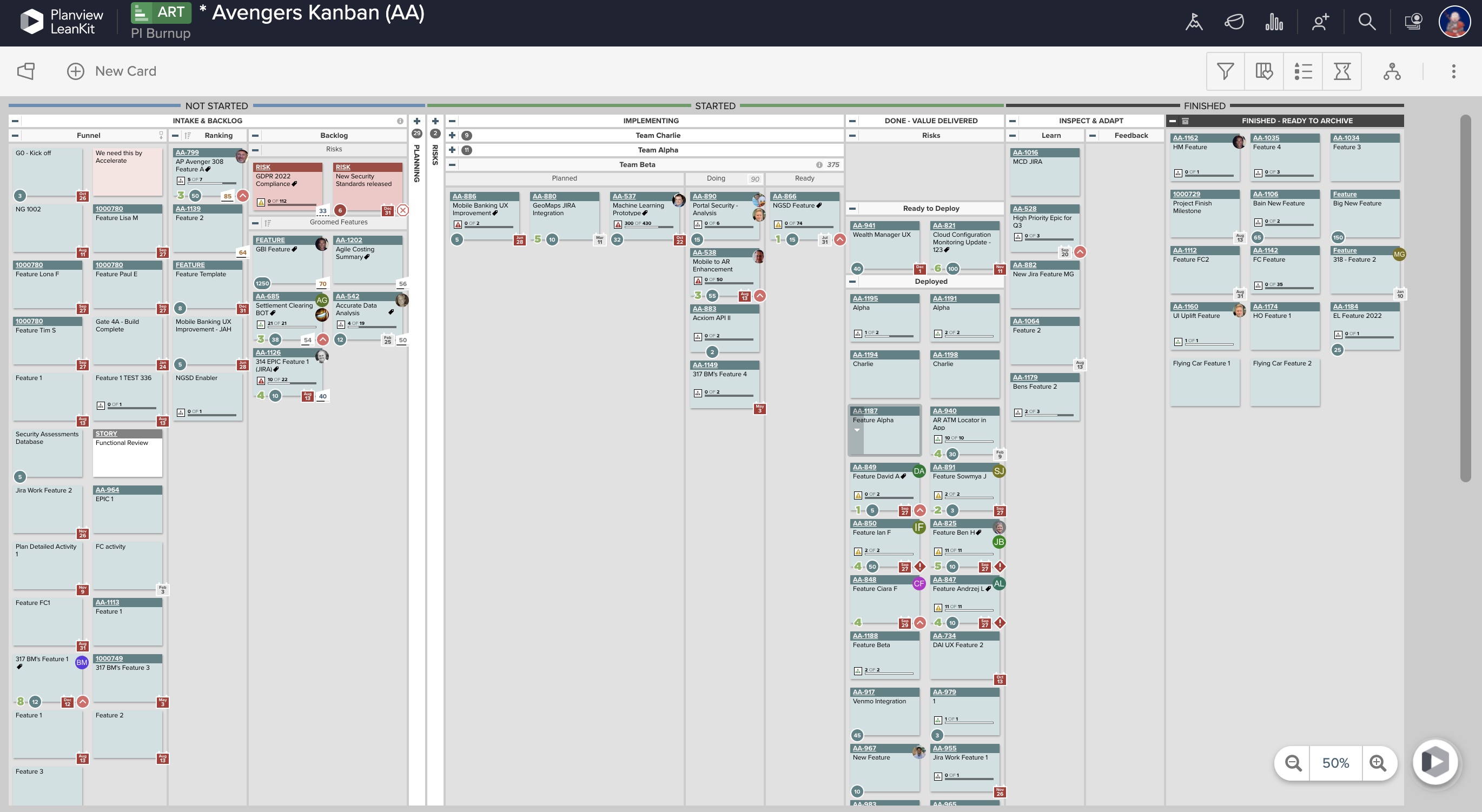   |



