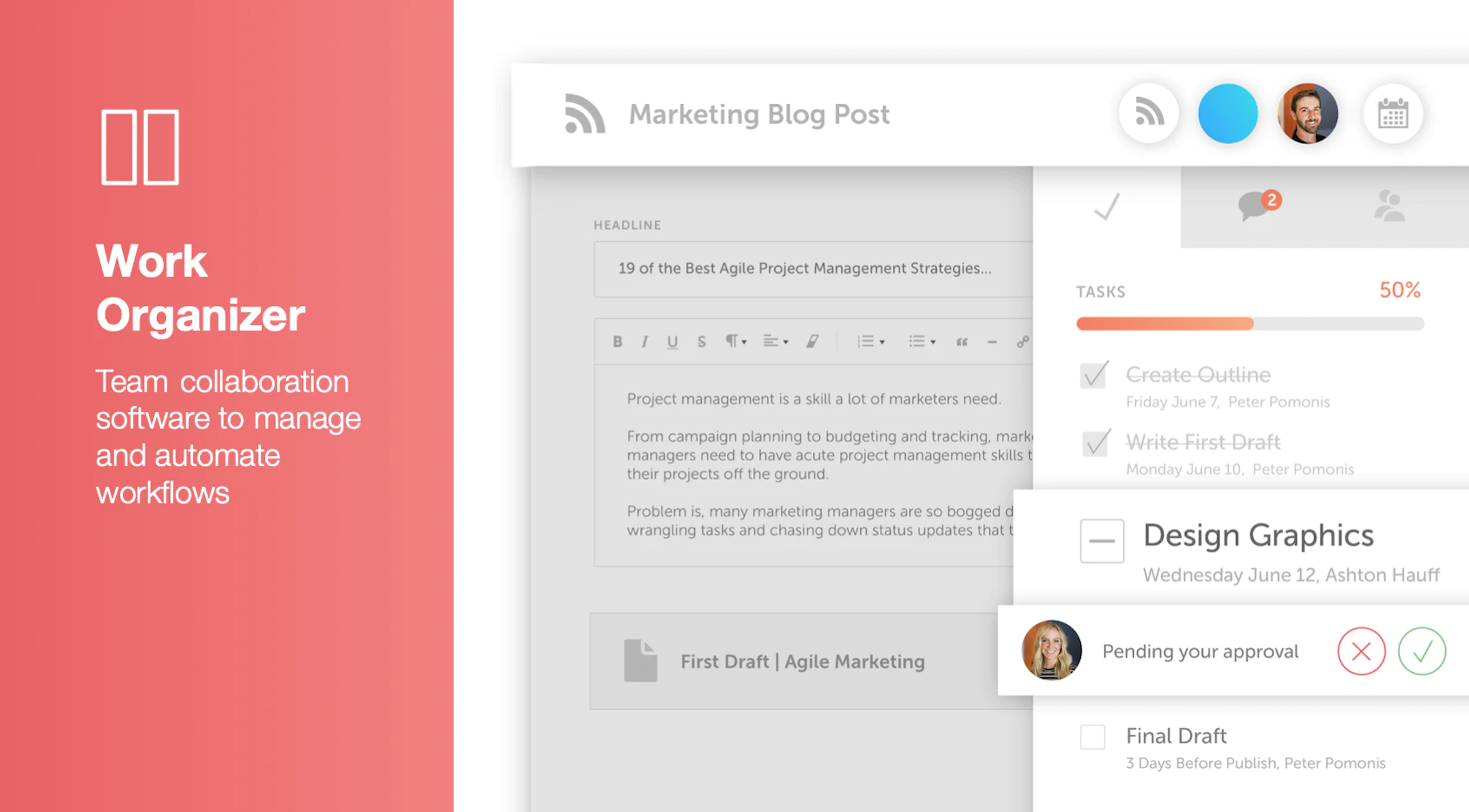
CoSchedule provides a content calendar, content optimization, and contentmarketing products, with users among 50,000 marketers worldwide, helping them organize their work, deliver projects on time, and prove marketing team value.
N/A
Vista Social
Score9.5 out of 10
N/A
Vista Social is a social media management platform that offers features such as schedule of content, managing conversations through a universal inbox, managing reviews, social listening and reporting.
Owner in Corporate at Allie of All Trades (Executive Office, 1-10 employees)
Chose Vista Social
What really made Vista Social stand out to me was the price. I was previously using Buffer and decided to give it a try when it was running a deal. Although it was a challenge to get the hang of at first, I'm glad that I did.
A de minimis incentive was given to thank the reviewer for their time. The incentive was not used to bias or drive a particular response, nor was the incentive contingent on a positive endorsement. More Info
CoSchedule is great for businesses or agencies who need an overview of all their marketing efforts, and who want to establish collaboration between multiple departments. The calendar view is one of the best we've worked with and makes it easy to see exactly what's happening. There is some slight clunkiness when it comes to admin-related tasks, and a few things aren't easy to find, but there's great support.
A de minimis incentive was given to thank the reviewer for their time. The incentive was not used to bias or drive a particular response, nor was the incentive contingent on a positive endorsement. More Info
When I need to schedule a full week of posts for multiple clients. the calendar view makes it fast and clear. When a client sends last-minute edits, I can quickly reschedule or update posts by dragging them in the calendar. When I’m short on time I use the AI tools to generate quick captions and adjust them to fit the brand voice. When I manage comments and DMs I reply to everything from one inbox, without switching platforms. When planning content, I use Canva inside Vista Social and publish directly, which saves a lot of time.
A de minimis incentive was given to thank the reviewer for their time. The incentive was not used to bias or drive a particular response, nor was the incentive contingent on a positive endorsement. More Info
The design and layout of the site is simple, with the options to click through the different tools on the left hand side of the page. What I liked most about Vista Social is the ability to combine all the different tools that a social media manager needs into one platform.
I typically use various different apps and platforms to write down notes, assign tasks to different team members, and look at my overall content calendar for the month. It is brilliant that Vista Social is able to combine all of these into one platform.
When first signing up to Vista Social and exploring the platform, each page offers you a walkthrough of all of the tools available to you, which is really handy, as well as a customer support section on the right bottom hand corner.
The platform seems sluggish as of late, likely as a result of the robust amount of data we are entering and the number of filters we're creating.
Social media scheduling exists, but we do run into publishing errors more often then we'd like.
Task templates when updated are not retroactive, so when you create projects for an entire year and then change a template, you need to go back and change them manually.
A de minimis incentive was given to thank the reviewer for their time. The incentive was not used to bias or drive a particular response, nor was the incentive contingent on a positive endorsement. More Info
I think the price is quite high compared to hiring a person for the same task. This may put one off from purchasing as with a bit more time you can do the same job yourself or with an employee for much less
In my opinion, the interface is rather complicated visually and doesn't have an appeal. It is cramped with so many features that provide a sense of confusion whilst starting off
In my experience, the tutorials do leave a few questions afterwards regarding set up and this can take more time to figure out by yourself.
The interface is very intuitive, from setting up social profiles, to posting, to tags, to optimizing for best day/time to post. It's super easy to scan the aggregate analytics. The calendar is very easy to grok at a glance, and the more advanced functionality is intuitive to set up.
A de minimis incentive was given to thank the reviewer for their time. The incentive was not used to bias or drive a particular response, nor was the incentive contingent on a positive endorsement. More Info
Since the platform is user-friendly and easy to navigate, start using it and making content creation feel effortless. The dashboard and each module for content management and creation it has the visual hierarchies in place. Building, customizing and exporting reports to PDF facilitate the journey with the clients. Its overall usability is well rounded for such large and powerful tool.
I didn't have to use their official support, but I can say that they put out a lot of content online to help users. Their YouTube page has quite an array of tutorial videos explaining how things work and how to get the most out of their tools. If you're struggling, before picking up a phone or blasting off an email, try searching for your problem on YouTube or their forums.
A de minimis incentive was given to thank the reviewer for their time. The incentive was not used to bias or drive a particular response, nor was the incentive contingent on a positive endorsement. More Info
CoSchedule provides collaborative planning of projects. The calendar view is very well designed. Meetings and tasks can be scheduled and tracked easily. Whatever is being done, no matter how big the task/project is, it gives a bird-eye view of everything. Additionally, it also integrated very well with WordPress. Their customer service team is also very helpful.
A de minimis incentive was given to thank the reviewer for their time. The incentive was not used to bias or drive a particular response, nor was the incentive contingent on a positive endorsement. More Info
It's reasonably priced compared to others and offers more capabilities for creating and implementing marketing campaigns. For example, social listening, reputation management, and employee advocacy are all tools it has that I haven't found in the previous ones. It also supports all marketing campaigns, not just social media.
It has saved me about 1 hour per day to keep things organized from Asana to WordPress.
By not having a functioning Google Doc import feature, it costs me about 30 minutes for each blog post to copy paste all the content, images, etc.
By bundling too many features into their plans, many of which we don't use (e.g. social media scheduling), we lose a little ROI because we are not using the full feature set. We use and prefer Buffer for social media, so when CoSchedule raised their price $40+ per month on features we would not be using, that hurt.
A de minimis incentive was given to thank the reviewer for their time. The incentive was not used to bias or drive a particular response, nor was the incentive contingent on a positive endorsement. More Info
The DM automation feature means we're not missing out on important messages when we're off the clock (after hours essentially), which is a huge advantage in hospitality where response time is everything.
In most cases, time is money, and being able to manage all our platforms from one place has cut down hours of switching between apps and tabs. That in itself has boosted our company's productivity and allowed the team to respond faster to guests and potential leads.
The real-time insights and mentions helps us tweak content and react to trends quicker, which has increased our visibility and bookings.