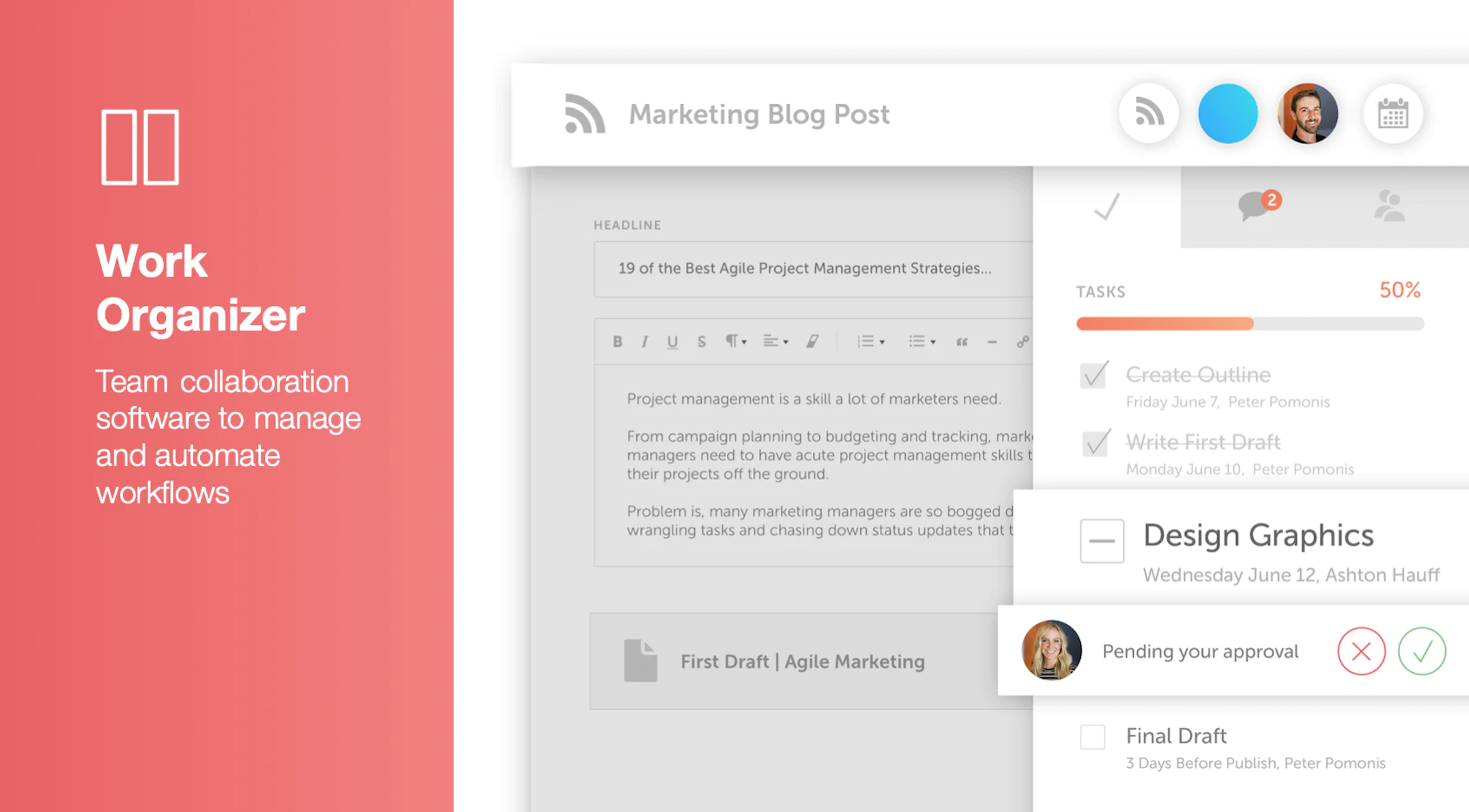
CoSchedule provides a content calendar, content optimization, and contentmarketing products, with users among 50,000 marketers worldwide, helping them organize their work, deliver projects on time, and prove marketing team value.
N/A
Image Relay
Score9.5 out of 10
N/A
Image Relay Marketing Delivery keeps digital assets and product information in one place with the goal of supporting fast, seamless creation and delivery.
CoSchedule is great for businesses or agencies who need an overview of all their marketing efforts, and who want to establish collaboration between multiple departments. The calendar view is one of the best we've worked with and makes it easy to see exactly what's happening. There is some slight clunkiness when it comes to admin-related tasks, and a few things aren't easy to find, but there's great support.
A de minimis incentive was given to thank the reviewer for their time. The incentive was not used to bias or drive a particular response, nor was the incentive contingent on a positive endorsement. More Info
Image Relay is intelligently designed for any marketer, especially if your products require a library of images and video and especially if you feel like your team could use some quality onboarding to make sure everything is set up right and to make sure your team is equipped to use the software effectively. Specifically speaking, since we have so many products and we're building a bigger direct relationship with customers, it was important that we have an easy way to store and access assets that can represent those products and resonate with potential customers. Image Relay also made it really easy to group assets for sharing with influencers and other marketing partners. Dropbox and Google Drive may have their place and their functionalities that set them apart, so it's important to not look at Image Relay like one of those older document services storage spaces — though those companies could learn a lot from how Image Relay helps marketers enrich their assets and store them smartly.
A de minimis incentive was given to thank the reviewer for their time. The incentive was not used to bias or drive a particular response, nor was the incentive contingent on a positive endorsement. More Info
A de minimis incentive was given to thank the reviewer for their time. The incentive was not used to bias or drive a particular response, nor was the incentive contingent on a positive endorsement. More Info
Enables us to organize a large number of files in an easy-to-use format
Keeps our files safe. Much of the work we do is private until our partners approve of our marketing going public so file security is critical to our operation.
Image Relay makes it easy for our team to track and access a wide range of files - especially photos and contracts.
A de minimis incentive was given to thank the reviewer for their time. The incentive was not used to bias or drive a particular response, nor was the incentive contingent on a positive endorsement. More Info
The platform seems sluggish as of late, likely as a result of the robust amount of data we are entering and the number of filters we're creating.
Social media scheduling exists, but we do run into publishing errors more often then we'd like.
Task templates when updated are not retroactive, so when you create projects for an entire year and then change a template, you need to go back and change them manually.
A de minimis incentive was given to thank the reviewer for their time. The incentive was not used to bias or drive a particular response, nor was the incentive contingent on a positive endorsement. More Info
The AI tagging terms are too generic to really be helpful to us.
When we did our initial upload the system couldn't pull in old dates, so everything has a date of the day it was uploaded. It will be a while before searching by "most recent" works properly.
A de minimis incentive was given to thank the reviewer for their time. The incentive was not used to bias or drive a particular response, nor was the incentive contingent on a positive endorsement. More Info
I believe once all of our staff see how efficient Image Relay is in managing our digital assets, there will be no question that the cost vs. value will mandate continued use moving forward. It literally will pay for itself in saved staff time, I believe.
A de minimis incentive was given to thank the reviewer for their time. The incentive was not used to bias or drive a particular response, nor was the incentive contingent on a positive endorsement. More Info
The interface is very intuitive, from setting up social profiles, to posting, to tags, to optimizing for best day/time to post. It's super easy to scan the aggregate analytics. The calendar is very easy to grok at a glance, and the more advanced functionality is intuitive to set up.
A de minimis incentive was given to thank the reviewer for their time. The incentive was not used to bias or drive a particular response, nor was the incentive contingent on a positive endorsement. More Info
Image Relay is very straightforward. The experience and interface mimic things were all used to using so it makes it very easy to learn and use. They didn't try to reinvent the wheel by making a fancy tool, they just made something that works and does exactly what you need it to do. They also have an awesome team that is quick to help and answer any questions along the way.
A de minimis incentive was given to thank the reviewer for their time. The incentive was not used to bias or drive a particular response, nor was the incentive contingent on a positive endorsement. More Info
I didn't have to use their official support, but I can say that they put out a lot of content online to help users. Their YouTube page has quite an array of tutorial videos explaining how things work and how to get the most out of their tools. If you're struggling, before picking up a phone or blasting off an email, try searching for your problem on YouTube or their forums.
A de minimis incentive was given to thank the reviewer for their time. The incentive was not used to bias or drive a particular response, nor was the incentive contingent on a positive endorsement. More Info
Amazing. We are having a quick call once a week to be sure we are right on track. They answer all our questions right away and if they are missing something they will just find the answer and get back to us as fast as possible. There is no need to look elsewhere!
A de minimis incentive was given to thank the reviewer for their time. The incentive was not used to bias or drive a particular response, nor was the incentive contingent on a positive endorsement. More Info
A de minimis incentive was given to thank the reviewer for their time. The incentive was not used to bias or drive a particular response, nor was the incentive contingent on a positive endorsement. More Info
CoSchedule provides collaborative planning of projects. The calendar view is very well designed. Meetings and tasks can be scheduled and tracked easily. Whatever is being done, no matter how big the task/project is, it gives a bird-eye view of everything. Additionally, it also integrated very well with WordPress. Their customer service team is also very helpful.
A de minimis incentive was given to thank the reviewer for their time. The incentive was not used to bias or drive a particular response, nor was the incentive contingent on a positive endorsement. More Info
We were using our in-house storage NAS system and Backup on DVD and hard drive. The issue is that we lost a lot of data by it either crashing or becoming unreadable. And it's very difficult to organize and share data. To share data we were using WeTransfer, but the issue is that the link expired in 7 days.
A de minimis incentive was given to thank the reviewer for their time. The incentive was not used to bias or drive a particular response, nor was the incentive contingent on a positive endorsement. More Info
It has saved me about 1 hour per day to keep things organized from Asana to WordPress.
By not having a functioning Google Doc import feature, it costs me about 30 minutes for each blog post to copy paste all the content, images, etc.
By bundling too many features into their plans, many of which we don't use (e.g. social media scheduling), we lose a little ROI because we are not using the full feature set. We use and prefer Buffer for social media, so when CoSchedule raised their price $40+ per month on features we would not be using, that hurt.
A de minimis incentive was given to thank the reviewer for their time. The incentive was not used to bias or drive a particular response, nor was the incentive contingent on a positive endorsement. More Info
Image Relay has only offered positive impacts for me. The search function is great when used properly — our photographers can input tons of metadata that is later used to find certain teams or players within the website.
I don't mind having duplicates in the system as long as they are in places they need to be, but Image Relay does tell you when you've uploaded something multiple times which could be helpful to others.
A de minimis incentive was given to thank the reviewer for their time. The incentive was not used to bias or drive a particular response, nor was the incentive contingent on a positive endorsement. More Info