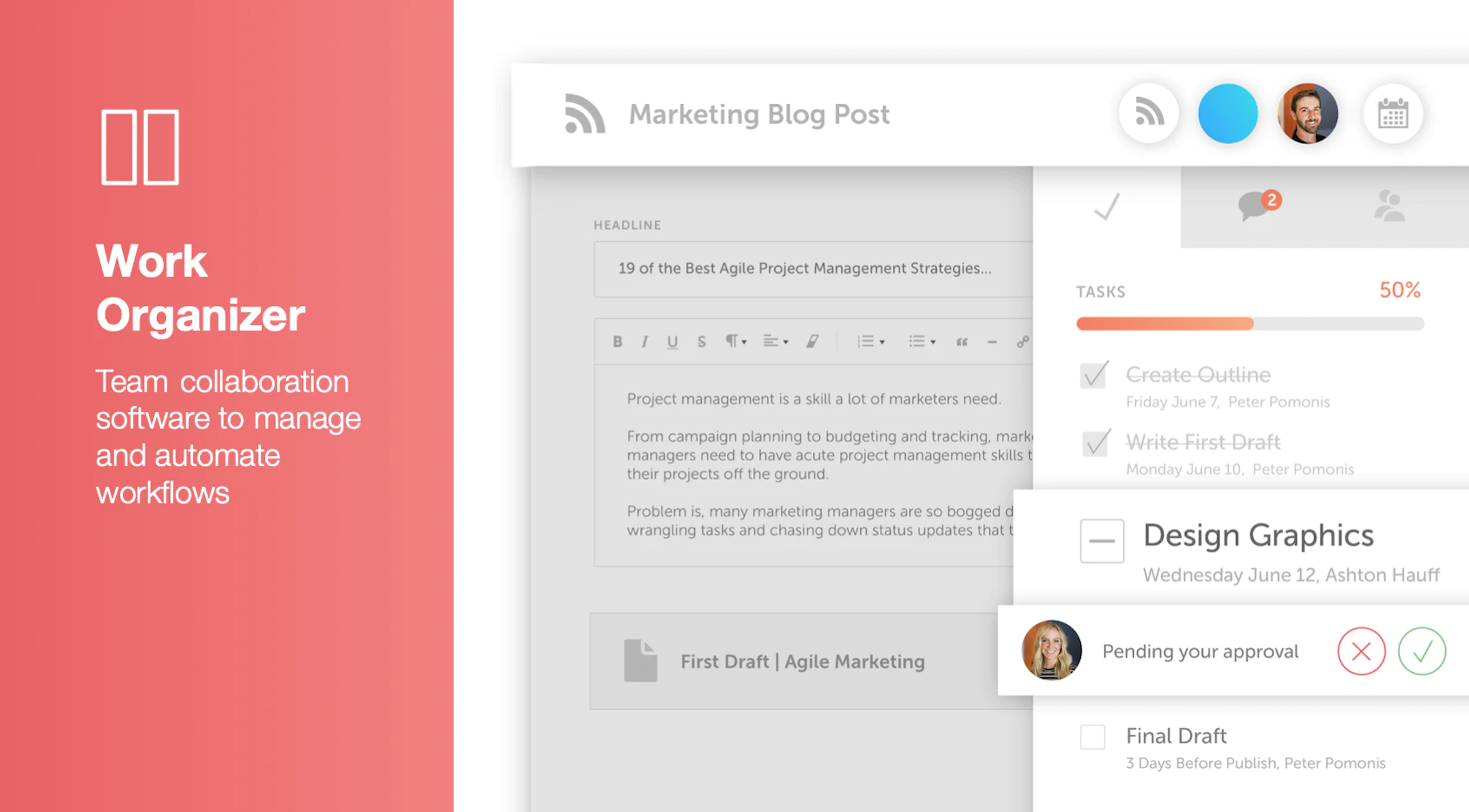
CoSchedule provides a content calendar, content optimization, and contentmarketing products, with users among 50,000 marketers worldwide, helping them organize their work, deliver projects on time, and prove marketing team value.
N/A
eClincher
Score7.9 out of 10
N/A
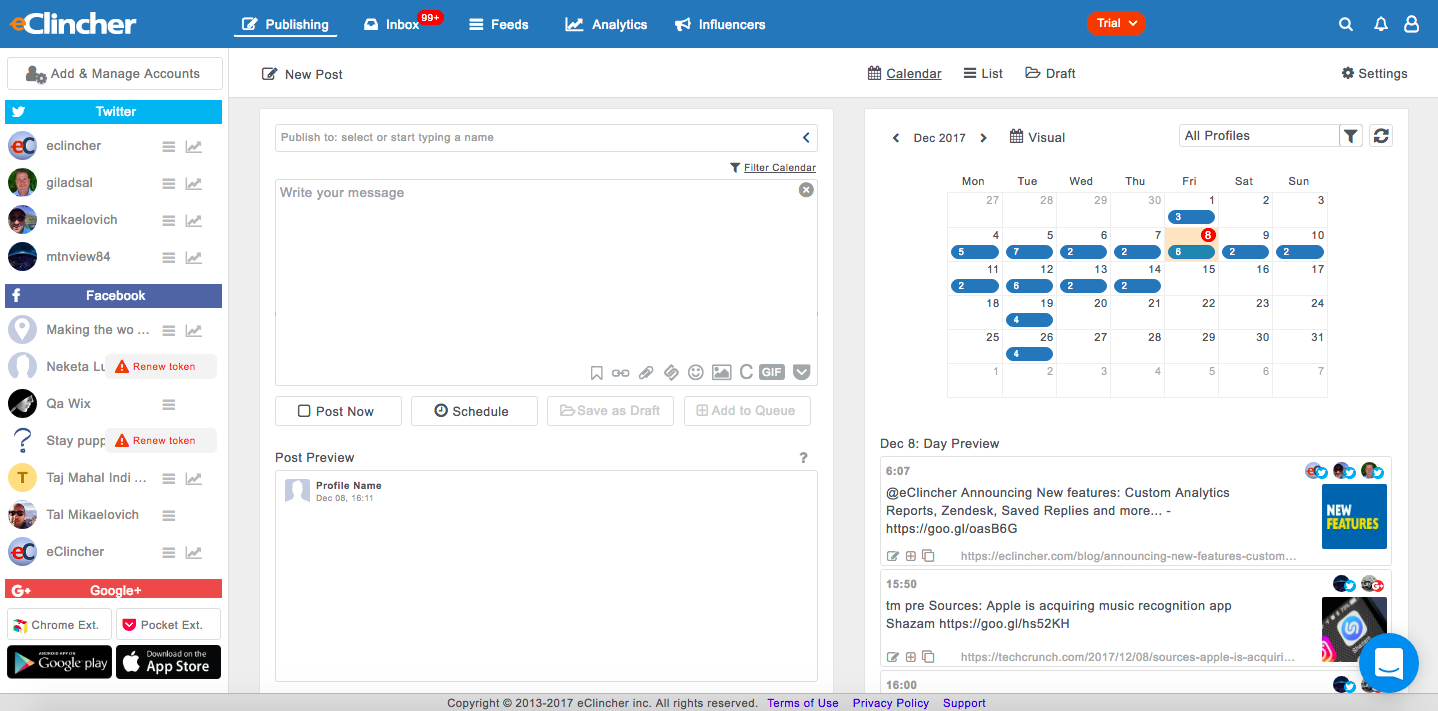
eClincher aims to be the most powerful, complete and intuitive social media management software. According to the vendor, the product is designed to help users, businesses, and agencies manage social media presence with one platform, and offers the following capabilities: advanced publishing publishing automation (queues, RSS feeds, recycle evergreen content) engagement with unified social inbox & live social feeds monitoring content…
Director of Digital Marketing in Marketing at 407 Marketing (Marketing and Advertising, 1-10 employees)
Chose eClincher
In my quest to find the best Social Media Management software, I tried just about every service out there (scrolling through Capterra, TrustRadius, and G2 Crowd to find new programs). I was able to go for about 4 months on free trials alone and kept a log of the pros and cons, …
A de minimis incentive was given to thank the reviewer for their time. The incentive was not used to bias or drive a particular response, nor was the incentive contingent on a positive endorsement. More Info
Key User Insights
Would buy again
No answers on this topic
No answers on this topic
Delivers good value for the price
No answers on this topic
No answers on this topic
Happy with the feature set
No answers on this topic
No answers on this topic
Lived up to sales and marketing promises
No answers on this topic
No answers on this topic
Implementation went as expected
No answers on this topic
No answers on this topic
Features
CoSchedule Marketing Suite
eClincher
Content Creation
Comparison of Content Creation features of CoSchedule Marketing Suite and eClincher
Feature
CoSchedule Marketing Suite
7.3
1 Ratings
10% below category average
eClincher
-
Ratings
Ideation
5.01 Ratings
00 Ratings
Content collaboration
7.01 Ratings
00 Ratings
Content calendar
10.01 Ratings
00 Ratings
Content Publishing
Comparison of Content Publishing features of CoSchedule Marketing Suite and eClincher
Feature
CoSchedule Marketing Suite
10.0
1 Ratings
21% above category average
eClincher
-
Ratings
Content distribution
10.01 Ratings
00 Ratings
Content promotion
10.01 Ratings
00 Ratings
Content automation
10.01 Ratings
00 Ratings
Content Reporting & Analytics
Comparison of Content Reporting & Analytics features of CoSchedule Marketing Suite and eClincher
Feature
CoSchedule Marketing Suite
10.0
1 Ratings
24% above category average
eClincher
-
Ratings
Closed-loop tracking and reporting
10.01 Ratings
00 Ratings
Content performance analytics
10.01 Ratings
00 Ratings
Listening/monitoring
Comparison of Listening/monitoring features of CoSchedule Marketing Suite and eClincher
Feature
CoSchedule Marketing Suite
-
Ratings
eClincher
7.0
5 Ratings
10% below category average
Boolean keyword searches
00 Ratings
7.04 Ratings
Filtering out noise/spam
00 Ratings
7.04 Ratings
Broad channel coverage
00 Ratings
7.05 Ratings
Publishing
Comparison of Publishing features of CoSchedule Marketing Suite and eClincher
Feature
CoSchedule Marketing Suite
-
Ratings
eClincher
6.0
6 Ratings
29% below category average
Content planning and scheduling
00 Ratings
8.06 Ratings
Audience targeting
00 Ratings
1.03 Ratings
Content optimization
00 Ratings
9.04 Ratings
Workflow management
00 Ratings
6.06 Ratings
Engagement
Comparison of Engagement features of CoSchedule Marketing Suite and eClincher
Feature
CoSchedule Marketing Suite
-
Ratings
eClincher
6.3
5 Ratings
23% below category average
Automated routing and prioritization
00 Ratings
7.05 Ratings
Customer interaction histories
00 Ratings
4.83 Ratings
Bulk actions
00 Ratings
7.05 Ratings
Marketing
Comparison of Marketing features of CoSchedule Marketing Suite and eClincher
Feature
CoSchedule Marketing Suite
-
Ratings
eClincher
1.0
3 Ratings
154% below category average
Lead generation
00 Ratings
1.01 Ratings
Content marketing
00 Ratings
1.13 Ratings
Channel coverage/integration
Comparison of Channel coverage/integration features of CoSchedule Marketing Suite and eClincher
Feature
CoSchedule Marketing Suite
-
Ratings
eClincher
6.8
6 Ratings
21% below category average
Twitter
00 Ratings
7.05 Ratings
Facebook
00 Ratings
8.06 Ratings
LinkedIn
00 Ratings
6.05 Ratings
Google+
00 Ratings
9.93 Ratings
Instagram
00 Ratings
8.05 Ratings
Pinterest
00 Ratings
8.03 Ratings
YouTube
00 Ratings
1.03 Ratings
Reporting/analytics
Comparison of Reporting/analytics features of CoSchedule Marketing Suite and eClincher
Feature
CoSchedule Marketing Suite
-
Ratings
eClincher
4.0
6 Ratings
66% below category average
Campaign success analytics
00 Ratings
4.05 Ratings
Real-time tracking
00 Ratings
4.06 Ratings
Account management
Comparison of Account management features of CoSchedule Marketing Suite and eClincher
Feature
CoSchedule Marketing Suite
-
Ratings
eClincher
4.5
6 Ratings
56% below category average
Role-based user permissions & privileges
00 Ratings
8.06 Ratings
Mobile access
00 Ratings
1.16 Ratings
Best Alternatives
CoSchedule Marketing Suite
eClincher
Small Businesses
Contently
Score9.9 out of 10
Sendible
Score7.6 out of 10
Medium-sized Companies
Optimizely Content Marketing Platform
Score7.1 out of 10
Vista Social
Score9.5 out of 10
Enterprises
Contently
Score9.9 out of 10
Salesforce Marketing Cloud Social Studio (discontinued)
CoSchedule is great for businesses or agencies who need an overview of all their marketing efforts, and who want to establish collaboration between multiple departments. The calendar view is one of the best we've worked with and makes it easy to see exactly what's happening. There is some slight clunkiness when it comes to admin-related tasks, and a few things aren't easy to find, but there's great support.
A de minimis incentive was given to thank the reviewer for their time. The incentive was not used to bias or drive a particular response, nor was the incentive contingent on a positive endorsement. More Info
Best suited for a marketer that cares about reports, needs a social media management platform and doesn't want to pay more for a more aesthetically pleasing version of a platform with the same or less functionality, such as Hootsuite or Sprout Social. For a social media marketer that wants to automate some of their postings, the queues feature is great for this functionality. Not best suited for beginners to social media, as their platform is best utilized with someone familiar with the industry that knows what they are doing. Their chat support team is very good though, but this type of individual might find themselves spending a lot of time on the platform.
A de minimis incentive was given to thank the reviewer for their time. The incentive was not used to bias or drive a particular response, nor was the incentive contingent on a positive endorsement. More Info
A de minimis incentive was given to thank the reviewer for their time. The incentive was not used to bias or drive a particular response, nor was the incentive contingent on a positive endorsement. More Info
eClincher supports nearly every social network and connects to a large number of sources (blogs, bit.ly, Google Analytics, Google My Business). This makes workflow tremendously easy.
Posting Groups. At higher levels of service, eClincher allows you to set-up individual brand accounts. My agency isn't at that level, so we utilize eClincher's posting groups to make 1-click groups that post to all of the profiles for each client. This allows us to quickly post a cohesive message across all channels.
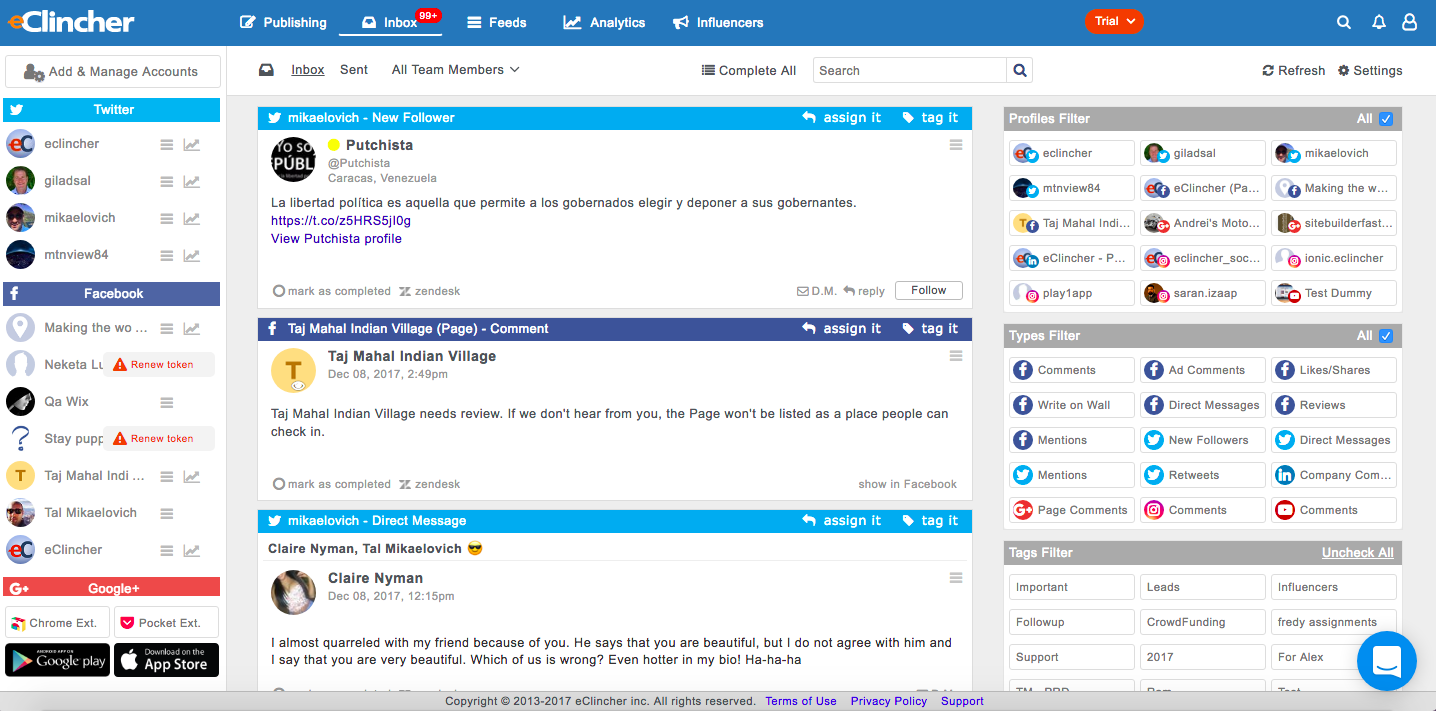
Workflow management: eClincher adds plenty of additional tools to make your workflow fast. Connections to free stock photo services make it easy to add generic pictures to your content. Google Analytics and bit.ly can keep track of statistics and measure success. The Inbox allows you to handle all your clients' accounts from one screen (including comments, messages, reviews, and more). The Feeds and Influencers tabs allow you to understand your market and what's being said. Altogether, eClincher makes a 1-app solution for Social Media Management.
A de minimis incentive was given to thank the reviewer for their time. The incentive was not used to bias or drive a particular response, nor was the incentive contingent on a positive endorsement. More Info
The platform seems sluggish as of late, likely as a result of the robust amount of data we are entering and the number of filters we're creating.
Social media scheduling exists, but we do run into publishing errors more often then we'd like.
Task templates when updated are not retroactive, so when you create projects for an entire year and then change a template, you need to go back and change them manually.
A de minimis incentive was given to thank the reviewer for their time. The incentive was not used to bias or drive a particular response, nor was the incentive contingent on a positive endorsement. More Info
It's not very visually appealing, but this is not a dealbreaker.
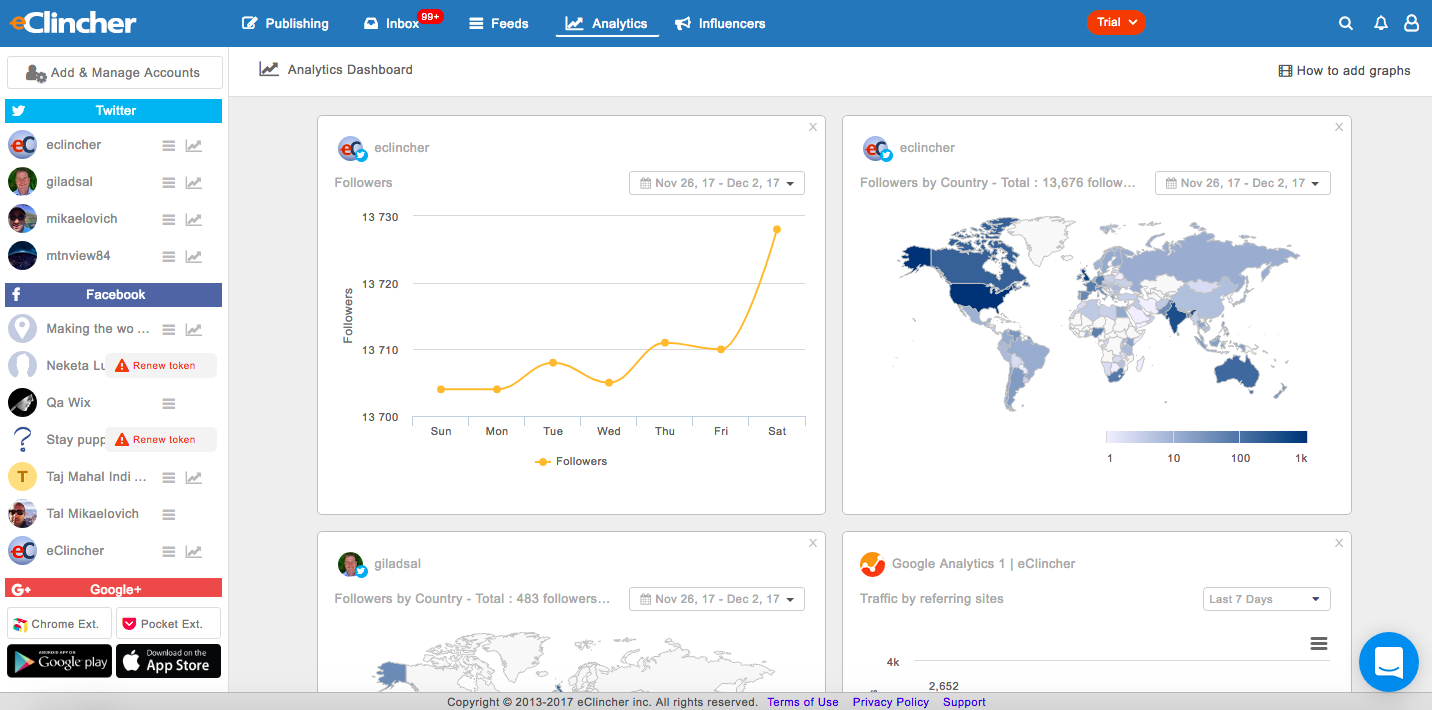
The reporting features could definitely use some work. I still get more value from the native SNS pages, but this is quickly changing. They removed the "export to CSV" functionality, but they plan to reintroduce it soon. As mentioned previously, they really respond to criticism well and update the tool constantly.
The inbox could use some work. I don't like being directed offsite to view certain comments deemed "requests for further info" when they could just easily display them there.
A de minimis incentive was given to thank the reviewer for their time. The incentive was not used to bias or drive a particular response, nor was the incentive contingent on a positive endorsement. More Info
Unless the price of eClincher moves to a point where it is too much to justify, I don't see any reason why we wouldn't continue to use eClincher for our agency. The value at this price-point is unbelievable and we'd be foolish to move to a pricier program purely for the sake of slicker graphics or UI. eClinchers pricing is fantastic, and is only matched by its functionality—it matches or beats any of the major Social Media Manager SaaS programs out there for a fraction of the cost. This tool is great for growing agencies, but would also be useful for any marketing department or large agency that wants to streamline their social media workflow.
A de minimis incentive was given to thank the reviewer for their time. The incentive was not used to bias or drive a particular response, nor was the incentive contingent on a positive endorsement. More Info
The interface is very intuitive, from setting up social profiles, to posting, to tags, to optimizing for best day/time to post. It's super easy to scan the aggregate analytics. The calendar is very easy to grok at a glance, and the more advanced functionality is intuitive to set up.
A de minimis incentive was given to thank the reviewer for their time. The incentive was not used to bias or drive a particular response, nor was the incentive contingent on a positive endorsement. More Info
Its usability was good until they changed their plans and stopped their LTD program for its early adopters who helped raise the tool by giving it positive reviews. I don't think eClincher is ethical in any sense based on the recent actions.
I didn't have to use their official support, but I can say that they put out a lot of content online to help users. Their YouTube page has quite an array of tutorial videos explaining how things work and how to get the most out of their tools. If you're struggling, before picking up a phone or blasting off an email, try searching for your problem on YouTube or their forums.
A de minimis incentive was given to thank the reviewer for their time. The incentive was not used to bias or drive a particular response, nor was the incentive contingent on a positive endorsement. More Info
[In my experience,] due to the fact that they did a bait and switch on their plans and blamed AppSumo for the lifetime program ending is simply wrong. [I believe that] it's unethical to get support and reviews from their early adopters then take the plan away later.
Be patient. eClincher isn't perfect and has some software issues. These issues will be exacerbated if you get frustrated or have a slow connection. If something "breaks" or locks up, just refresh the page and re-do that step. It may take your team a couple weeks to get use to using the new system. Once they've gotten the hang of it, I'm sure they'll love the amount of time they save. I'd recommend taking your time with the set-up. Though there aren't a lot of steps to get everything squared away, you can break the process into small chunks to make sure you're managing your time. To just hook-up all the social accounts, it may only take an hour or so. But, if you want to set-up all the extra tools (such as user accounts, listening feeds, posting groups, schedules, etc.) it'll take longer. I think it took around a day to set-up completely, but your mileage my vary.
A de minimis incentive was given to thank the reviewer for their time. The incentive was not used to bias or drive a particular response, nor was the incentive contingent on a positive endorsement. More Info
CoSchedule provides collaborative planning of projects. The calendar view is very well designed. Meetings and tasks can be scheduled and tracked easily. Whatever is being done, no matter how big the task/project is, it gives a bird-eye view of everything. Additionally, it also integrated very well with WordPress. Their customer service team is also very helpful.
A de minimis incentive was given to thank the reviewer for their time. The incentive was not used to bias or drive a particular response, nor was the incentive contingent on a positive endorsement. More Info
There are loads of social scheduling tools out there. I was using Buffer but then found it was limited in terms of listening and reporting so I started to look at a more professional software. I tried Hootsuite but hated the interface, way too busy with the primary focus being on feeds rather than scheduling. Sprout Social I found clunky and hard to use. eClincher was recommended to me by a friend. I think the interface (desktop and mobile) is easy to use but what sets it apart is its support - the live chat is brilliant.
A de minimis incentive was given to thank the reviewer for their time. The incentive was not used to bias or drive a particular response, nor was the incentive contingent on a positive endorsement. More Info
It has saved me about 1 hour per day to keep things organized from Asana to WordPress.
By not having a functioning Google Doc import feature, it costs me about 30 minutes for each blog post to copy paste all the content, images, etc.
By bundling too many features into their plans, many of which we don't use (e.g. social media scheduling), we lose a little ROI because we are not using the full feature set. We use and prefer Buffer for social media, so when CoSchedule raised their price $40+ per month on features we would not be using, that hurt.
A de minimis incentive was given to thank the reviewer for their time. The incentive was not used to bias or drive a particular response, nor was the incentive contingent on a positive endorsement. More Info
A de minimis incentive was given to thank the reviewer for their time. The incentive was not used to bias or drive a particular response, nor was the incentive contingent on a positive endorsement. More Info