Buffer is a social sharing tool. When browsing content, clicking on the Buffer icon automatically stores the content and schedules posts to social media channels throughout the day.
$6
per month per channel
CoSchedule Marketing Suite
Score10 out of 10
N/A
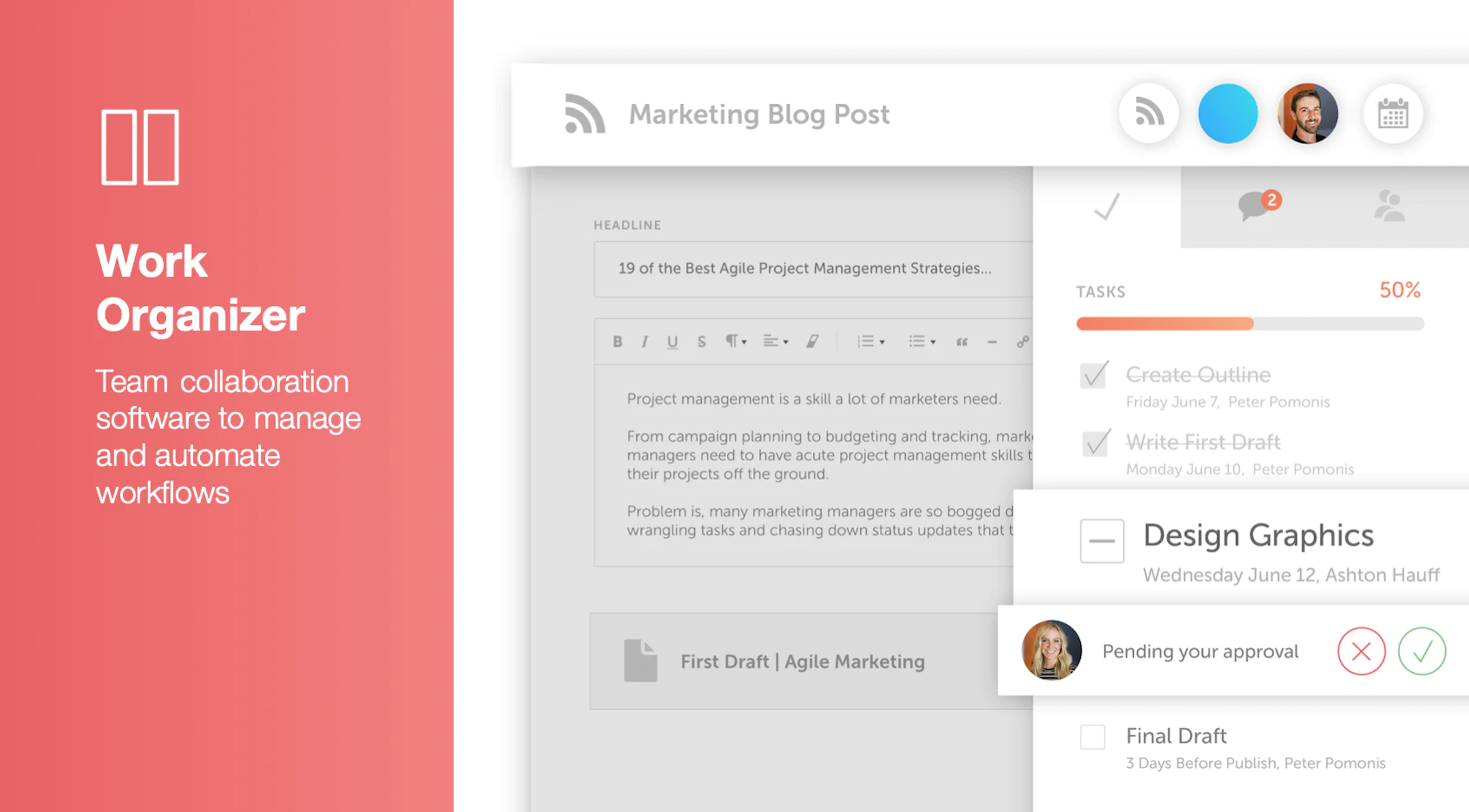
CoSchedule provides a content calendar, content optimization, and contentmarketing products, with users among 50,000 marketers worldwide, helping them organize their work, deliver projects on time, and prove marketing team value.
Risk Manager, and Insurance Agent in Sales at Hummel and Plum Insurance Agency Inc. (Insurance, 11-50 employees)
Chose Buffer
In my opinion, Buffer stacks up quite well compared to these alternatives. It stacks up best in the price arena because Buffer is more competitively priced than these alternatives. Buffer is capable of doing almost everything these alternatives are capable of. You can set up a …
A de minimis incentive was given to thank the reviewer for their time. The incentive was not used to bias or drive a particular response, nor was the incentive contingent on a positive endorsement. More Info
It helps me save hours by devoting only half an hour in a month's worth of posting, in addition to that it is quite simple to use. Buffer for scheduling social posts well in advance, but I have begun using it instead of posting natively on the social apps themselves because it makes it super easy to post the same messages to more than one platform.
CoSchedule is great for businesses or agencies who need an overview of all their marketing efforts, and who want to establish collaboration between multiple departments. The calendar view is one of the best we've worked with and makes it easy to see exactly what's happening. There is some slight clunkiness when it comes to admin-related tasks, and a few things aren't easy to find, but there's great support.
A de minimis incentive was given to thank the reviewer for their time. The incentive was not used to bias or drive a particular response, nor was the incentive contingent on a positive endorsement. More Info
A de minimis incentive was given to thank the reviewer for their time. The incentive was not used to bias or drive a particular response, nor was the incentive contingent on a positive endorsement. More Info
Expensive Analytics: The upgrade you need to access your analytics is quite expensive, and I have come across other tools that provide the same or even more for a lesser priced plan.
No Media Library: The one feature I have found on another social media planning tool that I wish Buffer had is a media library. This allows you to upload photos you aren't using right away to have them readily available when you do decide to use them. This is not a feature in Buffer.
A de minimis incentive was given to thank the reviewer for their time. The incentive was not used to bias or drive a particular response, nor was the incentive contingent on a positive endorsement. More Info
The platform seems sluggish as of late, likely as a result of the robust amount of data we are entering and the number of filters we're creating.
Social media scheduling exists, but we do run into publishing errors more often then we'd like.
Task templates when updated are not retroactive, so when you create projects for an entire year and then change a template, you need to go back and change them manually.
A de minimis incentive was given to thank the reviewer for their time. The incentive was not used to bias or drive a particular response, nor was the incentive contingent on a positive endorsement. More Info
I am giving buffer this rating because of a couple issues that it has compared to other platforms. It does not always post to instagram and you will need to go in an manually post. Also, one of the biggest qualms that we have with buffer is the price it costs to have robust analytics
A de minimis incentive was given to thank the reviewer for their time. The incentive was not used to bias or drive a particular response, nor was the incentive contingent on a positive endorsement. More Info
A de minimis incentive was given to thank the reviewer for their time. The incentive was not used to bias or drive a particular response, nor was the incentive contingent on a positive endorsement. More Info
Buffer performs well on both desktop and mobile platforms. The one area as I have stated before is that it does not always want to automatically push to Instagram and the user will have to go do it manually. Buffer works very well pushing to other platforms. The instagram issue is the only reason buffer does not get a 10 on this section
A de minimis incentive was given to thank the reviewer for their time. The incentive was not used to bias or drive a particular response, nor was the incentive contingent on a positive endorsement. More Info
I didn't have to use their official support, but I can say that they put out a lot of content online to help users. Their YouTube page has quite an array of tutorial videos explaining how things work and how to get the most out of their tools. If you're struggling, before picking up a phone or blasting off an email, try searching for your problem on YouTube or their forums.
A de minimis incentive was given to thank the reviewer for their time. The incentive was not used to bias or drive a particular response, nor was the incentive contingent on a positive endorsement. More Info
We were very satisfied with the implementation of Buffer. We had no issues switching from the platform that we were using over to buffer. Our staff did not even miss a beat when it came to posting content. It was an easy transition and I feel that is something that buffer has really done well. They have an "out of the box" usability platform
A de minimis incentive was given to thank the reviewer for their time. The incentive was not used to bias or drive a particular response, nor was the incentive contingent on a positive endorsement. More Info
I also used Combin which is easy and free to use. However, Combin only posts when the computer is active and connected to the internet. So, posting while you are not actively using your computer at that moment is not possible, therefore Buffer is much more efficient as you can even post while being on vacation without working.
A de minimis incentive was given to thank the reviewer for their time. The incentive was not used to bias or drive a particular response, nor was the incentive contingent on a positive endorsement. More Info
Buffer does what it say on tin as they say! you can always count on Buffer. Buffer can be scale to 25 social account with 2,000 scheduled post which is enough for most agencies or businesses
A de minimis incentive was given to thank the reviewer for their time. The incentive was not used to bias or drive a particular response, nor was the incentive contingent on a positive endorsement. More Info
A de minimis incentive was given to thank the reviewer for their time. The incentive was not used to bias or drive a particular response, nor was the incentive contingent on a positive endorsement. TR verified that a representative sample of customers was invited. More Info
It has saved me about 1 hour per day to keep things organized from Asana to WordPress.
By not having a functioning Google Doc import feature, it costs me about 30 minutes for each blog post to copy paste all the content, images, etc.
By bundling too many features into their plans, many of which we don't use (e.g. social media scheduling), we lose a little ROI because we are not using the full feature set. We use and prefer Buffer for social media, so when CoSchedule raised their price $40+ per month on features we would not be using, that hurt.
A de minimis incentive was given to thank the reviewer for their time. The incentive was not used to bias or drive a particular response, nor was the incentive contingent on a positive endorsement. More Info