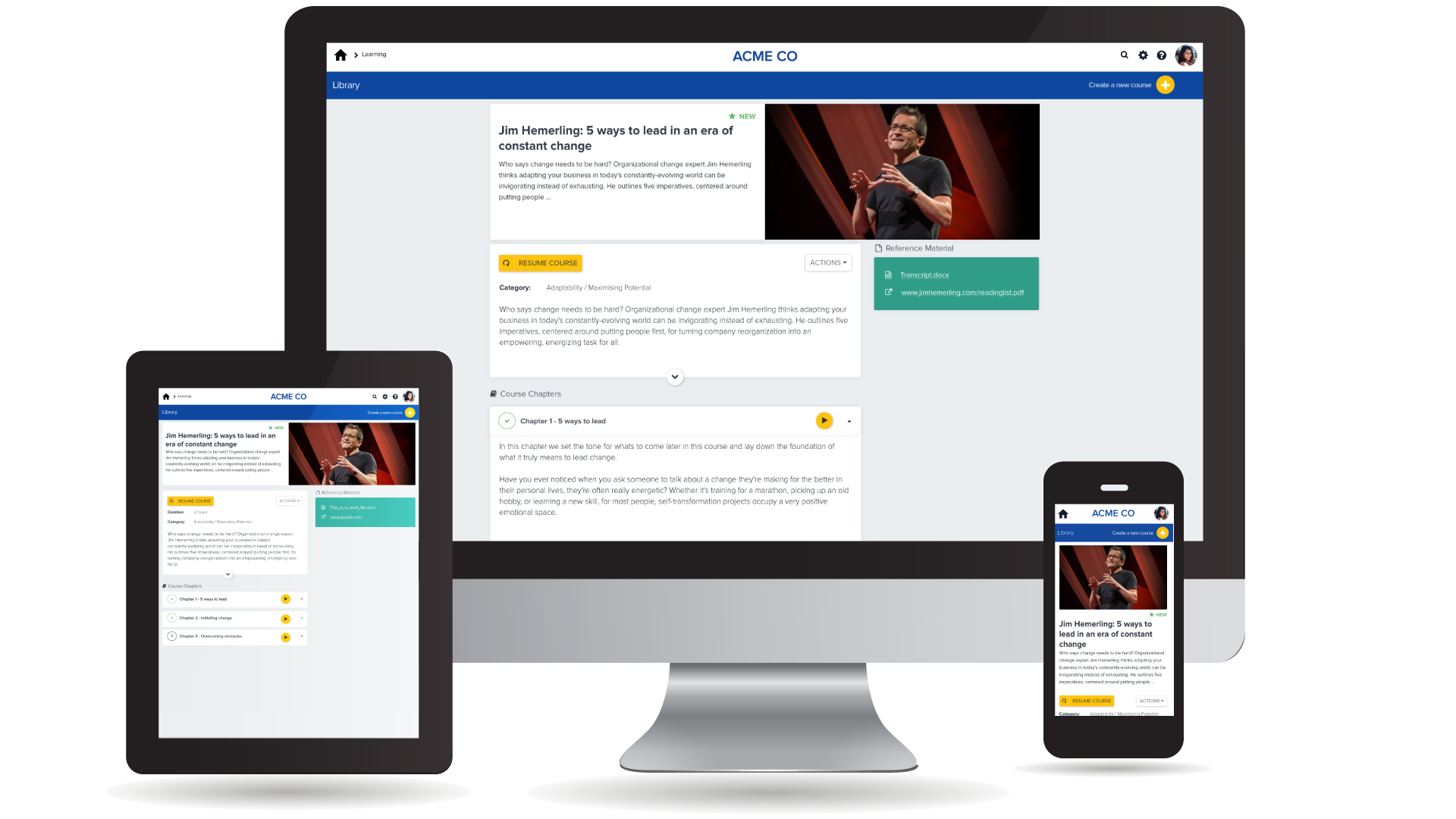
Cornerstone’s PiiQ is an SMB offering formerly known as Sonar6. PiiQ is aimed at small-to-medium sized businesses and includes core learning management and performance management systems, including content creation, mobile accessibility, and in-product reporting.
$8
per user per month
LMS365
Score 8.2 out of 10
N/A
ELEARNINGFORCE in Edgewater brings learning management to Office 365 and SharePoint. LMS365 blends with the Microsoft infrastructure and is designed to eliminate expensive integration, time-consuming development, and unwanted complexity. Learners access learning plans, courses, personal progress reports, and certificates from within the SharePoint business process.
N/A
Pricing
PiiQ by Cornerstone
LMS365
Editions & Modules
PiiQ Performance
$8.00
per user per month
PiiQ Learning + Content
$8.00
per user per month
PiiQ Learning + Content & Performance
$15.00
per user per month
No answers on this topic
Offerings
Pricing Offerings
PiiQ by Cornerstone
LMS365
Free Trial
Yes
No
Free/Freemium Version
No
No
Premium Consulting/Integration Services
No
No
Entry-level Setup Fee
$1,000 per installation
No setup fee
Additional Details
—
—
More Pricing Information
Community Pulse
PiiQ by Cornerstone
LMS365
Features
PiiQ by Cornerstone
LMS365
Learning Management
Comparison of Learning Management features of Product A and Product B
Great for managing medium sized teams of people spread over geographically dispersed offices. Not so good for small teams (less than 15). Requires a degree of time and effort to set up correctly to provide useful data for management and a good experience for staff members, but once that effort has been made the results are great.
For smaller businesses who only need a basic LMS, already use SharePoint, Entra ID, and Microsoft products, and are going to use Articulate 360 to author eLearning courses, LMS365 is a great solution as it's been used by many businesses for a long time. Unfortunately, if a lot of customization is required, it would require a lot of work to get going.
Being able to select more than one person when approving goals.
Options to identify which people managers haven't approved goals, dine a review etc...rather then having to mimic each manager to see how they are going.
360 Feedback to stakeholders outside the business.
Being able to remove a role that isn't being used in the organization anymore.
It's not that CSB isn't a decent performance management system, but we have decided to go with just one vendor (Workday) for an HRIS/performance management/payroll system so we can directly relate pay to performance. We are more interested in having just one system that "talks" to the other pieces instead of having to work with several vendors. It reduces the hassle of having to communicate with different support teams, having different contracts, and so on.
It is very simple for me: As I said, I am (we are) selling and consulting around SharePoint LMS. SharePoint LMS is a killer application which needs to be in every company which has a vision and mission to deliver and create knowledge. So you can say Thomas (me) is biased, but I only encourage you to check out the solution to hear what we have to say and stack our solution against the other solutions out there.
There are specific things within the goals and competencies that are user-friendly. For example, the rating slider isn't great in my opinion. You can slide in between ratings which can create some odd scoring (if you use scoring). It seems a better solution would be a drop down where you select your rating. There are also some glitches in the system and have been told Cornerstone is aware of them but are focused on delivering new features. There are workarounds, but that doesn't seem to be a great answer.
Ultimately, in my opinion LMS365 is a bit clunky to use. It has most of the features you need, but most need to be configured by your technology department, e.g., SSO, user groups in Entra ID, notifications through Slack, teams, etc. If you're looking for an all-in-one solution, look elsewhere, as lms365 has several catches to its proposition.
The saving process slows it down. It doesn’t auto save. If you leave a page, it will sometimes warn you, but not always. When you hit the save button, a window pops up that says creating/saving packets. It feels very archaic.
My assistant could better address this issue. My perception is that there is not immediate assistance, and that there can be a wait for help. That is not a negative, just a perception. I have not used support in two years.
The few times we actually needed support generally were during major upgrades of the system and getting a quick handle on how the configuration changed were the primary reasons.
I think we could have done a better job of rolling out the tool to our managers. We were under a tight timeline. In the training, we showed them everything and said go do it by this date. Looking back, I would have done it in pieces: for example, 2 weeks to write goals, 2 weeks to get sign-off from direct reports. I just let them go at it. Since then we’ve moved to agile development environment and are applying the technique to everything. In future would only do through change sprint. It is a big change I didn’t take it seriously enough.
I had a team of 3 project managing. You need a champion from every department to make sure you’re getting it right and to make sure what’s happening is communicated. It’s not something you can do without input from department heads
We did review other systems when we purchased PiiQ but I don't know what these were due to the member of staff no longer being with the company, however, I do not that we chose PiiQ as it was simple to use and that it also had the Performance option available in addition to the learning platform. we knew that this was something we wanted to have in the future which is why we purchased it.
Throughout my career I came across many different solutions for Knowledge and Collaboration and LMS systems. This includes Lotus Notes, Documentum, Live Link, LMS solutions from Oracle, ADP, another SharePoint based solution. Many years back, with the intro of Microsoft SharePoint, I was drawn to that product and solutions based on SharePoint. SharePoint is very powerful and in it current version, 2013, it is the without a doubt the most feature rich and broad solution platform out there. SharePoint LMS is in my eyes a killer application and if a company, institution or educational entity looks to create, expand, change up their training efforts for employees, customer, partners, students, SharePoint LMS is the tool to look at. If you have SharePoint already installed, it is a must look at, period. SharePoint LMS became the tool of choice, I recommended when I was a consultant, when I worked as a Director for Learning Management Systems at a local University. I am now part of a team which not only sells, but as well consults around SharePoint LMS.
Reviews are generally taking managers less time to prepare because the essential infrastructure is in place. Past reviews are easily retrievable for review if needed.
HR administration of the system takes less time than the previous version of Cornerstone (CSOD). HR is still responsible for training new users, but the built-in user guide is more thorough and easier to use.
We're starting to see - slowly but surely - more (and hopefully better) interaction between manager and employee.