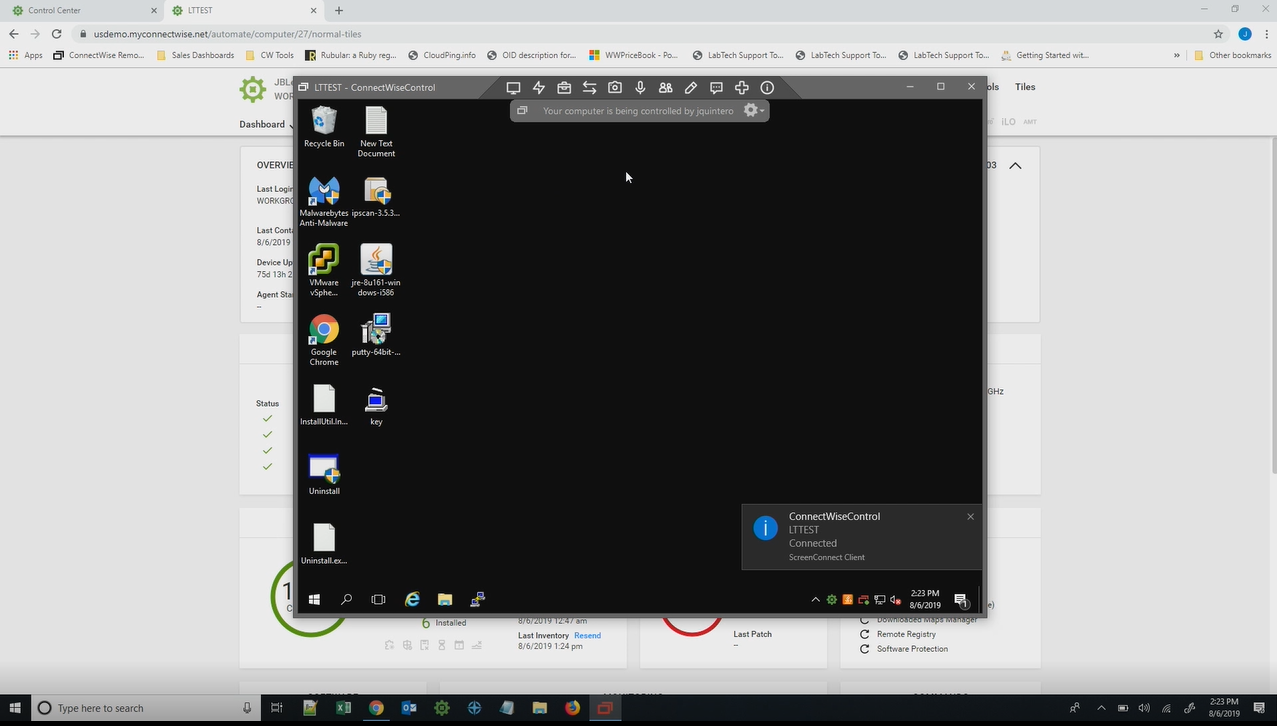
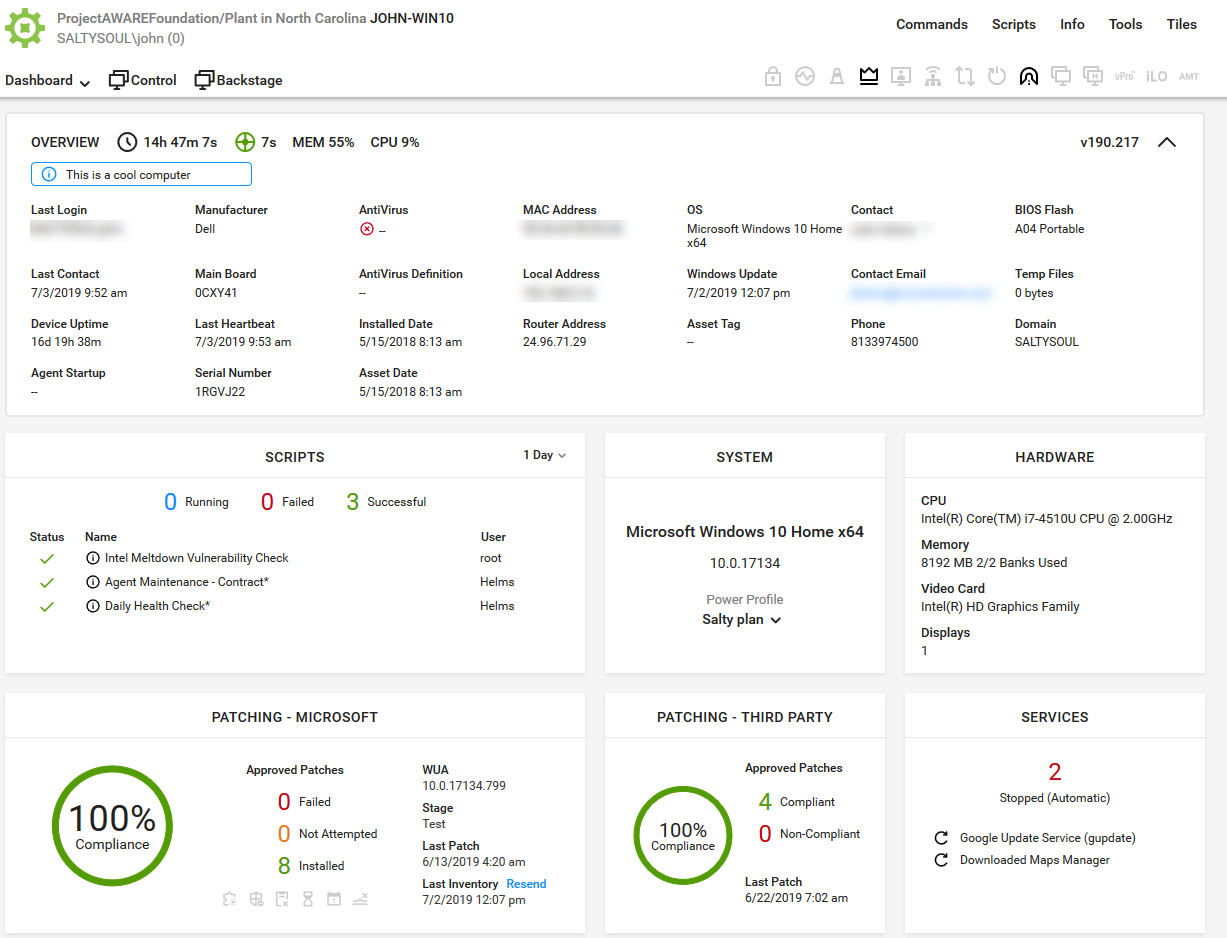
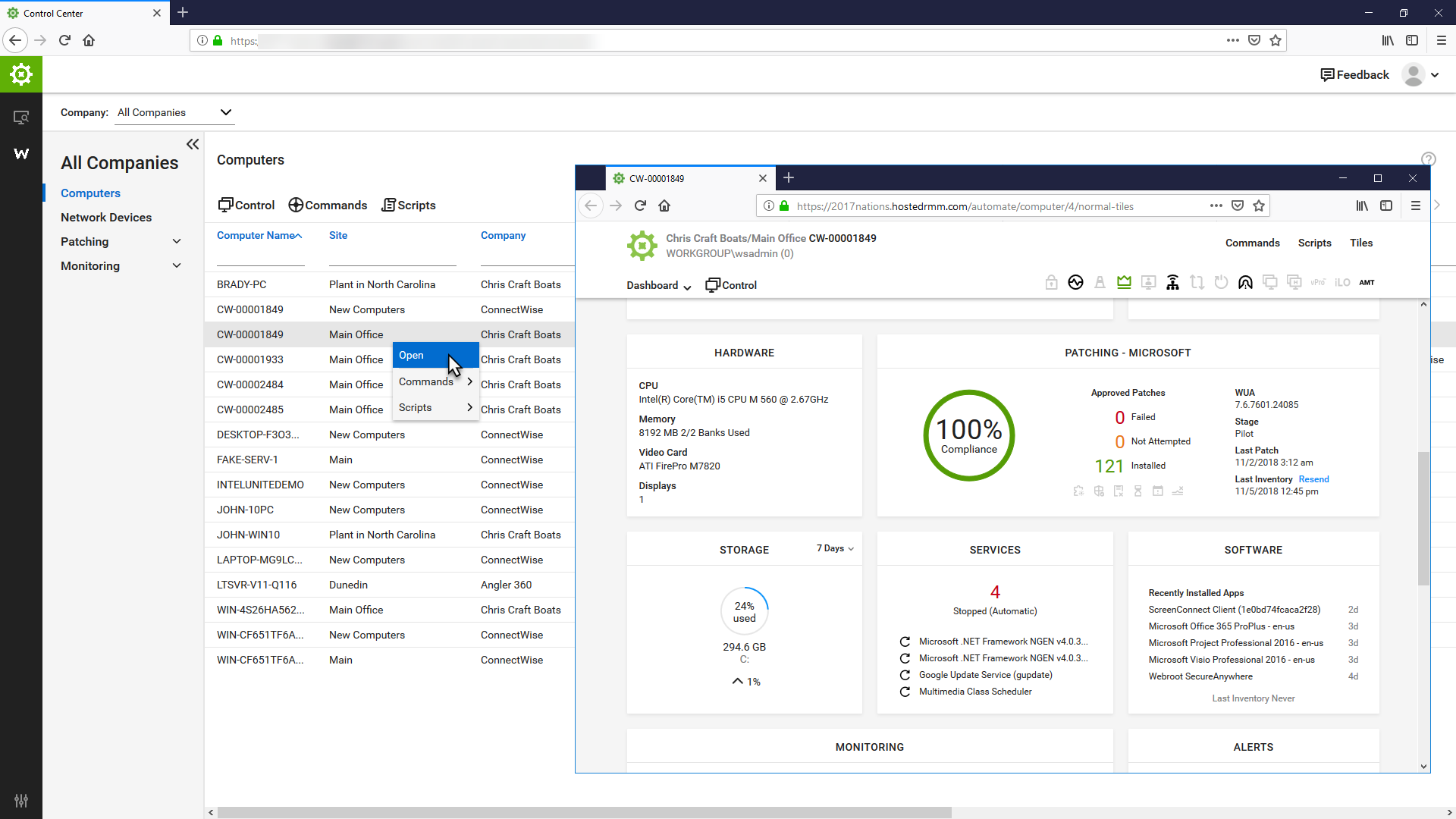
ConnectWise Automate, formerly LabTech, is a remote monitoring and management (RMM) platform. It provides powerful automation to discover and manage devices, monitor for problems, and scripts repetitive action.
$700
ScreenConnect
Score8.5 out of 10
N/A
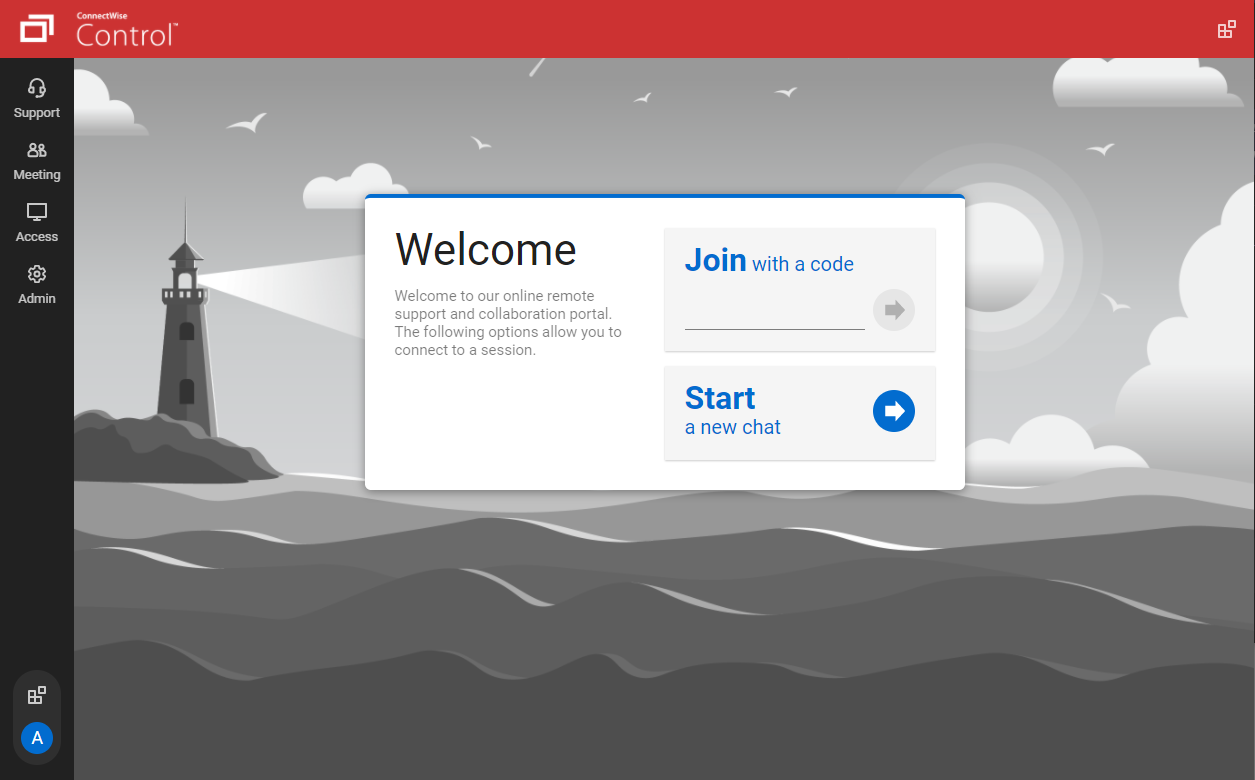
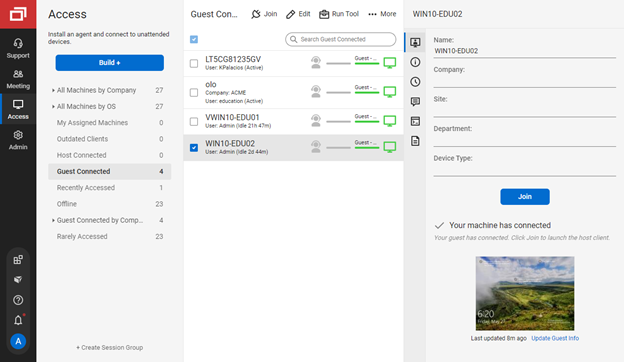
ConnectWise ScreenConnect is a remote support, access, and meeting solution. With it, users can utilize remote support and access to repair computers, provide updates, and manage machines. Users can also conduct online seminars and presentations using remote meetings.
Network Engineer at Just Solutions (Information Technology & Services, 11-50 employees)
Chose ConnectWise Automate
I have evaluated NinjaRMM, but it was after I was already familiar with ConnectWise Automate. While it seems like a good product, I found that ConnectWise Automate was more flexible in allowing me to make custom configurations to meet various business needs across different …
A de minimis incentive was given to thank the reviewer for their time. The incentive was not used to bias or drive a particular response, nor was the incentive contingent on a positive endorsement. More Info
A de minimis incentive was given to thank the reviewer for their time. The incentive was not used to bias or drive a particular response, nor was the incentive contingent on a positive endorsement. More Info
IT Specialist in Information Technology at Wooden Spoon Technologies (Information Technology & Services, 1-10 employees)
Chose ConnectWise Automate
I believe the monitoring and alerts in Continuum command is better, but [ConnectWise Automate (formerly LabTech)] does have stronger scripting, and perhaps a better interface. N-Central is inferior on all fronts to both. I did not make the purchasing decision. I would myself …
A de minimis incentive was given to thank the reviewer for their time. The incentive was not used to bias or drive a particular response, nor was the incentive contingent on a positive endorsement. More Info
President in Information Technology at Big D Technology Solutions, Inc. (Information Technology and Services, 1-10 employees)
Chose ConnectWise Automate
It just seems like Automate is a tool for professionals who want to be the best proactive solution for their customers. There are so many different things built into Connectwise Automate which makes it a superior tool compared to anything else on the market currently. Once …
A de minimis incentive was given to thank the reviewer for their time. The incentive was not used to bias or drive a particular response, nor was the incentive contingent on a positive endorsement. More Info
Verified User
Chose ConnectWise Automate
We have used Kaseya. It is not nearly as functional or reliable as ConnectWise Automate.
A de minimis incentive was given to thank the reviewer for their time. The incentive was not used to bias or drive a particular response, nor was the incentive contingent on a positive endorsement. More Info
Verified User
Chose ConnectWise Automate
It is, by far, the best solution we have ever used. The others are not even close.
A de minimis incentive was given to thank the reviewer for their time. The incentive was not used to bias or drive a particular response, nor was the incentive contingent on a positive endorsement. More Info
Partner in Information Technology at Network Services Group (Computer & Network Security, 1-10 employees)
Chose ConnectWise Automate
We have only previously deployed HoundDog/GFI and Autotask but evaluated all that we found. In the long run, none of the others compare with the features of ConnectWise Automate. Many others are less expensive but simply do not do all that ConnectWise Automate can do. We …
A de minimis incentive was given to thank the reviewer for their time. The incentive was not used to bias or drive a particular response, nor was the incentive contingent on a positive endorsement. More Info
A de minimis incentive was given to thank the reviewer for their time. The incentive was not used to bias or drive a particular response, nor was the incentive contingent on a positive endorsement. TR verified that a representative sample of customers was invited. More Info
A de minimis incentive was given to thank the reviewer for their time. The incentive was not used to bias or drive a particular response, nor was the incentive contingent on a positive endorsement. More Info
Verified User
Chose ConnectWise Automate
Automate is the most flexible and customizable tool on the market - but it's also the most complex and requires the most care and feeding to run smoothly...
A de minimis incentive was given to thank the reviewer for their time. The incentive was not used to bias or drive a particular response, nor was the incentive contingent on a positive endorsement. More Info
Verified User
Chose ConnectWise Automate
We selected ConnectWise Automate over Kaseya as it provided many of the same features but less of the headache. Often times, scripts would not work in Kaseya or updates would not push. We have not had this experience with Automate, scripts and such just run when scheduled. …
A de minimis incentive was given to thank the reviewer for their time. The incentive was not used to bias or drive a particular response, nor was the incentive contingent on a positive endorsement. More Info
Verified User
Chose ConnectWise Automate
ConnectWise Automate has been the best tool I have used to service client computers. The ease of customization and the cleanliness of the interface, allows our company to successfully help our clients remotely and sometimes even without their input. What can be done silently, …
A de minimis incentive was given to thank the reviewer for their time. The incentive was not used to bias or drive a particular response, nor was the incentive contingent on a positive endorsement. TR verified that a representative sample of customers was invited. More Info
A de minimis incentive was given to thank the reviewer for their time. The incentive was not used to bias or drive a particular response, nor was the incentive contingent on a positive endorsement. TR verified that a representative sample of customers was invited. More Info
Owner in Professional Services at High Standards Technology (Computer & Network Security, 1-10 employees)
Chose ConnectWise Automate
When we looked at Kaseya it required even more setup than Labtech at the time and we did not feel we had the resources to implement it. We still feel we made the right decision selecting Labtech over Kaseya. At the time we were using Zenith InfoTech which is now named something …
A de minimis incentive was given to thank the reviewer for their time. The incentive was not used to bias or drive a particular response, nor was the incentive contingent on a positive endorsement. More Info
A de minimis incentive was given to thank the reviewer for their time. The incentive was not used to bias or drive a particular response, nor was the incentive contingent on a positive endorsement. More Info
CEO and Chief Cultural Officer in Corporate at Imagine IT, Inc. (Information Technology and Services, 11-50 employees)
Chose ConnectWise Automate
The larger RMMs compare side by side fairly well -- a more compelling argument for deciding on an RMM has to do with your PSA (and integrating with it) and other tools (AV, backups, etc.) -- and integrating with those. CWA integrates well with the tools we use - so it's an …
A de minimis incentive was given to thank the reviewer for their time. The incentive was not used to bias or drive a particular response, nor was the incentive contingent on a positive endorsement. More Info
Verified User
Chose ConnectWise Automate
Before LabTech, we used Kaseya 6, which was terrible. Currently with LabTech, we use ConnectWise for our ticketing, PRTG and Auvik for network monitoring. We selected LabTech, because it met our price point and they are a local company, that we can easily work with to meet our …
A de minimis incentive was given to thank the reviewer for their time. The incentive was not used to bias or drive a particular response, nor was the incentive contingent on a positive endorsement. More Info
IT Service Director in Information Technology at Innovation Computing (Information Technology and Services, 1-10 employees)
Chose ConnectWise Automate
We selected LabTech because we already had a very good ongoing customer support experience with ConnectWise. We had LabTech before ConnectWise acquired it, and had Kaseya, but gave LabTech another try and we are very glad that we did. We did not have a good experience with …
A de minimis incentive was given to thank the reviewer for their time. The incentive was not used to bias or drive a particular response, nor was the incentive contingent on a positive endorsement. More Info
Verified User
Chose ConnectWise Automate
LabTech is a more flexible platform if you are wanting to do scripting etc., but Kaseya is much more intuitive and reliable.
A de minimis incentive was given to thank the reviewer for their time. The incentive was not used to bias or drive a particular response, nor was the incentive contingent on a positive endorsement. More Info
A de minimis incentive was given to thank the reviewer for their time. The incentive was not used to bias or drive a particular response, nor was the incentive contingent on a positive endorsement. More Info
Verified User
Chose ConnectWise Automate
We started with Kaseya years ago and paid a hefty price for it in dollars. It was an adequate product at the time but when LabTech came along, it was priced much better and had much more capability than Kaseya did at the time.
A de minimis incentive was given to thank the reviewer for their time. The incentive was not used to bias or drive a particular response, nor was the incentive contingent on a positive endorsement. More Info
Solution Architect in Information Technology at Kraft & Kennedy, Inc. (Information Technology and Services, 51-200 employees)
Chose ConnectWise Automate
Prior to using LabTech, we used Kaseya. While Kaseya and LabTech have much of the same functionality, LabTech does things better and more consistently. Also, we rely on ConnectWise as our ticketing system and PSA. LabTech has two way ticket synchronization with ConnectWise that …
A de minimis incentive was given to thank the reviewer for their time. The incentive was not used to bias or drive a particular response, nor was the incentive contingent on a positive endorsement. More Info
Senior Systems Analyst in Engineering at Mainstream Technology Group (Computer & Network Security, 51-200 employees)
Chose ConnectWise Automate
Labtech is a more advanced system than N-central but with the features comes complexity for an advanced MSP Labtech is better, for someone getting started N-central is faster to get setup and running.
A de minimis incentive was given to thank the reviewer for their time. The incentive was not used to bias or drive a particular response, nor was the incentive contingent on a positive endorsement. More Info
Director of Managed Services in Information Technology at LightWire, Inc (Information Technology and Services, 11-50 employees)
Chose ConnectWise Automate
From what I know - LabTech appears to be the most robust platform on the market and the most technical one as well. We have not tried any others up to this point. We selected LabTech because of the integration it has with ConnectWise and other existing products that we use.
A de minimis incentive was given to thank the reviewer for their time. The incentive was not used to bias or drive a particular response, nor was the incentive contingent on a positive endorsement. More Info
Verified User
Chose ConnectWise Automate
Before we moved to LabTech we were with Kaseya's RMM tool, and ultimately decided to make the switch. At the time, Kaseya was bogged down with their attempts at custom integrations with products like Acronis (Backups) and AVG (Antivirus), and those custom builds of the software …
A de minimis incentive was given to thank the reviewer for their time. The incentive was not used to bias or drive a particular response, nor was the incentive contingent on a positive endorsement. More Info
ConnectWise
Verified User
Chose ScreenConnect
We prefer ScreenConnect as it is much better for an MSP with thousands of client machines, the other options don't provide an easy way of accessing a machine quickly enough. We have also had an issue with the other software's reliability to connect. ScreenConnect's integration …
A de minimis incentive was given to thank the reviewer for their time. The incentive was not used to bias or drive a particular response, nor was the incentive contingent on a positive endorsement. More Info
Help Desk Manager in Information Technology at Kalleo Technologies (Information Technology & Services, 51-200 employees)
Chose ScreenConnect
We have used Beyond Trust occasionally for one of our White Label clients, but have found it is not as robust as ConnectWise Control. The seamless integration of Control with ConnectWise Automate makes it the best and most effective choice for our technical teams to deploy and …
A de minimis incentive was given to thank the reviewer for their time. The incentive was not used to bias or drive a particular response, nor was the incentive contingent on a positive endorsement. More Info
Network Engineer in Information Technology at Gregory Technologies (Information Technology and Services, 1-10 employees)
Chose ScreenConnect
I have used TurboMeeting, TeamViewer. ConnectWise Control leaves those other products in the dust. For us, LabTech did not replace any other products, it was our first step into RMM/PSA.
A de minimis incentive was given to thank the reviewer for their time. The incentive was not used to bias or drive a particular response, nor was the incentive contingent on a positive endorsement. More Info
Provisioning Engineer at Fuse.Cloud (Computer Networking, 11-50 employees)
Chose ScreenConnect
We have used different ticketing systems and ConnectWise is by far the best. It really is seamless. Once you get used to the system, it works very well. We have used Platypus and it works so so but it was hard for our support staff to keep up with the tickets. This system …
A de minimis incentive was given to thank the reviewer for their time. The incentive was not used to bias or drive a particular response, nor was the incentive contingent on a positive endorsement. More Info
Managing Director in Corporate at Lonsdale IT Solutions Pty Ltd (Information Technology and Services, 1-10 employees)
Chose ScreenConnect
ConnectWise Control is just another great platform that the ConnectWise business has provided. Each of the ConnectWise products are great in their own field. We use ConnectWise Automate and ConnectWise Manage on top of ConnectWise Control and we've been happy with all of the …
A de minimis incentive was given to thank the reviewer for their time. The incentive was not used to bias or drive a particular response, nor was the incentive contingent on a positive endorsement. More Info
Verified User
Chose ScreenConnect
TeamViewer is more more limited than what ConnectWise ScreenConnect offers. ConnectWise ScreenConnect has more trust built into it by installing running processes on the client computers. The tools work reliably and TeamViewer is not the better choice for use across multiple …
A de minimis incentive was given to thank the reviewer for their time. The incentive was not used to bias or drive a particular response, nor was the incentive contingent on a positive endorsement. More Info
Verified User
Chose ScreenConnect
I think ConnectWise ScreenConnect is by far the superior product to all of these. It is way ahead and does do not even come close. It has way more options and features and is much easier to use and manage.
A de minimis incentive was given to thank the reviewer for their time. The incentive was not used to bias or drive a particular response, nor was the incentive contingent on a positive endorsement. More Info
Verified User
Chose ScreenConnect
We used LogMeIn Rescue for 3 years before moving to Control. Logmein felt clunky and required locally installed software. We had frequent issues with the LogMeIn Rescue client on end-user devices and needed to manually uninstall it every so often. We were not able to use Rescue …
A de minimis incentive was given to thank the reviewer for their time. The incentive was not used to bias or drive a particular response, nor was the incentive contingent on a positive endorsement. More Info
A de minimis incentive was given to thank the reviewer for their time. The incentive was not used to bias or drive a particular response, nor was the incentive contingent on a positive endorsement. More Info
Service Technician in Information Technology at Covenant Technology Solutions, Inc. (Information Technology and Services, 11-50 employees)
Chose ScreenConnect
ConnectWise Control (formerly ScreenConnect) is faster, renders screens better, is more reliable, runs smaller, scales better, and is more dependable than the competition.
A de minimis incentive was given to thank the reviewer for their time. The incentive was not used to bias or drive a particular response, nor was the incentive contingent on a positive endorsement. TR verified that a representative sample of customers was invited. More Info
Verified User
Chose ScreenConnect
ConnectWise Control is superior in speed, reliability and has a very lightweight agent. I like LogMeIn second best, but it does take quite a bit more time to connect and the speed moving around is not as quick. Agent installation is super fast as well. You can also convert an …
A de minimis incentive was given to thank the reviewer for their time. The incentive was not used to bias or drive a particular response, nor was the incentive contingent on a positive endorsement. TR verified that a representative sample of customers was invited. More Info
Project Manager in Professional Services at Meritage Technologies (Information Technology and Services, 1-10 employees)
Chose ScreenConnect
ConnectWise Control is much easier to use than all other alternatives, and is also highly secure. The compression is great, and the connection times and remote session speeds are hands down the best. The feature set can't be beat with the ability to cast your own screen, …
A de minimis incentive was given to thank the reviewer for their time. The incentive was not used to bias or drive a particular response, nor was the incentive contingent on a positive endorsement. More Info
IT Manager in Information Technology at United Way of Greater Portland (Information Technology and Services, 11-50 employees)
Chose ScreenConnect
ConnectWise Control costs less, is easier to configure, is easier to use, has a better UI and UX, doesn't get in its own way, and for lack of a better phrase, absolutely rocks.
A de minimis incentive was given to thank the reviewer for their time. The incentive was not used to bias or drive a particular response, nor was the incentive contingent on a positive endorsement. More Info
A de minimis incentive was given to thank the reviewer for their time. The incentive was not used to bias or drive a particular response, nor was the incentive contingent on a positive endorsement. More Info
Verified User
Chose ScreenConnect
WebEx is where we experienced many of the issues described previously, trouble connecting, longer loading times, etc. Join.me was our go-to alternative but since switching to ConnectWise we have not needed an alternative and it helps our image look much more professional.
A de minimis incentive was given to thank the reviewer for their time. The incentive was not used to bias or drive a particular response, nor was the incentive contingent on a positive endorsement. More Info
CIO/Senior Systems Engineer in Product Management at Castle Technologies LLC (Banking, 1-10 employees)
Chose ScreenConnect
We have reviewed 14 different remote platforms, of those the ones we have purchased in the past include Bomgar, TeamViewer, and WebEx. Due to limitations in ScreenConnect and inability to connect with some of our customers, we are forced to maintain backup accounts with TeamView…
A de minimis incentive was given to thank the reviewer for their time. The incentive was not used to bias or drive a particular response, nor was the incentive contingent on a positive endorsement. More Info
Remote Engineer in Information Technology at Freedom Church, Carrollton (Information Technology and Services, 1-10 employees)
Chose ScreenConnect
I have used TeamViewer here and there but I am not in the same business mindset as I am with ConnectWise Control, It's a great product and I still prefer screen connect in comparison to TeamViewer. I think ConnectWise is a lot more user friendly and runs better in the …
A de minimis incentive was given to thank the reviewer for their time. The incentive was not used to bias or drive a particular response, nor was the incentive contingent on a positive endorsement. More Info
A de minimis incentive was given to thank the reviewer for their time. The incentive was not used to bias or drive a particular response, nor was the incentive contingent on a positive endorsement. More Info
Owner in Professional Services at High Standards Technology (Computer & Network Security, 1-10 employees)
Chose ScreenConnect
I really did like a lot of the features in LogMeIn Rescue but when I can save some money and use it for company events etc, that is a win!! Labtech replaced what was Zenith info tech so it has been at least 10 years since we switched. Now that I have a dedicated engineer for …
A de minimis incentive was given to thank the reviewer for their time. The incentive was not used to bias or drive a particular response, nor was the incentive contingent on a positive endorsement. More Info
Verified User
Chose ScreenConnect
We don't use LabTech, ConnectWise Control did not replace any products, it was a first and only choice
A de minimis incentive was given to thank the reviewer for their time. The incentive was not used to bias or drive a particular response, nor was the incentive contingent on a positive endorsement. More Info
Owner in Information Technology at Neuvision (Information Technology and Services, 1-10 employees)
Chose ScreenConnect
Used Logmein until it became too expensive to use. Used Teamviewer and again it is cost prohibitive for my company to use and afford. Labtech replace logmein, which was the last platform solution we used before moving to screenconnect.
A de minimis incentive was given to thank the reviewer for their time. The incentive was not used to bias or drive a particular response, nor was the incentive contingent on a positive endorsement. More Info
Technical Director in Information Technology at StirCrazy IT Solutions (Information Technology and Services, 1-10 employees)
Chose ScreenConnect
I have used just about every remote connection product out there, TeamViewer, RDP, VNC, Logmein, etc. Among the products that offer the same performance and features, ConnectWise Control is the most cost-effective. They are also in constant development, introducing improvements …
A de minimis incentive was given to thank the reviewer for their time. The incentive was not used to bias or drive a particular response, nor was the incentive contingent on a positive endorsement. More Info
Director of Information Services in Information Technology at Suncoast Skin Solutions (Medical Practice, 51-200 employees)
Chose ScreenConnect
For the money, ScreenConnect is the best remote access product in the market today. I have used others such as Logmein but they can't compete at ScreenConnect's current price point and the speed in which I connect is amazing. We needed a solution that also connected to Android …
A de minimis incentive was given to thank the reviewer for their time. The incentive was not used to bias or drive a particular response, nor was the incentive contingent on a positive endorsement. More Info
I recommend it to all IT colleagues; regardless of the size of the PCs with which you work most of the time, the application allows connection stability between computers that make it possible to continue working or taking care of the infrastructure from afar.
A de minimis incentive was given to thank the reviewer for their time. The incentive was not used to bias or drive a particular response, nor was the incentive contingent on a positive endorsement. More Info
We often need to create an ad-hoc session with a device that is not under our management. We find ourselves doing this more than ever in the COVID world. Many people are working from home on personal machines with their employer, our client's permission and we are facilitating more support for these personal machines. Connectwise Control [(formerly ScreenConnect)] gives us a robust resource to control the device, navigate anywhere we need, execute various commands, and engage in an on-screen chat with the client. The session is very simple to create and very user-friendly to initiate. We do not recommend it for Android, Apple, or Chromebook applications. There is little to no support for these platforms.
A de minimis incentive was given to thank the reviewer for their time. The incentive was not used to bias or drive a particular response, nor was the incentive contingent on a positive endorsement. More Info
A de minimis incentive was given to thank the reviewer for their time. The incentive was not used to bias or drive a particular response, nor was the incentive contingent on a positive endorsement. More Info
The interface is easy to use and makes sense. It's easy to understand how to organize a large number of machines involving multiple clients. But, it's also applicable for smaller set of machines too.
The connection speed is very quick. I've used solutions in the past that take a variable amount of time to connect, or they just take a long time every time. Control is quick every time. It doesn't get in the way of being able to support the machines on the other end.
The connections are reliable. I haven't experienced random disconnects throughout hundreds of instances. It was a breath of fresh air coming from the previous solution we used. I consider Control a gold standard for what a great remote connection solution can be.
A de minimis incentive was given to thank the reviewer for their time. The incentive was not used to bias or drive a particular response, nor was the incentive contingent on a positive endorsement. More Info
They have conflicting scheduling paradigms. When scheduling patching for clients, the 1st Friday is interpreted as the very first Friday of the month, even if this is the 1st of the month. For scripting, the 1st Friday of the month is interpreted as the 1st Friday of the 1st FULL WEEK of the month. This makes no sense to have two different interpretations, and makes it unreliable to schedule recurring scripts to fall when recurring maintenance does. The scripts need to be done manually because of this.
There is no way to dictate reboot orders for patch policies. This tied directly in with my first point. We have some clients that require reboot orders. This is not possible without having different patch policies for each server and specifying a time this way. But, there aren't small enough increments of time to make this reliable, plus patching duration might vary. Excluding reboots with patching and scheduling reboot scripts fixes this. However, this can't be done once on a recurring schedule due to the different scheduling paradigms already discussed. We have to schedule these manually each month.
A de minimis incentive was given to thank the reviewer for their time. The incentive was not used to bias or drive a particular response, nor was the incentive contingent on a positive endorsement. More Info
I'd like to see the ability to selectively log off the remote machine via a button on the toolbar. Currently it's a setting to always lock on disconnect, or never lock on disconnect, requiring the tech to manually lock the machine if called for at the end of a session. Its a small time save that would add up!
The chat feature could be expanded to be a lot more useful. Allowing clients to start conversations, and have conversations ping an email address if no one is monitoring the dashboard would be extremely valuable.
Some clarity on licensing when providing host-passes to guest technicians would be a boon, especially for one-off support sessions with vendors.
A de minimis incentive was given to thank the reviewer for their time. The incentive was not used to bias or drive a particular response, nor was the incentive contingent on a positive endorsement. More Info
The primary reason for this rating is that ConnectWise Automate is currently so integral to our operations that moving away would involve more man hours than we would realistically have to invest. However, ConnectWise Automate is also completely capable of meeting all of our business needs and customizable to the point where if something is not meeting those needs out of the box, it can be modified to do what we want. From only installing software on machines if a different software package exists, to push a new version of that software is available, to check if credentials for user/machine have been updated to our new standards and then updating them if they have not, ConnectWise Automate is capable of doing everything we ask of it.
A de minimis incentive was given to thank the reviewer for their time. The incentive was not used to bias or drive a particular response, nor was the incentive contingent on a positive endorsement. More Info
I would recommend this product for both internal remote control of end user workstations and remote access to other clients over the internet. It provides a secure and feature rich product that allows me to complete any necessary tasks without ever leaving the office. I will continue to renew as I'm eager to see what they do next. I would however wish the cloud service had a better API to work in conjunction with team collaboration or chat services to make it easier to connect with end users who use multiple workstations. (Slack or Stride provide this functionality)
A de minimis incentive was given to thank the reviewer for their time. The incentive was not used to bias or drive a particular response, nor was the incentive contingent on a positive endorsement. More Info
Basic use of the product is fairly easy. Information about the machines you manage can be found in customizable dashboards, which can be unique for each user, and, therefore, properly suited to the users' needs/job function. This is not a 10 because some of the interfaces are very clunky (Patch Management), and some features are not intuitive and not well documented (reporting). Scripting and Patch Management have a fairly steep learning curve (For structure in patch management and syntax in scripting), but once learned, they work well.
A de minimis incentive was given to thank the reviewer for their time. The incentive was not used to bias or drive a particular response, nor was the incentive contingent on a positive endorsement. More Info
On the whole SC is a very powerful tool that is a vital part of the IT service arsenal. On-site visits are an "emergency" only type of scenario. Just "showing your face" is not winning any browny points for me. If my client sees my face, it's usually just to upgrade hardware or to deal other aspects of business. SC provides me and my client the bulk of the info I need to get projects done.
A de minimis incentive was given to thank the reviewer for their time. The incentive was not used to bias or drive a particular response, nor was the incentive contingent on a positive endorsement. More Info
A de minimis incentive was given to thank the reviewer for their time. The incentive was not used to bias or drive a particular response, nor was the incentive contingent on a positive endorsement. More Info
It used to be great, but then they broke reporting, speed and responsiveness with version 11 and the new Patch Manager. It's really bad and their support people are way behind on fixing so many bugs. They have really gone downhill. If they don't get it together soon, we'll start looking around.
A de minimis incentive was given to thank the reviewer for their time. The incentive was not used to bias or drive a particular response, nor was the incentive contingent on a positive endorsement. More Info
It performs well. It also has full control over windows security and does not get hung up like GoToMeeting when trying to install remote software at the prompt to install as admin / override. I have used TeamViewer, WebEx, LogMeIn and GoToMeeting. This is by far the best at spontaneous, remote control. It is also very easy to get a novice user connected to the session.
A de minimis incentive was given to thank the reviewer for their time. The incentive was not used to bias or drive a particular response, nor was the incentive contingent on a positive endorsement. More Info
ConnectWise Automate lets you manage more endpoints, with enhanced productivity and improved service, all without increasing expenses. It can manage patches and updates across thousands of computers. We also use it for customized monitoring and alerting on workstations and servers. Monitoring is really robust and granular. It does a great job of gathering a TON of data about the network, and that data is searchable. There are a bunch of different reports built in. Integrates with Manage, Control, and other applications. It does a ton of stuff out of the box, and has endless customization options.
A de minimis incentive was given to thank the reviewer for their time. The incentive was not used to bias or drive a particular response, nor was the incentive contingent on a positive endorsement. More Info
There have been two times when something has went wrong and I needed immediate assistance in order to be able to use Screenconnect to be able to help clients and response has not been immediate. The response time has been within 24 hours. Both times if there had been easier to navigate self help I would have been able to help myself. With better self help and a speedier response it would definitely be a 10 as they always respond and help. Just a little more difficult or slow than it should be at times
A de minimis incentive was given to thank the reviewer for their time. The incentive was not used to bias or drive a particular response, nor was the incentive contingent on a positive endorsement. More Info
The Online training has been re-done and needs a lot more work. When you look at training in different roles, it shows a lot of the same topics but no explanation to what is different about them. Several times that topics are the exact same, but they make you re-take the same information for a different topic, instead of marking that you have already completed that portion of training.
A de minimis incentive was given to thank the reviewer for their time. The incentive was not used to bias or drive a particular response, nor was the incentive contingent on a positive endorsement. More Info
I find ScreenConnect to be very simple and effective overall, with the main problem being that a number of my clients can't download the app due to existing firewalls and so on. Otherwise it does its job well, and I'm happy with it.
A de minimis incentive was given to thank the reviewer for their time. The incentive was not used to bias or drive a particular response, nor was the incentive contingent on a positive endorsement. More Info
Start small and learn the in's and out's before making policies and rolling things out company wide. Ask the questions of why if you don't agree with something or your company does things a different way. Usually they are done a certain way for a reason. Start simple with roll out and slowly enable or add on the functionality that is needed.
A de minimis incentive was given to thank the reviewer for their time. The incentive was not used to bias or drive a particular response, nor was the incentive contingent on a positive endorsement. More Info
ConnectWise has done everything they could to help us in any situation. Great support team and their new updates are always providing features that we need. Its a simple solution that works the way we need it to. Their legacy pricing model is still much better than their subscription based model however it is still fair pricing
A de minimis incentive was given to thank the reviewer for their time. The incentive was not used to bias or drive a particular response, nor was the incentive contingent on a positive endorsement. More Info
I believe the monitoring and alerts in Continuum command is better, but [ConnectWise Automate (formerly LabTech)] does have stronger scripting, and perhaps a better interface. N-Central is inferior on all fronts to both. I did not make the purchasing decision. I would myself likely pick Continuum if I had to make a on the spot choice.
A de minimis incentive was given to thank the reviewer for their time. The incentive was not used to bias or drive a particular response, nor was the incentive contingent on a positive endorsement. More Info
I have worked with Citrix, AnyDesk, LogMeIn, VNC Connect, and many others. I ultimately installed ConnectWise as a self-hosted solution, based on the incredible list of features and capabilities, and the pricing at the time. I continue to use the product as it is still one of the best solutions out there and is certainly capable of growing and expanding to meet the needs of my business.
A de minimis incentive was given to thank the reviewer for their time. The incentive was not used to bias or drive a particular response, nor was the incentive contingent on a positive endorsement. More Info
I have used multiple remote desktop support software in the past (Bomgar, Team Viewer, Logmein and Join.me) and this is far the easiest of the bunch to use. It is very easy to create a session and easy to maintain remote desktops from their access view (where you install the software and can get in at any time) I highly recommend this product from ConnectWise!
A de minimis incentive was given to thank the reviewer for their time. The incentive was not used to bias or drive a particular response, nor was the incentive contingent on a positive endorsement. More Info
We found we were able to provide good monitoring of our customers sites which was an objective. However, that came at a significant time investment that never seemed to be finished.
We were able to negotiate a price that worked for us for an up-front purchase which was nice.
We found the pricing to be very competitive.
Bottom line for us was despite the pros of the product, we found other RMM solutions to be a better overall "value" due to not having to dedicate technicians to maintaining the product.
A de minimis incentive was given to thank the reviewer for their time. The incentive was not used to bias or drive a particular response, nor was the incentive contingent on a positive endorsement. TR verified that a representative sample of customers was invited. More Info
Instead of waiting 30+ seconds to initiate sessions, they initiate and display a desktop in two or three seconds. The amount of frustration this avoids is immeasurable.
Once installed it doesn't need more handholding, i.e., having the remote enter a username/password. It is always just there.
A de minimis incentive was given to thank the reviewer for their time. The incentive was not used to bias or drive a particular response, nor was the incentive contingent on a positive endorsement. More Info