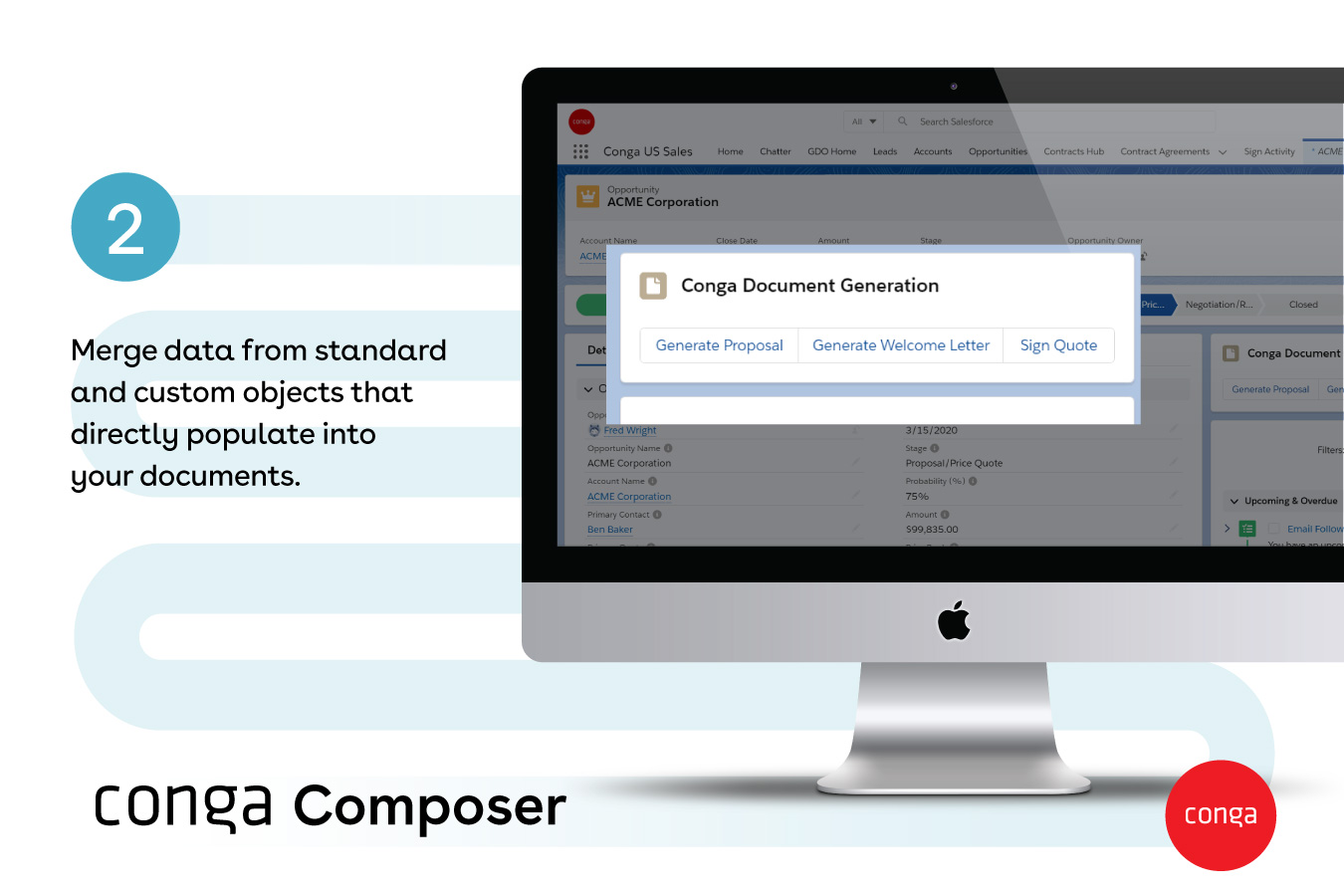
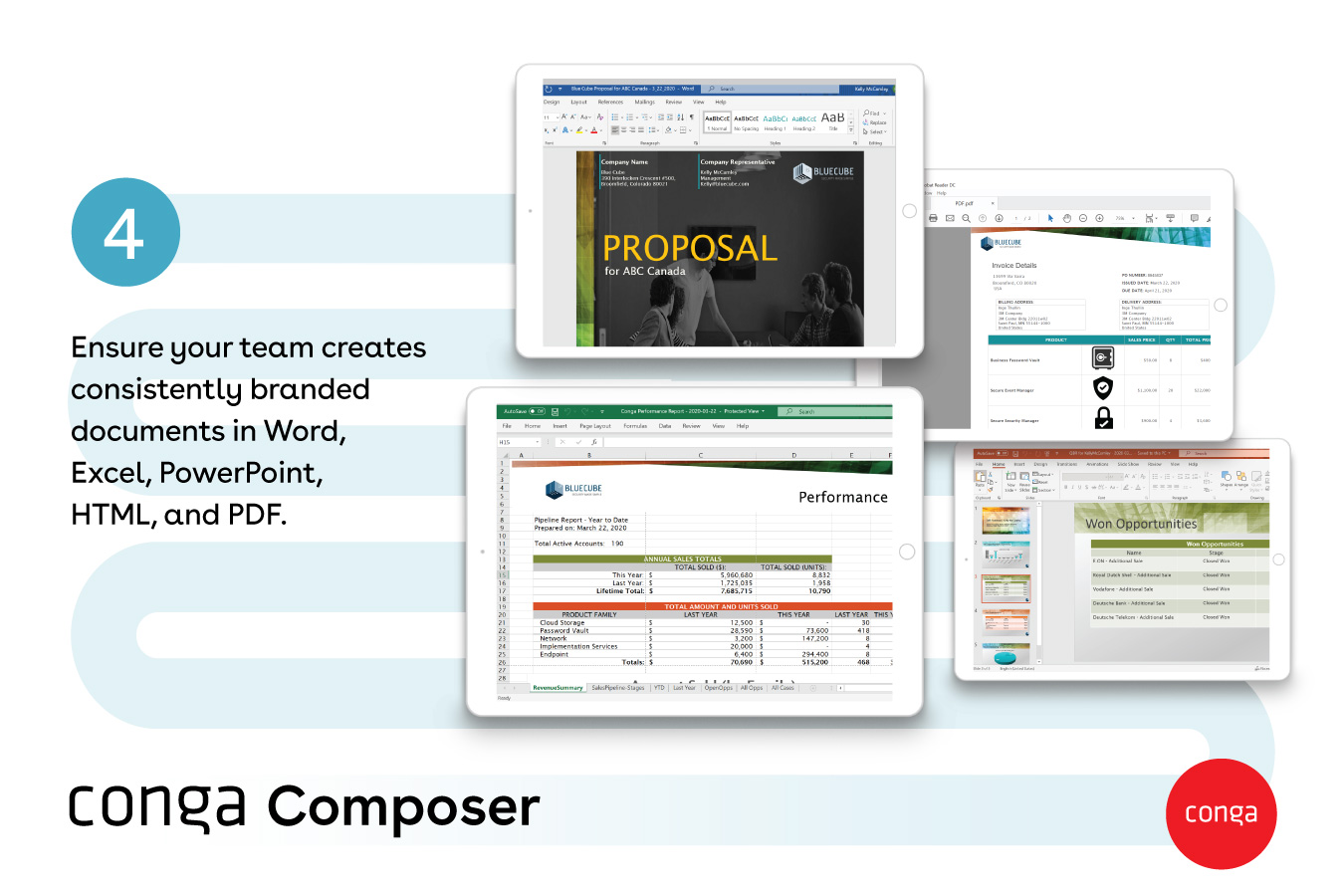
Conga Composer is a document generation and automation tool designed to simplify and streamline the process of creating and distributing customized documents, presentations, and reports.
$30
per month per user
Revver
Score9 out of 10
Small Businesses (1-50 employees)
Revver (formerly eFileCabinet) aims to help businesses reduce their dependency on paper and efficiently complete their document work. Revver does this by helping customers store and organize documents, quickly find information and files, collaborate on document work, automate business processes, and be secure and compliant. The vendor’s clients are typically companies that have frequent customer interaction, require high levels of documentation, and have offices in which compliance and…
From my experience, Conga Composer is particularly well-suited for generating documents, such as quotes and contracts, directly from Salesforce. It saves us a great deal of time, which is remarkably beneficial for companies with sales teams. Not suitable for companies lacking significant Salesforce expertise or administrative support.
A de minimis incentive was given to thank the reviewer for their time. The incentive was not used to bias or drive a particular response, nor was the incentive contingent on a positive endorsement. More Info
eFilecabinet is the best bang for the buck Digital Document Storage Solution that will replace your Physical File Cabinets in your office and lead you down the paperless digital path. With this price point comes some hiccups and speed bumps that you need to be aware of (broken software due to updates from time to time, missing features, confusing interface due to multiple ways to access your data, etc), but once you find work arounds to these items, you will see how powerful efilecabinet is.
A de minimis incentive was given to thank the reviewer for their time. The incentive was not used to bias or drive a particular response, nor was the incentive contingent on a positive endorsement. More Info
A de minimis incentive was given to thank the reviewer for their time. The incentive was not used to bias or drive a particular response, nor was the incentive contingent on a positive endorsement. More Info
eSignature integration has been a game changer four our organization. The simplification of obtaining client signature on necessary documents through this system has virtually eliminated our need for physically mailing documents to clients.
With our documents hosted by eFileCabinet, our team has increased capability to work from home/while on the road without needing to take along physically paperwork.
The search function that allows for on-page searching has been extremely useful when we're looking for older documents that we can't quite recall the title of.
A de minimis incentive was given to thank the reviewer for their time. The incentive was not used to bias or drive a particular response, nor was the incentive contingent on a positive endorsement. More Info
A de minimis incentive was given to thank the reviewer for their time. The incentive was not used to bias or drive a particular response, nor was the incentive contingent on a positive endorsement. More Info
A de minimis incentive was given to thank the reviewer for their time. The incentive was not used to bias or drive a particular response, nor was the incentive contingent on a positive endorsement. More Info
Though I love how easily Conga Composer ties into Salesforce and its given analytics, it takes a lot of data entry to get up and running. I don't love that sometimes queries can take a long time to pull. I like keeping our marketing templates consistent via templates in the system. Pulling multiple objects into one report is fantastic too.
A de minimis incentive was given to thank the reviewer for their time. The incentive was not used to bias or drive a particular response, nor was the incentive contingent on a positive endorsement. More Info
We do not have any issues with eFile Cabinet. It has become just part of our daily life - finish files and projects and save all the documentation here. Need to research? Find it in eFile. I personally cannot imagine my job without it.
A de minimis incentive was given to thank the reviewer for their time. The incentive was not used to bias or drive a particular response, nor was the incentive contingent on a positive endorsement. More Info
It's a fairly simple tool to integrate into your current business structure. When we've had issues, we were able to resolve them extremely quickly. The users click a button and it can bring in all the quote lines, and our credit application seamlessly into our tool. I'd definitely recommend it to other colleagues
A de minimis incentive was given to thank the reviewer for their time. The incentive was not used to bias or drive a particular response, nor was the incentive contingent on a positive endorsement. More Info
eFileCabinet gets the job done and is fairly easy to use once you find a few workarounds and understand how the software works. Using the browser interface next to the desktop sidekick app is needed when it should all be included in a single app. Users always wonder "why do I have to open both the browser and the sidekick interfaces to do a simple task". Basically one does what the other doesn't do and Sidekick is needing to be open regardless for the printer/scanner upload functions, but is limited on what you can do compared to the browser interface. The mac Sidekick is still in beta and makes me wonder how much longer it will be supported or updated...
A de minimis incentive was given to thank the reviewer for their time. The incentive was not used to bias or drive a particular response, nor was the incentive contingent on a positive endorsement. More Info
A de minimis incentive was given to thank the reviewer for their time. The incentive was not used to bias or drive a particular response, nor was the incentive contingent on a positive endorsement. More Info
The software loads very quickly, their servers are great. The software can be a tad buggy or quirky at times but it gets the job done which is why it's an 8 out of 10 rating. Their desktop printer and scanner software could use an update so that windows updates don't break it from time to time too.
A de minimis incentive was given to thank the reviewer for their time. The incentive was not used to bias or drive a particular response, nor was the incentive contingent on a positive endorsement. More Info
It's been hit and miss depending on the issue. We use javascript to generate the urls which has confused many techs even though it generates a clean url - they are overwhelmed by the concept of code and can't understand that the url is all that matters.
A de minimis incentive was given to thank the reviewer for their time. The incentive was not used to bias or drive a particular response, nor was the incentive contingent on a positive endorsement. More Info
It makes workflow so much easier, including the ability to save in the cloud makes it accessible from anywhere. I save very little on our server now which means this also makes filing more secure. I literally save and research via the platform several times a day.
A de minimis incentive was given to thank the reviewer for their time. The incentive was not used to bias or drive a particular response, nor was the incentive contingent on a positive endorsement. More Info
A de minimis incentive was given to thank the reviewer for their time. The incentive was not used to bias or drive a particular response, nor was the incentive contingent on a positive endorsement. More Info
A de minimis incentive was given to thank the reviewer for their time. The incentive was not used to bias or drive a particular response, nor was the incentive contingent on a positive endorsement. More Info
I think Nintex is the primary competitor for Conga Composer, but I have not personally used it. I was not present for the decision to purchase Conga but I would recommend it in future document automation vendor selection processes because I have seen how well it works! We are especially fond of complementary features in Conga Composer, including Conga Email Templates and Conga Global Merge.
A de minimis incentive was given to thank the reviewer for their time. The incentive was not used to bias or drive a particular response, nor was the incentive contingent on a positive endorsement. More Info
We find eFileCabinet to be more secure than the alternative products we were using at the time, around 5 years ago. The system is far more robust and better suited the large number of files we needed to store, plus the amount of security and restrictions we needed to be able to provide for our clients
A de minimis incentive was given to thank the reviewer for their time. The incentive was not used to bias or drive a particular response, nor was the incentive contingent on a positive endorsement. More Info
A de minimis incentive was given to thank the reviewer for their time. The incentive was not used to bias or drive a particular response, nor was the incentive contingent on a positive endorsement. More Info
A de minimis incentive was given to thank the reviewer for their time. The incentive was not used to bias or drive a particular response, nor was the incentive contingent on a positive endorsement. More Info
A de minimis incentive was given to thank the reviewer for their time. The incentive was not used to bias or drive a particular response, nor was the incentive contingent on a positive endorsement. More Info
Could really use better error handling on the product when the document doesn't generate. Zero notifications are provided right now and have no idea where in a 20 page template the error is. Need to keep cutting the template into pieces to find the error.
The report generates 90% of the time so far.
Getting easier to generate templates when knowing how the JSON will be structured to add to merged fields.
Use Work Plan Template Entries and Work Steps to dynamically generate many deliverables.
A de minimis incentive was given to thank the reviewer for their time. The incentive was not used to bias or drive a particular response, nor was the incentive contingent on a positive endorsement. More Info
Pay only for the number of users you need. I needed 2, so I pay for 2. Other DMS programs come with up to 5 users and charge accordingly. This gives me the flexibility to grow my business at my rate - not someone else's.
A de minimis incentive was given to thank the reviewer for their time. The incentive was not used to bias or drive a particular response, nor was the incentive contingent on a positive endorsement. More Info