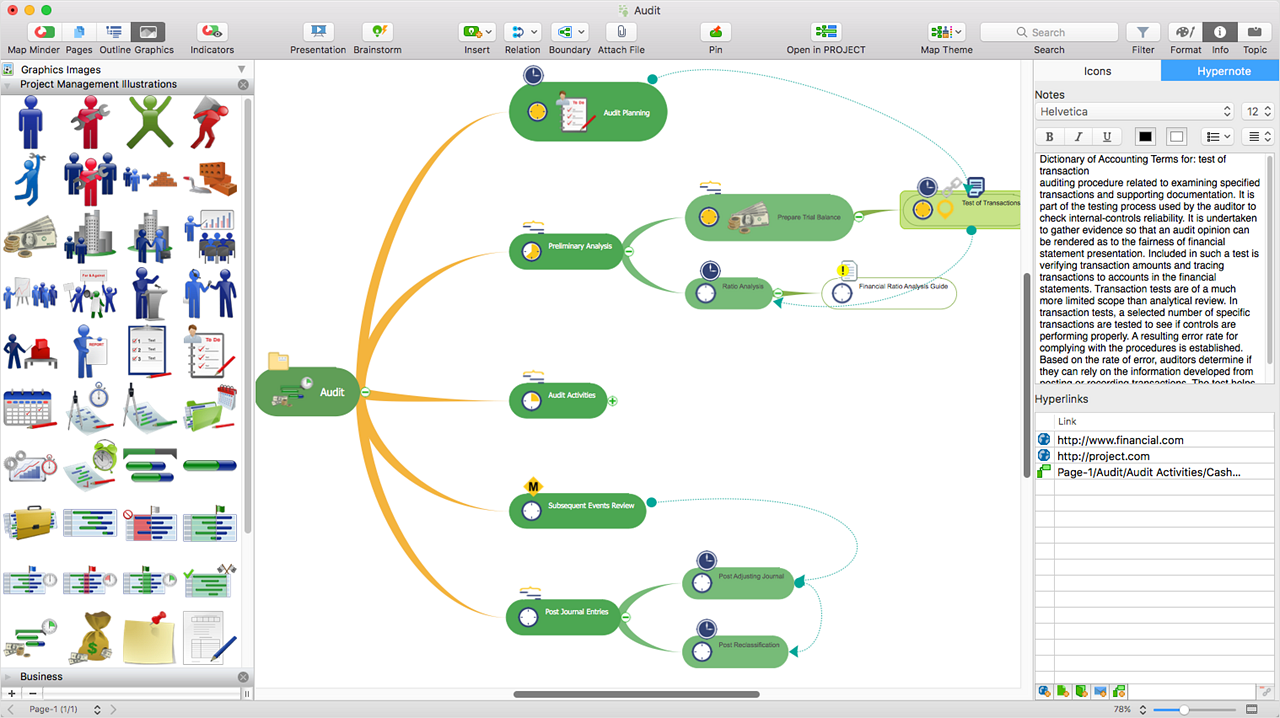
ConceptDraw MINDMAP is l mind mapping software application that can also resolve tasks for project management. According to the vendor, multiple shortcuts help users create new topics, re-arrange
them and highlight important points, and export to various
file formats. Enrich your mind map with in-built visual…
N/A
OmniGraffle
Score9.1 out of 10
N/A
OmniGraffle is a wireframing tool for Mac users.
N/A
Pricing
ConceptDraw MINDMAP
OmniGraffle
Editions & Modules
No answers on this topic
No answers on this topic
Offerings
Pricing Offerings
ConceptDraw MINDMAP
OmniGraffle
Free Trial
Yes
No
Free/Freemium Version
No
No
Premium Consulting/Integration Services
No
No
Entry-level Setup Fee
$199 per seat
No setup fee
Additional Details
Price varies for Individual, Commercial, Academic, Nonprofit and Government
Organising results of brainstorming session for threat and error management solutions is how we mostly use ConceptDraw MINDMAP. Another common use is for dynamic note taking while attending conferences or classes. It can also be used to prepare notes when giving classes. We also used it sometimes for accident investigation analysis, building diagrams of probable causes leading to the event.
A de minimis incentive was given to thank the reviewer for their time. The incentive was not used to bias or drive a particular response, nor was the incentive contingent on a positive endorsement. More Info
Omnigraffle is great for documentation, mapping, flowcharting, and other technical diagramming scenarios. It's simple enough to bang out a quick illustration and powerful enough to build complex blueprints for complicated technical systems. If you need cross-platform compatibility, though, you're probably better off looking elsewhere. If you want complex integration with data sources (ala Visio's SQL Server integration for shape metadata), OmniGraffle also falls short — but those scenarios are few and far between in my experience.
A de minimis incentive was given to thank the reviewer for their time. The incentive was not used to bias or drive a particular response, nor was the incentive contingent on a positive endorsement. More Info
A de minimis incentive was given to thank the reviewer for their time. The incentive was not used to bias or drive a particular response, nor was the incentive contingent on a positive endorsement. More Info
OmniGraffle is fairly simple to use, but the one thing I think it does best is working with curved lines, particularly if you are using some of the available arc templates. Drop an arc onto your page, then tell it the dimensions it needs to be, and viola! Done. Manipulating the arcs is as simple as clicking and dragging offset points.
OmniGraffle has also done an excellent job in stirring up the creative minds of many people who create templates and tools to work with OmniGraffle (not that Microsoft hasn't done so either), and managed to get the bulk of those into well organized repositories.
What it all boils down to for me is: it just works. One doesn't need to have a computer science degree to work with it either. It is as simple or complex as you want it to be.
A de minimis incentive was given to thank the reviewer for their time. The incentive was not used to bias or drive a particular response, nor was the incentive contingent on a positive endorsement. More Info
I'd love to be able to keep more than one of the different tool tabs open at a time.
The stencils are amazing. Would be great if a whole lot more of the free ones came standard as opposed to having to download them from Graffletopia or other sites.
A de minimis incentive was given to thank the reviewer for their time. The incentive was not used to bias or drive a particular response, nor was the incentive contingent on a positive endorsement. More Info
A de minimis incentive was given to thank the reviewer for their time. The incentive was not used to bias or drive a particular response, nor was the incentive contingent on a positive endorsement. More Info
Support team is one of the best in ConceptDraw MINDMAP, the response was quick and solution for the problem is clear with best ticketing management. The right customer approach gives you hassle free interaction with support team.
A de minimis incentive was given to thank the reviewer for their time. The incentive was not used to bias or drive a particular response, nor was the incentive contingent on a positive endorsement. More Info
As we were already using PROJECT, it became obvious that ConceptDraw MINDMAP was the product to use. The integration between those two products is very convenient and useful. The fact that ConceptDraw MINDMAP solutions was usable on Mac OS was also a pre requisite for us. We did not use any other Mind Map software.
A de minimis incentive was given to thank the reviewer for their time. The incentive was not used to bias or drive a particular response, nor was the incentive contingent on a positive endorsement. More Info
While these other tools are great for what they are, OmniGraffle’s solid focus on and support for diagramming makes it our tool of choice for communicating workflows and concept relationships, creating documentation, and creating other diagrams. Its libraries allow us to create designs quickly, and its ease of use enables us to use the tool widely across the company without much time or effort spent on onboarding.
A de minimis incentive was given to thank the reviewer for their time. The incentive was not used to bias or drive a particular response, nor was the incentive contingent on a positive endorsement. More Info
A de minimis incentive was given to thank the reviewer for their time. The incentive was not used to bias or drive a particular response, nor was the incentive contingent on a positive endorsement. More Info
Omnigraffle isn't an expensive software tool, so there isn't really any negative from the perspective of raw cost. Thinking in terms of time spent using it on a project - what you create in omnigraffle will inevitably lead to a dead end. It's useful only as documentation. There are other tools like Sketch that integrate into prototyping software and can create useable visual assets for applications in addition to being able to create wireframes.
A de minimis incentive was given to thank the reviewer for their time. The incentive was not used to bias or drive a particular response, nor was the incentive contingent on a positive endorsement. More Info