
ConceptDraw MINDMAP vs. Nakisa Hanelly
| Product | Rating | Most Used By | Product Summary | Starting Price |
|---|---|---|---|---|
 ConceptDraw MINDMAP | Score4.1 out of 10 | N/A | ConceptDraw MINDMAP is l mind mapping software application that can also resolve tasks for project management. According to the vendor, multiple shortcuts help users create new topics, re-arrange them and highlight important points, and export to various file formats. Enrich your mind map with in-built visual… | N/A |
 Nakisa Hanelly | Score10 out of 10 | Enterprise companies (1,001+ employees) | Nakisa Hanelly is a cloud-based organizational design solution with org chart and employee analytics. Hanelly allows you to visualize your current organization and plan future structures through intuitive organizational design. Nakisa Hanelly compliments and integrates with third-party HCM solutions, providing a single source of all current employee data. According to the vendor, this unifies understanding globally, identifies data gaps in the source solution and is used… | N/A |
| ConceptDraw MINDMAP | Nakisa Hanelly | |||||||||||||||
|---|---|---|---|---|---|---|---|---|---|---|---|---|---|---|---|---|
| Editions & Modules | No answers on this topic | No answers on this topic | ||||||||||||||
| Offerings |
| |||||||||||||||
| Entry-level Setup Fee | $199 per seat | No setup fee | ||||||||||||||
| Additional Details | Price varies for Individual, Commercial, Academic, Nonprofit and Government | Build Hanelly to fit your needs, by size and by requirement. This way you get the highest quality software, with only what you need, at a simple monthly price that makes sense for you. With Basic, Standard and Advanced packages based on number of employees. Starting from $500/ month. You can also Try Before You Buy to see first hand what Nakisa Hanelly can do. No credit card information is required, and after 14 days of testing out the solution, you have the option to buy. | ||||||||||||||
| More Pricing Information | ||||||||||||||||
| ConceptDraw MINDMAP | Nakisa Hanelly | |
|---|---|---|
| Small Businesses |  OmniGraffle Score9.1 out of 10 | OmniGraffle Score9.1 out of 10 |
| Medium-sized Companies | OmniGraffle Score9.1 out of 10 | OmniGraffle Score9.1 out of 10 |
| Enterprises | OmniGraffle Score9.1 out of 10 | OmniGraffle Score9.1 out of 10 |
| All Alternatives | View all alternatives | View all alternatives |
| ConceptDraw MINDMAP | Nakisa Hanelly | |
|---|---|---|
| Likelihood to Recommend | 8.7 | - |
| Support Rating | 8.6 | - |
| ConceptDraw MINDMAP | Nakisa Hanelly | |
|---|---|---|
| Likelihood to Recommend |
| No answers on this topic |
| Pros |
| No answers on this topic |
| Cons |
| No answers on this topic |
| Support Rating |
| No answers on this topic |
| Alternatives Considered |
| No answers on this topic |
| Return on Investment |
| No answers on this topic |
| ScreenShots | ConceptDraw MINDMAP Screenshots     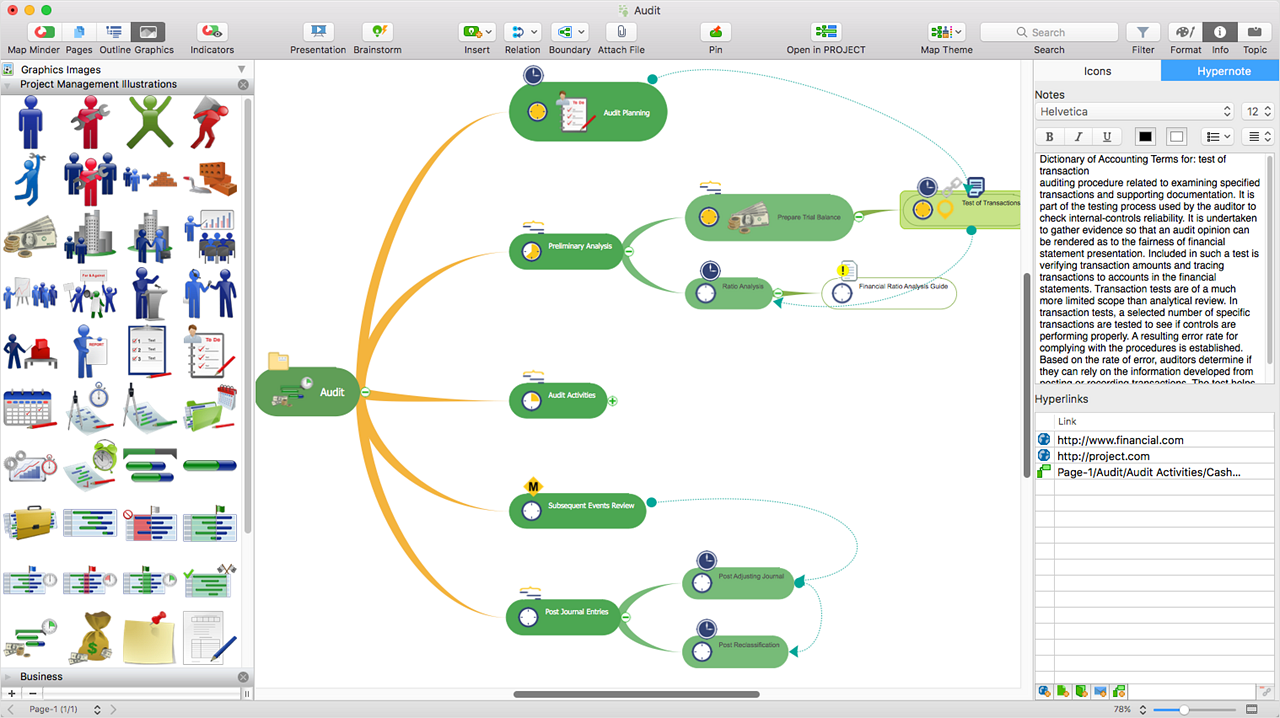 | Nakisa Hanelly Screenshots      |
