Commvault® Cloud is a cyber resilience platform built to meet the demands of hybrid enterprises. It delivers data security and recovery in the cloud, powered by advanced AI, to help organizations see, manage, and recover data wherever it lives.
N/A
Veeam Data Cloud for Microsoft 365
Score8.2 out of 10
Mid-Size Companies (51-1,000 employees)
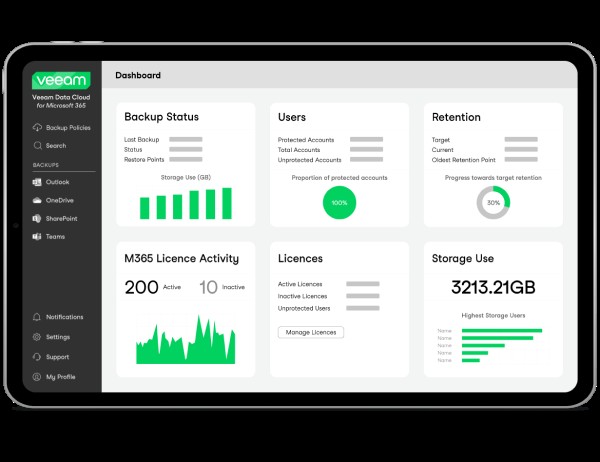
Veeam Data Cloud for Microsoft 365 is a BaaS (Backup as a Service) solution used to back up and restore Microsoft 365 data, including Microsoft Exchange, Microsoft SharePoint, Microsoft OneDrive for Business and Microsoft Teams data.
A de minimis incentive was given to thank the reviewer for their time. The incentive was not used to bias or drive a particular response, nor was the incentive contingent on a positive endorsement. More Info
Verified User
Chose Veeam Data Cloud for Microsoft 365
We felt Veeam had a better reputation and more wide spread used by other entities and organizations we have talked with.
A de minimis incentive was given to thank the reviewer for their time. The incentive was not used to bias or drive a particular response, nor was the incentive contingent on a positive endorsement. More Info
Delivery Manager Middleware & Automation (Technology Integration) in Information Technology at Indra (Information Technology & Services, 10,001+ employees)
Chose Veeam Data Cloud for Microsoft 365
Before choosing Veeam Data Cloud for Microsoft 365, we conducted an evaluation of AvePoint Cloud Backup and Metallic. Veeam Data Cloud for Microsoft 365 emerged as the top choice because its advanced recovery granularity combined with better interface design surpassed the …
A de minimis incentive was given to thank the reviewer for their time. The incentive was not used to bias or drive a particular response, nor was the incentive contingent on a positive endorsement. TR verified that a representative sample of customers was invited. More Info
Product Designer in Information Technology at eDreams ODIGEO (Information Technology Services, 1001-5000 employees)
Chose Veeam Data Cloud for Microsoft 365
Compared to AvePoint and Metallic, recovery granularity at Veeam Data Cloud for Microsoft 365 is granular and managing the solution is easier. We chose Veeam Data Cloud for Microsoft 365 due to its vast number of options and high stability. This is done with such concern; …
A de minimis incentive was given to thank the reviewer for their time. The incentive was not used to bias or drive a particular response, nor was the incentive contingent on a positive endorsement. More Info
A de minimis incentive was given to thank the reviewer for their time. The incentive was not used to bias or drive a particular response, nor was the incentive contingent on a positive endorsement. More Info
Systems Administrator in Information Technology at Stacy and Witbeck (Construction, 201-500 employees)
Chose Veeam Data Cloud for Microsoft 365
Veeam Backup for Microsoft 365 beats Commvault Complete Data Protection in my eyes. Commvault's user interface isn't as intuitive as I'd like when running it head-to-head with Veeam's Backup for Microsoft 356 offering. Commvault's pricing is also a bit higher for our specific …
A de minimis incentive was given to thank the reviewer for their time. The incentive was not used to bias or drive a particular response, nor was the incentive contingent on a positive endorsement. More Info
Verified User
Chose Veeam Data Cloud for Microsoft 365
Veeam Backup has the strongest feature-set for the needs of the products evaluated.
A de minimis incentive was given to thank the reviewer for their time. The incentive was not used to bias or drive a particular response, nor was the incentive contingent on a positive endorsement. More Info
Verified User
Chose Veeam Data Cloud for Microsoft 365
Veeam makes it easy for existing customers and non-customers alike to purchase the product and get up and running very quickly. Also, the free version for up to 10 users provides for an easy POC that helps users realize the benefits right away.
A de minimis incentive was given to thank the reviewer for their time. The incentive was not used to bias or drive a particular response, nor was the incentive contingent on a positive endorsement. More Info
Commvault works well in a large environments with a variety of client types and data classes. With its policy-based configurations, it makes administration of large environments easier when configuring storage and retention, copies, schedules, client configs, etc. Commvault also backs up just about everything you can think of, and works with almost all storage and compute platforms, so there are rarely any cases where Commvault cannot accommodate.
A de minimis incentive was given to thank the reviewer for their time. The incentive was not used to bias or drive a particular response, nor was the incentive contingent on a positive endorsement. More Info
The implementation of their services is fairly simple and their engineers will assist in any issues that arise when you attempt to get the solutions implemented. One scenario we experienced in implementation is a server was not able to be backed up. The engineer logged onto our system on a remote support session and helped to diagnose why we were experiencing the issue. They ensured we were up and running again in a timely manner to remain covered on our backed up services.
A de minimis incentive was given to thank the reviewer for their time. The incentive was not used to bias or drive a particular response, nor was the incentive contingent on a positive endorsement. TR verified that a representative sample of customers was invited. More Info
Commvault is the Swiss Army knife for data protection in an Enterprise environment. You name the environment and Commvvault has something to protect it. Very helpful in this on-prem/off-prem world that is developing into a DevOps world.
Improves our Disaster Recovery
Starting to utilize for data migration for VMware in places where Zerto is too expensive
A de minimis incentive was given to thank the reviewer for their time. The incentive was not used to bias or drive a particular response, nor was the incentive contingent on a positive endorsement. More Info
My CFO seemed to have lost a whole year of important emails. I simply restored them to his mailbox in a matter of minutes.
An employee left the company but an issue came up with a quote this person sent out. I could search his mailbox and got the quote as well as all communications from that customer.
It is nice to be able to search emails in various mailboxes without disturbing the user.
It is also nice to go back in time. Say they deleted those emails last month I can go back years if needed.
A de minimis incentive was given to thank the reviewer for their time. The incentive was not used to bias or drive a particular response, nor was the incentive contingent on a positive endorsement. More Info
A de minimis incentive was given to thank the reviewer for their time. The incentive was not used to bias or drive a particular response, nor was the incentive contingent on a positive endorsement. More Info
Veeam Backup for Microsoft 365 isn't 'multi geo' aware - this means we have to manually select resources to back up depending on their geo-location.
Veeam Backup for Microsoft 365 doesn't backup Private Channels users create in a Team - there are workarounds for this but it would be nice if this just worked.
A de minimis incentive was given to thank the reviewer for their time. The incentive was not used to bias or drive a particular response, nor was the incentive contingent on a positive endorsement. More Info
It is serving it's purpose and for companies that have a smaller IT staff, it is not time consuming to manage. Support for the product when needed has been very good and they are responsive when tickets are opened for support. The product is scalable so as we grow we can easily increase the resources as needed on the backend.
A de minimis incentive was given to thank the reviewer for their time. The incentive was not used to bias or drive a particular response, nor was the incentive contingent on a positive endorsement. More Info
Veeam Backup for Microsoft 365 just works so well and is so easy to use. I researched multiple options for Office 365 backup and none seemed to be as easy to setup and use as Veeam Backup for Microsoft 365 and the pricing was very comfortable to us. I can't imagine any reason why we would change away from Veeam Backup for Microsoft 365.
A de minimis incentive was given to thank the reviewer for their time. The incentive was not used to bias or drive a particular response, nor was the incentive contingent on a positive endorsement. More Info
Have a interface very user friendly. You do not need a lot of training, or any formal training really, to get up and going and use nearly all of the functionality of the product. This facilitates the post-implementation company as it reduces costs with backup specialists and any trained analyst can take care of its infrastructure. One negative point is not all the options and features are in the HTML view.
A de minimis incentive was given to thank the reviewer for their time. The incentive was not used to bias or drive a particular response, nor was the incentive contingent on a positive endorsement. More Info
While the product is rock-solid and only has errors when Microsoft changes things on their API side, the solution is at times too simplistic. The need to analyze and report on the data being stored is lackluster. The functionality and use of the product is a 10, but the niceties and features you would want in a product of this caliber are lacking.
A de minimis incentive was given to thank the reviewer for their time. The incentive was not used to bias or drive a particular response, nor was the incentive contingent on a positive endorsement. TR verified that a representative sample of customers was invited. More Info
A de minimis incentive was given to thank the reviewer for their time. The incentive was not used to bias or drive a particular response, nor was the incentive contingent on a positive endorsement. More Info
A de minimis incentive was given to thank the reviewer for their time. The incentive was not used to bias or drive a particular response, nor was the incentive contingent on a positive endorsement. More Info
A de minimis incentive was given to thank the reviewer for their time. The incentive was not used to bias or drive a particular response, nor was the incentive contingent on a positive endorsement. More Info
We have a lot of data, and pulling backups out of the store sometimes takes a bit of time - but this is within acceptable tolerances. I don't expect restores to be instantaneous, and I can't quantify if the speed is software or data repository.
A de minimis incentive was given to thank the reviewer for their time. The incentive was not used to bias or drive a particular response, nor was the incentive contingent on a positive endorsement. More Info
I would rate Commvault's support as an 'average' support. Now that we have a very experienced guy working with Commvault, most of the time we can fix or do anything by ourselves. We had some issues with their support taking a really long time to respond and fix some issues in the past. In most cases we ended up appealing to the community, other peers, or Commvault's SE team.
A de minimis incentive was given to thank the reviewer for their time. The incentive was not used to bias or drive a particular response, nor was the incentive contingent on a positive endorsement. More Info
Veeam Data Cloud support for Microsoft 365 is excellent (just like for Veeam Backup & Replication). It's easy to create a ticket in the support portal, and the support engineers respond quickly and accurately, usually within a few hours! Issues are resolved and/or investigated quickly.
A de minimis incentive was given to thank the reviewer for their time. The incentive was not used to bias or drive a particular response, nor was the incentive contingent on a positive endorsement. TR verified that a representative sample of customers was invited. More Info
A de minimis incentive was given to thank the reviewer for their time. The incentive was not used to bias or drive a particular response, nor was the incentive contingent on a positive endorsement. More Info
A de minimis incentive was given to thank the reviewer for their time. The incentive was not used to bias or drive a particular response, nor was the incentive contingent on a positive endorsement. More Info
Plan well and make sure you collect all the required information and details before going for implementation. Organize it in step by step or break the setup into different modules to make it simple.
A de minimis incentive was given to thank the reviewer for their time. The incentive was not used to bias or drive a particular response, nor was the incentive contingent on a positive endorsement. More Info
A de minimis incentive was given to thank the reviewer for their time. The incentive was not used to bias or drive a particular response, nor was the incentive contingent on a positive endorsement. More Info
In the past it has been necessary to leverage multiple products to provide a complete data protection solution. Commvault Complete Backup & Recovery has been able to mirror the functions of competitive products while increasing functionality and management. Commvault Complete Backup & Recovery works cleanly in disparate environments that leverage dissimilar technologies and products.
A de minimis incentive was given to thank the reviewer for their time. The incentive was not used to bias or drive a particular response, nor was the incentive contingent on a positive endorsement. More Info
Veeam Data Cloud for Microsoft 365 offered a straightforward, upfront billing model with no hidden storage fees.In contrast, Rubrik’s proposal emphasized enterprise-grade features like air-gapped backups, sensitive data monitoring, and zero-trust architecture—but came with a higher initial investment as well as higher recurring costs. Simplicity and Microsoft 365 Focus Veeam Data Cloud for Microsoft 365’s solution was purpose-built for Microsoft 365, offering granular recovery, seamless integration, and a user-friendly interface
A de minimis incentive was given to thank the reviewer for their time. The incentive was not used to bias or drive a particular response, nor was the incentive contingent on a positive endorsement. TR verified that a representative sample of customers was invited. More Info
A de minimis incentive was given to thank the reviewer for their time. The incentive was not used to bias or drive a particular response, nor was the incentive contingent on a positive endorsement. More Info
A de minimis incentive was given to thank the reviewer for their time. The incentive was not used to bias or drive a particular response, nor was the incentive contingent on a positive endorsement. More Info
I am not privy to ROI, but just having confidence and trust that Commvault will back up whatever needs backing up, and that we will always be able to restore it quickly, allows our technical people to concentrate on the problem at hand, knowing that we do not have to worry about the safety of the data. This saves time for some very expensive human resources and shortens schedules by eliminating a whole class of data safety and disaster recovery issues.
A de minimis incentive was given to thank the reviewer for their time. The incentive was not used to bias or drive a particular response, nor was the incentive contingent on a positive endorsement. More Info
The only real impact is from a compliance standpoint. Our company is expected at a regulatory level to be protecting our data and even though the tenant has little traffic there could still be some regulated data in there. We have to be able to tell an auditor that it's being backed up by an enterprise grade solution, and that's what VDC was intended for.
A de minimis incentive was given to thank the reviewer for their time. The incentive was not used to bias or drive a particular response, nor was the incentive contingent on a positive endorsement. More Info