Communique Conferencing vs. Zoom Events & Webinars

Overview
ProductRatingMost Used ByProduct SummaryStarting Price
Communique Conferencing
Score 9.0 out of 10
Mid-Size Companies (51-1,000 employees)
Communique Conferencing's virtual & hybrid event platform functions as a traditional off-line trade show in order to translate exhibit halls, booths, presentations and networking into a customizable, and engaging, 3D virtual environment. Attendee Engagement — Include ways to communicate and engage with the attendees such as custom email communications, live day push notifications, and text and video chat technology for attendee-to-host and attendee-to…N/A
Zoom Events & Webinars
Score 8.5 out of 10
N/A
Zoom Events and Webinars are part of Zoom’s event solutions that uses existing Zoom products to produce interactive and engaging virtual experiences. It combines Zoom Meetings, Chat, and Video Webinars in one solution that enables event organizers to produce ticketed, live events for internal or external audiences of any size.
$79
per month starting with 500 attendees
Pricing
Communique ConferencingZoom Events & Webinars
Editions & Modules
No answers on this topic
Zoom Webinars
starting at $79
per month starting with 500 attendees
Zoom Sessions
starting at $99
per month starting with 100 attendees
Zoom Events
starting at $149
per month starting with 100 attendees
Offerings
Pricing Offerings
Communique ConferencingZoom Events & Webinars
Free Trial
NoNo
Free/Freemium Version
NoNo
Premium Consulting/Integration Services
NoNo
Entry-level Setup FeeOptionalNo setup fee
Additional DetailsWhen it comes to a full-scale virtual event there is no out-of-the-box or one size fits all solution. Every client virtual conference is different and there are dozens variables depending on your particular goals, content strategy, engagement needs and requirements. Pricing typically includes (a) the license for the hosted virtual event software that provides highly customized and engaging environment (b) project management and set up support (c) webcast presentations (d) 3rd party integrations (e) dozens of other options. Annual plans are available to host multiple events.
More Pricing Information
Community Pulse
Communique ConferencingZoom Events & Webinars
Features
Communique ConferencingZoom Events & Webinars
Online Events Marketing
Comparison of Online Events Marketing features of Product A and Product B
Communique Conferencing
9.1
Ratings
3% above category average
Zoom Events & Webinars
9.3
Ratings
6% above category average
Branding options9.10 Ratings8.70 Ratings
Virtual Event
Comparison of Virtual Event features of Product A and Product B
Communique Conferencing
9.1
Ratings
13% above category average
Zoom Events & Webinars
8.5
Ratings
7% above category average
Registration, RSVP, and ticketing9.10 Ratings9.10 Ratings
Email marketing9.10 Ratings8.20 Ratings
Livestreaming9.10 Ratings9.30 Ratings
Audience engagement9.10 Ratings7.90 Ratings
Event recording9.10 Ratings8.90 Ratings
Virtual booths9.10 Ratings8.00 Ratings
Networking9.10 Ratings7.60 Ratings
Event analytics9.10 Ratings9.30 Ratings
Best Alternatives
Communique ConferencingZoom Events & Webinars
Small Businesses
Whova
Whova
Score 8.9 out of 10
Whova
Whova
Score 8.9 out of 10
Medium-sized Companies
Whova
Whova
Score 8.9 out of 10
Whova
Whova
Score 8.9 out of 10
Enterprises
Whova
Whova
Score 8.9 out of 10
Whova
Whova
Score 8.9 out of 10
All AlternativesView all alternativesView all alternatives
User Ratings
Communique ConferencingZoom Events & Webinars
Likelihood to Recommend
9.1
(0 ratings)
9.3
(0 ratings)
Likelihood to Renew
-
(0 ratings)
2.0
(0 ratings)
Usability
10.0
(0 ratings)
7.7
(0 ratings)
Support Rating
10.0
(0 ratings)
7.2
(0 ratings)
Implementation Rating
-
(0 ratings)
10.0
(0 ratings)
User Testimonials
Communique ConferencingZoom Events & Webinars
Likelihood to Recommend
The platform is well suited for delivering a unique and elevated experience for guests. Also, events with 200+ attendees. I would not recommend using Communique for simple and very small events. There are dozens of cheap options for these.
Read full review
I had an issue with my calendar syncing to Zoom Workplace for a while, that was annoying, but it resolved itself someway. Maybe an update. The invite feature is week when in a call, my team never receives them, I manually always have to send a link. I also do not get Zoom call notifications so I am late to meetings often. Too much work to manually find that feature, wish it was a default setting like Teams. I prefer Zoom Workplace because I think it works faster, is smoother, and I prefer the video settings UI over other platforms. Everyone else makes it too complicated to change backgrounds or blur as necessary. The adjustment for low light is also a huge win.
Read full review
Pros
  • Delivering a unique and elevated experience by using a platform with a unique look and feel.
  • The platform capsulizes everything and makes information easily accessible.
  • It's the team support that keeps us coming back. We have a dream team which is why our events go off so well without a hitch.
Read full review
  • Easy data entry using imported CSV files
  • Full speaker and session images and text, with individual itineraries for attendees.
  • Duplicate the structure and format of an existing event for your next event, or create an event template to easily replicate future events
  • Automated language caption translation on-the-fly for a growing list of languages
Read full review
Cons
  • Nice to add personal agenda, which is on the roadmap this year
Read full review
  • I will we could add registration disclaimer language to the Webinar templates.
  • Some of the customization and setup features are difficult to find.
  • I would like to add someone to help me run webinars without paying for them to have their own webinar platform. We should be able to buy one platform and both of us log into it and setup and run webinars from it.
Read full review
Likelihood to Renew
No answers on this topic
We will be renewing with Zoom as long as it continues to meet our needs for client and lead outreach needs in a robust manner. With little error and an easy to use interface, Zoom has met our needs and exceeded our expectations. The cost is right and with a short learning curve, Zoom has been an easy decision to make and maintain.
Read full review
Usability
Usability is critical with virtual events both for our team to set up and administer as well as for our attendees. Communique Conferencing is easy for our team to administer. We survey our attendees during and after virtual events. The feedback regarding usability is very positive.
Read full review
Zoom [Video Webinar] is easy and secure to use. It has all those feature which can make a virtual meeting go smooth. Zoom [Video Webinar] provides one click join option and easy screen sharing. It also has strong tools to restrict meeting controls and is secure enough to let you start with it. Zoom [Video Webinar] in relation to other video webinar application is easy to use and lightweight, its mobile application is also easy to use.
Read full review
Support Rating
The Communique project team is
  • Knowledgeable
  • Responsive
  • Willing to go above and beyond to make our events successful
Read full review
Zoom Video Webinar provides users with updates on their newest functions as part of an email subscribed list. They provide you with up-to-date information on all their latest changes and functions for ease [in] transition. Zoom Video Webinar can be contacted easily for any questions or concerns you may have with the platform and the response is timely.
Read full review
Implementation Rating
No answers on this topic
Implementation was very feasible during our initial usage of the Zoom after COVID-19.
Read full review
Alternatives Considered
We found out the hard way that there's a lot of smoke and mirrors in the virtual event space. We had no idea the level of proper vetting we should have done before hosting a client event with our reputation on the line.
  • Support: The PM was located in our time zone and way more responsive.
  • Platform: It's hard to assess platforms on one 60-minute demo. When it came down to hosting a virtual event there were a lot of limitations with the other platforms (e.g., no ability for booth reps to proactively chat with visitors, no ability to search for other attendees, no ability to send broadcast messages to communicate to attendees during live days, etc.). Communique Conferencing had all of these and was easy for attendees to use.
  • Data security: We are a financial firm, so data security is huge. We did not realize the lack of basic attendee data security with some of the other platforms until our IT team performed and assessment. Communique Conferencing was one of the only platforms that passed.
Read full review
Zoom is a good option compared to these other softwares as it is more universally accepted. The advantage of this is that most people use Zoom, making it easier to arrange a call with external stakeholders. Microsoft Teams is often very unreliable, and Zoom seems to work more consistently compared to the other options.
Read full review
Return on Investment
  • Higher attendance - Extend the geographic reach of our events
  • Wow factor - Position our firm as leading edge
  • Thought leadership - The webinar component helps deliver engaging presentations
  • Analytics - Everything is tracked for amazing metrics
Read full review
  • Our main need that Zoom Webinar meets is the need to have frequent company video webinars, and it's a need that Zoom meets far better than any other tool available.
  • The branding features available allow us to keep branding for internal and external webinars strong, unlike other tools which have minimal branding capabilities for webinars.
  • Zoom's new Events offering makes it easy to set up engaging and interactive hubs for multi-day webinars.
Read full review
ScreenShots

Communique Conferencing Screenshots

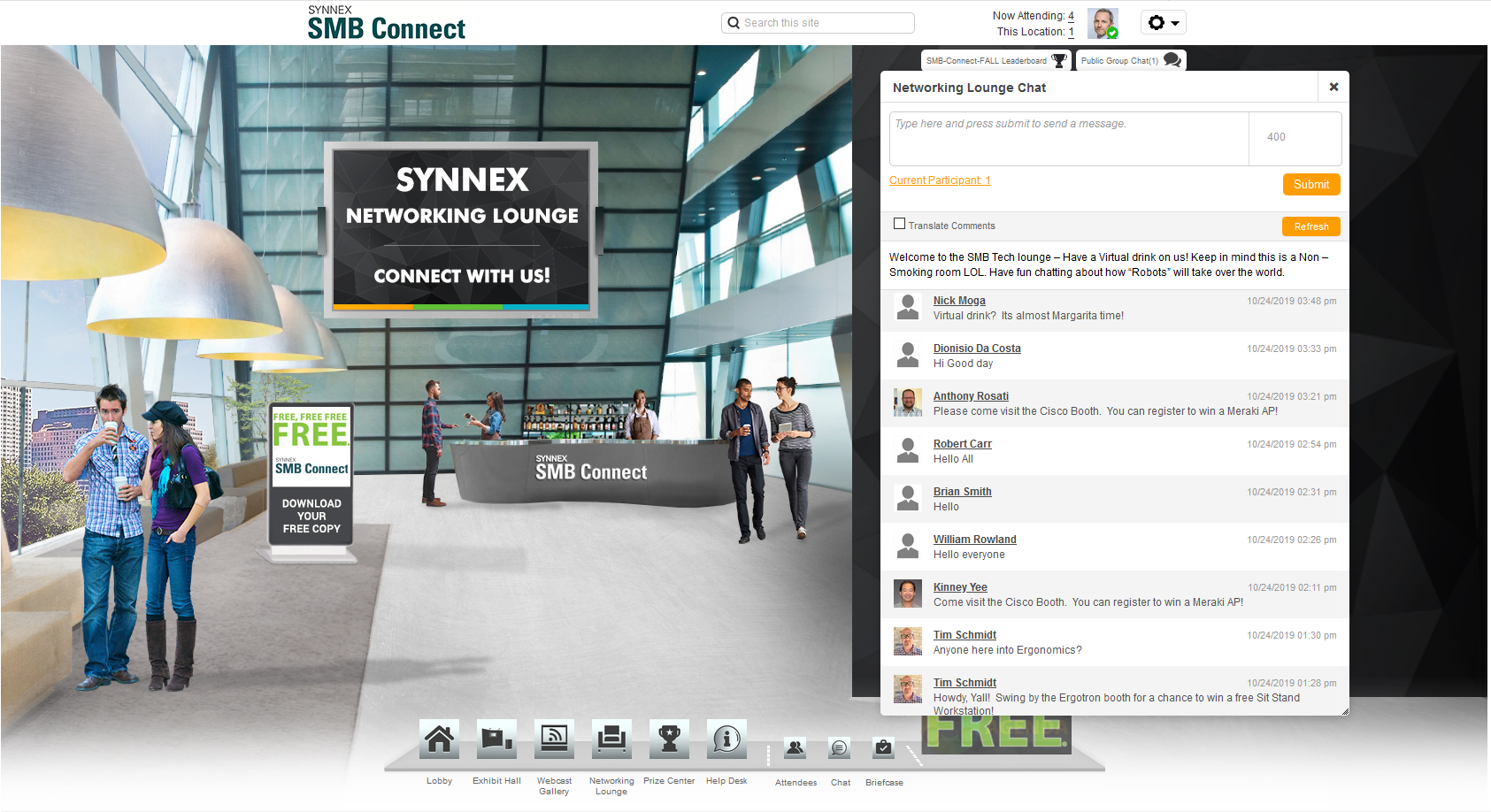
Screenshot of Welcome lobby with video greeterScreenshot of Exhibit hallScreenshot of BoothScreenshot of Theater with tracksScreenshot of Highly engaging Webinars including: slides, video, Q&A, polls, survey, links to resources, and speaker bios.Screenshot of Networking lounge

Zoom Events & Webinars Screenshots

Screenshot of features available for Zoom Events & WebinarsScreenshot of features available for Zoom EventsScreenshot of new and enhanced features