CommonSpot vs. ManageWP

Overview
ProductRatingMost Used ByProduct SummaryStarting Price
CommonSpot
Score 7.0 out of 10
N/A
CommonSpot is a Web platform that includes a content management system, an application development framework, marketing solutions, and social media features from PaperThin, Inc, a privately held, MA-based company. PaperThin's customers span multiple industries, including: government, healthcare, higher education, and association/non-profit sectors.N/A
ManageWP
Score 10.0 out of 10
N/A
ManageWP is a WordPress management console that allows users to manage multiple WordPress sites with ease.N/A
Pricing
CommonSpotManageWP
Editions & Modules
No answers on this topic
Offerings
Pricing Offerings
CommonSpotManageWP
Free Trial
NoNo
Free/Freemium Version
NoYes
Premium Consulting/Integration Services
NoNo
Entry-level Setup FeeNo setup feeNo setup fee
Additional DetailsStarting is easy and free. Premium upgrades are there for those that need more. If you want to free up your time and let ManageWP do the heavy lifting - we are there for you with a number of automations (safe updates, automated backups, scheduled security and performance checks, etc.), site migration tools, website templates and more. Special bundles were built for agencies and companies creating affordable discounts for customers with large number of websites.
More Pricing Information
Community Pulse
CommonSpotManageWP
Features
CommonSpotManageWP
Security
Comparison of Security features of Product A and Product B
CommonSpot
7.0
Ratings
14% below category average
ManageWP
9.5
Ratings
16% above category average
Role-based user permissions7.00 Ratings9.50 Ratings
Web Content Creation
Comparison of Web Content Creation features of Product A and Product B
CommonSpot
6.3
Ratings
20% below category average
ManageWP
8.2
Ratings
6% above category average
Code quality / cleanliness6.00 Ratings8.00 Ratings
Admin section6.50 Ratings9.80 Ratings
Page templates7.00 Ratings8.00 Ratings
Library of website themes7.00 Ratings9.00 Ratings
Publishing workflow7.00 Ratings7.00 Ratings
Form generator4.00 Ratings00 Ratings
WYSIWYG editor00 Ratings8.00 Ratings
Mobile optimization / responsive design00 Ratings7.50 Ratings
Web Content Management
Comparison of Web Content Management features of Product A and Product B
CommonSpot
7.7
Ratings
5% above category average
ManageWP
7.0
Ratings
5% below category average
Content taxonomy7.50 Ratings00 Ratings
SEO support7.00 Ratings8.00 Ratings
Bulk management8.00 Ratings10.00 Ratings
Availability / breadth of extensions7.00 Ratings3.00 Ratings
Community / comment management9.00 Ratings7.00 Ratings
Platform & Infrastructure
Comparison of Platform & Infrastructure features of Product A and Product B
CommonSpot
-
Ratings
ManageWP
10.0
Ratings
27% above category average
API00 Ratings10.00 Ratings
Internationalization / multi-language00 Ratings10.00 Ratings
Best Alternatives
CommonSpotManageWP
Small Businesses
ManageWP
ManageWP
Score 10.0 out of 10
Divi
Divi
Score 10.0 out of 10
Medium-sized Companies
RWS Tridion Sites
RWS Tridion Sites
Score 9.0 out of 10
RWS Tridion Sites
RWS Tridion Sites
Score 9.0 out of 10
Enterprises
RWS Tridion Sites
RWS Tridion Sites
Score 9.0 out of 10
RWS Tridion Sites
RWS Tridion Sites
Score 9.0 out of 10
All AlternativesView all alternativesView all alternatives
User Ratings
CommonSpotManageWP
Likelihood to Recommend
7.0
(0 ratings)
9.6
(0 ratings)
Usability
8.0
(0 ratings)
-
(0 ratings)
User Testimonials
CommonSpotManageWP
Likelihood to Recommend
I do actually think CommonSpot is pretty well suited when the organization that you work for requires very specific parameters on site design. It was very clear what could be used and what could not in the design of individual department pages. The other thing I think CommonSpot is best suited for is website content management done by people with little or no website content management experience. It's very intuitive and easy to use and thus, easy to train people on.
Read full review
It is well suited to anyone that has a Wordpress website, whether it be an individual or a company managing multiple clients sites, its an easy way to manage, maintain and keep your website running smoothly and secure.
Read full review
Pros
  • I think CommonSpot's greatest strength is its ease of use. It's relatively intuitive in it's usage, so it therefore makes it easy to train new people to use it.
  • Within my usage of it, our options were limited, which again added to it's ease of use.
Read full review
  • ManageWP consolidates important WordPress site management services into on dashboard.
  • ManageWP makes backing up, cloning, and restoring websites so easy.
  • ManageWP provides a simple, easy to use interface.
Read full review
Cons
  • Commonspot needs to improve on its authoring feature. It is impossible to author on more than one page at a time . (One must always click on "View work on all changes") before switching between pages otherwise, the changes will not be saved.
  • CommonSpot does not support sharing the definition of any custom element or any template layouts. Therefore, one must recreate these in each site.
  • In Commonspot, a user who has to manage content in multiple sites will have to log in to each site to see and act on any actions.
Read full review
  • The reports could be prettier, more templates in order to avoid having to customize for each client so heavily.
  • It would be nice to see if recommended plugin updates are actually production and not beta versions.
Read full review
Usability
I had no previous background in content management, and found it very easy to use. If I could figure it out, I am pretty certain that just about anyone else could as well.
Read full review
It's very straightforward for basic use, but less you dig in more for advanced use. Seems like it would be approachable to the average person.
Read full review
Alternatives Considered
Commonspot works in tandem with Zendesk very well to accomplish tasks an an efficient manner.
Read full review
ManageWP is definitely the best in class product for WordPress website management. There are other tools such as InfiniteWP that do similar things, but don't have as complete an offering. Other options like WPEngine are also for hosting and we are not interested in that element. I think that ManageWP is the best tool out there for what it does.
Read full review
Return on Investment
  • Better customer service
  • Improved accountability as it regards tracking the tasks assigned to which employee
  • Improved accountability led to increased employee efficiency
Read full review
  • Reduced update times - allows me to check for updates on all our sites once a week without spending countless time logging in and updating each one manually.
  • Free backups - allows me to have redundant backups just in case other systems fail, without any effort.
  • Free platform - many of the provided features are free, making it very useful for companies who want to keep costs low.
Read full review
ScreenShots

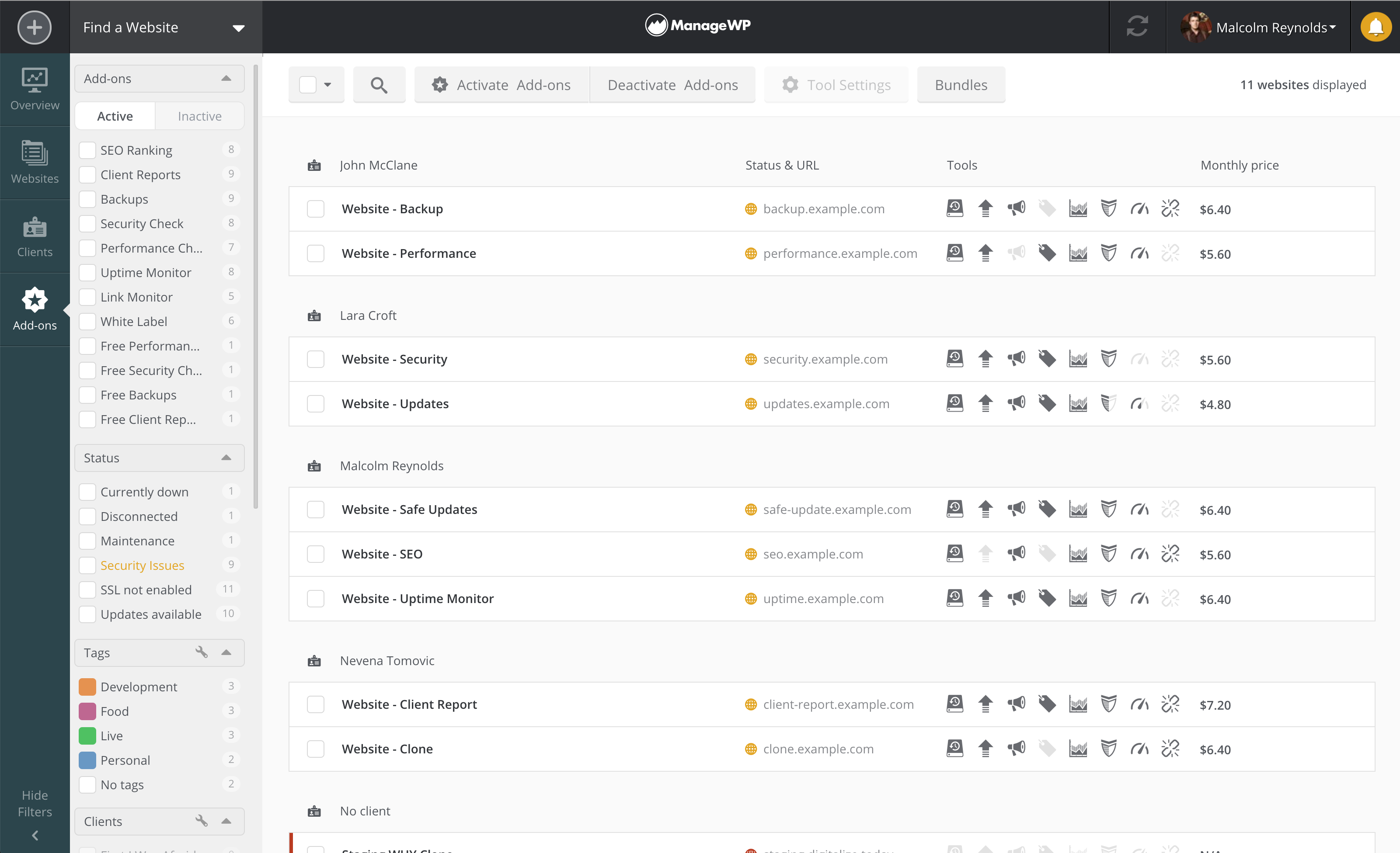
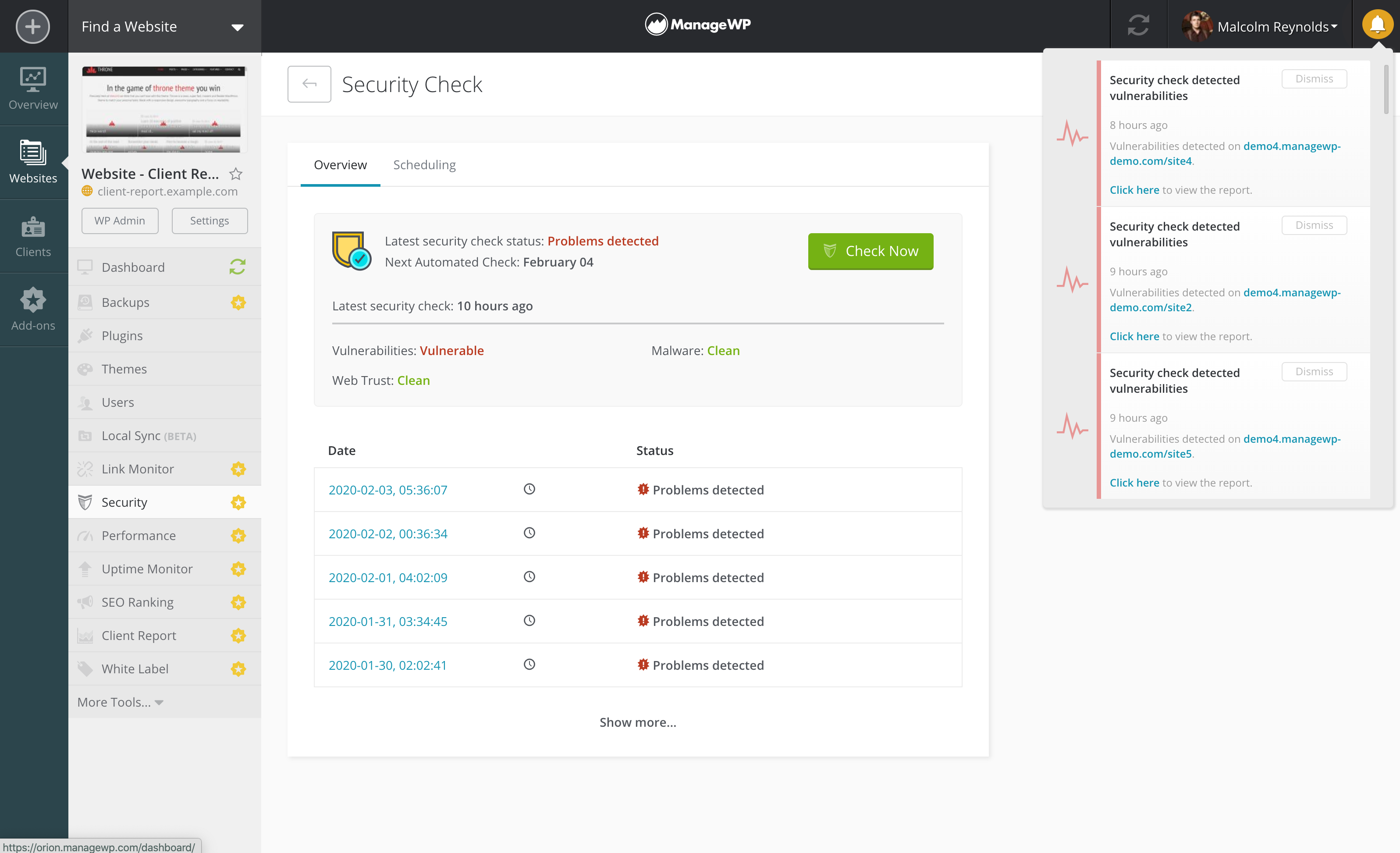
ManageWP Screenshots

Screenshot of ManageWP Overview page with Action centerScreenshot of ManageWP Websites page - landing page for website managementScreenshot of ManageWP Add-ons/Price breakdown pageScreenshot of ManageWP Security check with vulnerabilities detected on a number of websites