
Cofense PhishMe vs. Microsoft Defender for Office 365
| Product | Rating | Most Used By | Product Summary | Starting Price |
|---|---|---|---|---|
 Cofense PhishMe | Score9.7 out of 10 | Enterprise companies (1,001+ employees) | Cofense PhishMe is a cyber threat and phishing simulator meant to be of use in training employees to be wary against threats and also to gain information about general employee threat knowledge and preparedness. A free trial is available for small business. | N/A |
 Microsoft Defender for Office 365 | Score8.8 out of 10 | N/A | Microsoft Defender for Office 365 is a security solution used to protect Office 365 against advanced threats, such as phishing and business email compromise. It helps prevent volume-based and targeted attacks, including business email compromise, credential phishing, ransomware, and advanced malware with a robust filtering stack, as well as to detect malicious and suspicious content like links and files across Office 365. | N/A |
| Cofense PhishMe | Microsoft Defender for Office 365 | |||||||||||||||
|---|---|---|---|---|---|---|---|---|---|---|---|---|---|---|---|---|
| Editions & Modules | No answers on this topic | No answers on this topic | ||||||||||||||
| Offerings |
| |||||||||||||||
| Entry-level Setup Fee | No setup fee | No setup fee | ||||||||||||||
| Additional Details | — | — | ||||||||||||||
| More Pricing Information | ||||||||||||||||
| Cofense PhishMe | Microsoft Defender for Office 365 | |
|---|---|---|
| Considered Both Products | No answer on this topic | No answer on this topic |
| Key User Insights | ||
| Would buy again | ||
100% Would buy again 17 Answers | 100% Would buy again 8 Answers | |
| Delivers good value for the price | ||
100% Delivers good value for the price 15 Answers | 100% Delivers good value for the price 7 Answers | |
| Happy with the feature set | ||
100% Happy with the feature set 17 Answers | 100% Happy with the feature set 8 Answers | |
| Lived up to sales and marketing promises | ||
100% Lived up to sales and marketing promises 13 Answers | 100% Lived up to sales and marketing promises 5 Answers | |
| Implementation went as expected | ||
100% Implementation went as expected 10 Answers | 100% Implementation went as expected 6 Answers | |
| Cofense PhishMe | Microsoft Defender for Office 365 | ||||||||||||||||||||||||||||
|---|---|---|---|---|---|---|---|---|---|---|---|---|---|---|---|---|---|---|---|---|---|---|---|---|---|---|---|---|---|
| Security |
| ||||||||||||||||||||||||||||
| Security Awareness Training |
| ||||||||||||||||||||||||||||
| Cofense PhishMe | Microsoft Defender for Office 365 | |
|---|---|---|
| Small Businesses | No answers on this topic | No answers on this topic |
| Medium-sized Companies |  Hoxhunt Score9.6 out of 10 |  Proofpoint Targeted Attack Protection (TAP) Score9.1 out of 10 |
| Enterprises |  Proofpoint Security Awareness Training Score10 out of 10 | Proofpoint Targeted Attack Protection (TAP) Score9.1 out of 10 |
| All Alternatives | View all alternatives | View all alternatives |
| Cofense PhishMe | Microsoft Defender for Office 365 | |
|---|---|---|
| Likelihood to Recommend | 8.7 | 8.6 |
| Likelihood to Renew | 9.1 | - |
| Usability | 7.3 | 8.0 |
| Support Rating | 9.1 | - |
| Online Training | 9.1 | - |
| Implementation Rating | 8.2 | - |
| Vendor post-sale | 9.1 | - |
| Vendor pre-sale | 9.1 | - |
| Cofense PhishMe | Microsoft Defender for Office 365 | |
|---|---|---|
| Likelihood to Recommend |
|
|
| Pros |
|
|
| Cons |
|
|
| Usability |
| No answers on this topic |
| Support Rating |
| No answers on this topic |
| Online Training |
| No answers on this topic |
| Implementation Rating |
| No answers on this topic |
| Alternatives Considered |
|
|
| Return on Investment |
|
|
| ScreenShots | Cofense PhishMe Screenshots 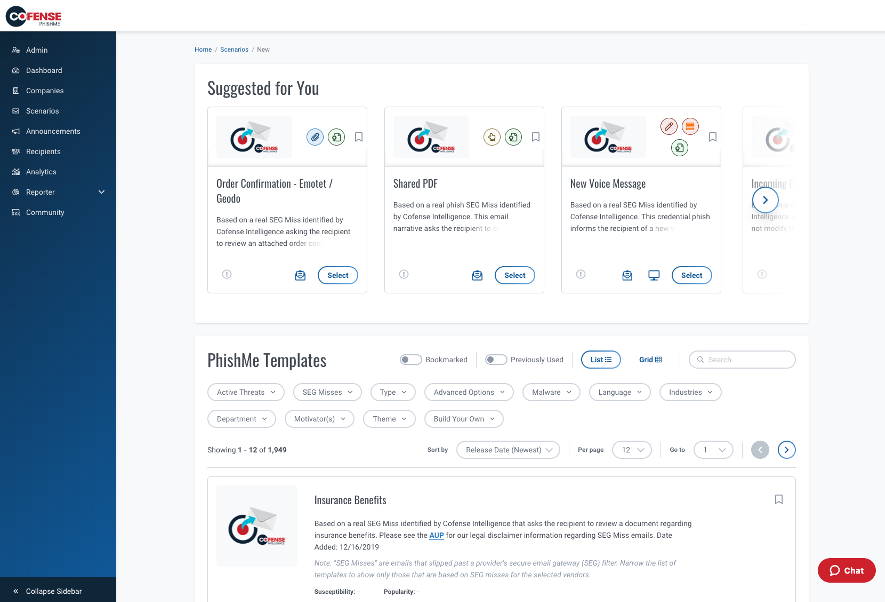  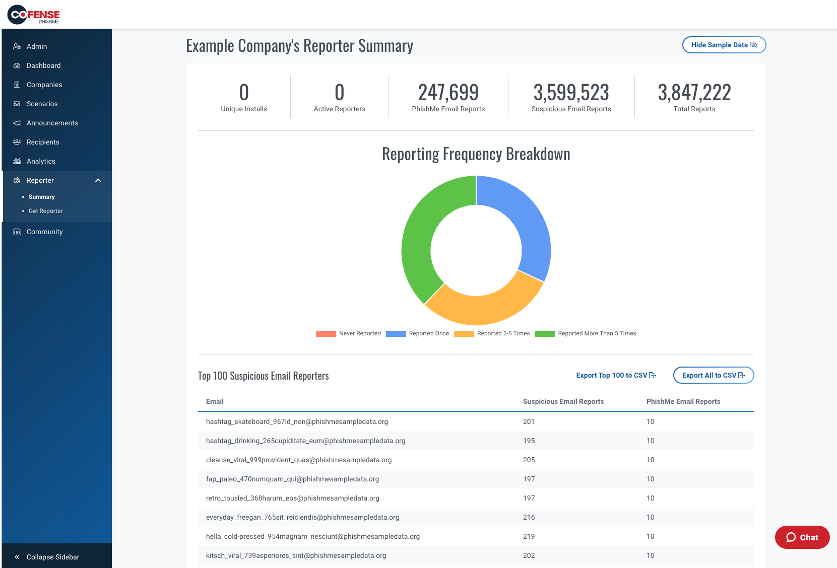  | Microsoft Defender for Office 365 Screenshots     |


