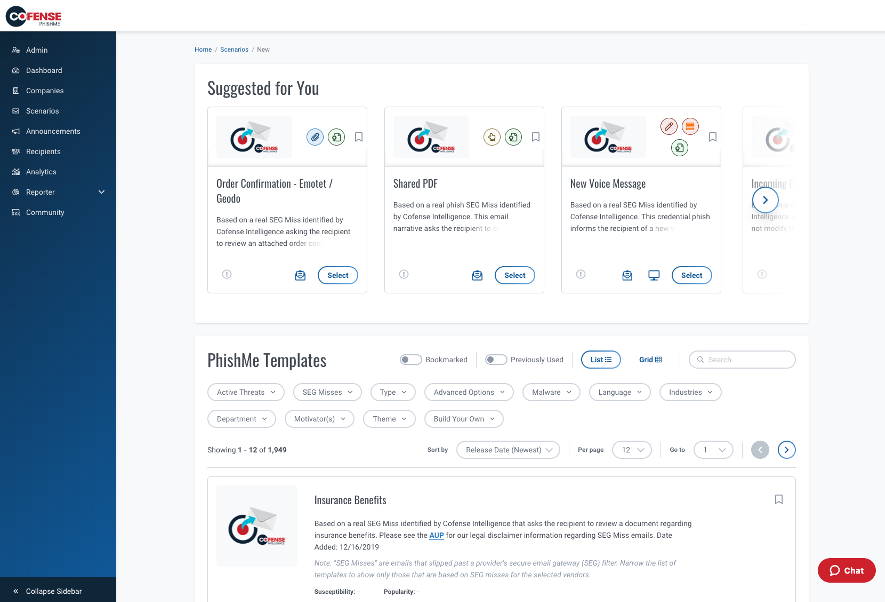
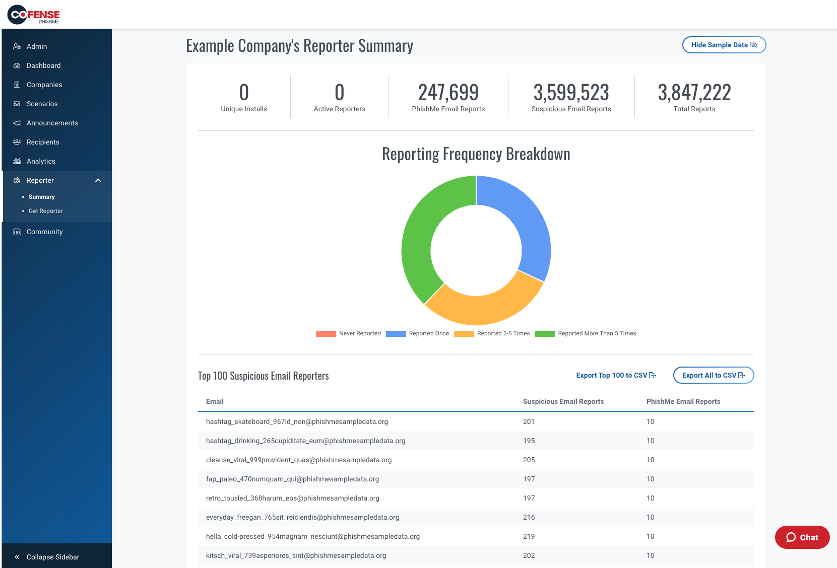
Cofense PhishMe is a cyber threat and phishing simulator meant to be of use in training employees to be wary against threats and also to gain information about general employee threat knowledge and preparedness. A free trial is available for small business.
N/A
Microsoft 365
Score8.7 out of 10
N/A
Microsoft 365 (formerly Office 365) is a Microsoft Cloud subscription service that includes Microsoft Office products (Word, Excel, PowerPoint, OneNote, Outlook, Publisher, and Access). The software can be installed across multiple devices and ensures that users always have the most up-to-date version of the included Office applications.
Cofense PhishMe is an excellent solution for scenarios where it will be sold as a managed service. I believe that PhishMe is too expensive for many clients and instead would benefit from the economies of scale where an MSSP sells it as part of a whole service, which offers the analysts and reporting included. PhishMe is excellent for training and awareness of Phishing, but shouldn't replace mandatory training for new joiners or yearly refreshers, it should only be used as an additional training option.
A de minimis incentive was given to thank the reviewer for their time. The incentive was not used to bias or drive a particular response, nor was the incentive contingent on a positive endorsement. More Info
Office everyday things since time immemorial. It's hard for Google Suite or any other to compete with Microsoft. They have everything, and it all works great, with incredible tools and capabilities. The new integrations work seamlessly most of the time, such as embedding a Power BI in a PPT. Expecting too much AI, like note taking, or LLM-based PPT, is not available in my tier at least, so depending on the budget, you won't get all you may expect from an AI leader. For diagramming and process maps, you're better off with other tools like those above.
A de minimis incentive was given to thank the reviewer for their time. The incentive was not used to bias or drive a particular response, nor was the incentive contingent on a positive endorsement. More Info
It gives clear-cut segregation of different parts of an email, header, text and HTML body, URL, attachments, HTML preview and some analytical insight like "similar reports." This distinctive approach actually helps reduce data overload during an analysis.
The URLs captured here pass through an automatic reputation check [in our case VirusTotal] and add a tag of the reputation. If it is a well-known bad URL the tag helps us take the decision fast.
For creating automation rules on the reported emails the "Recipes" section is really helpful. We can create easy recipes [or rules ] to handle a huge flow of reports and also we can create more sophisticated rules depending on the Cyber intelligence feed to catch the really bad currently less known attack attempts by malicious emails.
The "Threat Indicators" section is also useful to use as a threat intelligence source to check the URLs for their maliciousness.
A de minimis incentive was given to thank the reviewer for their time. The incentive was not used to bias or drive a particular response, nor was the incentive contingent on a positive endorsement. More Info
A de minimis incentive was given to thank the reviewer for their time. The incentive was not used to bias or drive a particular response, nor was the incentive contingent on a positive endorsement. More Info
Microsoft 365 really needs to work on protection part. In complex environment it is not reliable as compared to its competitors like Proofpoint. There are many instances where it fails to perform effectively.
In SharePoint Online the versioning feature of the document needs to be improved by Microsoft. Sometimes when we have to roll back to the previous version it does not work as expected.
In Teams messaging and app permission policies can be improved. There are some settings where we have to add a lot of things manually.
A de minimis incentive was given to thank the reviewer for their time. The incentive was not used to bias or drive a particular response, nor was the incentive contingent on a positive endorsement. More Info
Its built with UX in mind and is aimed at non-tech people, to ensure that almost everyone can run the campaign. But if we go deeper - sometimes you will need an HTML editor or support in order to figure out some advanced edits you might want to add in your scenarios.
A de minimis incentive was given to thank the reviewer for their time. The incentive was not used to bias or drive a particular response, nor was the incentive contingent on a positive endorsement. More Info
I have not had to use their support for pretty much anything. The software works well, and is very intuitive. I would imagine their support would be rather basic as there is not too much that can go wrong with a report phishing button, and if it were I would probably consider a different software.
A de minimis incentive was given to thank the reviewer for their time. The incentive was not used to bias or drive a particular response, nor was the incentive contingent on a positive endorsement. More Info
Over the past 8 years of using Microsoft 365, I have noticed that they change vendors often. This always leads to a poor experience in the beginning, then levels out after some time for the company to get things worked out. As a customer, it is really frustrating because I don't have time when something isn't working to have them "look into my issue" and get back with me. They have even closed a ticket I specifically told them to keep open. Your applications are only as good as the support.
A de minimis incentive was given to thank the reviewer for their time. The incentive was not used to bias or drive a particular response, nor was the incentive contingent on a positive endorsement. More Info
A de minimis incentive was given to thank the reviewer for their time. The incentive was not used to bias or drive a particular response, nor was the incentive contingent on a positive endorsement. More Info
A de minimis incentive was given to thank the reviewer for their time. The incentive was not used to bias or drive a particular response, nor was the incentive contingent on a positive endorsement. More Info
A de minimis incentive was given to thank the reviewer for their time. The incentive was not used to bias or drive a particular response, nor was the incentive contingent on a positive endorsement. More Info
Cofense PhishMe was the first choice for us as the user interface as well as their bundle package with Cofense Triage and Vision has helped the organisation to alleviate the overall security awareness posture. The other vendors did not provide a vast range of phishing scenarios as compared to Cofense PhishMe platform.
A de minimis incentive was given to thank the reviewer for their time. The incentive was not used to bias or drive a particular response, nor was the incentive contingent on a positive endorsement. TR verified that a representative sample of customers was invited. More Info
Its very user-friendly, collaborative and efficient that boosts productivity using cloud tools. their security is strong and it provides data protection. There are regular updates that shields us from attackers too. It offers a wealth of learning resources, including tutorials, help articles and video guide to help users make the most of the application and personally upgrade their skills.
Recipes in the system are capable of handling almost 2x what an analyst does, which cuts down the efforts [of] an analyst and provides more time for accurate strategies.
With roughly 90% false positives coming through, the remaining 10% of true positives need as much attention as they can get for the full investigation and analysis.
1,500 or more phishing messages can come through in a given week and the amount of time/employees required to review this without a tool like Cofense is surely beyond [the] expected/anticipated budget.
A de minimis incentive was given to thank the reviewer for their time. The incentive was not used to bias or drive a particular response, nor was the incentive contingent on a positive endorsement. More Info
It has helped keep the high-energy culture my company has since it allows easy communication and calls.
Positively impacts responses from clients, since we can see how many times they have been contacted. (the more someone is contacted, the less likely they are to respond. Microsoft helps make sure we all know who and who not to contact)
positively impacts my ability to focus, since you can mute notifications. Since I look at my computer all day, it is helpful to lock in and not get distracted by the many emails I receive a day. You can also change preferences, so emails with high urgency are still seen.