CodeStream vs. GitLab

Overview
ProductRatingMost Used ByProduct SummaryStarting Price
CodeStream
Score 8.6 out of 10
N/A
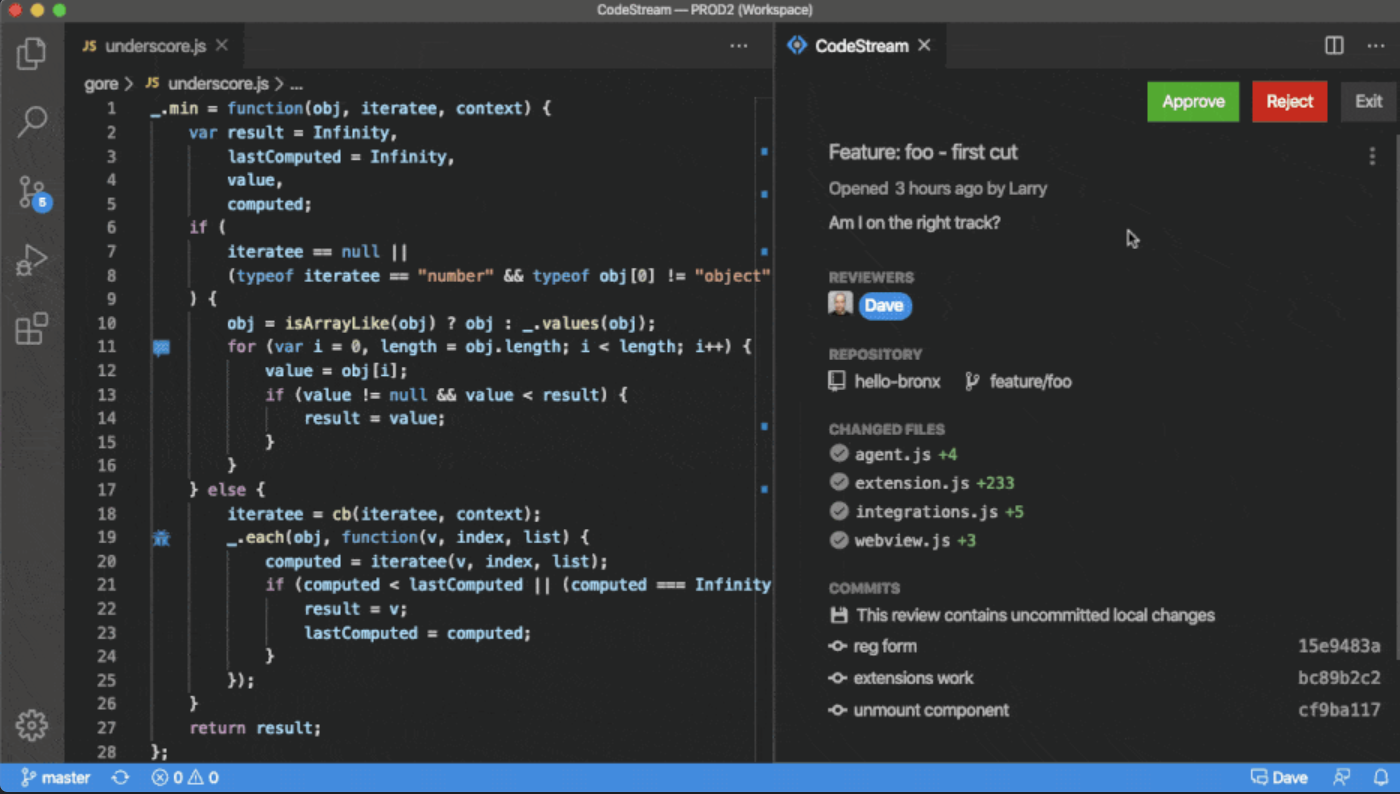
The vendor states CodeStream helps development teams resolve issues faster, and improve code quality by streamlining code reviews inside an IDE. CodeStream enables asynchronous communication among developers on a team, anywhere. Review changes in the context of the full source tree, using preferred keybindings and environments. Use a simple shortcut to highlight code and CodeStream will automatically assign a reviewer based on context and history. Comment and code review threads are…
$10
Per Seat / Per Month
GitLab
Score 8.7 out of 10
N/A
GitLab DevSecOps platform enables software innovation by aiming to empower development, security, and operations teams to build better software, faster. With GitLab, teams can create, deliver, and manage code quickly and continuously instead of managing disparate tools and scripts. GitLab helps teams across the complete DevSecOps lifecycle, from developing, securing, and deploying software. Differentiators, as described by Gitlab: Simplicity: With GitLab, DevSecOps can…
$0
per month per user
Pricing
CodeStreamGitLab
Editions & Modules
Basic
$10.00
Per Seat / Per Month
Enterprise
$49.00
Per Seat / Per Month
GitLab Essential
$0
per month per user
GitLab Premium
$29
per month per user
GitLab Ultimate
$99
per month per user
Offerings
Pricing Offerings
CodeStreamGitLab
Free Trial
YesYes
Free/Freemium Version
YesYes
Premium Consulting/Integration Services
NoNo
Entry-level Setup FeeNo setup feeOptional
Additional DetailsEnterprise tier includes admin console with advanced usage analytics, realtime merge conflict detection, API access, Single sign-on (SSO), premium support and success services
More Pricing Information
Community Pulse
CodeStreamGitLab
Best Alternatives
CodeStreamGitLab
Small Businesses
GitHub
GitHub
Score 9.0 out of 10

No answers on this topic

Medium-sized Companies
Veracode
Veracode
Score 8.7 out of 10
Veracode
Veracode
Score 8.7 out of 10
Enterprises
Perforce P4
Perforce P4
Score 7.7 out of 10
Veracode
Veracode
Score 8.7 out of 10
All AlternativesView all alternativesView all alternatives
User Ratings
CodeStreamGitLab
Likelihood to Recommend
9.0
(0 ratings)
8.9
(0 ratings)
Likelihood to Renew
-
(0 ratings)
9.9
(0 ratings)
Usability
-
(0 ratings)
9.0
(0 ratings)
Support Rating
-
(0 ratings)
9.1
(0 ratings)
User Testimonials
CodeStreamGitLab
Likelihood to Recommend
CodeStream is well suited for all developments where two or more people are developing something and I feel there's rarely any project which is been developed and maintained by a single developer. So in short codestream is suitable for almost every development team: - More than one person is developing the code. - People need to get frequent reviews for efficient development. - Best suitable for the teams where new people are there very often. - Collaborations are part of every day to day activities. - Without raising PR and branch management reviews are been incorporated.
Read full review
It is well-suited for any project that needs VCS. It's an excellent choice for teams that might be remote or have to collaborate across teams. Plenty of features allow for async working. With its dashboards and reporting features, it is also suitable for nontechnical PMs or stakeholders. It allows for very bespoke customization and can most often do much more than you need it to.
Read full review
Pros
  • Integration
  • Easy to use.
  • Easy to maintain.
Read full review
  • GitLab excels in managing code versions, allowing easy tracking of changes, branch management, and merging contributions.
  • It helps maintain code stability and reliability, saving time and effort in the development or research workflow.
  • Powerful code review features, enabling collaboration and feedback among team members.
  • Robust project management features, including issue tracking, kanban boards, and milestones.
Read full review
Cons
  • UI and navigation between services
  • Only support YAML method
  • Manual setting of triggers in the pipeline
Read full review
  • CI variables management is sometimes hard to use, for example, with File type variables. The scope of each variable is also hard to guess.
  • Access Token: there are too many types (Personal, Project, global..), and it is hard to identify the scope and where it comes from once created.
  • Runners: auto-scaled runners are for the moment hard to put in place, and monitoring is not easy.
Read full review
Likelihood to Renew
No answers on this topic
I really feel the platform has matured quite faster than others, and it is always at the top of its game compared to the different vendors like GitHub, Azure pipelines, CircleCI, Travis, Jenkins. Since it provides, agents, CI/CD, repository hosting, Secrets management, user management, and Single Sign on; among other features
Read full review
Usability
No answers on this topic
I find it easy to use, I haven't had to do the integration work, so that's why it is a 9/10, cause I can't speak to how easy that part was or the initial set up, but day to day use is great!
Read full review
Reliability and Availability
No answers on this topic
I've never had experienced outages from GItlab itself, but regarding the code I have deployed to Gitlab, the history helps a lot to trace the cause of the issue or performing a rollback to go back to a working version
Read full review
Performance
No answers on this topic
GItlab reponsiveness is amazing, has never left me IDLE. I've never had issues even with complex projects. I have not experienced any issues when integrating it with agents for example or SSO
Read full review
Support Rating
No answers on this topic
At this point, I do not have much experience with Gitlab support as I have never had to engage them. They have documentation that is helpful, not quite as extensive as other documentation, but helpful nonetheless. They also seem to be relatively responsive on social media platforms (twitter) and really thrived when GitHub was acquired by Microsoft
Read full review
Alternatives Considered
When compared to Bitbucket, CodeStream is a luck lustre. Even though the overall features are more with CodeStream like customisation of API and more control of triggers across the designed pipeline, Bitbucket and Visual Studio score better in terms of faster implementation and dedicated and proven support system . Apart from that CodeStream fairs better than AWS CodePipeline in overall features
Read full review
GitHub is an inferior product from most points of view. We had to use it and the teams finds no positives about it. Everything is a downgrade from our previous GitLab solution. GitLab CI\CD is vastly superior to workflows, for example doing a manual node is just "when : manual" in GitLab while you have to do clickops in GitHub to achieve the same. No overview of code in branches is a minus when we tried to figure out what our colleagues are trying to merge as it looked off.
Read full review
Scalability
No answers on this topic
I think is very well designed, and like any VCS it works as intended
Read full review
Return on Investment
  • Productivity of the team increased.
  • Lowered the chances of mistakes at the time of review.
  • No corners left un-observed.
  • The development cycle becomes more interactive and hence team enjoys the peer discussions and review process.
  • A lot of time is been saved, no need of conventional time taking reviews procedures.
Read full review
  • GitLab cut down our spent on container, package and infrastructure registry
  • Best thing is we can now have everything in single platform which cost effective too
  • Quality of support is really good and they do have emergency support team as well which is great
Read full review
ScreenShots

CodeStream Screenshots

Screenshot of Code DiscussionScreenshot of Slack IntegrationScreenshot of Code Review

GitLab Screenshots

Screenshot of GitLab, a comprehensive DevSecOps platform.Screenshot of Security DashboardScreenshot of Merge Request