Code Compare vs. ServiceNow DevOps

Overview
ProductRatingMost Used ByProduct SummaryStarting Price
Code Compare
Score 9.0 out of 10
N/A
Code Compare is a compare tool designed to compare and merge differing files and folders. Code Compare integrates with source control systems: TFS, SVN, Git, Mercurial, and Perforce. Code Compare is shipped both as a standalone file diff tool and a Visual Studio extension.N/A
ServiceNow DevOps
Score 7.7 out of 10
N/A
ServiceNow DevOps is designed to reduce friction between IT operations and development. This DevOps tool allows businesses to minimize risk while scaling DevOps initiatives.N/A
Pricing
Code CompareServiceNow DevOps
Editions & Modules
No answers on this topic
Offerings
Pricing Offerings
Code CompareServiceNow DevOps
Free Trial
YesNo
Free/Freemium Version
YesNo
Premium Consulting/Integration Services
NoNo
Entry-level Setup FeeNo setup feeNo setup fee
Additional Details
More Pricing Information
Community Pulse
Code CompareServiceNow DevOps
Best Alternatives
Code CompareServiceNow DevOps
Small Businesses
GitHub
GitHub
Score 9.0 out of 10
GitHub
GitHub
Score 9.0 out of 10
Medium-sized Companies
Veracode
Veracode
Score 8.7 out of 10
GitHub
GitHub
Score 9.0 out of 10
Enterprises
Perforce P4
Perforce P4
Score 7.6 out of 10
Perforce P4
Perforce P4
Score 7.6 out of 10
All AlternativesView all alternativesView all alternatives
User Ratings
Code CompareServiceNow DevOps
Likelihood to Recommend
9.0
(0 ratings)
9.0
(0 ratings)
User Testimonials
Code CompareServiceNow DevOps
Likelihood to Recommend
If your developer team is well-versed with standard VCS then I don't think they need this additional software to occupy their memory, they already have those capabilities within all VCS. A well-suited use case can be a team where not everybody has knowledge of VCS but has to collaborate on a project.
Read full review
Well suited to plan and apply any applications using the DevOps technology. The application keeps track of all the different stages of an application built and provides adequate support.
Read full review
Pros
  • Visual cue with green and red highlights
  • Comprehensive comparison result analysis
  • Pane UI to simply drag drop between panes
Read full review
  • Knowledge base is central to all internal and external.
  • Easy to add articles to the KB.
  • The ticketing system is central to all internal and external.
  • The ticketing system is easy to use.
  • The ticketing system makes it easy to ticketing data for analysis.
Read full review
Cons
  • It takes some time while comparing files.
  • It supports multi tabs comparison but it shows the difference after some time.
  • It should show the notification to other users in case both are working on the same file.
Read full review
  • I'd like to see more interaction with email. Once a ticket is closed I'd like to have an email come to me automatically and just be able to click on something to effectively close the ticket in ServiceNow DevOps after providing closing details
  • I'd like in certain exceptions to be able to open tickets with time in past.
Read full review
Alternatives Considered
No answers on this topic
ServiceNow DevOps is easier to use and understand, and we can manage everything in comparatively less amount of time. It's very user-friendly. Tracking activities and ticket creation is a lot better in ServiceNow DevOps
Read full review
Return on Investment
  • It helps to save a lot of effort hours as we can synch code with few simple steps.
  • Easily to check customers issues with the help of local and production changes.
  • Helps to deploy the service packs on a production system.
Read full review
  • Cohesive and efficient communication.
Read full review
ScreenShots

Code Compare Screenshots

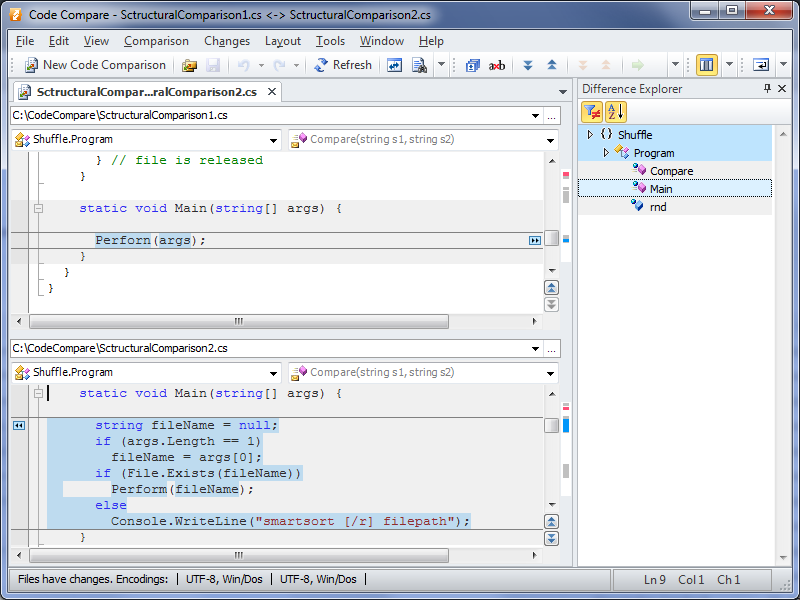
Screenshot of