Coda by Grammarly vs. Deltek WorkBook

Overview
ProductRatingMost Used ByProduct SummaryStarting Price
Coda by Grammarly
Score 8.9 out of 10
N/A
Coda, acquired by Grammarly in early 2025, is a template-based document creation and collaboration solution, supporting a variety of use cases.
$0
per month
Deltek WorkBook
Score 8.3 out of 10
N/A
Now from Deltek (acquired 2017), WorkBook is a project management solution. Designed for advertising and communications agencies with 30+ employees, the vendor says WorkBook is the perfect solution for multiple locations and collaboration through integrated conversations. Additionally the vendor says it is ideal for project-driven organizations that require CRM, forecasting, project and resource management, traffic as well as integrated billing and accounting. It's a customizable solution with…N/A
Pricing
Coda by GrammarlyDeltek WorkBook
Editions & Modules
Free
$0.00
per month
Pro
$10.00
per month per doc maker; unlimited editors (paid annually)
Team
$30.00
per month per doc maker; unlimited editors (paid annually)
Enterprise
Custom Pricing
No answers on this topic
Offerings
Pricing Offerings
Coda by GrammarlyDeltek WorkBook
Free Trial
YesYes
Free/Freemium Version
YesNo
Premium Consulting/Integration Services
NoNo
Entry-level Setup FeeNo setup fee$19 per month
Additional DetailsWith Coda, you only pay for Doc Makers. Often one person creates a doc, others edit it, and some simply observe from afar. Instead of charging for everyone, we only charge for the people who create docs. Interested in enterprise pricing? Visit coda.io/enterpriseBASIC PLAN INCLUDES TIME SHEET INCLUDES IPHONE & ANDROID APP Log your time on any job you have access to and get a reminder if you forget to submit hours. You can log your time on any job; billable, non-billable, customer jobs, and internal jobs. WorkBook also keeps track of absence entries and holiday requests. CUSTOMERS & PROJECTS Add as many customers, contacts, and projects/jobs as you like. Jobs are connected to clients and each job can be set to be billable, non-billable, internal, or a client job. COLLABORATION Collaborate with your colleagues and clients and keep track of comments, news, events, and notifications. Receive notifications whenever you need to approve anything, or a warning if something is about to go wrong. FILE SHARING Save all of your files in WorkBook and benefit from having them being kept secure in one, central location. Whenever a new customer or job is added, WorkBook will automatically create a folder structure (decided by you), allowing you to upload all of your documents and briefings to WorkBook. WorkBook will connect directly to your local file server or online storage, which means that you can save your files locally and have them be shown in WorkBook. Moreover, we have options to integrate with Google Drive or Dropbox.
More Pricing Information
Community Pulse
Coda by GrammarlyDeltek WorkBook
Features
Coda by GrammarlyDeltek WorkBook
Project Management
Comparison of Project Management features of Product A and Product B
Coda by Grammarly
-
Ratings
Deltek WorkBook
4.6
Ratings
50% below category average
Task Management00 Ratings4.00 Ratings
Resource Management00 Ratings6.00 Ratings
Gantt Charts00 Ratings4.00 Ratings
Scheduling00 Ratings2.00 Ratings
Workflow Automation00 Ratings2.00 Ratings
Team Collaboration00 Ratings7.00 Ratings
Support for Agile Methodology00 Ratings3.00 Ratings
Support for Waterfall Methodology00 Ratings3.00 Ratings
Document Management00 Ratings2.00 Ratings
Email integration00 Ratings3.00 Ratings
Mobile Access00 Ratings5.00 Ratings
Timesheet Tracking00 Ratings10.00 Ratings
Change request and Case Management00 Ratings4.00 Ratings
Budget and Expense Management00 Ratings10.00 Ratings
Professional Services Automation
Comparison of Professional Services Automation features of Product A and Product B
Coda by Grammarly
-
Ratings
Deltek WorkBook
9.0
Ratings
18% above category average
Quotes/estimates00 Ratings10.00 Ratings
Invoicing00 Ratings8.00 Ratings
Project & financial reporting00 Ratings8.00 Ratings
Integration with accounting software00 Ratings10.00 Ratings
Best Alternatives
Coda by GrammarlyDeltek WorkBook
Small Businesses
Stackby
Stackby
Score 9.0 out of 10
Stackby
Stackby
Score 9.0 out of 10
Medium-sized Companies
Troop Messenger
Troop Messenger
Score 9.8 out of 10
InEight
InEight
Score 8.3 out of 10
Enterprises
HCL Connections
HCL Connections
Score 9.0 out of 10
InEight
InEight
Score 8.3 out of 10
All AlternativesView all alternativesView all alternatives
User Ratings
Coda by GrammarlyDeltek WorkBook
Likelihood to Recommend
8.0
(0 ratings)
8.0
(0 ratings)
Likelihood to Renew
9.1
(0 ratings)
-
(0 ratings)
Usability
6.0
(0 ratings)
9.0
(0 ratings)
Availability
9.1
(0 ratings)
-
(0 ratings)
Performance
9.1
(0 ratings)
-
(0 ratings)
Support Rating
7.8
(0 ratings)
9.0
(0 ratings)
Implementation Rating
8.2
(0 ratings)
-
(0 ratings)
Configurability
8.2
(0 ratings)
-
(0 ratings)
Ease of integration
4.5
(0 ratings)
-
(0 ratings)
Product Scalability
9.1
(0 ratings)
-
(0 ratings)
Vendor post-sale
7.3
(0 ratings)
-
(0 ratings)
User Testimonials
Coda by GrammarlyDeltek WorkBook
Likelihood to Recommend
Coda is great to build a place for your users to go to and see information. It is easy to navigate through and the variety of content creation is great. However, it is not always easy to create what you want and there is a lot of playing around and learning. Coda also sometimes misses some functionality which is expected. For example, downloading a list of users that have access to the platform. Being able to send push notifications when a new page has been created etc. Overall it is a good tool to use just be prepared to invest time!
Read full review
For project companies with management needs and normally companies with more than 5-10 employees. For all project companies within marketing, architecture, audit, it supports, engineers and other professional services
Read full review
Pros
  • One source of truth: It's incredibly easy to keep everything organized and easy to find.
  • Being able to show different views of the same information throughout your doc makes it really easy to customize the information.
  • In general, I love the "coding" aspect of it, and being able to do advanced functions has helped us create some really interesting automation and streamline our process.
Read full review
  • You have a lot of business critical features in one application.
  • You can work in projects and register hours.
Read full review
Cons
  • "Barrier of entry" is a little high for those who do not have any database experience.
  • More out-of-the-box integrations with other applications would be nice.
  • Performance for very heavy loaded/traffic documents could be improved.
  • Scalability for enterprise level customers and doc loads could be improved.
Read full review
  • Lot of options - Demands training of the users before they can use if fully
Read full review
Likelihood to Renew
Coda is definitely something that has been proven to drive positive impact in our organization. We have many divisions that can benefit from this that we have yet to explore. It would definitely be worth renewing.
Read full review
No answers on this topic
Usability
There is a little bit of a learning curve on where to point and click to add in different elements and make edits. But it is still very manageable once you get the hang of it. I do still have some issues with some of my connected pages updating each other when I don't want them to sync. So I'll end up editing one page, and it will make the same edits on another page.
Read full review
Gets the job done, just not the sexiest.
Read full review
Reliability and Availability
So far in the past year, we haven't had situations that Coda has gone down for us which is great.
Read full review
No answers on this topic
Performance
We haven't done any integrations - the initial part of our experience we found that for docs with complex formulas, the page tends to load slowly but in recent months, Coda has improved and optimized the loading times in general and we generally don't find any problems in terms of speed anymore.
Read full review
No answers on this topic
Support Rating
Mainly due to timezone differences. I think Coda's support in general is well implemented and executed. They know their stuff and are helpful. But since I'm not in the same timezone, solution rates are slower for me, and that's not something I prefer. I work in customer service, too, and more often than not, time is important. Shortening the solution time would be a much greater experience.
Read full review
Great implementation support, but haven't had many questions since.
Read full review
Implementation Rating
I'm relatively inexperienced but this experience is meaningful. It would have been nice to have some guidance from Coda so that we understood more on Coda's purpose and potential.
Read full review
No answers on this topic
Alternatives Considered
For general use cases, Google Docs or Airtable are often a better starting place. But if things get complex or you're constantly pairing the two together, consider graduating to Coda to save yourself long-term headaches. Notion is great for personal use, but the powerful automation and collaboration features in Coda make it a better fit for teams in my experience so far.
Read full review
I have no knowledge of competing software with the same options.
Read full review
Scalability
I think scalability is definitely good here since it's based on number of doc makers. Implementation into each dept becomes simpler. That being said, due to the nature of our work, we find it easier that we have a "super user" and then a team of other doc makers. This would make the doc creation and management more efficient.
Read full review
No answers on this topic
Return on Investment
  • Increased insight for all stakeholders involved--both in terms of overview and details
  • Better grip on issues and escalations--reduced friction, confusion, and higher clarity on status, next actions, and ownership.
  • Reduced time required by those who need to maintain all information. Record (a detail) once and use multiple times.
Read full review
  • Better understanding of financial performance
  • Job profitability tracking
Read full review
ScreenShots

Coda by Grammarly Screenshots

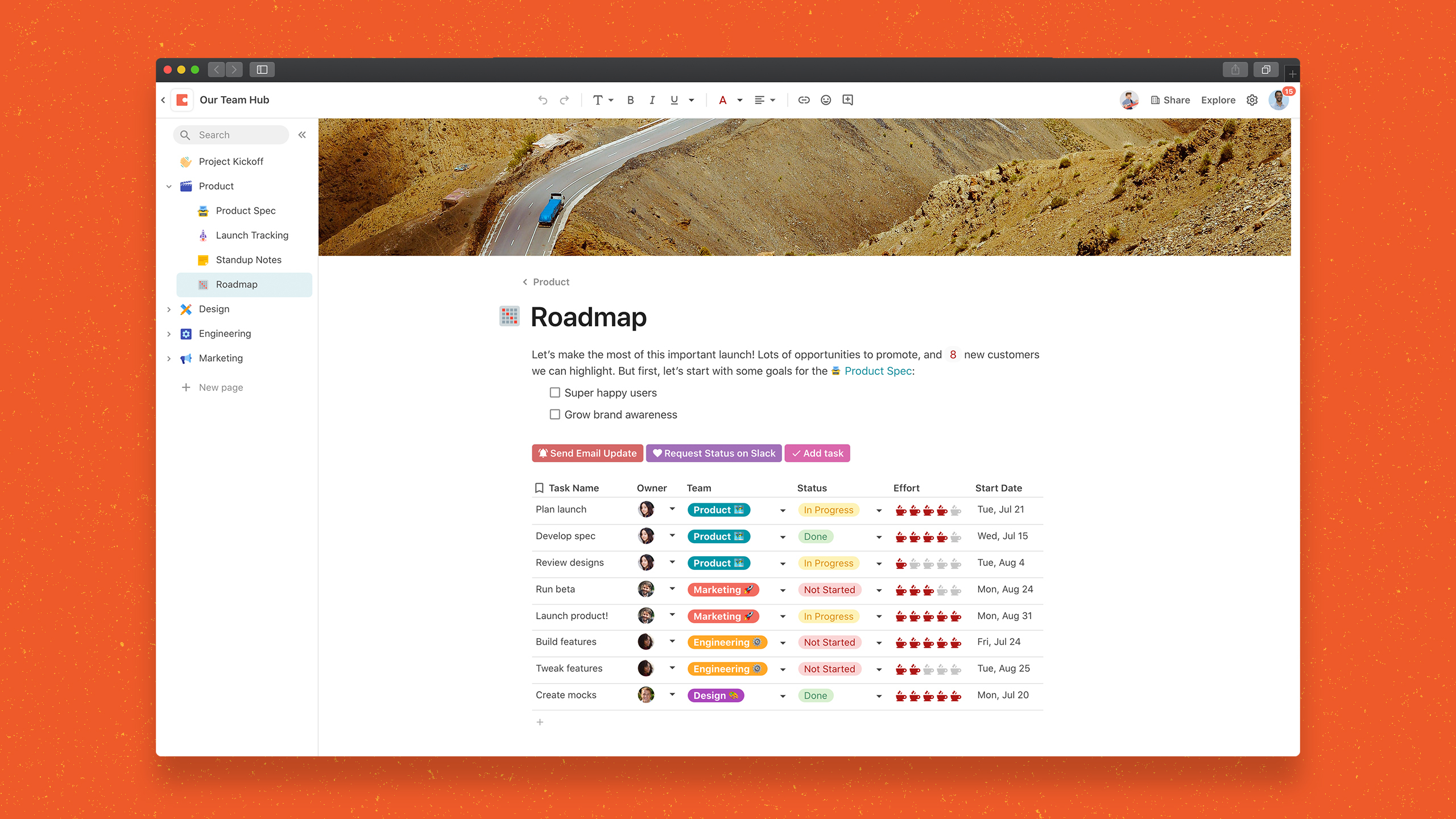
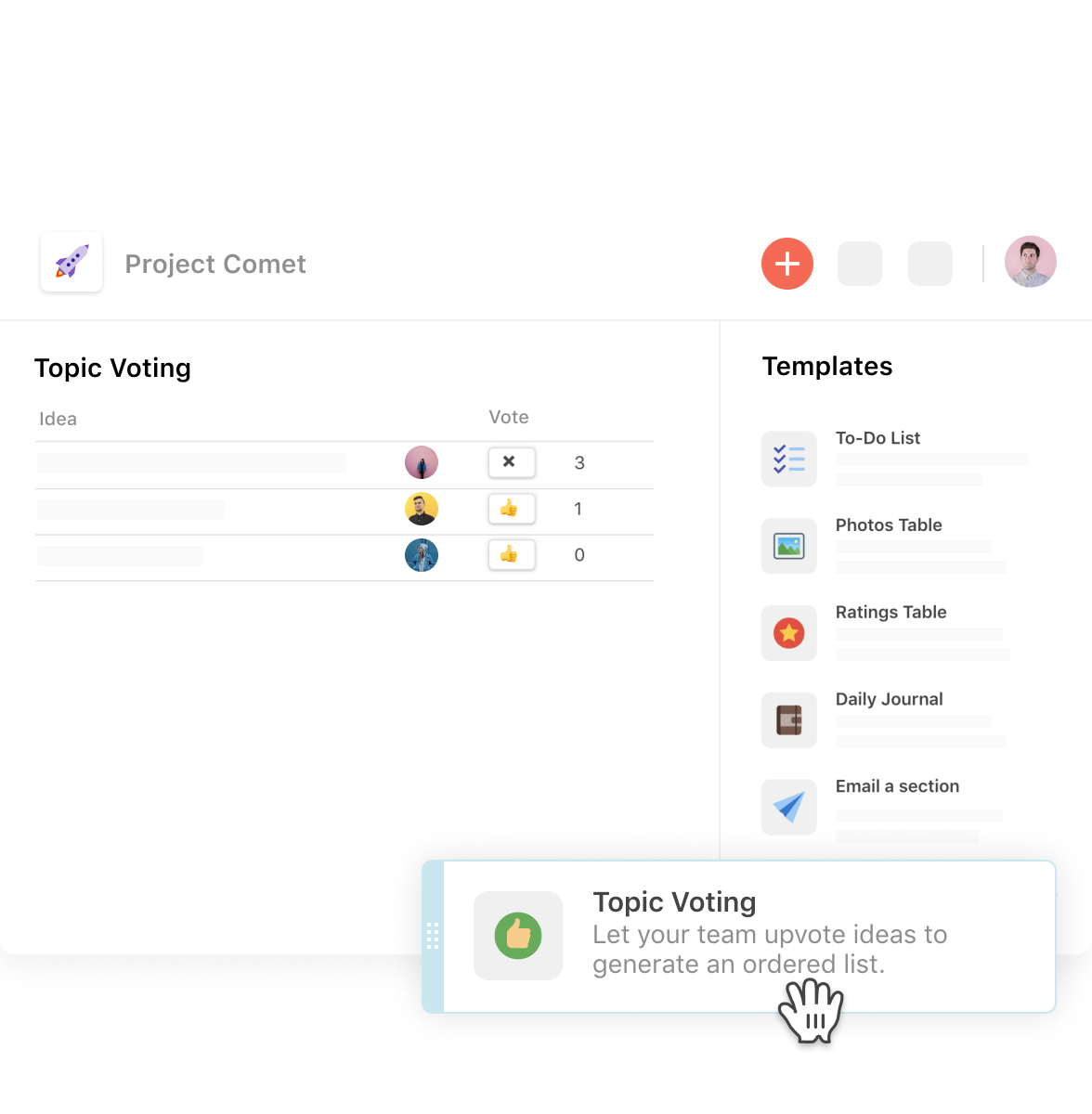
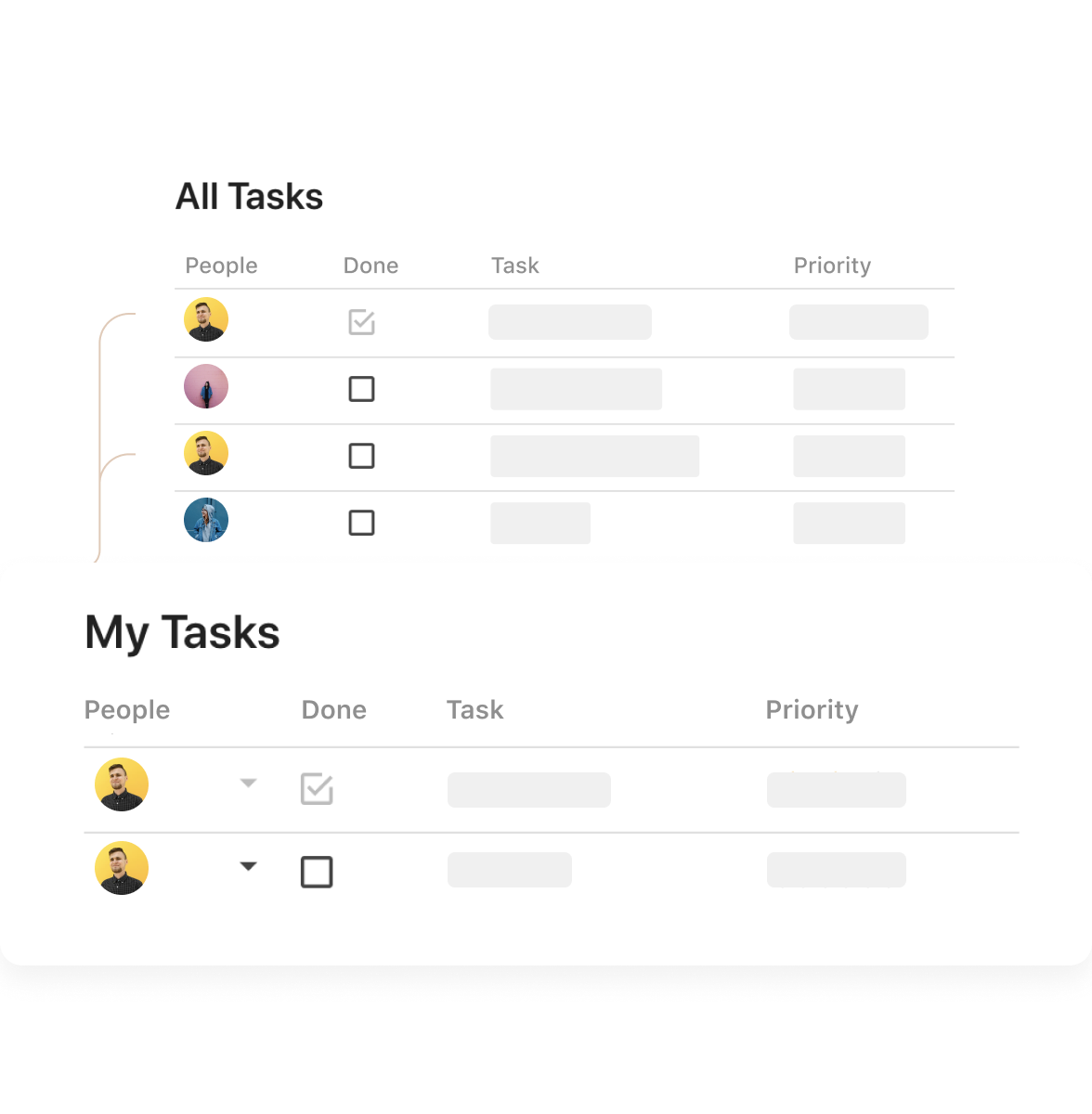
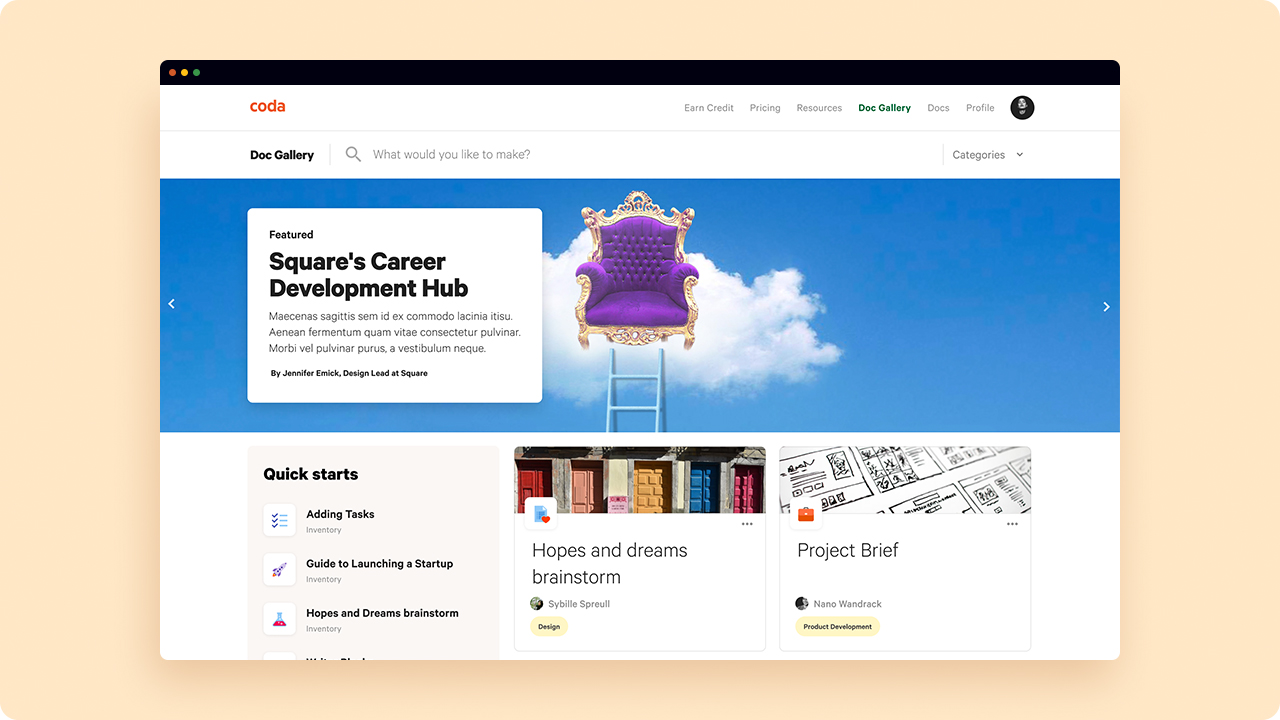
Screenshot of One unified surface means ideas aren’t limited to a file type. A project doesn’t have to be split across tabs of documents, spreadsheets, and apps.Screenshot of Packs are a version of integrations or plug-ins. They connect the  doc to the apps in use every day, so as to pull live data in or push updates out automatically.Screenshot of Drag-and-drop templates provide a quick-start shortcut to commonly used templates like Upvote/Downvote, To-Do List, and Team Sentiment Tracker.Screenshot of Slice, dice, and chop data using Views. A View is a mirror of data that can be tailored to unique needs, all while staying connected to the source.Screenshot of When accessing the doc from a mobile device, it should feel like an app. Doc pages become tabs, buttons become swipe actions and doc notifications become push notifications.Screenshot of The Doc Gallery contains docs self-published by the Coda community. These published docs have a webpage-like interface and have varying levels of interactivity like view, play or edit. Find and share tools, templates, tiny apps, interactive handbooks, and anything else that can be built in Coda.

Deltek WorkBook Screenshots

Screenshot of TasksScreenshot of Weekly SchedulesScreenshot of Screenshot of Gantt Chart – Streamline project planning by converting and approved quotes into a schedule with drag ‘n drop resource allocation.Screenshot of Time Entry – Facilitate adoption and ensure accurate time data by integrating task management and time entry.Screenshot of Net Revenue Forecast – Reduce input errors and save valuable time by integrating resourcing, project management and finance to fully control AR and AP and get precise cash flow and net revenue forecasts.