TrustRadius: an HG Insights company

Save this comparison

Save this comparison

Add Product

Recommended Comparisons

    Overview
    ProductRatingMost Used ByProduct SummaryStarting Price

    CocoSign

    N/AN/ACocoSign is an esign service provider, helping businesses automate their paperwork workflow. Users can bulk send documents for signature collection while enhancing their brand presence. The vendor states CocoSign helps the business user: Provide legally valid, secure, customizable electronic signatures Save costs in printing, delivery, etc Finalize deals within seconds Manage team and documents Smarten the workstyle for enhanced professionalism…

    $12

    per month

    Zoho Sign

    Score9.3 out of 10
    Small Businesses (1-50 employees)
    Zoho Sign is a digital signing service that lets you execute contracts quickly without the hassles of transporting paper documents while ensuring security and legality. It works completely on cloud and integrates readily with your everyday apps. According to the vendor, Zoho Sign is perfect for anyone who needs to sign business documents but widely used for HR, legal, finance, HR, and sales functions. Documents that can be signed include:…

    $0

    per user

    Pricing
    CocoSignZoho Sign
    Editions & Modules
    Business
    $12
    per month
    Business Pro
    $25
    per month
    Enterprise
    $35
    per month
    Advanced Solutions
    Let's talk
    Everything in Enterprise +
    Free
    $0.00
    per user
    Standard
    $10.00
    per user/ month
    Professional
    $15.00
    per user/ month
    Offerings
    Pricing Offerings
    CocoSignZoho Sign
    Free Trial
    YesNo
    Free/Freemium Version
    YesYes
    Premium Consulting/Integration Services
    YesNo
    Entry-level Setup FeeOptional$10 per user
    Additional DetailsAll the products come with a 30-day money-back guarantee. Please contact our support team for more details.—
    More Pricing Information
    Best Alternatives
    CocoSignZoho Sign
    Small Businesses
    Foxit eSign
    Score9.8 out of 10
    Foxit eSign
    Score9.8 out of 10
    Medium-sized Companies
    MSB Docs
    Score9.4 out of 10
    MSB Docs
    Score9.4 out of 10
    Enterprises
    Conga Sign
    Score7.8 out of 10
    Conga Sign
    Score7.8 out of 10
    All AlternativesView all alternativesView all alternatives
    User Ratings
    CocoSignZoho Sign
    Likelihood to Recommend
    -
    (0 ratings)
    9.0
    (5 ratings)
    User Testimonials
    CocoSignZoho Sign
    Likelihood to Recommend
    CocoSign
    No answers on this topic
    Zoho
    If your business needs an electronic signing software, then I recommend Zoho Sign because it has all the great features. It ensures fast and secure document signing and, most importantly, it is legally binding.
    Incentivized
    Read full review
    Pros
    CocoSign
    No answers on this topic
    Zoho
    • Shared organizational templates encourage corporate uniformity and standards.
    • Centralized retention of the executed agreements.
    • Orchestrated signing workflow with internal and external users.
    Incentivized
    Read full review
    Cons
    CocoSign
    No answers on this topic
    Zoho
    • Better ways to edit templates
    • add a credit card form input
    • create documents that then can be changes instead of uploading a document from word or pdf
    Incentivized
    Read full review
    Usability
    CocoSign
    No answers on this topic
    Zoho
    The UI is easy and using Zoho Sign is easy too.
    Incentivized
    Read full review
    Alternatives Considered
    CocoSign
    No answers on this topic
    Zoho
    Before using Zoho Sign, we simply send out PDFs and had our partners and clients sign them and send them back. Obviously, Zoho Sign stacks pretty high against that because of how professional it is, how much simpler it is for us to use, and how much time it saves us
    Incentivized
    Read full review
    Return on Investment
    CocoSign
    No answers on this topic
    Zoho
    • Zoho Sign was far more affordable for the simple uses we need. It simplified our processes at a very affordable price.
    Incentivized
    Read full review
    ScreenShots

    CocoSign Screenshots

    Screenshot of In the account dashboard, click "Star Now" then drag and drop the document to be signed into the Add Documents window. You can also click "Choose File" to open your computer's file browser.Screenshot of Documents Cloud archived for any further investigation. It's a good idea to keep a copy of your documents.Screenshot of When you log in to the Cocosign website, check the upper right-hand corner of the website to locate the e-sign tool. Click on it and it will open a pop-up window. You will see two options to create your signature – ‘Draw’ or ‘Type’. Click one of the two to get started. If you click on ‘Draw’, you can use a stylus pen or your mouse to draw your signature like you would on paper. The ‘Type’ option gives you different styles of writing texts to create your signature. All you have to do is type the name that you want to use as a signature and it will give you numerous options to choose from.

    Zoho Sign Screenshots

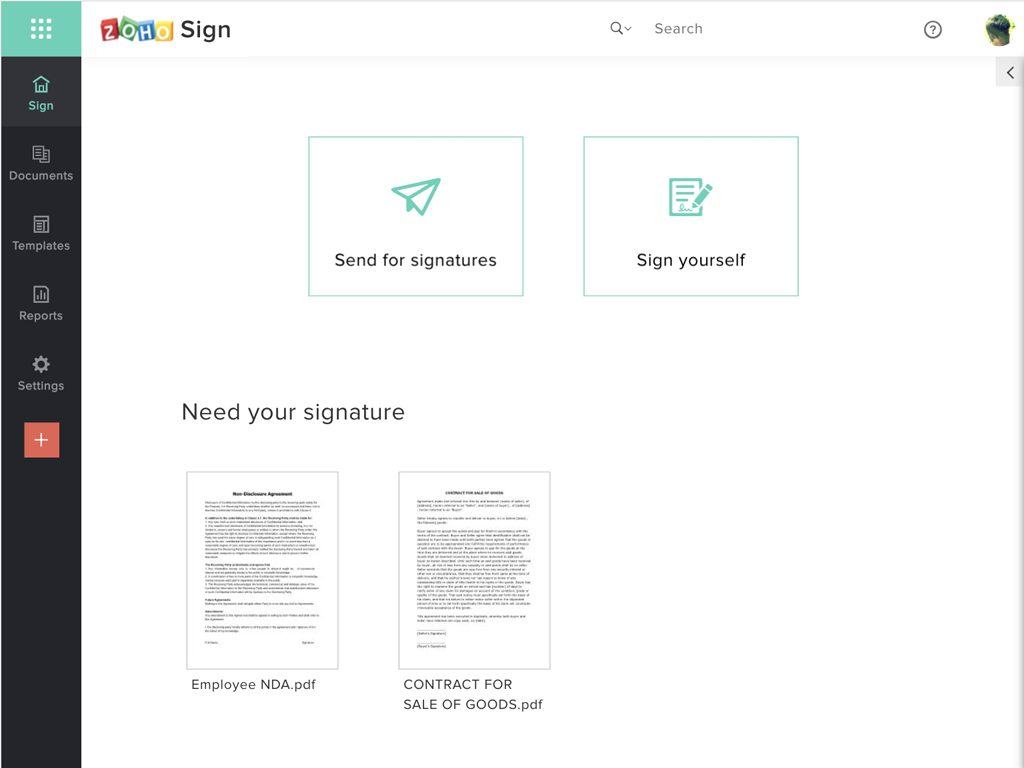
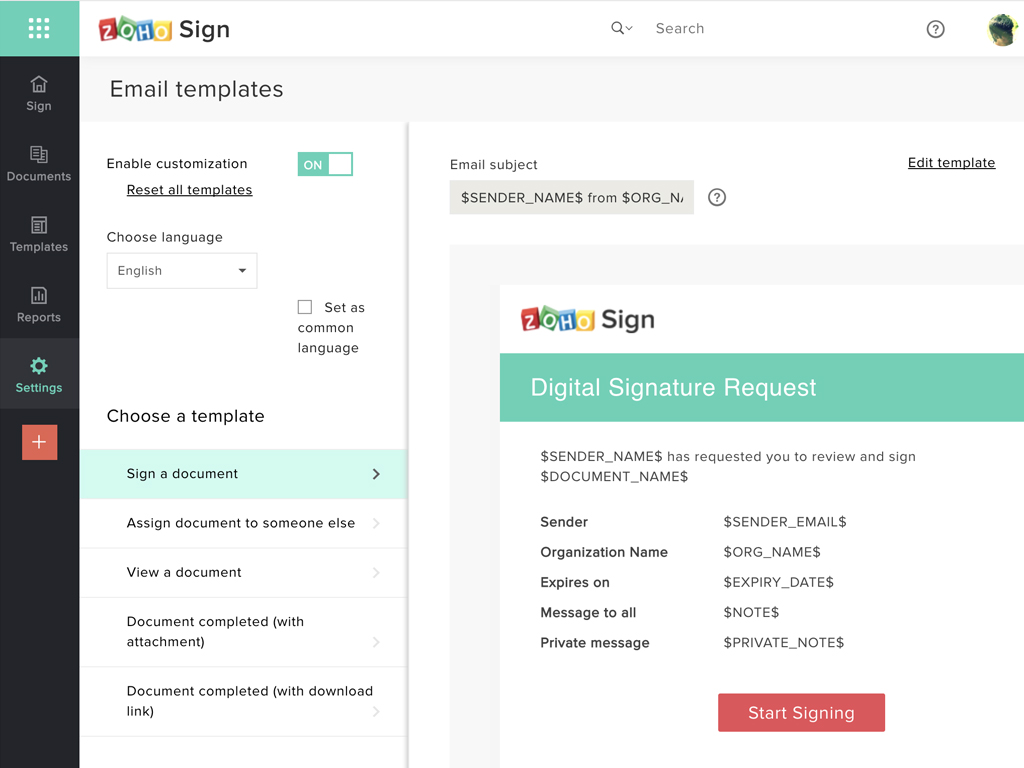
    Screenshot of Zoho Sign DashboardScreenshot of Sending documents for signatures using templatesScreenshot of All document sent using Zoho SignScreenshot of Rebranding email templates sent from Zoho Sign