CMW Platform vs. DocuWare

Overview
ProductRatingMost Used ByProduct SummaryStarting Price
CMW Platform
Score 8.9 out of 10
Mid-Size Companies (51-1,000 employees)
CMW Platform (formerly Comindware) is a business process management software centered on worklows to build automations. It implements a drag-and-drop interface along with Excel-style rules and forms.N/A
DocuWare
Score 9.2 out of 10
N/A
DocuWare’s document management software delivers digital workflow and document control to boost productivity without the need for IT resources. Its cloud and on-premises products are presented as a best-fit solution for companies seeking to digitize, automate and transform key processes. DocuWare is headquartered in New Windsor, NY, and their solution is presented as a DCM, or lightweight ECM.
$300
per month
Pricing
CMW PlatformDocuWare
Editions & Modules
No answers on this topic
Base
$300
per month
Enterprise
1,500
per month
Pro
Contact sales team
Large Enterpriser
Contact sales team
Offerings
Pricing Offerings
CMW PlatformDocuWare
Free Trial
YesYes
Free/Freemium Version
NoNo
Premium Consulting/Integration Services
NoNo
Entry-level Setup FeeOptionalNo setup fee
Additional DetailsComindware Tracker is available for purchase on a per-user subscription plan.
More Pricing Information
Community Pulse
CMW PlatformDocuWare
Best Alternatives
CMW PlatformDocuWare
Small Businesses
Stackby
Stackby
Score 9.0 out of 10
Square 9 Softworks
Square 9 Softworks
Score 9.5 out of 10
Medium-sized Companies
Creatio
Creatio
Score 9.7 out of 10
MSB Docs
MSB Docs
Score 9.4 out of 10
Enterprises
Creatio
Creatio
Score 9.7 out of 10
M‑Files
M‑Files
Score 8.9 out of 10
All AlternativesView all alternativesView all alternatives
User Ratings
CMW PlatformDocuWare
Likelihood to Recommend
8.0
(0 ratings)
9.0
(0 ratings)
Likelihood to Renew
9.1
(0 ratings)
9.0
(0 ratings)
Usability
7.5
(0 ratings)
7.0
(0 ratings)
Support Rating
8.5
(0 ratings)
9.0
(0 ratings)
User Testimonials
CMW PlatformDocuWare
Likelihood to Recommend
CMW has less integration capabilities, this is something that can definitely be improved in the future. On a side note, the MS Outlook integration option is excellent. The UI is decent for its purpose and the platform is well suited for a range of business requirements - customer order management, document tracking and approval management. You name it, they have it.
Read full review
We can use Docuware Cloud as a checks and balances program for our application processing in our data department. This is a time saver and allows us to access information at our multiple locations, as well as we have clients in various states. We can assign documents to others throughout the processing of applications, and this has allowed us to keep better track of our documentation with clients.
Read full review
Pros
  • Flexibility in our workflow automation. It’s easy to modify the existing processes when the need arises
  • Web forms creation without a single line of code
  • The parallel approval mechanism allows sending work items to a group rather than a single person
Read full review
  • Control of the flow of online processes
  • Automation of the company processes
  • Online forms and digitization of processing documents
Read full review
Cons
  • I would like to see Comindware Tracker come in a free pricing tier.
  • I would like to see Comindware Tracker offer more granular roles to be assigned to workflow users.
  • I would like to see Comindware Tracker integrate with more ERP systems and to offer more import/export/migration capabilities from other workflow management systems.
Read full review
  • No active directory integration, this doubles up user management.
  • No Outlook integration. Would be nice to be able to interact with Docuware from email.
  • No mobile application. We have many remote users that would benefit from this.
Read full review
Likelihood to Renew
Very likely.
Read full review
Docuware has become a vital part of our organization.
Read full review
Usability
As I mentioned in my whole review that it is making opration smoother it's capabilities to automate repetitive tasks, reduce manual errors,and improve productivity.Its low code approach allows us to create business apps quickly and easily without requiring extensibe programming knowledge.although it has lots of positive points but there are some issues which is barrier to become perfect that's why I give 8
Read full review
Fairly intuitive for average users.
Read full review
Support Rating
It's more of drag and drop functionality. It is quite easy to set up. Creation of form is very easy. Support Team of Comindware Tracker is good and very friendly. It is efficient in terms of task management, project management, team management, vendor/client tracking.
Read full review
We use a third-party company to assist in the support process, and they have been great to work with. Quick turn around on issues and almost immediate communication concerning support tickets. They are more than willing to consult with our IT partners as well, which is a must for our business.
Read full review
Alternatives Considered
Other than trying Comindware Tracker it is newer to me, I have used Adobe software multiple times and are familiar with their products. I won't stack Comindware Tracker against them because they both are amazing. I like using Comindware tracker because it is easy to use and is great for me, it helps optimize and maintain my workflows.
Read full review
We actually moved from DocuWare to Plate IQ because Plate is restaurant specific and shares many item codes, SKU #'s, etc from major vendors. However, we continue to use DocuWare for other data management because it was so useful to us while we used it for AP.
Read full review
Return on Investment
  • Reducing time managing tasks and projects by automating workforce without involving manual procedures.
  • Sequential and parallel creation of process steps and multichannel models.
  • Drag and drop capability ease web form designs that are easy to export to MS Excel and Word.
Read full review
  • Purchasing approval control and monitoring. Allows us to keep tighter hold of the budget.
  • Had to spend considerably more than expected. We needed to hire a developer to build integrations.
Read full review
ScreenShots

CMW Platform Screenshots

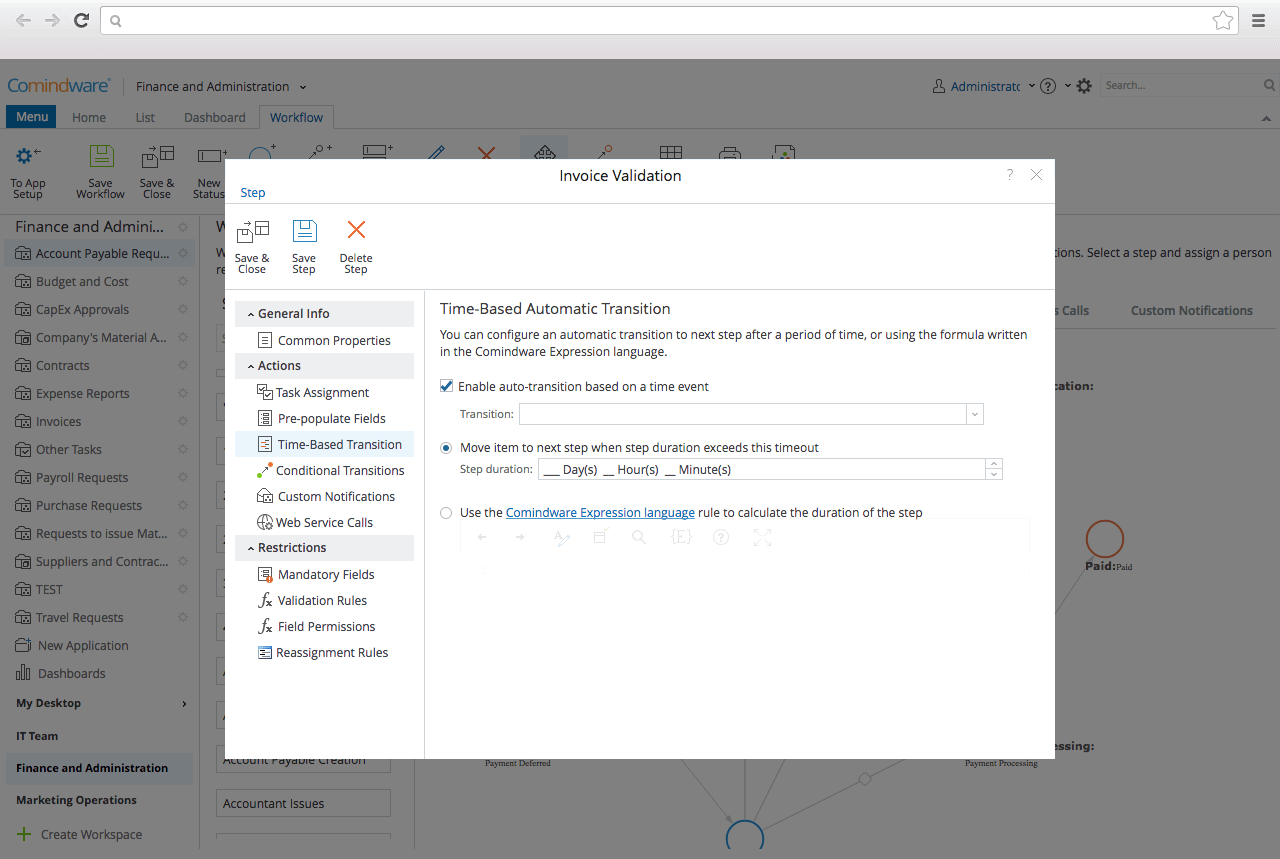
Screenshot of Graphical Workflow BuilderScreenshot of Drag'n'drop Web-form DesignerScreenshot of Collaboration toolsScreenshot of Workflow automationScreenshot of Workflow trackingScreenshot of Outlook intergration