CloudIO vs. IBM Turbonomic

Overview
ProductRatingMost Used ByProduct SummaryStarting Price
CloudIO
Score 0.0 out of 10
N/A
CloudIO, a Xoriant company, provides a common platform for producing and delivering enterprise applications, reports & dashboards that are actionable, real-time & collaborative across multiple devices. CloudIO gives business users a UX built for improved productivity by extending & consolidating existing legacy systems and business data from multiple sources together in one platform with a real-time connection.N/A
IBM Turbonomic
Score 9.2 out of 10
Enterprise companies (1,001+ employees)
IBM Turbonomic is a performance and cost optimization platform for public, private, and hybrid clouds used by cloud, infrastructure operations, and architecture to assure application performance while eliminating inefficiencies by dynamically resourcing applications through automated actions. One of the key features of IBM Turbonomic is its ability to continuously adjust application resources in real time. By monitoring resource utilization and application performance,…N/A
Pricing
CloudIOIBM Turbonomic
Editions & Modules
No answers on this topic
IBM® Turbonomic On-Prem
Varies - Request a Quote
per month IBM Turbonomic On-prem optimizes data center resources in real time, ensuring app performance at the lowest cost by aligning infrastructure supply with dynamic application demand.
IBM® Turbonomic Cloud Standard
Varies - Request a Quote
per month For customers with more than USD 1.6 million in annual cloud spend or 50 Managed Virtual Servers (MVS) or greater
IBM® Turbonomic Hybrid Standard
Varies - Request a Quote
per month Advanced hybrid cloud optimization capabilities for customers with 200 managed virtual servers (MVS) or more
Offerings
Pricing Offerings
CloudIOIBM Turbonomic
Free Trial
NoYes
Free/Freemium Version
NoNo
Premium Consulting/Integration Services
NoNo
Entry-level Setup FeeNo setup feeOptional
Additional DetailsVolume discounting available.
More Pricing Information
Features
CloudIOIBM Turbonomic
Cloud Management
Comparison of Cloud Management features of Product A and Product B
CloudIO
-
Ratings
IBM Turbonomic
6.8
Ratings
24% below category average
Cloud Management Security00 Ratings6.30 Ratings
Automation and Orchestration00 Ratings6.30 Ratings
Cost Management00 Ratings7.80 Ratings
Cloud Management Performance Monitoring00 Ratings7.20 Ratings
Governance and Compliance00 Ratings6.80 Ratings
Resource Management00 Ratings7.30 Ratings
Systems Integration00 Ratings5.70 Ratings
User Ratings
CloudIOIBM Turbonomic
Likelihood to Recommend
-
(0 ratings)
7.9
(0 ratings)
Likelihood to Renew
-
(0 ratings)
9.0
(0 ratings)
Usability
-
(0 ratings)
8.0
(0 ratings)
Availability
-
(0 ratings)
10.0
(0 ratings)
Performance
-
(0 ratings)
8.0
(0 ratings)
Support Rating
-
(0 ratings)
8.0
(0 ratings)
In-Person Training
-
(0 ratings)
8.2
(0 ratings)
Online Training
-
(0 ratings)
10.0
(0 ratings)
Implementation Rating
-
(0 ratings)
9.7
(0 ratings)
Configurability
-
(0 ratings)
10.0
(0 ratings)
Ease of integration
-
(0 ratings)
8.0
(0 ratings)
Product Scalability
-
(0 ratings)
10.0
(0 ratings)
Vendor post-sale
-
(0 ratings)
10.0
(0 ratings)
Vendor pre-sale
-
(0 ratings)
10.0
(0 ratings)
User Testimonials
CloudIOIBM Turbonomic
Likelihood to Recommend
No answers on this topic
Measure the usage of resources across different platforms, from Kubernetes to VMs on-premises or in the cloud, to obtain current capacity metrics and plan for future scenarios. Reduce IT infrastructure costs by taking automated actions based on resource underutilization, such as shutting down VMs or changing resource definitions.
Read full review
Pros
No answers on this topic
  • Presentation is nice. Its easy to understand what your looking at and the data that is being presented to you.
  • Properly identify resource utilization and recommendations for action on how VMs can be improved and resources can be better utilized.
  • It was also able to tell us the same information and analysis for cloud resources. I was not expecting that.
Read full review
Cons
No answers on this topic
  • It would be nice if the UI included a break-down of features that are both licensed as well as un-licensed. That way, you could not only see what you have, but what you don't.
  • The right-sizing recommendations are great, but very little info is given about why the recommendation is being made. More info would not only increase understanding, but would also help drive decision-making.
Read full review
Likelihood to Renew
No answers on this topic
I have not found a better tool for capacity planning my VM environment than Turbonomic. If that is the use case, I would highly recommend. Similarly, if you are looking for automation and VM rightsizing automation I would also highly recommend. For troubleshooting scenarios where deep levels of infrastructure metrics are required, there are better tools available.
Read full review
Usability
No answers on this topic
Excellent approach to larger VM organizational management. They have an very clean integrated dashboard that allows us to see everything in our environment and what that is doing in real-time. It works on multiple hyper-visors really well and integrates capacity planning on my local site as well as my cloud locations.
Read full review
Reliability and Availability
No answers on this topic
VMTurbo has not caused any outages by not doing what we expect it to do.
Read full review
Performance
No answers on this topic
It allocates resources among applications by showing more on the cost breakdown by cloud service, with metrics on cloud provider information like Azure Management, Identity, Networking, Storage with costs per day, and total services costs. This then could facilitate and show the corresponding actions thereafter upon scaling.
Read full review
Support Rating
No answers on this topic
Just this week we had an issue where security permissions we had done wrong were causing problems in VMTurbo Operations Manager. Despite this being our fault the service request was handled very quickly. In addition we are routinely contacted proactively to see if there is anything we need or they could do for us.
Read full review
In-Person Training
No answers on this topic
Alex (from VMTurbo) has worked with the product for years and helped develop the product. He was very knowledgeable and was able to provide our support team with details knowledge on how to get our deployment configured correctly as well as help with another VMTurbo POC within another customers environment.
Read full review
Online Training
No answers on this topic
After buying VMTurbo Operations Manager, I was invited to an online user training event. I felt this training was effective and dug just deep enough to be informative yet still keep my attention. Additionally, the webinar was free.
Read full review
Implementation Rating
No answers on this topic
VMTurbo was easy to setup and implement. Probably helped by the remote telephone support we received. It was a simple process and and fairly painless. More complex configuration was achieved via a webex session and the support was greatly appreciated
Read full review
Alternatives Considered
No answers on this topic
As the organization had experience of years in using IBM products, we had the confidence that they will provide us with great support. And we needed a reliable solution as a financial institute to ensure continuous operations. Even though the price was very high, we made the correct decision to go ahead with IBM Turbonomic as the feedback from existing users in the region was very positive. We needed a solution which was capable of handling our automation requirements. All these were green in IBM Turbonomic.
Read full review
Scalability
No answers on this topic
It’s very scalable.
Read full review
Return on Investment
No answers on this topic
  • Application performance has been a big one. With Turbonomic keeping everything running at top performance, it can make changes when extra resources are need, quicker than somebody being notified and then making the necessary changes.
  • Turbonomic has been a great cost savings for us on multiple occasions. We use it every time we are improving servers.
  • With the planning feature we get the best performance form new hardware purchases
Read full review
ScreenShots

IBM Turbonomic Screenshots

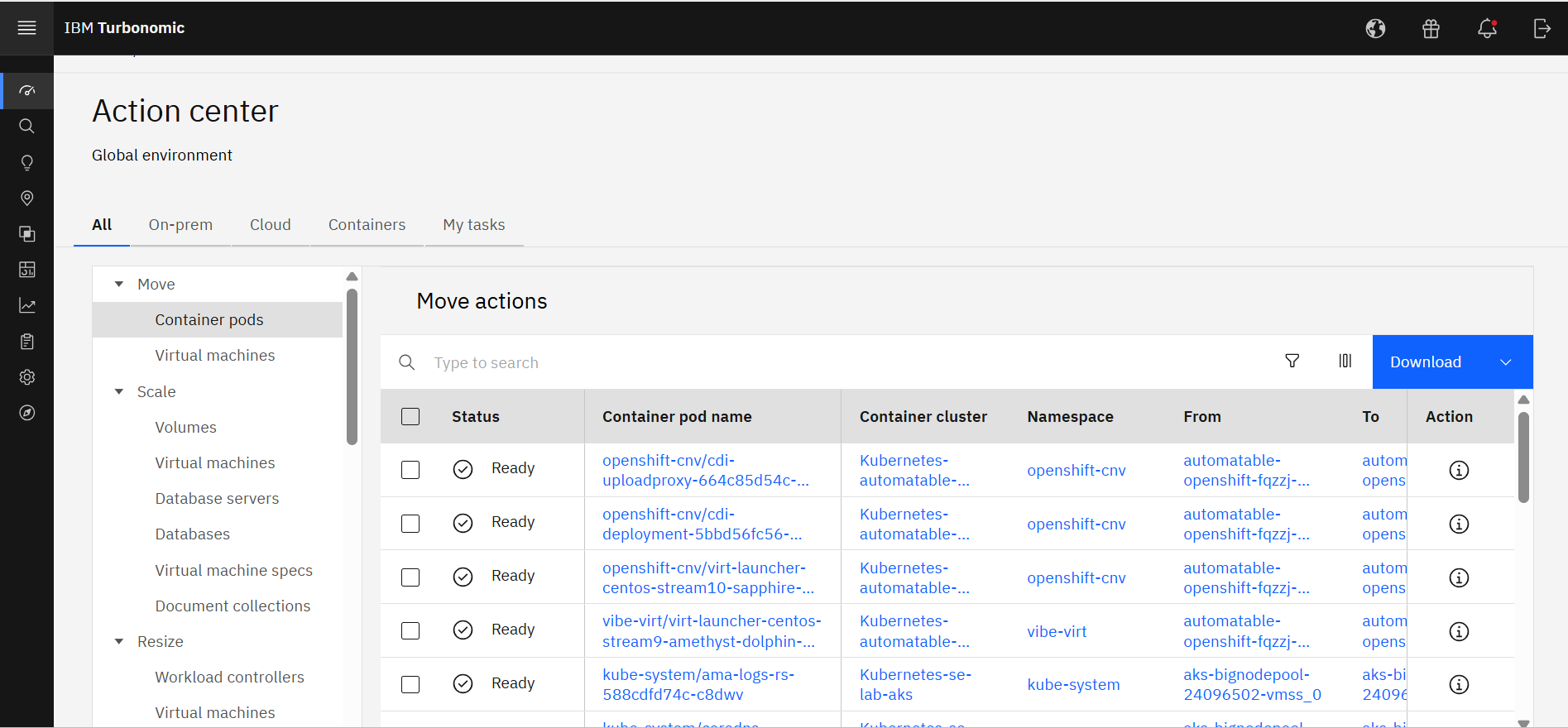
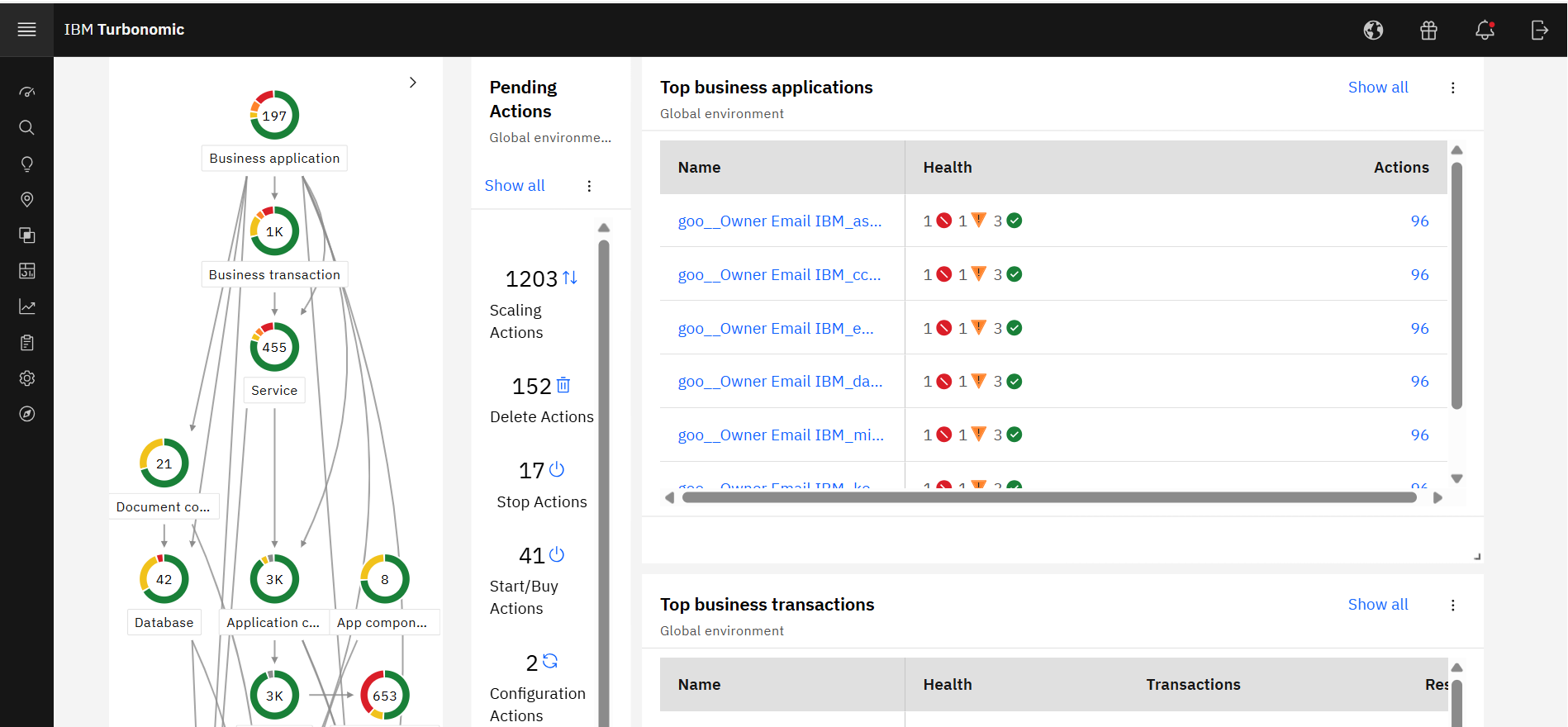
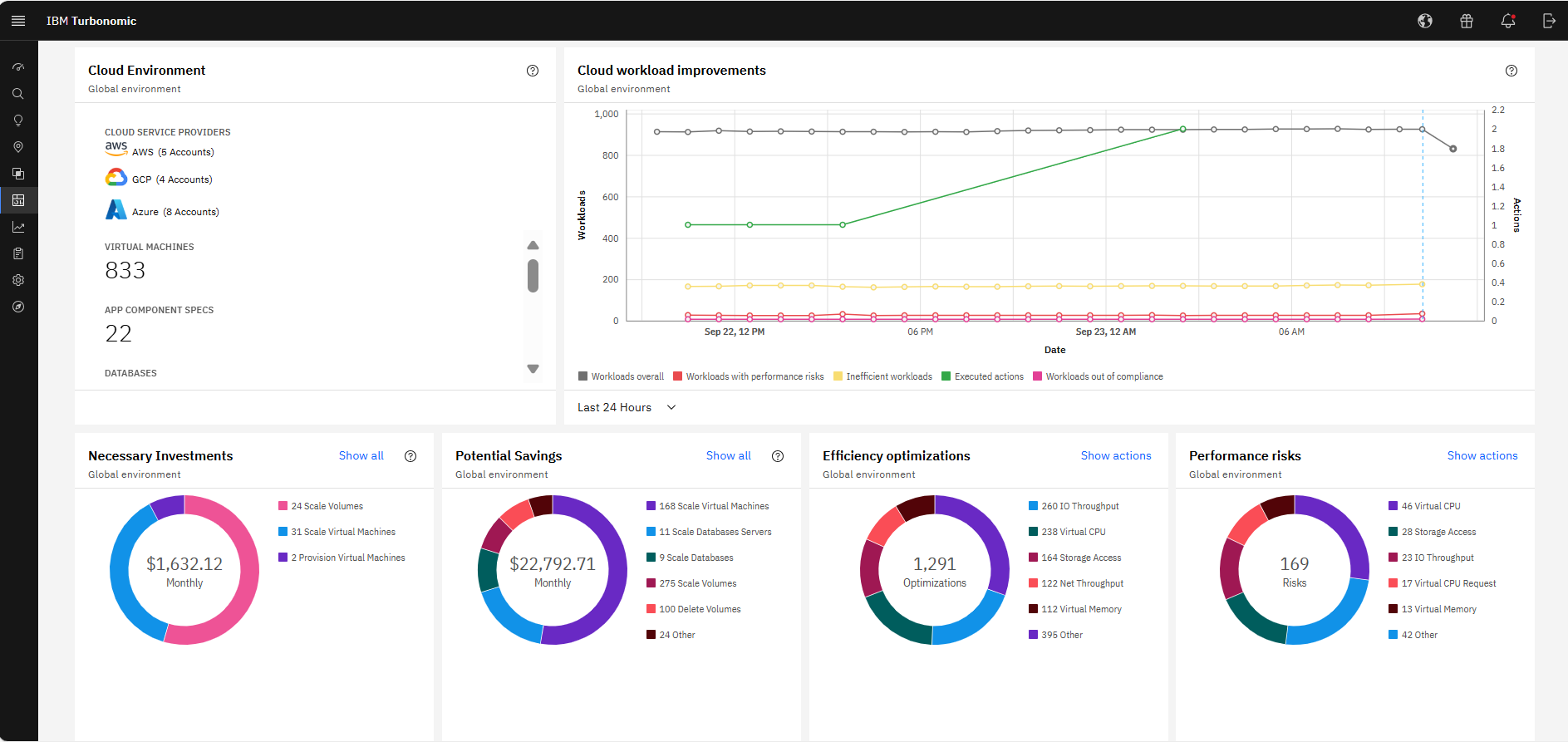
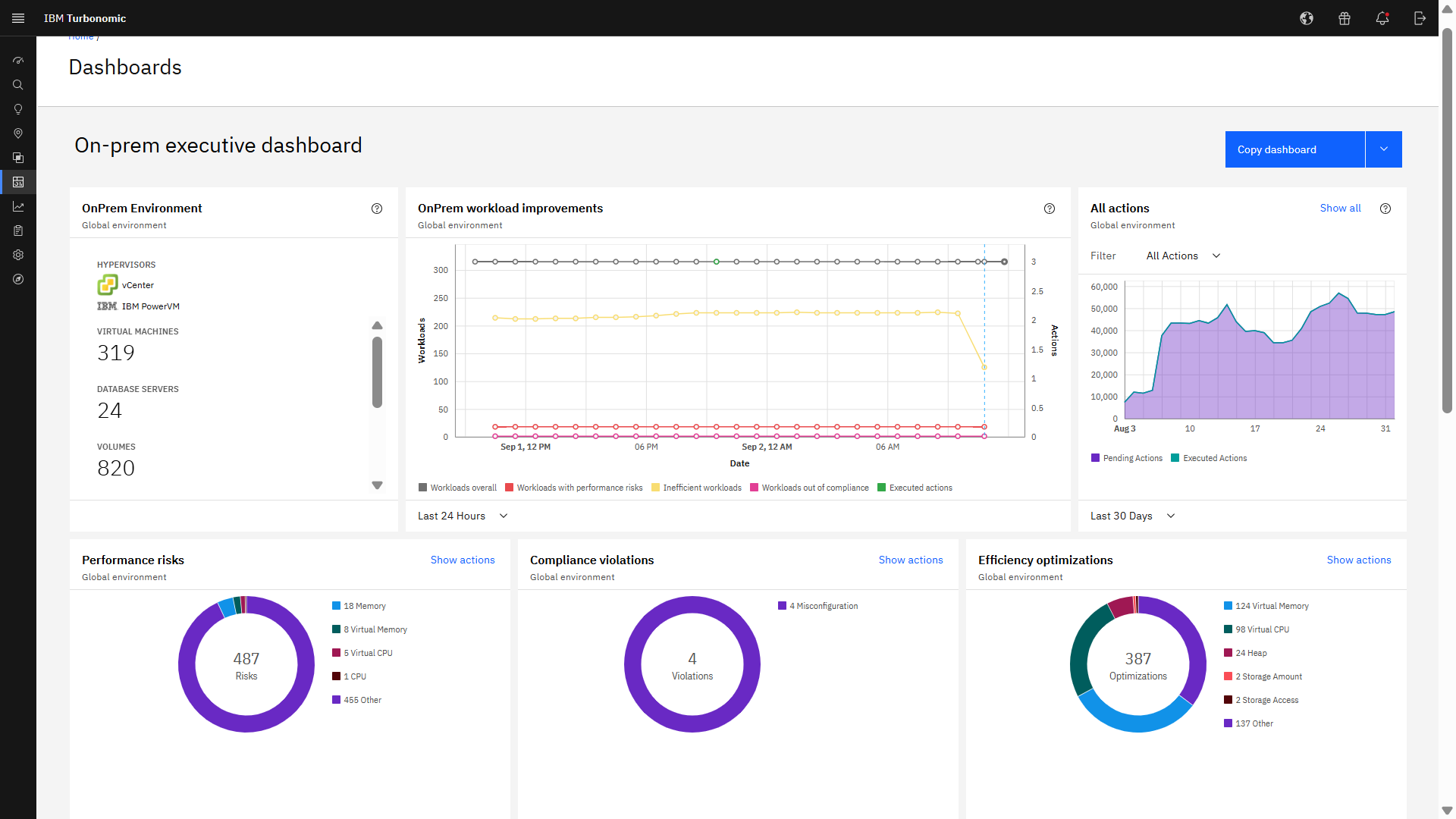
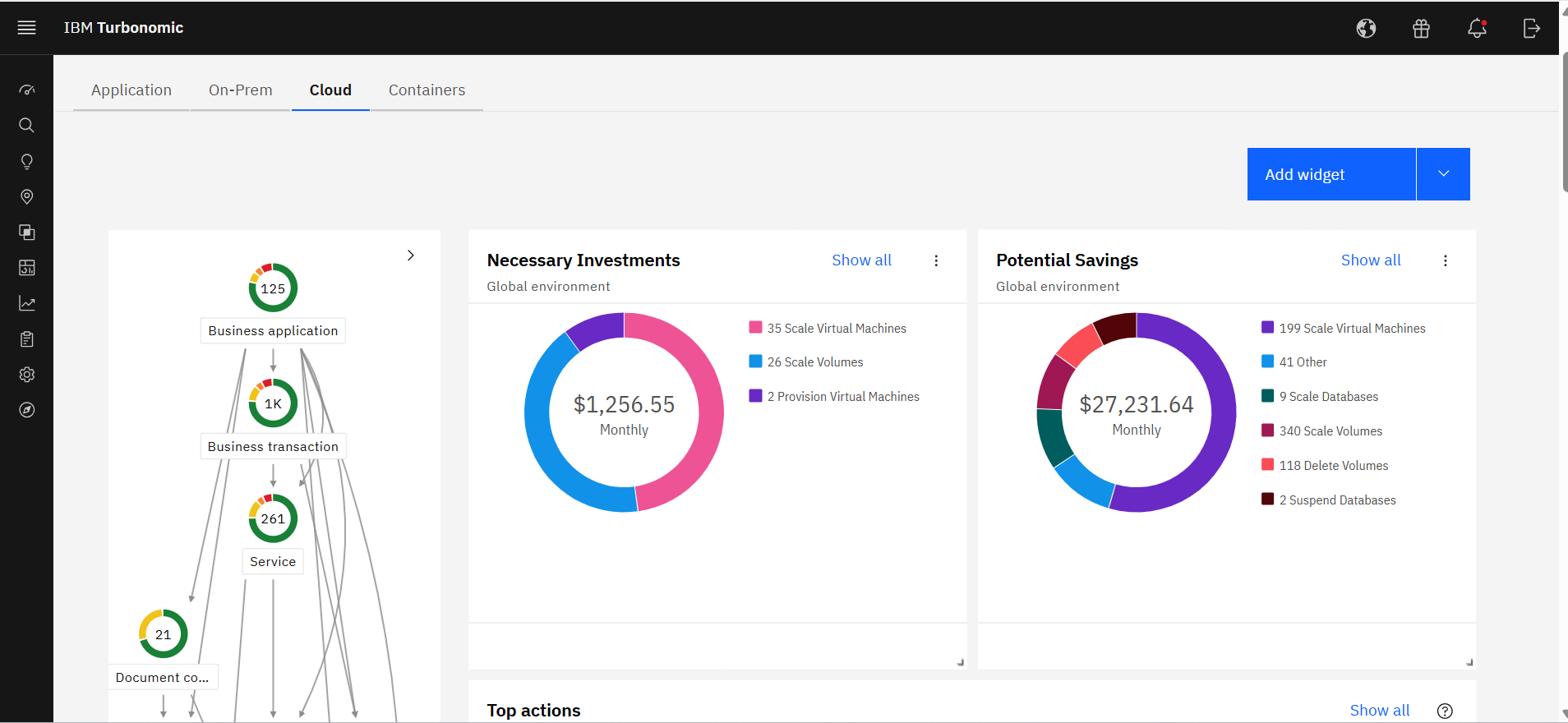
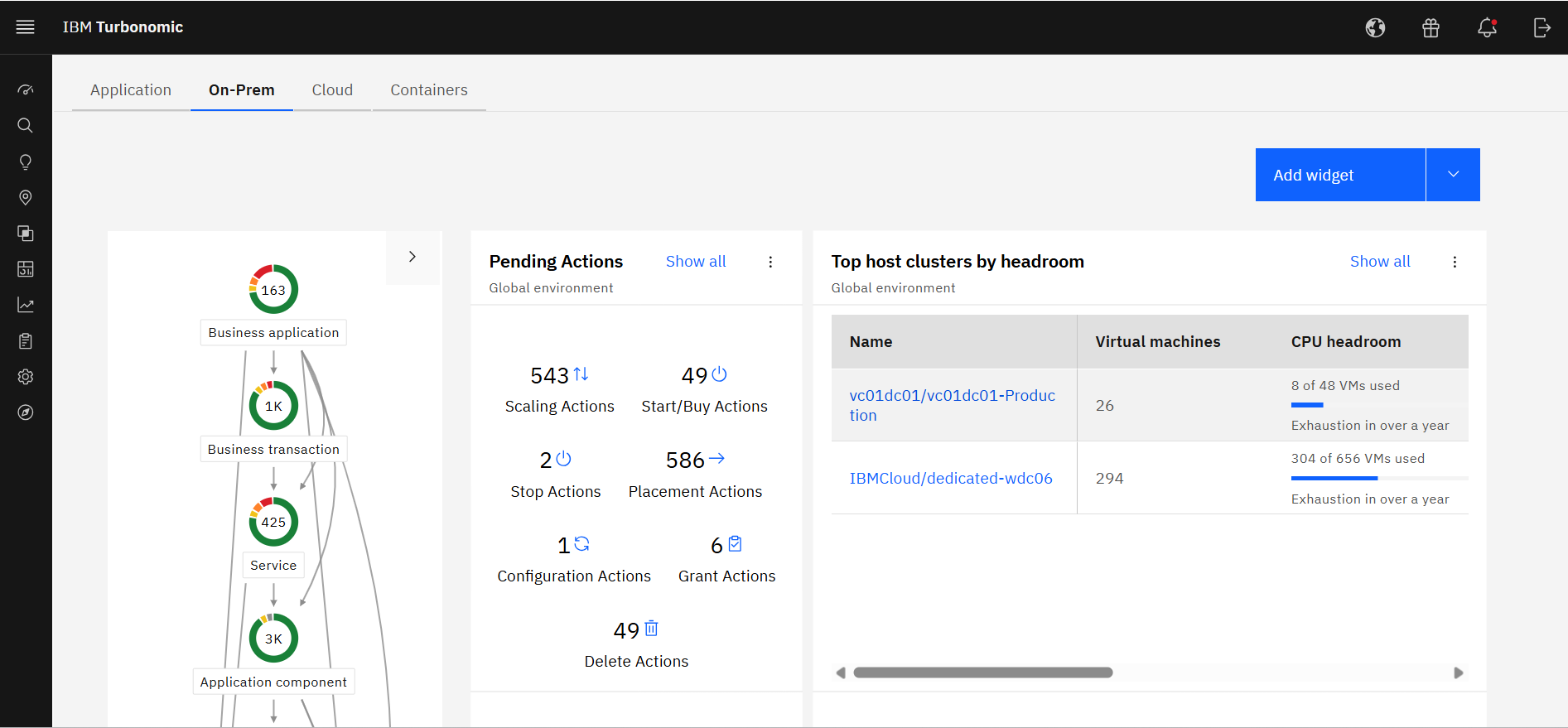
Screenshot of IBM Turbonomic Action Center, where it shows the list of optimization actions across the global environment—on-prem and cloud—that should be taken to minimize cost while assuring performance.Screenshot of IBM Turbonomic Application, a view that shows the global environment across private and public infrastructure from the context of individual application components. Users can optimize one application at a time by viewing each app's pending actions. The Supply Chain at left shows all of the entities across applications and their interdependencies.Screenshot of The IBM Turbonomic Cloud Executive Dashboard, an out of the box dashboard that allow users to rapidly communicate value to executives. This view shows the cloud cost savings opportunities realized and not yet realized over any time period.Screenshot of The IBM Turbonomic On-prem Executive Dashboard, an out of the box dashboard that allow users to rapidly communicate value to executives. This view shows the savings opportunities realized and not yet realized over any time period.Screenshot of an IBM Turbonomic Cloud view, where the public cloud environment(s) and all of the pending actions required to bring them into an efficient, performant state. The Supply Chain at left shows all of the entities in the public cloud(s) and their interdependencies.Screenshot of The IBM Turbonomic On-Prem view that shows the user's private data center environment(s) and all of the pending actions required to bring them into an efficient, performant state. The Supply Chain at left shows all of the entities in data center(s) and the interdependencies between them.