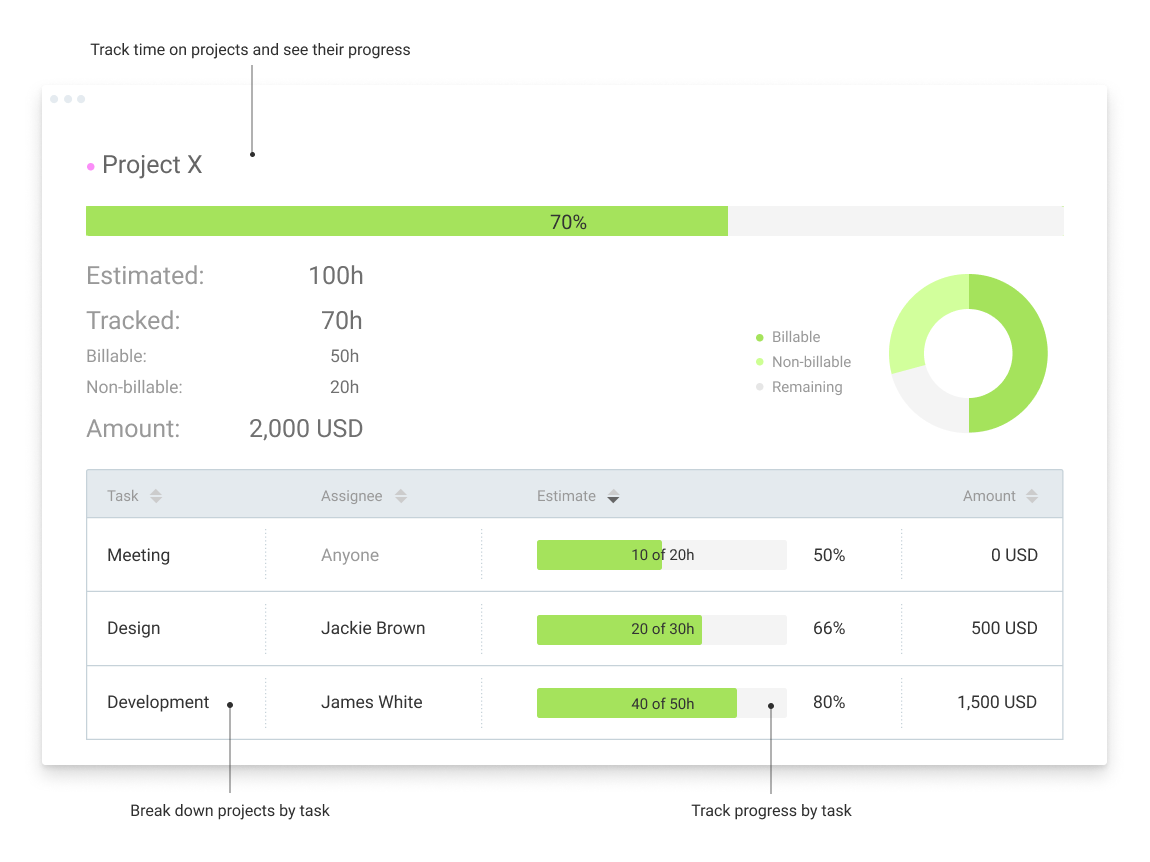
Clockify, from COING in Palo Alto, is a time tracker and employee timesheet software for teams of all sizes. Clockify lets users track how much time is spent working on tasks, as well as keep track of employee timesheets and billable hours, project completion, reports, and schedules.
$0
forever, unlimited everything
Zoho Invoice
Score8.8 out of 10
N/A
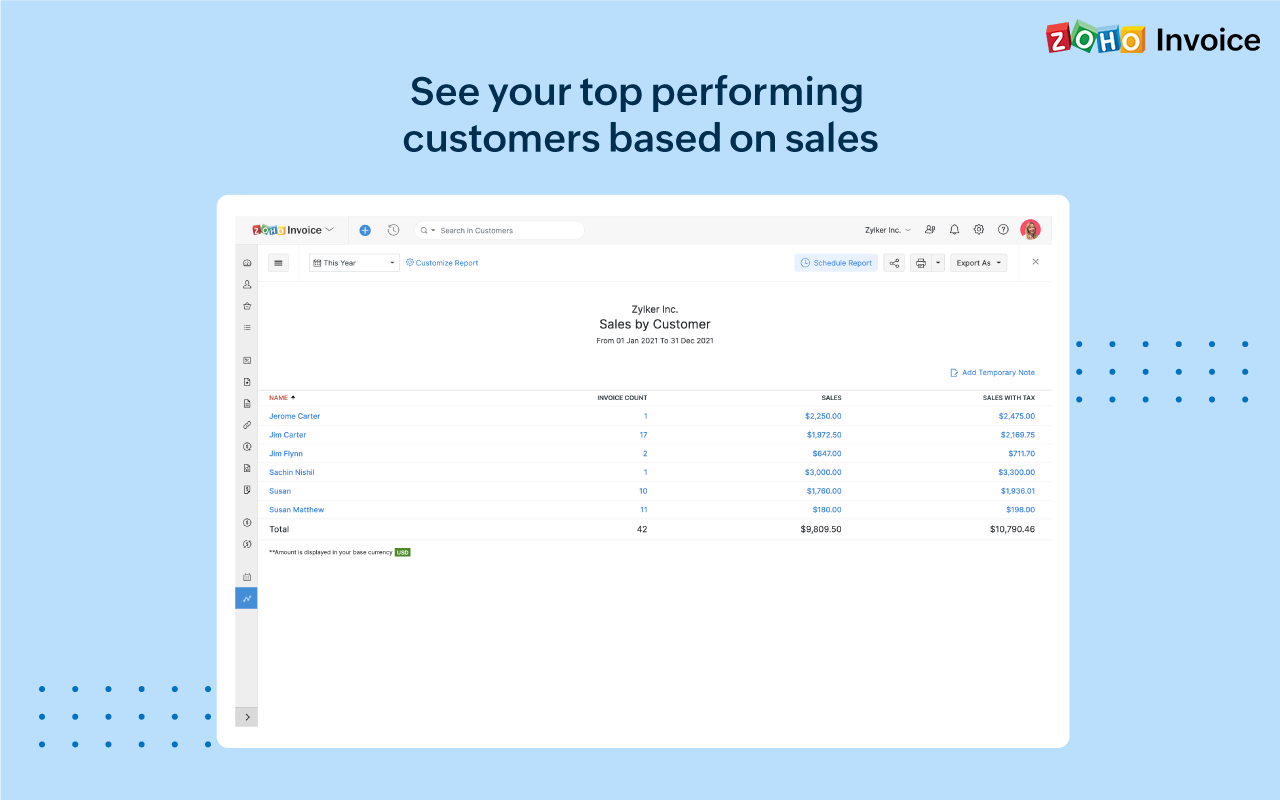
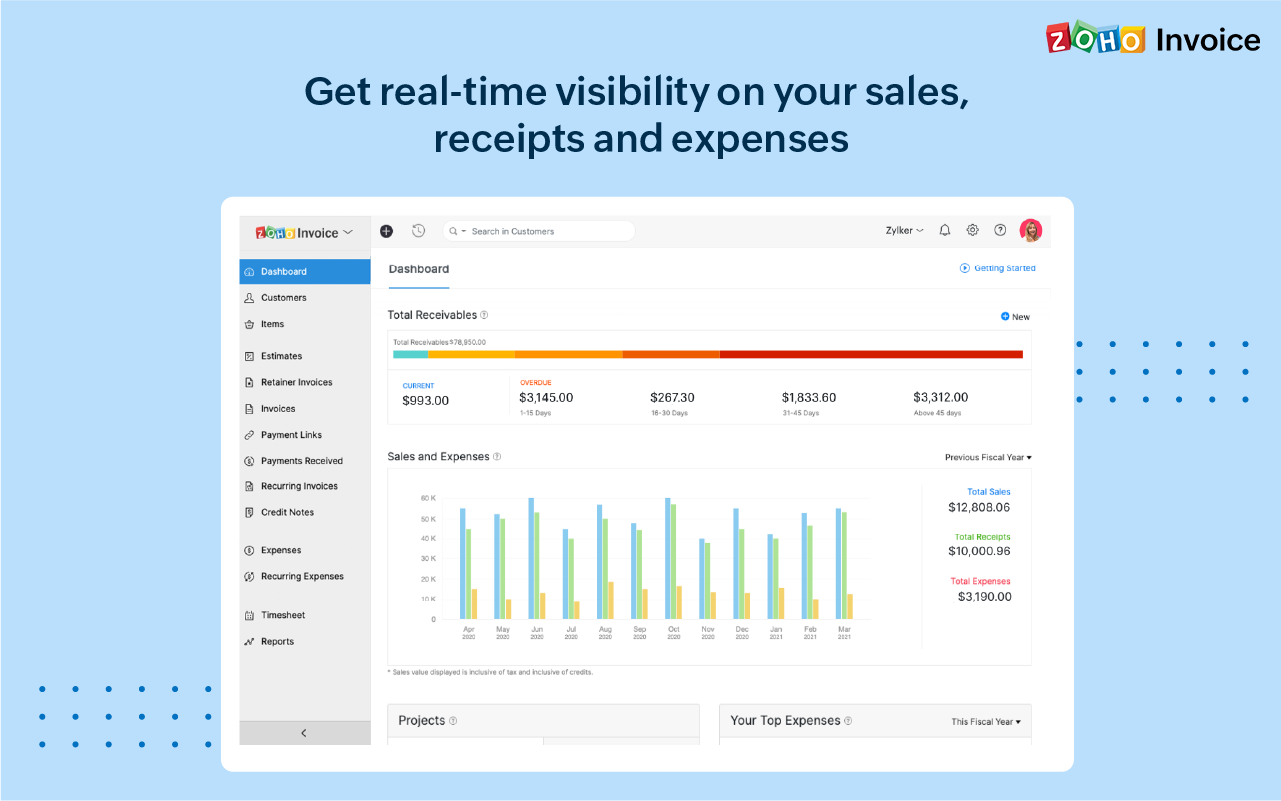
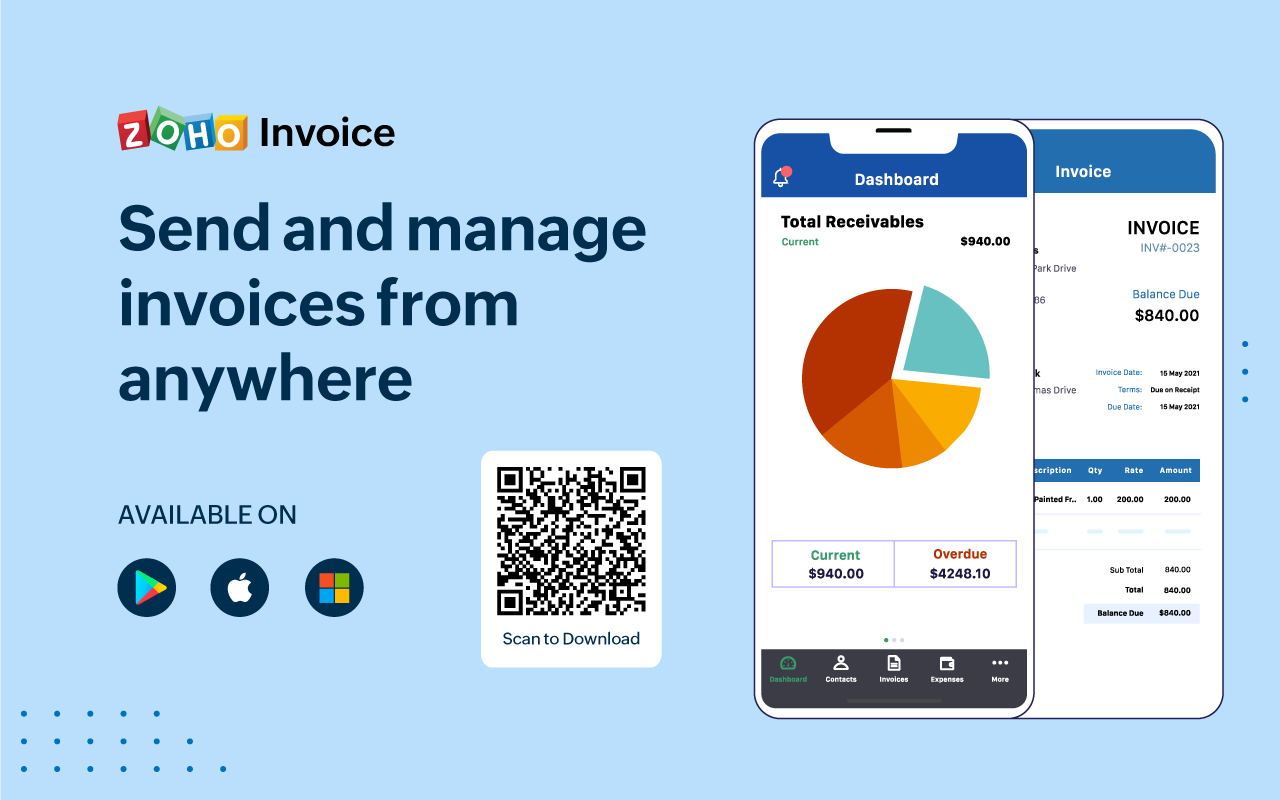
Zoho Invoice is a cloud-based invoicing solution designed to help small businesses with invoicing, tracking expenses, and accepting online payments. Key features include project billing, time tracking, reporting, customizable templates, and a client portaI. Teams using Zoho Invoice can track estimates, convert them to invoices, and send reminders to clients to complete their outstanding payments. Additionally, users can create tasks, collect advance payments for projects, and keep…
$0
Per Organisation, Per Month
Pricing
Clockify
Zoho Invoice
Editions & Modules
Clockify Free
$0
forever, unlimited everything
Clockify Plus
$9.99
per month, per workspace
Clockify Enterprise
$9.99
per month, per user, per workspace
Clockify Premium
$29.99
per month, per workspace
Clockify Server
Starts at 450
Free
$0
Per Organisation, Per Month
Offerings
Pricing Offerings
Clockify
Zoho Invoice
Free Trial
Yes
No
Free/Freemium Version
Yes
Yes
Premium Consulting/Integration Services
Yes
No
Entry-level Setup Fee
Optional
Required
Additional Details
Unlimited usage and number of users for free. Paid plans are solely for access to additional features. Self-hosting software on own servers available.
Zoho Invoice is a completely free product. It has no contracts, no ads, and no hidden fees
I would recommend this for someone who is a freelancer with multiple clients, but would not recommend to a company who has multiple employees doing the same job every single day. It'd be easier to have them clock in on one platform, like Square, for example, which automatically can take out taxes (for W9 employees)
A de minimis incentive was given to thank the reviewer for their time. The incentive was not used to bias or drive a particular response, nor was the incentive contingent on a positive endorsement. More Info
Zoho Invoice streamlines invoicing, payments, and customer interactions, improving financial health and saving time, money, and energy. It ensures billing accuracy, reduces errors, and streamlines client billing by tracking goals and streamlining invoice generation. Zoho Invoice focuses on automation and invocation management to efficiently complete multiple tasks. Zoho Invoice has all the features needed for an invoicing system, but it could be better at integrating with other CRM platforms and simplifying taxation.
Clockify records exact times on a per project basis when you click Start/Stop.
User interface is very easy. It is easy to add a project on the fly, change the times I just recorded if I forgot to click Stop for example. The interface is intuitive and gives me the flexibility I need.
Reporting gives me everything I need from times, hours per project, billable or not, per client and any tags I've created. This provides enough flexibility for many different use cases.
A de minimis incentive was given to thank the reviewer for their time. The incentive was not used to bias or drive a particular response, nor was the incentive contingent on a positive endorsement. More Info
A de minimis incentive was given to thank the reviewer for their time. The incentive was not used to bias or drive a particular response, nor was the incentive contingent on a positive endorsement. More Info
Personally, I don't like the Windows app. It isn't as fast to respond to the Start/Stop button clicks so I found myself hesitating on changing screens for example. I didn't like having to think about if I should check if it is recording time or not. I use the web page and it is fast and accurate.
I could see people wanting a small separate browser window to keep the Start/Stop button. It looks best in the browser in nearly a full-size screen. It could look nicer/easier to use when shrunk to a smaller browser screen size. The ease of use for me and ability to add in a detailed description for a specific time period I just worked or am working on overrides the browser screen size. It is just a personal preference.
A de minimis incentive was given to thank the reviewer for their time. The incentive was not used to bias or drive a particular response, nor was the incentive contingent on a positive endorsement. More Info
Time tracking, though easy enough, could be simplified. Having the ability to change default settings when entering time could save a few keystrokes.
The ability to automatically take unbilled hours and pull into a new invoice seems to be there, but it is a bit cumbersome. It also defaults to too much detail. Having the ability to customize would be great.
The ability to auto-BCC yourself on all invoices sent out would be a nice feature.
A de minimis incentive was given to thank the reviewer for their time. The incentive was not used to bias or drive a particular response, nor was the incentive contingent on a positive endorsement. More Info
I'm using the free version at the moment and loving it. What a great product, easy, responsive and has better up time than Yahoo Mail. :) What isn't there to like?
A de minimis incentive was given to thank the reviewer for their time. The incentive was not used to bias or drive a particular response, nor was the incentive contingent on a positive endorsement. More Info
I can use it effectively on day 1. Day 3 I added more options and back-filled my previous time tracking. I saw how to add Projects and clients and found a way that works well for me. I ran a report for the 3 days I was using it and extrapolated how it would work after 6 months. I saw benefits to being able to search anything, and run reports using several filters including user defined tags, clients, projects
A de minimis incentive was given to thank the reviewer for their time. The incentive was not used to bias or drive a particular response, nor was the incentive contingent on a positive endorsement. More Info
Zoho invoice has changed my expectations of what services like this can be. Providing something as simple as invoicing for small businesses who are struggling to find places to cut costs at such a reasonable rate is life-changing for some businesses. I know it was for mine. We saved so much that we did not have to cut in other areas. That has helped to keep us in business and grow it as well.
A de minimis incentive was given to thank the reviewer for their time. The incentive was not used to bias or drive a particular response, nor was the incentive contingent on a positive endorsement. More Info
I have never had an issue logging in or it not being available. I use Clockify every work day during the week, frequently starting/stopping projects. I've had past experience with other systems that suddenly aren't usable for an hour and that is something I have never experienced with Clockify. They are doing something right on their backend. Nice job, Clockify folks
A de minimis incentive was given to thank the reviewer for their time. The incentive was not used to bias or drive a particular response, nor was the incentive contingent on a positive endorsement. More Info
I already mentioned how it feels light across the wire. Pages load fast in the web browser. I have not tried the browser plug-in nor the mobile app. I give it a 9 instead of 10 as the desktop app seemed to hesitate when I clicked the start/stop of a project/task
A de minimis incentive was given to thank the reviewer for their time. The incentive was not used to bias or drive a particular response, nor was the incentive contingent on a positive endorsement. More Info
I dealt very little with customer support because Clockify is so easy to use. That being said, the few times I did, I got fast responses and any issues that I did have were solved in a very fast manner.
A de minimis incentive was given to thank the reviewer for their time. The incentive was not used to bias or drive a particular response, nor was the incentive contingent on a positive endorsement. More Info
Harvest is very similar to Clockify. The only difference is that Harvest also has an invoicing and billing system built into it. So if you're billing your clients based off of time directly, Harvest may be a better option as far as that goes. Of course, Harvest only has minimum billing increments of 6 or 10 minutes, there is no 10-minute option so that's something where Clockify has them beat. They are both very easy to use.
A de minimis incentive was given to thank the reviewer for their time. The incentive was not used to bias or drive a particular response, nor was the incentive contingent on a positive endorsement. More Info
Google Drive stored my invoices in one accessible location but required more time and maintenance. I didn't want to invest the time into building out sheet functions to carry over figures across sheets, so I researched invoicing options. I am already a fan of Zoho services, so it was an easy decision to try out their Invoicing site. Same login, the same level of support, free trial. No risk! I was pleased to find the solution on my first try.
A de minimis incentive was given to thank the reviewer for their time. The incentive was not used to bias or drive a particular response, nor was the incentive contingent on a positive endorsement. More Info
Because it feels light on the wire and runs so smoothly with great up-time. I have to assume that the same is true as it scales. I'm a single user so maybe I don't see if there are any scalability issues. With the way it seems architected to run so quickly across many platforms (desktop, mobile, web, browser plug-in), I have to think that it is using recent technology that provides scalability options
A de minimis incentive was given to thank the reviewer for their time. The incentive was not used to bias or drive a particular response, nor was the incentive contingent on a positive endorsement. More Info
The free plan really did everything we needed for the 6 months or so we used it. Without Clockify, we would have had to pay roughly $40+/month for a software tool.
When we upgraded to the paid version, it was still only $10/month and helped us be able to have minimum billing increments which is a huge monetary increase.
A de minimis incentive was given to thank the reviewer for their time. The incentive was not used to bias or drive a particular response, nor was the incentive contingent on a positive endorsement. More Info
Zoho Invoice has created a positive impact by allowing us to successfully organize and track online payments and invoices.
Zoho Invoice has saved us both time and money by making our invoicing business processes automatic and effortless.
Zoho Invoice has created a positive return on our investment many times over. It's increased business functions to help generate more profits in shorter periods of time.
A de minimis incentive was given to thank the reviewer for their time. The incentive was not used to bias or drive a particular response, nor was the incentive contingent on a positive endorsement. More Info