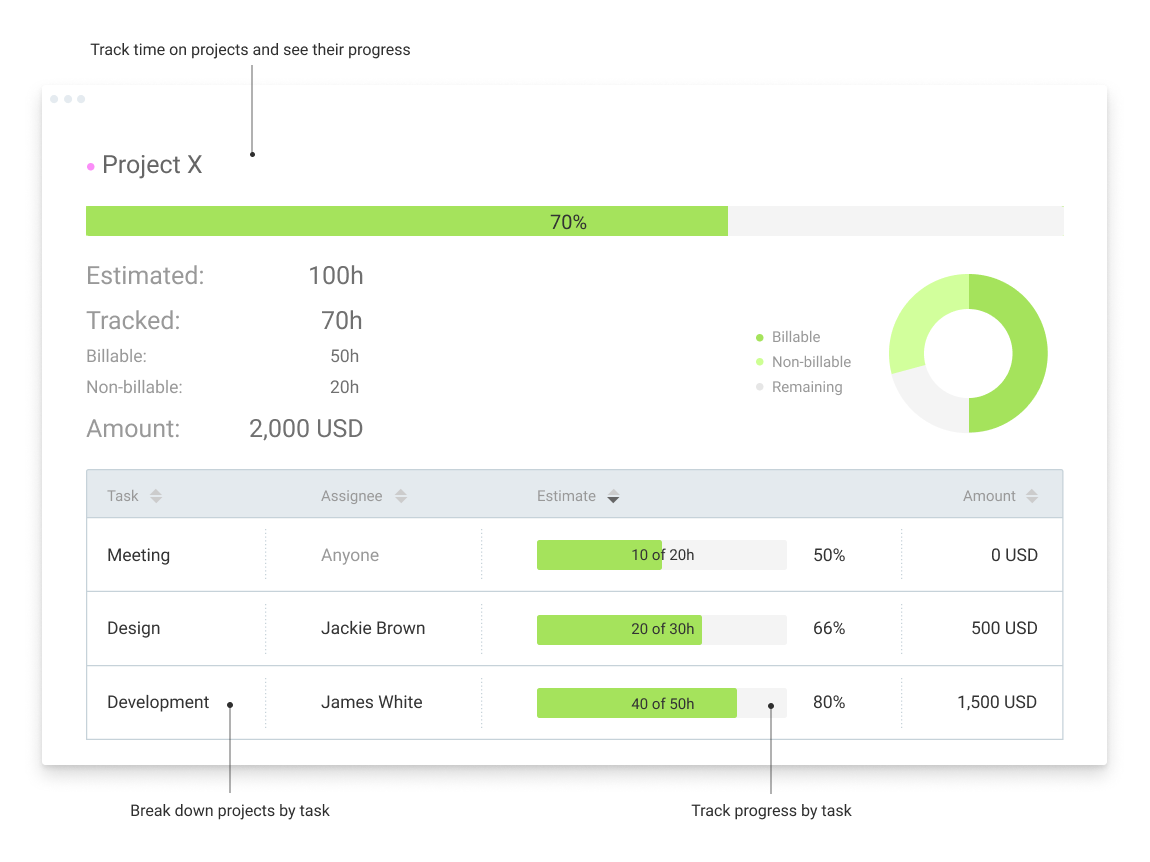
Clockify, from COING in Palo Alto, is a time tracker and employee timesheet software for teams of all sizes. Clockify lets users track how much time is spent working on tasks, as well as keep track of employee timesheets and billable hours, project completion, reports, and schedules.
$0
forever, unlimited everything
Unanet ERP GovCon
Score 9.2 out of 10
Mid-Size Companies (51-1,000 employees)
Unanet ERP GovCon is software for government contractors offered on-premise or in the cloud. Features include resource planning, skills management, budgeting, forecasting, time tracking, expense reporting, billing, revenue recognition, and project status and performance reporting.
N/A
Pricing
Clockify
Unanet ERP GovCon
Editions & Modules
Clockify Free
$0
forever, unlimited everything
Clockify Plus
$9.99
per month, per workspace
Clockify Enterprise
$9.99
per month, per user, per workspace
Clockify Premium
$29.99
per month, per workspace
Clockify Server
Starts at 450
No answers on this topic
Offerings
Pricing Offerings
Clockify
Unanet ERP GovCon
Free Trial
Yes
Yes
Free/Freemium Version
Yes
No
Premium Consulting/Integration Services
No
No
Entry-level Setup Fee
Optional
Required
Additional Details
Unlimited usage and number of users for free. Paid plans are solely for access to additional features. Self-hosting software on own servers available.
—
More Pricing Information
Community Pulse
Clockify
Unanet ERP GovCon
Features
Clockify
Unanet ERP GovCon
Project Management
Comparison of Project Management features of Product A and Product B
Clockify
-
Ratings
Unanet ERP GovCon
8.5
Ratings
11% above category average
Task Management
00 Ratings
7.30 Ratings
Resource Management
00 Ratings
7.30 Ratings
Gantt Charts
00 Ratings
8.00 Ratings
Scheduling
00 Ratings
8.20 Ratings
Workflow Automation
00 Ratings
7.30 Ratings
Team Collaboration
00 Ratings
8.40 Ratings
Support for Agile Methodology
00 Ratings
9.90 Ratings
Support for Waterfall Methodology
00 Ratings
10.00 Ratings
Document Management
00 Ratings
9.10 Ratings
Email integration
00 Ratings
8.20 Ratings
Mobile Access
00 Ratings
9.10 Ratings
Timesheet Tracking
00 Ratings
9.10 Ratings
Change request and Case Management
00 Ratings
9.10 Ratings
Budget and Expense Management
00 Ratings
8.60 Ratings
Professional Services Automation
Comparison of Professional Services Automation features of Product A and Product B
I would recommend this for someone who is a freelancer with multiple clients, but would not recommend to a company who has multiple employees doing the same job every single day. It'd be easier to have them clock in on one platform, like Square, for example, which automatically can take out taxes (for W9 employees)
As I said, Unanet is great for timekeeping and expense reporting. It's very easy to navigate and intuitive for my staff to use. On the other hand, reports are a challenge. The ones that are "canned" only come out as PDFs so I find I waste a lot of paper each month. Customized reports are better and come in Excel, but setting them up is not that easy. We've been working with Unanet just over a year. We went "live" effective 1/1/2017 and we're still avoiding the reporting functions even though that was one of the main reasons we purchased Unanet in the first place
Near real-time visibility into project financials. As soon as the employees save their time for the day, you can get a good measure of project financial performance. Work authorizations are embedded into Unanet so unintentional overruns are virtually eliminated.
Nice integration with the Joint Travel Regulations. It is easy to import the latest rate tables for both CONUS and OCONUS destinations.
Good customer support and highly responsive. Webinars on new features are free and broadcast on a regular basis. Feedback to suggestions for new features are addressed in a very timely fashion.
It is easy to structure Unanet to support DCAA practices to be able to get approval for cost plus jobs.
With exports to .csv files, it is easy to extract data for further analysis beyond the relatively rich built-in reporting features.
Personally, I don't like the Windows app. It isn't as fast to respond to the Start/Stop button clicks so I found myself hesitating on changing screens for example. I didn't like having to think about if I should check if it is recording time or not. I use the web page and it is fast and accurate.
I could see people wanting a small separate browser window to keep the Start/Stop button. It looks best in the browser in nearly a full-size screen. It could look nicer/easier to use when shrunk to a smaller browser screen size. The ease of use for me and ability to add in a detailed description for a specific time period I just worked or am working on overrides the browser screen size. It is just a personal preference.
I'm using the free version at the moment and loving it. What a great product, easy, responsive and has better up time than Yahoo Mail. :) What isn't there to like?
I can use it effectively on day 1. Day 3 I added more options and back-filled my previous time tracking. I saw how to add Projects and clients and found a way that works well for me. I ran a report for the 3 days I was using it and extrapolated how it would work after 6 months. I saw benefits to being able to search anything, and run reports using several filters including user defined tags, clients, projects
I have never had an issue logging in or it not being available. I use Clockify every work day during the week, frequently starting/stopping projects. I've had past experience with other systems that suddenly aren't usable for an hour and that is something I have never experienced with Clockify. They are doing something right on their backend. Nice job, Clockify folks
I already mentioned how it feels light across the wire. Pages load fast in the web browser. I have not tried the browser plug-in nor the mobile app. I give it a 9 instead of 10 as the desktop app seemed to hesitate when I clicked the start/stop of a project/task
I dealt very little with customer support because Clockify is so easy to use. That being said, the few times I did, I got fast responses and any issues that I did have were solved in a very fast manner.
Harvest is very similar to Clockify. The only difference is that Harvest also has an invoicing and billing system built into it. So if you're billing your clients based off of time directly, Harvest may be a better option as far as that goes. Of course, Harvest only has minimum billing increments of 6 or 10 minutes, there is no 10-minute option so that's something where Clockify has them beat. They are both very easy to use.
We were previously using Deltek GCS. Deltek stopped the support for this software so we were forced to change to a new product. We reviewed Costpoint, a Microsoft product and Unanet. We selected Unanet because it had all of the features we were looking for in a new software and it was very user-friendly.
Because it feels light on the wire and runs so smoothly with great up-time. I have to assume that the same is true as it scales. I'm a single user so maybe I don't see if there are any scalability issues. With the way it seems architected to run so quickly across many platforms (desktop, mobile, web, browser plug-in), I have to think that it is using recent technology that provides scalability options
The free plan really did everything we needed for the 6 months or so we used it. Without Clockify, we would have had to pay roughly $40+/month for a software tool.
When we upgraded to the paid version, it was still only $10/month and helped us be able to have minimum billing increments which is a huge monetary increase.
Unanet has had a very significant ROI on several fronts. Our payroll department spends much less time managing and processing time in general.
Unanet has allowed all of the project managers teams bill on a much more granular level which has saved significant time over the previous Excel based processes of gathering project level data.
Using Unanet companywide has also saved many hours of time that were previously spent translating data from other platforms, and consolidating data via Excel for reporting purposes. Using the same tool (Unanet) with the included reports has saved significant time and hassle which has had an enormous impact on the ROI of Unanet.