Clicktools is a cloud-based survey software. It enables business users to collect information through surveys, call scripts, and web forms; automatically centralize the data in CRM; and act on those insights to increase loyalty. The program is offered by Callidus Cloud, which in turn was acquired by SAP in 2017 when the companies formed a strategic partnership.
N/A
Quantum Workplace Engagement Surveys and Pulses
Score 9.2 out of 10
Mid-Size Companies (51-1,000 employees)
Quantum Workplace provides an all-in-one employee engagement software that makes managers the central drivers of workplace culture. Serving more than 8,700 organizations, Quantum Workplace’s technology gives team leaders direct access to employee feedback and personalized real-time insights, so they can make work better every day. The software includes surveys, goals, recognition, feedback, one-on-one, and alert features — providing a powerful solution for team engagement and continuous…
N/A
Pricing
Clicktools
Quantum Workplace Engagement Surveys and Pulses
Editions & Modules
No answers on this topic
No answers on this topic
Offerings
Pricing Offerings
Clicktools
Quantum Workplace Engagement Surveys and Pulses
Free Trial
Yes
Yes
Free/Freemium Version
No
No
Premium Consulting/Integration Services
No
No
Entry-level Setup Fee
No setup fee
Optional
Additional Details
—
—
More Pricing Information
Community Pulse
Clicktools
Quantum Workplace Engagement Surveys and Pulses
Features
Clicktools
Quantum Workplace Engagement Surveys and Pulses
Survey Format & Appearance
Comparison of Survey Format & Appearance features of Product A and Product B
Clicktools
8.3
Ratings
4% above category average
Quantum Workplace Engagement Surveys and Pulses
-
Ratings
Survey templates
7.00 Ratings
00 Ratings
Themes
8.90 Ratings
00 Ratings
Custom logo/branding
8.90 Ratings
00 Ratings
Survey Content
Comparison of Survey Content features of Product A and Product B
Clicktools
8.9
Ratings
4% above category average
Quantum Workplace Engagement Surveys and Pulses
-
Ratings
Changes to live survey
8.90 Ratings
00 Ratings
Question design help
8.90 Ratings
00 Ratings
Multiple question types
8.90 Ratings
00 Ratings
Survey Logic
Comparison of Survey Logic features of Product A and Product B
Clicktools
8.0
Ratings
3% below category average
Quantum Workplace Engagement Surveys and Pulses
-
Ratings
Survey logic flexibility
8.00 Ratings
00 Ratings
Survey Reporting & Analytics
Comparison of Survey Reporting & Analytics features of Product A and Product B
Clicktools
9.5
Ratings
15% above category average
Quantum Workplace Engagement Surveys and Pulses
-
Ratings
Response tracking
9.90 Ratings
00 Ratings
Data export
9.90 Ratings
00 Ratings
Standard reports
9.00 Ratings
00 Ratings
Custom reports
9.90 Ratings
00 Ratings
Analytics
9.00 Ratings
00 Ratings
Survey Administration & Security
Comparison of Survey Administration & Security features of Product A and Product B
Clicktools
8.9
Ratings
2% above category average
Quantum Workplace Engagement Surveys and Pulses
-
Ratings
Access controls
8.90 Ratings
00 Ratings
Compliance
9.00 Ratings
00 Ratings
Survey Distribution
Comparison of Survey Distribution features of Product A and Product B
For any organization that is using salesforce.com and needs to implement a survey system that directly ties back to their salesforce.com system I would highly recommend Clicktools. We tried building our own customer satisfaction survey and it was not worth the effort, especially as our questions are ever changing. The integration with the case module was easy to configure
I have used the surveys across a couple different organizations and they are easy to use regardless of the level of team member or level of education. Accessing the surveys is also very easy as many in our current organization use their cell phones for access. When I asked them for feedback on the survey, they stated it was very easy to do and did not take too much time to provide feedback.
Integration with SFDC: Makes it easy to trigger survey sends - and store survey results within SFDC - so that multiple departments and stakeholders can view results.
Hidden Questions - Since we are mostly surveying our customers, we use Clicktools Hidden question fields to improve the survey experience. This way we don't need to ask the person filling out the survey their name or company - but are still able to attach the survey to their profile within SFDC.
Ease of Use - Clicktools is a robust, yet easy to use software. As someone who manages a team of people that deploy Clicktools, I don't use the product everyday, but I have a very small learning curve when I do need to jump in and create a survey.
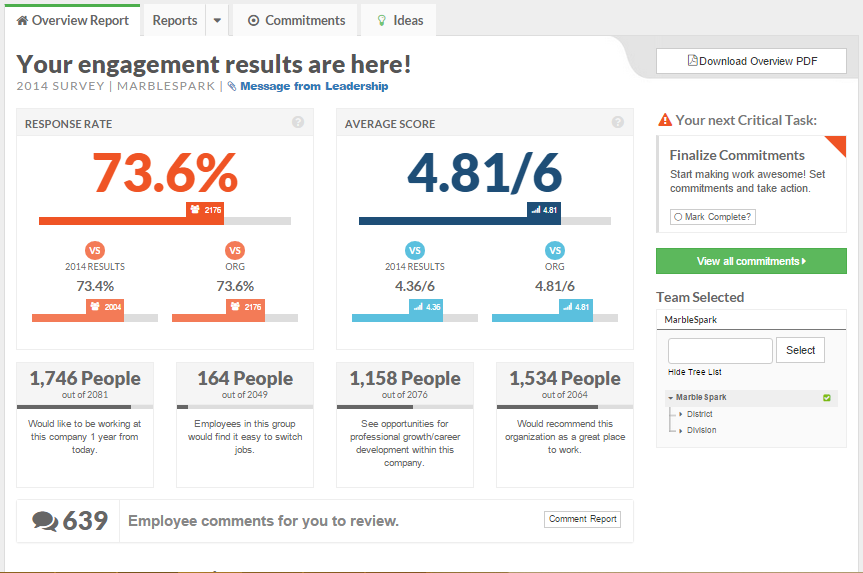
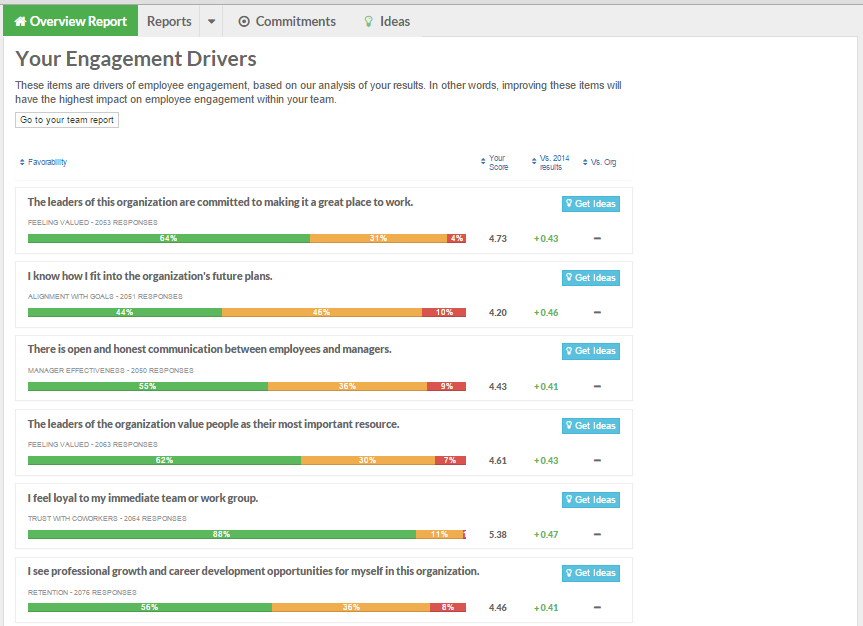
This tool allows us to drill down into departments to get an in-depth feel for the culture in each work group. This is all done while maintaining true anonymity for participants, which is always a staff fear.
Although we did not make good use of it, TeamPulse includes an online action planning tool that allows department management to work with their teams on the results, drill into the real meaning of those results on a department level, and jointly build action plans that can be tracked in the tool.
The analysis of the global results by the pros at Quantum Workplace produced an excellent executive overview of the results on an overall and department, job level, tenure and age basis. That analysis and the presentation delivered by Quantum Workplace was exactly what we needed for our leadership team that was new to the engagement survey game.
Possibly the best feature of Quantum Workplace's engagement survey tool is the statistically significant comparative data from other organizations of similar size, location, type of business, etc. The info has far more value when we are able to see where we stand in relation to other organizations, including some of Quantum Workplace's high performing participants.
Using conditional questions (if yes, then skip to question 5, if no, continue to question 2) can be tricky initially. And it can be really tricky once you have multiple conditions that send a person all over the place. Be sure to test repeatedly so that you know that your customers are getting to the questions they are supposed to be at and not being kicked out early. There are certain nuances you will pick up on over time that make conditional questions easier - BUT you can clone surveys, so build once and then work off your own template.
No matter how many questions types are available, inevitably you will find a question in which Clicktools does not have a type to support it. They do have quite a few options though... just wish their matrix option was more robust.
Not many template "themes" to pick from - surveys look very bland.
We are currently in the process of our survey with 4 days remaining. So far I have only had a positive experience. The only thing I wish is that I could have a better understanding of how our results will be provided. Since we did a custom survey not sure how the reports will work.
We have loved using Clicktools and will continue to use it for the foreseeable future. The price and Salesforce integration is what really sets it apart from any other solution out there. I have learned a great deal about surveys and how to manage them in a CRM by using Clicktools. We will certainly be renewing our contract.
It's fairly intuitive, produces a great product and the customer support is fantastic. I only lowered the score because I find that the in-depth surveys that we run most often can take up to five minutes to produce results, which can be tiring since the interface only allows me to open one window of Clicktools so I can't run multiple results at a time. When I asked support if this was an issue that could be fixed they said it was because the graphics took time to generate the data.
The survey is very easy to use. Our Team Members were able to take the survey via their cell phones and had little to no trouble completing them in a reasonable period of time. Our folks in the office with computer access were all surprised at how easy and smooth the process to provide feedback went and how quickly they were able to work through each question.
ClickTools is always available when I need it. The interface is quick and does not drag. Survey responses show up quickly after a survey is submitted. The survey analyzer is swift as well. There is no waiting around for something to process when you are using ClickTools.
I get frustrated by not being able to find the answers to my questions online by myself. I would rather search FAQs and find things that way, but it seems I always have to contact support to get the answer I need. They need a more robust support center so you can do it yourself. But on the upside, when I do contact support, they respond immediately and usually solve my problem quickly
The professionals at Quantum really take the time to understand you and your organization and I think this goes a long way in rolling the product out with little to no issues. Their Customer Service Team does an outstanding job of being available or getting back to you in a very short period of time. I do not recall EVER being frustrated because I had to wait to get a question answered or could not get a question answered within a reasonable period of time.
If you are setting up integration with a CRM (Salesforce) get this done early on in the process. You can always do it later, but it's easiest to lay your foundation first and then build up and around it later
Very easy system to use. I also like how you can customize your survey to work on certain areas you feel are important at the time. They also provide you with a list of questions you can select from as well as implement any custom questions you feel would be beneficial
Secure, integrated with Salesforce and allows for better graphics that can be presented to customers. It produces a valuable tool for our sales team by collecting data and turning it into something that is comprehensive and easy to navigate and fun to look at, vs numbers and data gathered onto a sheet.
I had used SurveyMonkey in the past with another employer several years ago. The survey questions used were not great and did not measure what it is we were looking to obtain. At that time, it was also not really user-friendly, but again, this was awhile ago so I am sure they have updated their software since then. Quantum was provided to us free (basic use) from our chamber--which is why we used it. However now that I have experience with Quantam, I will definitely use it again.
Increased employee efficiency: due to the fact that it links to the Salesforce, it saves time to update our stakeholder records. It is, at least, a 100% ROI.
Better customer service. The data we collect help us improve our operations. It is hard thought to estimate the role of Clicktools in the retention of our clients.
Our survey results have probably had the most effect on communication across the organization from the top to the individual departments and has also had an impact on management development. We have used the survey for the past four years and have implemented quarterly staff meetings, a corporate communications platform, and a CEO blog. As a result our employees feel included and value the opportunity to put their questions to the CEO.