ClickHelp is an online documentation tool from the company of the same name headquartered in Yerevan, Armenia, used by software companies to create user manuals, knowledge bases, FAQs, tutorials, etc., and publish them instantly in their portal.
$185
per month
Paligo
Score9.3 out of 10
N/A
Paligo, headquartered in Stockholm, offers their component content management system (CCMS), supporting the creation and publishing of technical documentation and help systems.
A de minimis incentive was given to thank the reviewer for their time. The incentive was not used to bias or drive a particular response, nor was the incentive contingent on a positive endorsement. More Info
ClickHelp is great for both big and small documentation teams. The platform is not too complex to overwhelm a small team, and neither is it too simple for a well-advanced documentation team. Scale ClickHep depending on your documentation needs, and the features are simple to understand. I also appreciate the extensive documentation that is available for new users to ClickHelp. The ClickHelp knowledgebase provides answers to every scenario, use case, feature, and functionality. The ClickHelp support team is also very responsive.
A de minimis incentive was given to thank the reviewer for their time. The incentive was not used to bias or drive a particular response, nor was the incentive contingent on a positive endorsement. TR verified that a representative sample of customers was invited. More Info
Paligo is particularly well suited for developing similar document sets for multiple products or product lines. It is not a page layout application, so don't expect the same capabilities as popular applications for graphics-heavy documentation. With some up-front time developing good layouts, however, Paligo does manage to create very usable PDF output for customer-facing documents.
A de minimis incentive was given to thank the reviewer for their time. The incentive was not used to bias or drive a particular response, nor was the incentive contingent on a positive endorsement. More Info
A de minimis incentive was given to thank the reviewer for their time. The incentive was not used to bias or drive a particular response, nor was the incentive contingent on a positive endorsement. TR verified that a representative sample of customers was invited. More Info
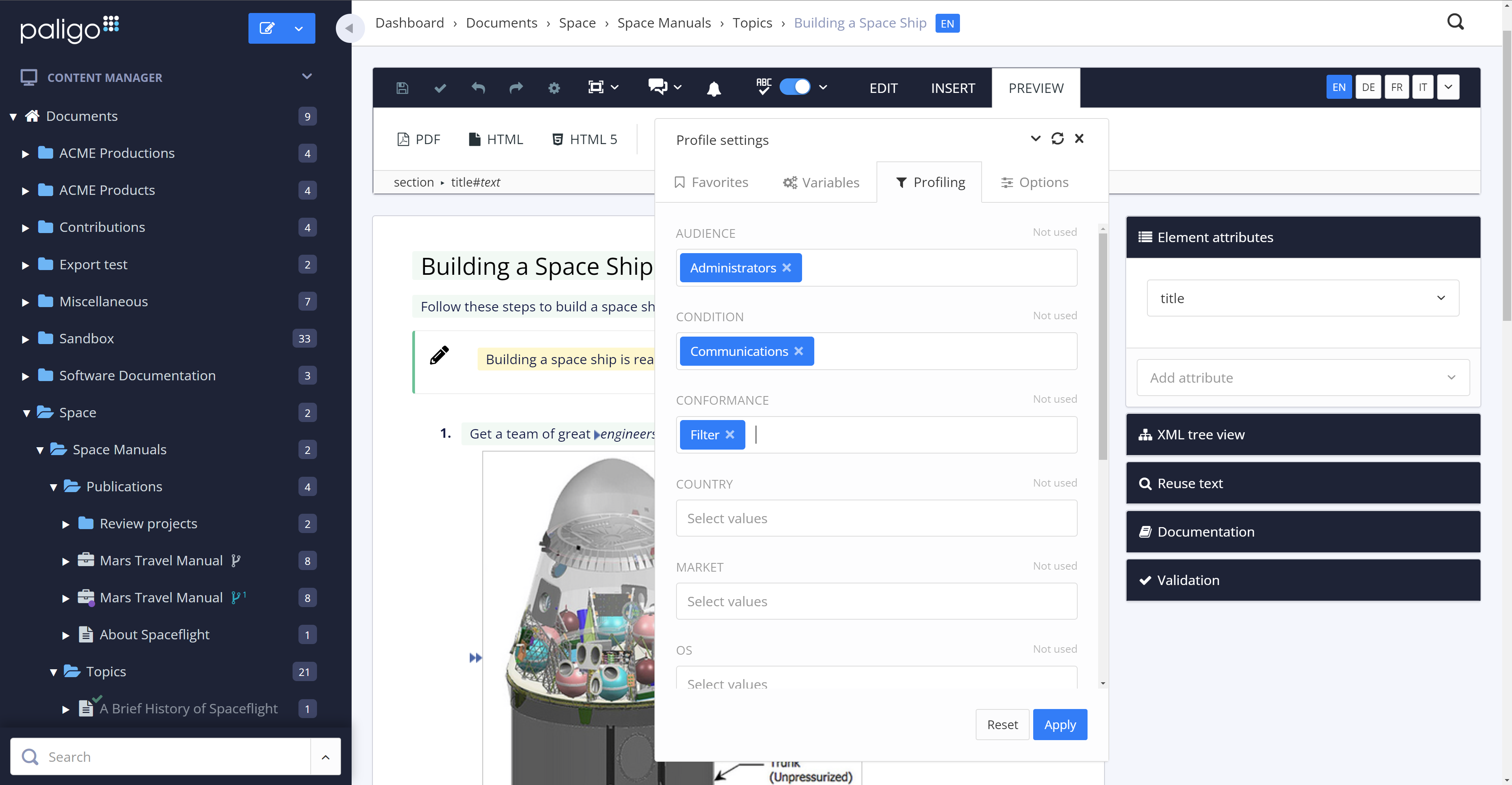
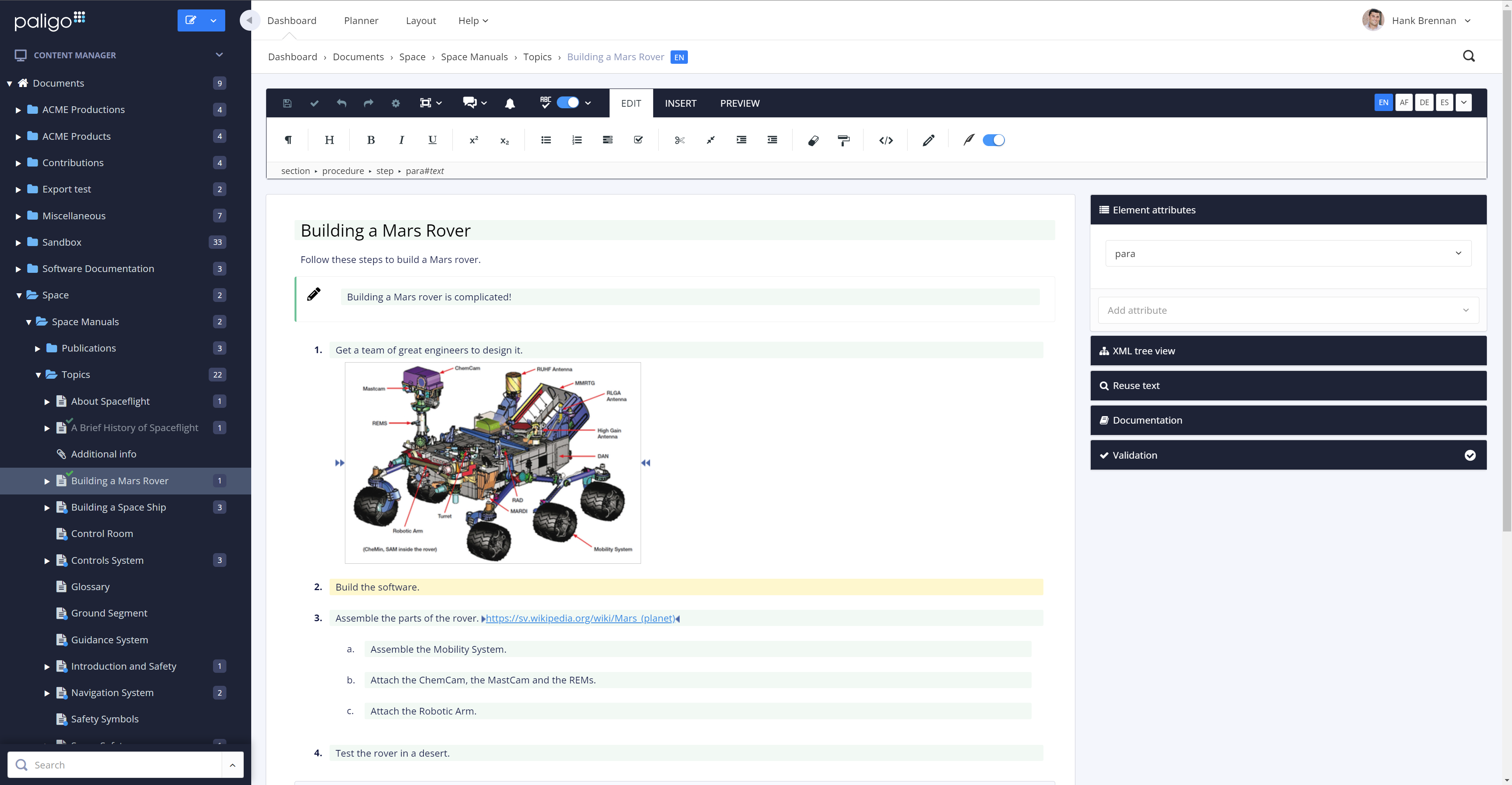
The review mode is super convenient. Comparing a snapshot of the previous versions with the current one clearly outlines the respective changes and reduces the necessary content to review tremendously.
The option to reuse text fragments is another handy feature. Text fragments will be updated whenever the original text fragment is altered is also extremely helpful.
Managing a content's structure was never easier. An intuitive drag & drop functionality allows you to design your document's structure however you like.
You can also fork content, in addition to reuse text fragments. This is another helpful option that no longer requires you to create repetetive chapters over and over.
A de minimis incentive was given to thank the reviewer for their time. The incentive was not used to bias or drive a particular response, nor was the incentive contingent on a positive endorsement. More Info
The See Also element should be able to automatically update when a new topic is added. Currently, we have to manually remove and re-add the element to do that.
Ability to host image files externally (eg. S3, Dropbox), like it is done for videos. This will help save storage.
Image files from imported projects are always duplicated, perhaps a bug, but it needs to be looked into.
A de minimis incentive was given to thank the reviewer for their time. The incentive was not used to bias or drive a particular response, nor was the incentive contingent on a positive endorsement. TR verified that a representative sample of customers was invited. More Info
The amount of CSS/JS required to customize a site's appearance can be cumbersome
Product documentation can be lacking, specifically with integrations; in some cases, support offered no real help when trying to solve a problem with an integrated service
Some features require extensive development experience to use, which can sometimes be an obstacle to less-experienced team members
A de minimis incentive was given to thank the reviewer for their time. The incentive was not used to bias or drive a particular response, nor was the incentive contingent on a positive endorsement. More Info
A de minimis incentive was given to thank the reviewer for their time. The incentive was not used to bias or drive a particular response, nor was the incentive contingent on a positive endorsement. More Info
Generally, I'm very happy with Paligo and the productivity gains that I get from using it. There are a few arbitrary limitations on structure, and when applying conditional formatting, that I don't really understand. Unlinking / editing reused text uses this broadly inscrutible colour-coding that I just hate. It would be nice to double-click a component, make edits, then respond to a popup asking if I want to confirm the edit for all linked content, or unlink this instance. Likewise converting from an informal topic insertion to duplicates of its raw contents.
A de minimis incentive was given to thank the reviewer for their time. The incentive was not used to bias or drive a particular response, nor was the incentive contingent on a positive endorsement. More Info
All the support requests I've submitted have been resolved in one way or another. Sometimes it takes some back and forth, which is to be expected. This is where being on a different continent becomes a drawback. Since we became Enterprise users, we've also had an additional level of help and support from a dedicated account manager in the US, and the resolutions seem to come more quickly
A de minimis incentive was given to thank the reviewer for their time. The incentive was not used to bias or drive a particular response, nor was the incentive contingent on a positive endorsement. More Info
A de minimis incentive was given to thank the reviewer for their time. The incentive was not used to bias or drive a particular response, nor was the incentive contingent on a positive endorsement. More Info
ClickHelp provides an extensive array of features compared to what we used previously. The WYSIWYG editor is so simple, yet brings with it really cool content editing elements. Publishing content is straightforward with ClickHelp. I can publish a part of a document for partial updates, or create a new publication. I get to host multiple versions of one product documentation based on the software versions we support. The analytics provided is also very insightful.
A de minimis incentive was given to thank the reviewer for their time. The incentive was not used to bias or drive a particular response, nor was the incentive contingent on a positive endorsement. TR verified that a representative sample of customers was invited. More Info
We moved from Flare to Paligo. One of the main reasons was the fact that Paligo is a cloud product. Collaboration with anyone outside of our team was more difficult with Flare. Also, maintaining a server for Flare content was going to become an issue, and overall I felt the Flare desktop product was prone to errors and issues. The flexibility of assigning Paligo licenses was a huge factor, as was the stability of the cloud platform.
A de minimis incentive was given to thank the reviewer for their time. The incentive was not used to bias or drive a particular response, nor was the incentive contingent on a positive endorsement. More Info
We are able to cater to all our end-users regardless of the software version they are using, simply because we are able to provide multiple product documentation versions.
Our documentation publishing time was reduced significantly due to the smooth process on ClickHelp.
With one platform where all our product documentation can be housed, we are expanding technical documentation to other products.
A de minimis incentive was given to thank the reviewer for their time. The incentive was not used to bias or drive a particular response, nor was the incentive contingent on a positive endorsement. TR verified that a representative sample of customers was invited. More Info
I am not involved in the financial decisions for my company regarding Paligo; the decision to migrate our content to this environment predates my hiring. However, I know that the migration effort from WordPress to Paligo was an initially heavy lift, but any content migration effort would be. I believe that ultimately, getting our content out of WordPress was a positive move, and I look forward to seeing what Paligo will help us accomplish in the future. Sorry, no hard numbers from me. :)