ClickGuard vs. NoFraud

Overview
ProductRatingMost Used ByProduct SummaryStarting Price
ClickGuard
Score 8.5 out of 10
Small Businesses (1-50 employees)
ClickGUARD is a fully automated protection tool that enables businesses to run secure pay-per-click campaigns. The software can eliminate unwanted clicks on your PPC ads, help to clean up your traffic, and optimize your budget for your target audience.
$89
per month
NoFraud
Score 0.0 out of 10
N/A
NoFraud is an eCommerce fraud prevention and checkout solution that protects businesses from fraudsters, eliminates chargeback losses, and provides smoother, more frictionless checkout experiences for trusted shoppers.N/A
Pricing
ClickGuardNoFraud
Editions & Modules
Lite
starts at $89
per month
Standard
starts at $149
per month
Pro
starts at $199
per month
No answers on this topic
Offerings
Pricing Offerings
ClickGuardNoFraud
Free Trial
YesYes
Free/Freemium Version
NoYes
Premium Consulting/Integration Services
NoNo
Entry-level Setup FeeOptionalNo setup fee
Additional DetailsDiscount available for annual billing. Custom plan available.
More Pricing Information
Community Pulse
ClickGuardNoFraud
Best Alternatives
ClickGuardNoFraud
Small Businesses

No answers on this topic

No answers on this topic

Medium-sized Companies
F5 Distributed Cloud Bot Defense
Score 8.7 out of 10
F5 Distributed Cloud Bot Defense
Score 8.7 out of 10
Enterprises
F5 Distributed Cloud Bot Defense
Score 8.7 out of 10
F5 Distributed Cloud Bot Defense
Score 8.7 out of 10
All AlternativesView all alternativesView all alternatives
User Ratings
ClickGuardNoFraud
Likelihood to Recommend
8.5
(0 ratings)
-
(0 ratings)
Support Rating
8.4
(0 ratings)
-
(0 ratings)
User Testimonials
ClickGuardNoFraud
Likelihood to Recommend
if you're big company who has niche market. and that niche market is somewhat similar to some nearby catagory that is irrelevant to you, ClickGaurd is perfect piece of puzzle here. distincts your relevant B2B traffic from single users who only requires pretty basic service. saves your click resource and efforts of lead generation.
Read full review
No answers on this topic
Pros
  • One obvious positive is that it actually works. I have seen where there were all these click activities happening but the conversions did not come close to matching up.success.
  • I'd also like to mention some of the features that were very useful to our campaigns. Features like IP Monitoring, Cross-Campaign Blocking, and Automatic Malicious Click Deflection.
Read full review
No answers on this topic
Cons
  • The one thing I've noticed that I believe is a disadvantage would have to be the lack of support on weekends or holidays which is understandable but at the same time, I'm sure people expect to still be supported right around the clock if that is what is advertised.
Read full review
No answers on this topic
Support Rating
I actually do feel supported. I haven't needed much of it because the app works so well, but for the times I did, they were there and very capable.
Read full review
No answers on this topic
Alternatives Considered
Highly customized packages to choose from made ClickGAURD our first preference. The reviews and word of mouth around ClickGAURD were pretty positive. The support team was easily reachable and helped clear all our doubts in the initial phase itself.
Read full review
No answers on this topic
Return on Investment
  • In this case, there is a steady return on investment as well as additional benefits. With the money I save, the app is basically free.
Read full review
No answers on this topic
ScreenShots

ClickGuard Screenshots

Screenshot of where to add and manage multiple ad accounts with different protection plans.Screenshot of a bot probability assessment, which is available with every click.Screenshot of clicks tested for behavior (e.g. time spent on site, click speed) and non-behavior criteria (location, IP address, packet header details).Screenshot of reports that can be automated and scheduled for teams or clients.Screenshot of where every single click is assessed and verified whether it is blocked or not.Screenshot of the interface to toggle ON/OFF protection.

NoFraud Screenshots

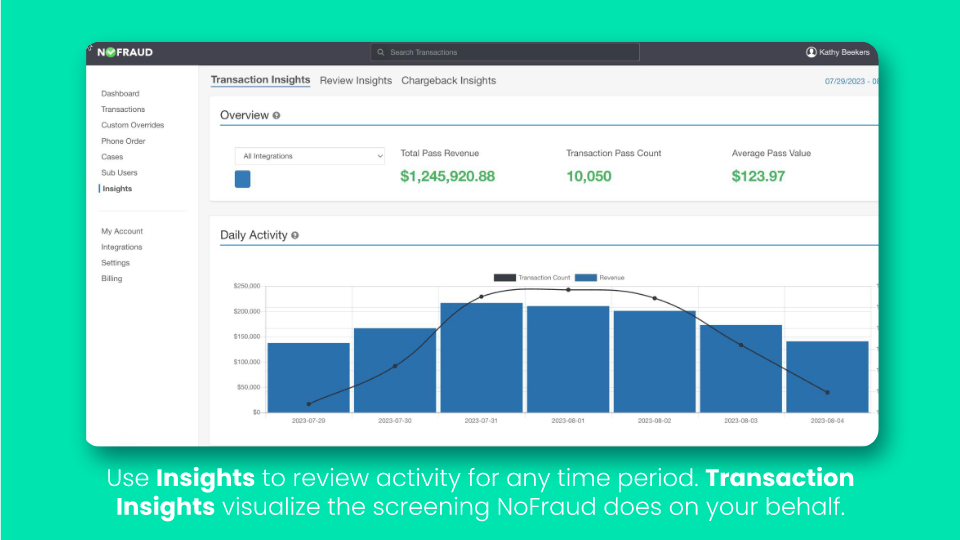
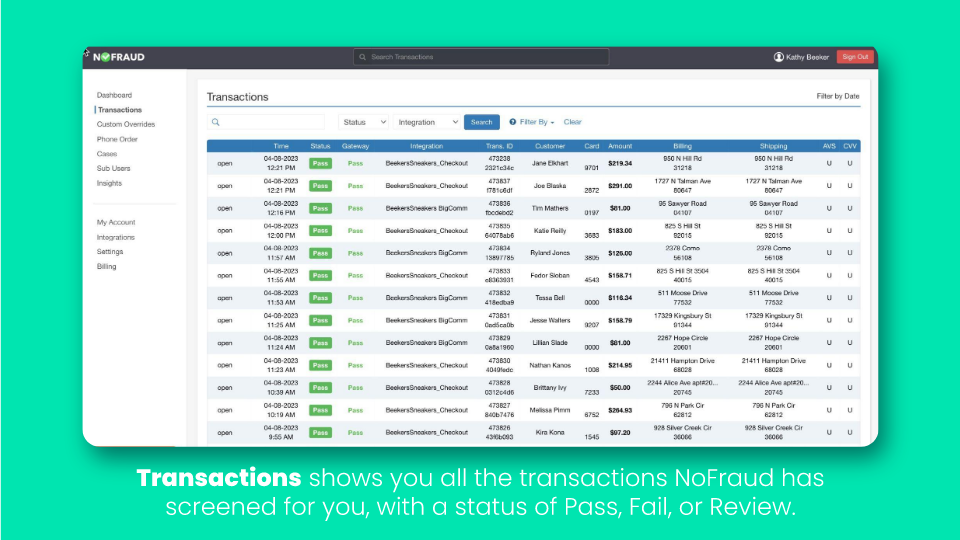
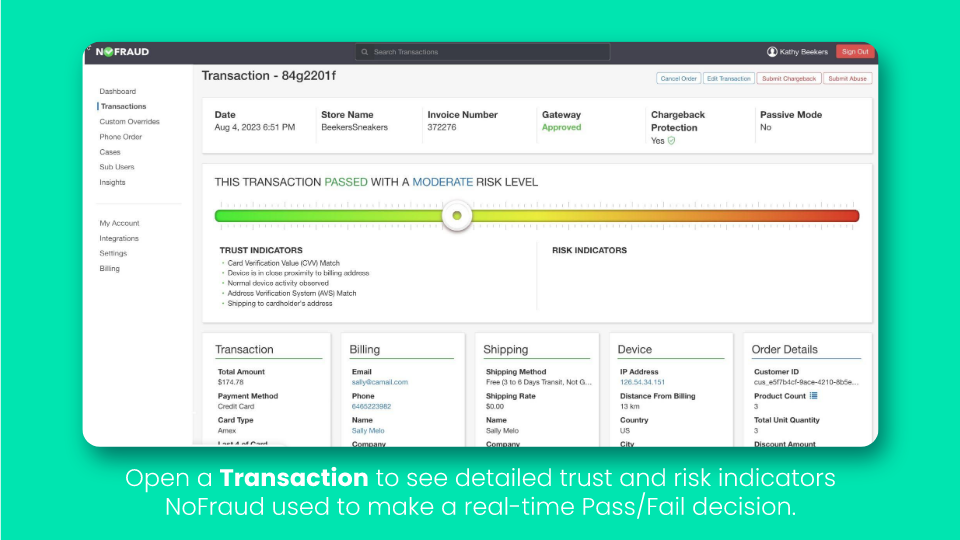
Screenshot of Dashboard: Shows an overview of transactions screened, a fail breakdown, and the status of open chargebacks.Screenshot of Insights that can be used to review activity for any time period. Transaction Insights visualize the screening NoFraud does on the user's behalf.Screenshot of Review Insights: Breakdown of reviewed transactions within a set period of time.Screenshot of Transactions: Shows all of the transactions screened by NoFraud with a status of Pass, Fail, or Review.Screenshot of A detailed view of the trust and risk indicators NoFraud used to deliver a real-time Pass/Fail decision, viewable for any transaction.Screenshot of Allowlist: Merchant-controlled list of trusted customers that do not require NoFraud screening.