Classtime vs. PowerSchool Unified Classroom

Overview
ProductRatingMost Used ByProduct SummaryStarting Price
Classtime
Score 9.1 out of 10
N/A
Classtime is a flexible online exam solution that allows large and small schools and businesses to create exams using nine different question types, a large public library, time limits, advanced scheduling, analytics, instant, data-based feedback, real-time grading, and anti-cheating features. The vendor provides its features: Create different 9 Question Types: Multiple Choice, Checkboxes, True or False, Categorizer, Sorter, Hot Spots, Highlight Text, and Free Text…
$0
per educator
PowerSchool Unified Classroom
Score 6.2 out of 10
N/A
PowerSchool Unified Classroom is a learning management and classroom collaboration solution suite. It aims to empower teachers with real-time student interaction inside and outside the classroom, bringing in more social and collaborative learning. Teachers can quickly create and deliver rich engaging lessons, electronically collect, annotate, and grade work, and easily collaborate and share with other educators. Unified Classroom includes PowerSchool solutions Assessment, Gradebook, Learning,…N/A
Pricing
ClasstimePowerSchool Unified Classroom
Editions & Modules
Basic
$0
per educator
Premium
$60
per educator (yearly)
Institution License
$120
per educator (yearly)
No answers on this topic
Offerings
Pricing Offerings
ClasstimePowerSchool Unified Classroom
Free Trial
YesNo
Free/Freemium Version
YesNo
Premium Consulting/Integration Services
NoNo
Entry-level Setup FeeNo setup feeNo setup fee
Additional Details
More Pricing Information
Community Pulse
ClasstimePowerSchool Unified Classroom
Features
ClasstimePowerSchool Unified Classroom
Learning Management
Comparison of Learning Management features of Product A and Product B
Classtime
-
Ratings
PowerSchool Unified Classroom
8.1
Ratings
1% below category average
Course authoring00 Ratings9.00 Ratings
Course catalog or library00 Ratings6.70 Ratings
Player/Portal00 Ratings9.00 Ratings
Learning content00 Ratings8.30 Ratings
Mobile friendly00 Ratings5.00 Ratings
Progress tracking & certifications00 Ratings7.90 Ratings
Assignments00 Ratings10.00 Ratings
Learning administration00 Ratings8.30 Ratings
Learning reporting & analytics00 Ratings8.90 Ratings
Social learning00 Ratings8.00 Ratings
Best Alternatives
ClasstimePowerSchool Unified Classroom
Small Businesses
Renaissance Accelerated Reader
Score 9.9 out of 10
iSpring Learn
iSpring Learn
Score 9.6 out of 10
Medium-sized Companies
Renaissance Accelerated Reader
Score 9.9 out of 10
Schoology Learning
Schoology Learning
Score 9.7 out of 10
Enterprises
Renaissance Accelerated Reader
Score 9.9 out of 10
Schoology Learning
Schoology Learning
Score 9.7 out of 10
All AlternativesView all alternativesView all alternatives
User Ratings
ClasstimePowerSchool Unified Classroom
Likelihood to Recommend
9.1
(0 ratings)
8.9
(0 ratings)
Support Rating
-
(0 ratings)
8.9
(0 ratings)
User Testimonials
ClasstimePowerSchool Unified Classroom
Likelihood to Recommend
Suitable:
  • Distance learning for formative assessment
  • In-class quizzes
  • Tickets out the door to check on the day's understanding
  • Homework
  • Grade-level common assessments
  • High-stakes test prep
Read full review
We use PowerSchool Unified Classroom with our Teacher/Student work. Teachers can hand out assignments and have them edited and returned to the teacher in an organized folder, in which the teacher can review, grade, and send back to the student. Papers are never lost this way. Another way that PowerSchool Unified Classroom is used is to deliver assessments for district tests.
Read full review
Pros
  • It has three different types of engagement activities for students as they are answering questions.
  • It gives immediate data that can be acted upon.
  • It is easy to find materials to use in their library with their search engine.
  • It is very easy to include multimedia material like images, gifs, videos, and audio files.
  • The test-making interface is extremely easy to use.
  • It is easy to print out data that can be used to analyze with a grade-level team or with parents.
  • It has a Google, Microsoft, and Clever interface, making it easy for students to access.
Read full review
  • It easily makes calculations for you to come up with a mark easily.
  • It allows me to put my comments on assignments into the grade so that students get feedback quickly and easily.
  • It is easy to use.
Read full review
Cons
No answers on this topic
  • I teach 15 different sections of classes and it is hard to view sections all at once to enter grades in
  • Navigating through all of the tabs to know how to view grades is hard- whether it is Assignments view, or by students, etc.
Read full review
Support Rating
No answers on this topic
They are very responsive to the issues that we have and follow through with their assistance. Having a live assist that is available when our teachers need it is essential too. They also seem to listen to suggestions on making improvements and have been transparent with us when renovations are done.
Read full review
Alternatives Considered
I have used Edpuzzle, Quizizz, Kahoot, Khan Academy, and Edcite. I use all of them at varying times, depending on my needs. I use Classtime more than any of them because of its versatility of question types and its engagement tools. I also appreciate the ease of making and giving out tests.
Read full review
PowerSchool is similar to Schoology but actually has one less component: assignment uploads. Schoology is very helpful because it also students to upload their assignments on dropbox, which syncs automatically to the grade book, which allows me to view who has submitted things on time and who hasn't. I'm able to create Rubrics in Schoology itself which also helps the grading process because it ties in directly to their overall grade after I submit their rubric scores. Powerschool is helpful because it allows for attendance and access across the board with all parties.
Read full review
Return on Investment
  • It has helped us during in-classroom demonstration lessons.
  • It has helped us with our training on strategic thinking in math.
  • It has given us an outlet to share our test creation skills, which we can model to districts.
Read full review
  • PowerSchool has successfully helped us create a database on our students and allow staff to quickly access student information.
  • We have been able to coordinate the arrival of new students to multiple teams for student support.
Read full review
ScreenShots

Classtime Screenshots

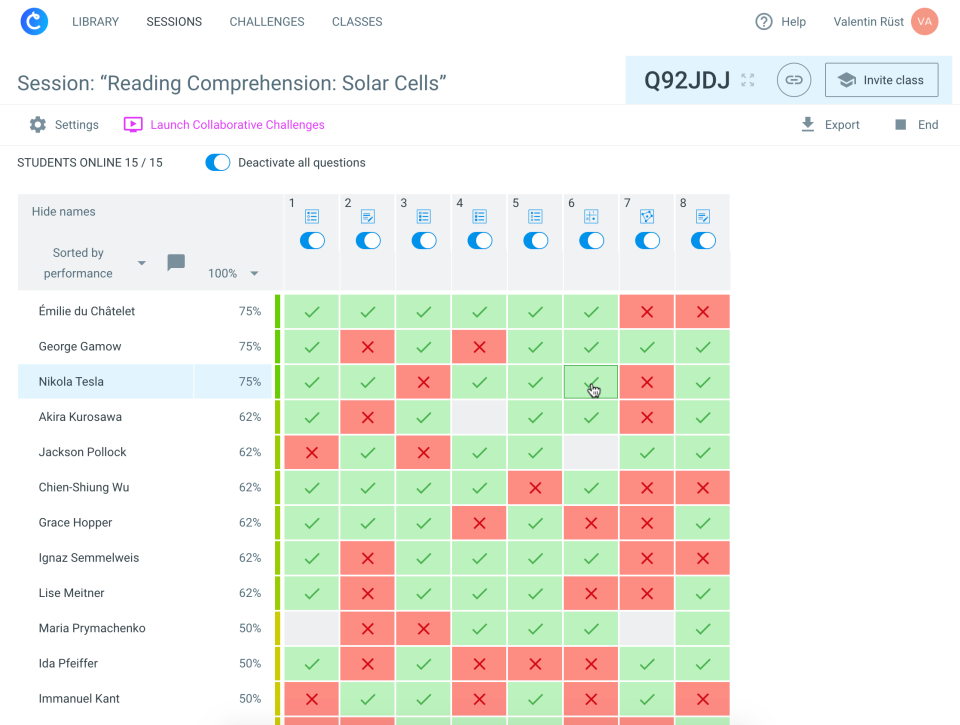
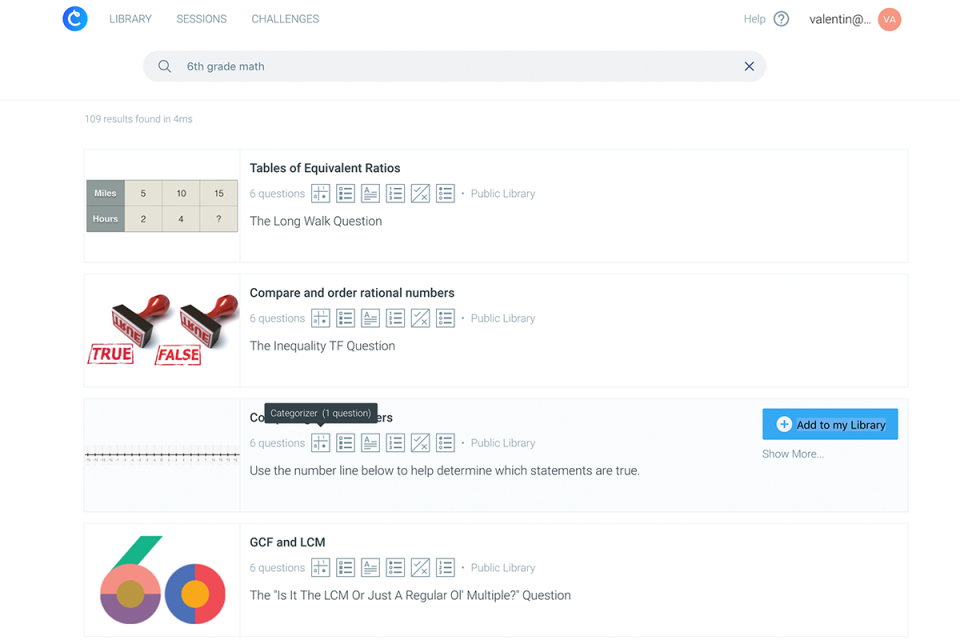
Screenshot of Real-time analyticsScreenshot of Detailed question analysis per student and per classScreenshot of Student interface: 9 tech-enhanced question typesScreenshot of More than 50,000 questions for freeScreenshot of Gamify your lesson with Collaborative Challenges

PowerSchool Unified Classroom Screenshots
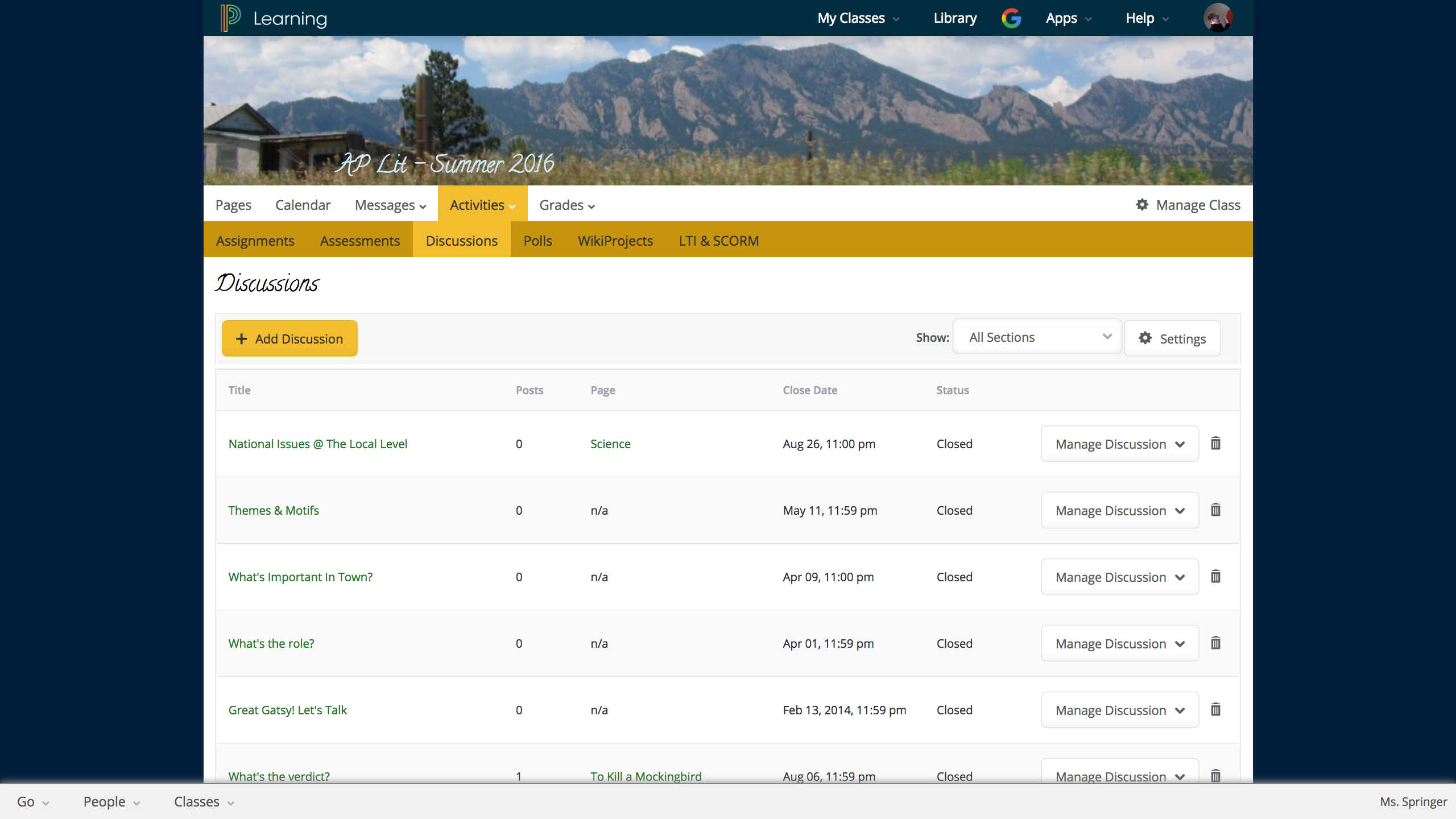
Screenshot of Discussion in LMSScreenshot of LMS student portalScreenshot of LMS student portfolio