TrustRadius: an HG Insights company

Save this comparison

Save this comparison

Add Product

Recommended Comparisons

    Overview
    ProductRatingMost Used ByProduct SummaryStarting Price

    Claromentis

    Score7.1 out of 10
    N/AClaromentis provides organisations with a digital workplace to share information, boost productivity, connect staff, and collaborate. Starting life in the same year that Google.com was registered as a domain, Claromentis has evolved over the past 20 years to design and deliver intranets all over the world for organisations both large and small. They support all industries and sectors, from charities and non-profits such as SeriousFun Children's Network and Guggenheim Museum, to global…

    $1.50

    Wavebox

    Score10 out of 10
    N/AWavebox is a productivity browser built to support fast and efficient working across daily web apps and websites. Built on Chromium, Wavebox works like Chrome & Edge, but boasts features needed to master today's complex web environments: Replace browser tab chaos with organized toolbars, focused workspaces and real-time notifications. Stay signed-in to all web accounts - even multiple accounts of the same type e.g. Gmail, Office365, Teams. Auto-sleeping for inactive…

    $0

    per seat

    Pricing
    ClaromentisWavebox
    Editions & Modules
    Enterprise
    $1.50
    Large
    $4
    Medium
    $8
    Small companies or startups
    Fixed price
    On-premise
    Get a custom quote
    Wavebox Basic
    $0
    per seat
    Wavebox Pro
    $98
    per seat
    Offerings
    Pricing Offerings
    ClaromentisWavebox
    Free Trial
    YesYes
    Free/Freemium Version
    NoYes
    Premium Consulting/Integration Services
    YesNo
    Entry-level Setup FeeNo setup feeNo setup fee
    Additional Details—Annual or monthly options. 70% discount for education and non-profits. Team discounts available.
    More Pricing Information
    User Ratings
    ClaromentisWavebox
    Likelihood to Recommend
    8.3
    (3 ratings)
    -
    (0 ratings)
    User Testimonials
    ClaromentisWavebox
    Likelihood to Recommend
    Claromentis
    Claromentis is well suited for personalized onboarding. I really enjoy the way how the platform shows how to work with it. Also, it's easy to navigate, good user interface and user experience, although there is space for improvement. I think it's easy and logical to use, which is good even for non-tech people to use it.
    Incentivized
    Read full review
    Wavebox
    No answers on this topic
    Pros
    Claromentis
    • Collaboration
    • Communication
    • Task Management
    • Sharepoint Alternative
    Incentivized
    Read full review
    Wavebox
    No answers on this topic
    Cons
    Claromentis
    • Better UI
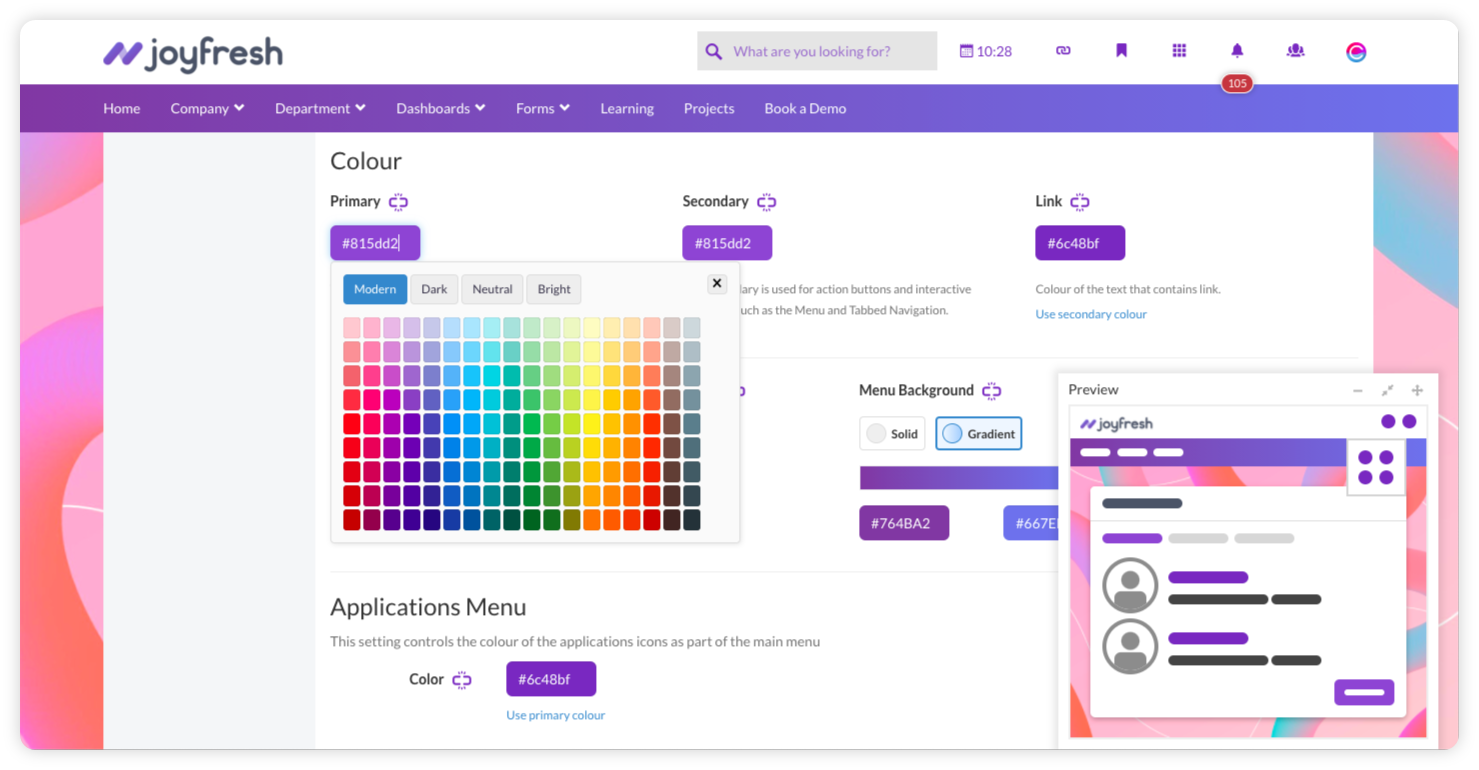
    • Improved color picker
    • Better arrangement if icons
    Incentivized
    Read full review
    Wavebox
    No answers on this topic
    Alternatives Considered
    Claromentis
    Another tool I used is Microsoft Teams. I find the layout of Claromentis to be better and file sharing is easier. Both platforms are easy-to-use and serve a similar purpose. There are slightly more features on Claromentis.
    Incentivized
    Read full review
    Wavebox
    No answers on this topic
    Return on Investment
    Claromentis
    • Working on Clarometis helped my team complete and manage slightly more tasks in the month after than we had in the prior two month.
    • It improved intra team communication for collaborative purposes
    Incentivized
    Read full review
    Wavebox
    No answers on this topic
    ScreenShots

    Claromentis Screenshots

    Screenshot of Claromentis homepageScreenshot of Staff profileScreenshot of Design your own intranetScreenshot of Capture data with e-forms and workflowsScreenshot of Claromentis intranet news dashboard

    Wavebox Screenshots

    Screenshot of Flexible workspaces for you and your team.Screenshot of Use the web dock and toolbars to create fast app workflows.Screenshot of Stay signed-in to all your apps, including multiple Gmails, Slacks, Office365, Outlook, Teams etc.Screenshot of Customize desktop notifications and unread badges for all your apps.Screenshot of Auto-sleep inactive apps and tabs to save memory and optimize performance.Screenshot of Unified search across every app, tab, pin, bookmark, note, widget etc. Toggle between apps using the Quick Switch.