Clappia vs. CMW Platform

Overview
ProductRatingMost Used ByProduct SummaryStarting Price
Clappia
Score 10.0 out of 10
Small Businesses (1-50 employees)
No Code App platform to create mobile and web apps as easily as working with excel sheets to reduce the time of development and procurement. The apps can be designed using drag and drop components and to it, automated workflow behaviour and analytics can be designed. Its features are designed to make it ideal for user-friendly business process management apps.
$7
per user, per month
CMW Platform
Score 8.9 out of 10
Mid-Size Companies (51-1,000 employees)
CMW Platform (formerly Comindware) is a business process management software centered on worklows to build automations. It implements a drag-and-drop interface along with Excel-style rules and forms.N/A
Pricing
ClappiaCMW Platform
Editions & Modules
Clappia
$7
per user, per month
No answers on this topic
Offerings
Pricing Offerings
ClappiaCMW Platform
Free Trial
YesYes
Free/Freemium Version
YesNo
Premium Consulting/Integration Services
NoNo
Entry-level Setup Fee$7 per user, per monthOptional
Additional DetailsAnnual Billing is also available at $5/user/month.Comindware Tracker is available for purchase on a per-user subscription plan.
More Pricing Information
Community Pulse
ClappiaCMW Platform
Features
ClappiaCMW Platform
Reporting & Analytics
Comparison of Reporting & Analytics features of Product A and Product B
Clappia
9.0
Ratings
10% above category average
CMW Platform
-
Ratings
Dashboards8.00 Ratings00 Ratings
Standard reports9.00 Ratings00 Ratings
Custom reports10.00 Ratings00 Ratings
Process Engine
Comparison of Process Engine features of Product A and Product B
Clappia
9.6
Ratings
14% above category average
CMW Platform
-
Ratings
Process designer9.00 Ratings00 Ratings
Process simulation10.00 Ratings00 Ratings
Process player9.00 Ratings00 Ratings
Form builder10.00 Ratings00 Ratings
Model execution10.00 Ratings00 Ratings
Best Alternatives
ClappiaCMW Platform
Small Businesses
Square 9 Softworks
Square 9 Softworks
Score 9.5 out of 10
Stackby
Stackby
Score 9.0 out of 10
Medium-sized Companies
Square 9 Softworks
Square 9 Softworks
Score 9.5 out of 10
Creatio
Creatio
Score 9.7 out of 10
Enterprises
CMW Platform
CMW Platform
Score 8.9 out of 10
Creatio
Creatio
Score 9.7 out of 10
All AlternativesView all alternativesView all alternatives
User Ratings
ClappiaCMW Platform
Likelihood to Recommend
10.0
(0 ratings)
8.0
(0 ratings)
Likelihood to Renew
-
(0 ratings)
9.1
(0 ratings)
Usability
-
(0 ratings)
7.5
(0 ratings)
Support Rating
-
(0 ratings)
8.5
(0 ratings)
User Testimonials
ClappiaCMW Platform
Likelihood to Recommend
Clappia is the perfect NO CODE platform for you if you don't know any programming languages, servers, or cloud hosting skills, but you do know everything else around your requirement, workflow, or circumstance. If you're worried about IT skills, Cloud, server hosting & maintenance, or programming language skill in your web/mobile app development startup, Clappia is your one-stop solution. Apart from these low rates and hassle-free service in all other aspects, you will be able to focus entirely on NO CODE app creation and client management, leaving all data, server security, and other concerns to Clappia. There really is no additional fee or condition for using cloud storage, which is ideal.
Read full review
CMW has less integration capabilities, this is something that can definitely be improved in the future. On a side note, the MS Outlook integration option is excellent. The UI is decent for its purpose and the platform is well suited for a range of business requirements - customer order management, document tracking and approval management. You name it, they have it.
Read full review
Pros
  • Workflow Automation
  • Realtime Mobile apps
  • Triggered emails, mobile notification, status change
  • API friendly
  • WhatsApp, Slack integration
  • upload videos, images, and files
Read full review
  • Flexibility in our workflow automation. It’s easy to modify the existing processes when the need arises
  • Web forms creation without a single line of code
  • The parallel approval mechanism allows sending work items to a group rather than a single person
Read full review
Cons
No answers on this topic
  • I would like to see Comindware Tracker come in a free pricing tier.
  • I would like to see Comindware Tracker offer more granular roles to be assigned to workflow users.
  • I would like to see Comindware Tracker integrate with more ERP systems and to offer more import/export/migration capabilities from other workflow management systems.
Read full review
Likelihood to Renew
No answers on this topic
Very likely.
Read full review
Usability
No answers on this topic
As I mentioned in my whole review that it is making opration smoother it's capabilities to automate repetitive tasks, reduce manual errors,and improve productivity.Its low code approach allows us to create business apps quickly and easily without requiring extensibe programming knowledge.although it has lots of positive points but there are some issues which is barrier to become perfect that's why I give 8
Read full review
Support Rating
No answers on this topic
It's more of drag and drop functionality. It is quite easy to set up. Creation of form is very easy. Support Team of Comindware Tracker is good and very friendly. It is efficient in terms of task management, project management, team management, vendor/client tracking.
Read full review
Alternatives Considered
No answers on this topic
Other than trying Comindware Tracker it is newer to me, I have used Adobe software multiple times and are familiar with their products. I won't stack Comindware Tracker against them because they both are amazing. I like using Comindware tracker because it is easy to use and is great for me, it helps optimize and maintain my workflows.
Read full review
Return on Investment
  • Easy to manage all leads as I get automated reports
  • Executive cant make excuses
Read full review
  • Reducing time managing tasks and projects by automating workforce without involving manual procedures.
  • Sequential and parallel creation of process steps and multichannel models.
  • Drag and drop capability ease web form designs that are easy to export to MS Excel and Word.
Read full review
ScreenShots

Clappia Screenshots

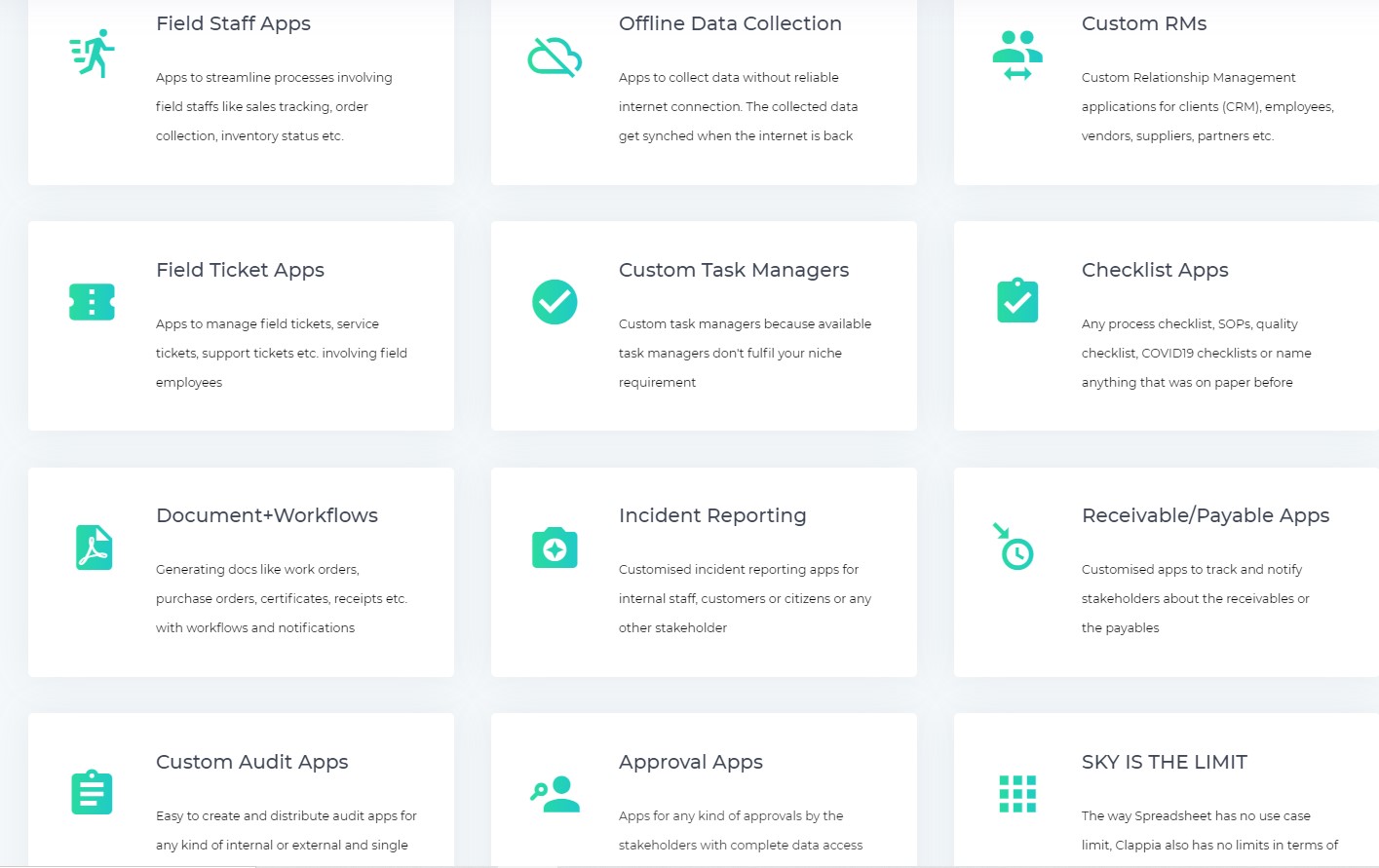
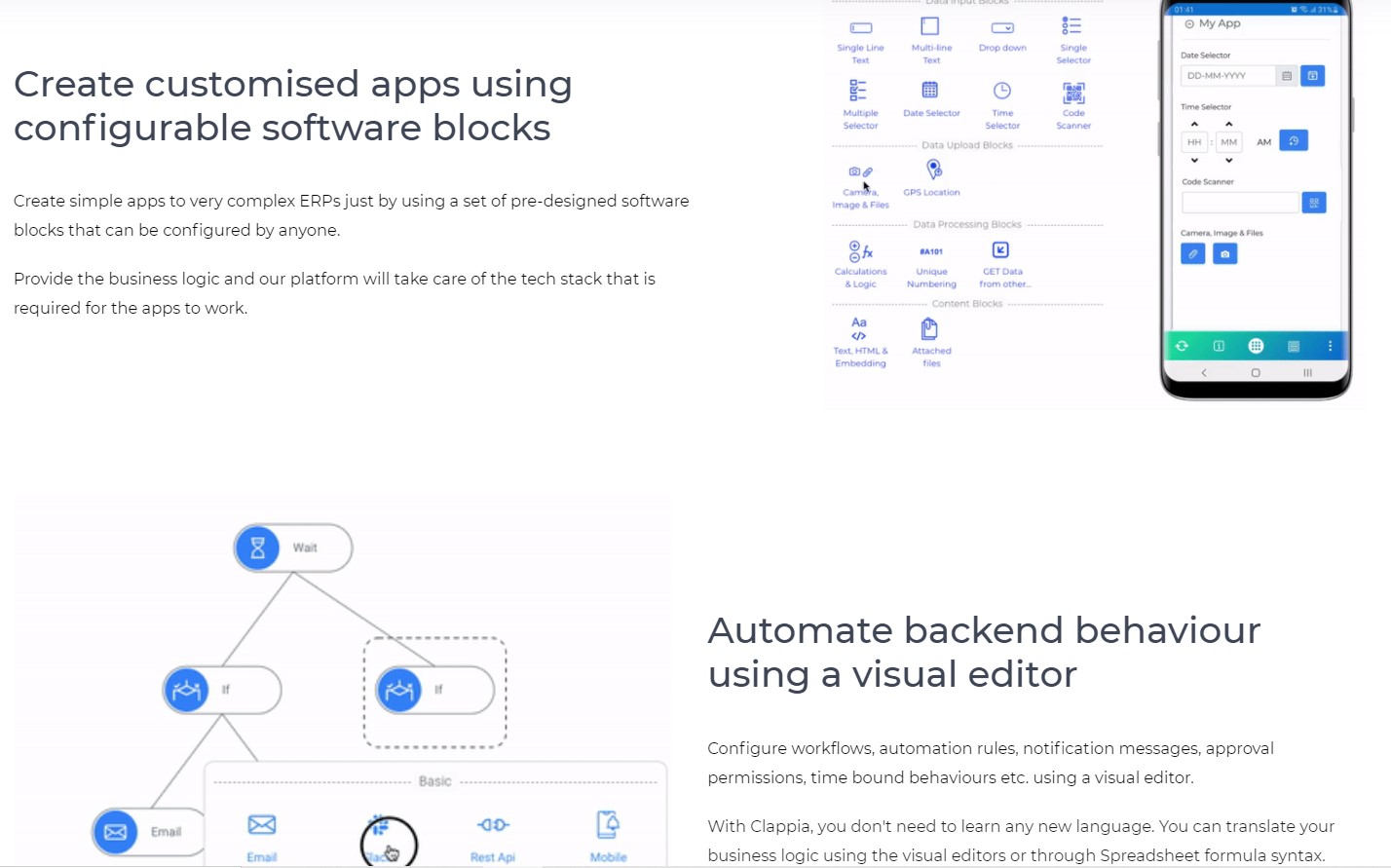
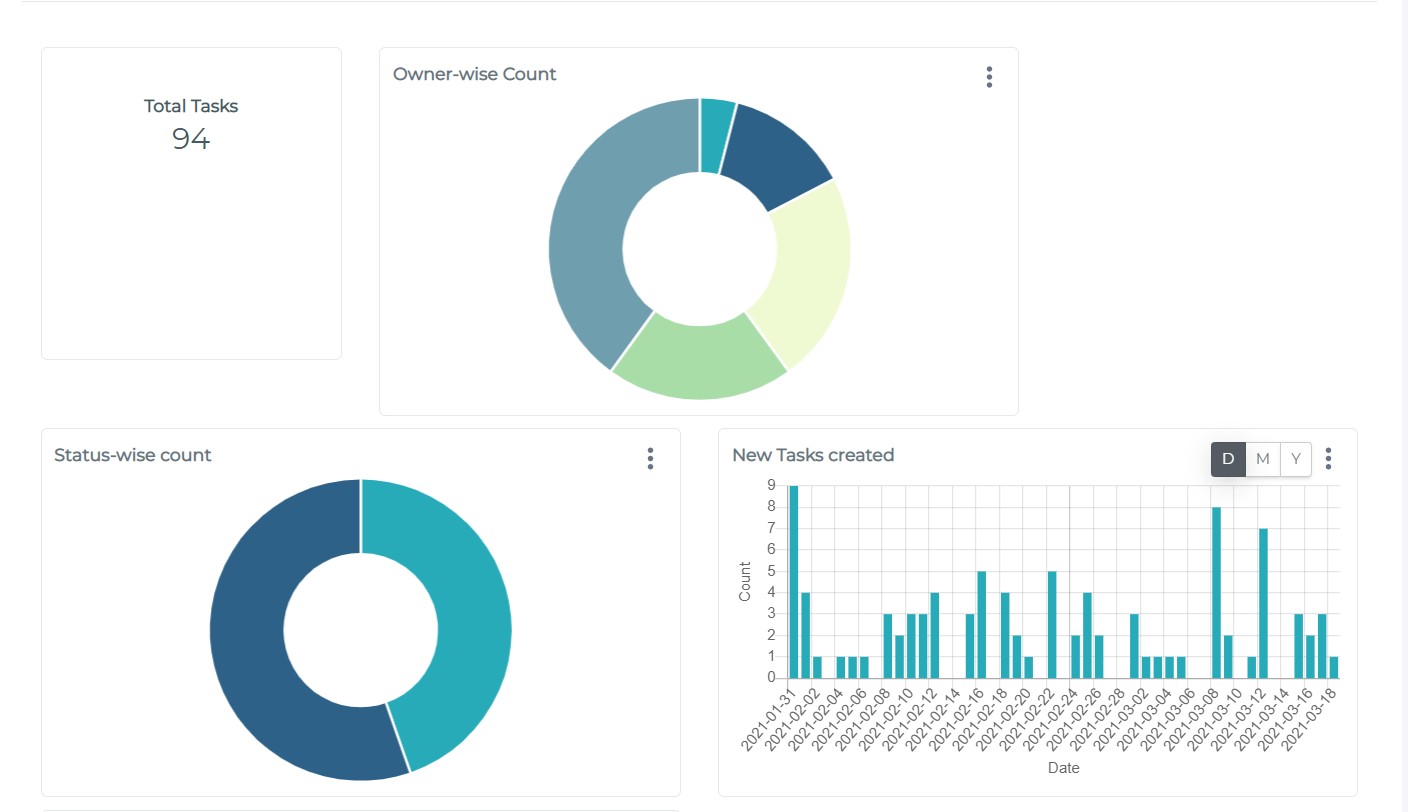
Screenshot of Landing PageScreenshot of Type of Apps that can be developedScreenshot of App development InterfaceScreenshot of Instant Mobile App and Integration ServicesScreenshot of App Design ModeScreenshot of Analytics Window

CMW Platform Screenshots

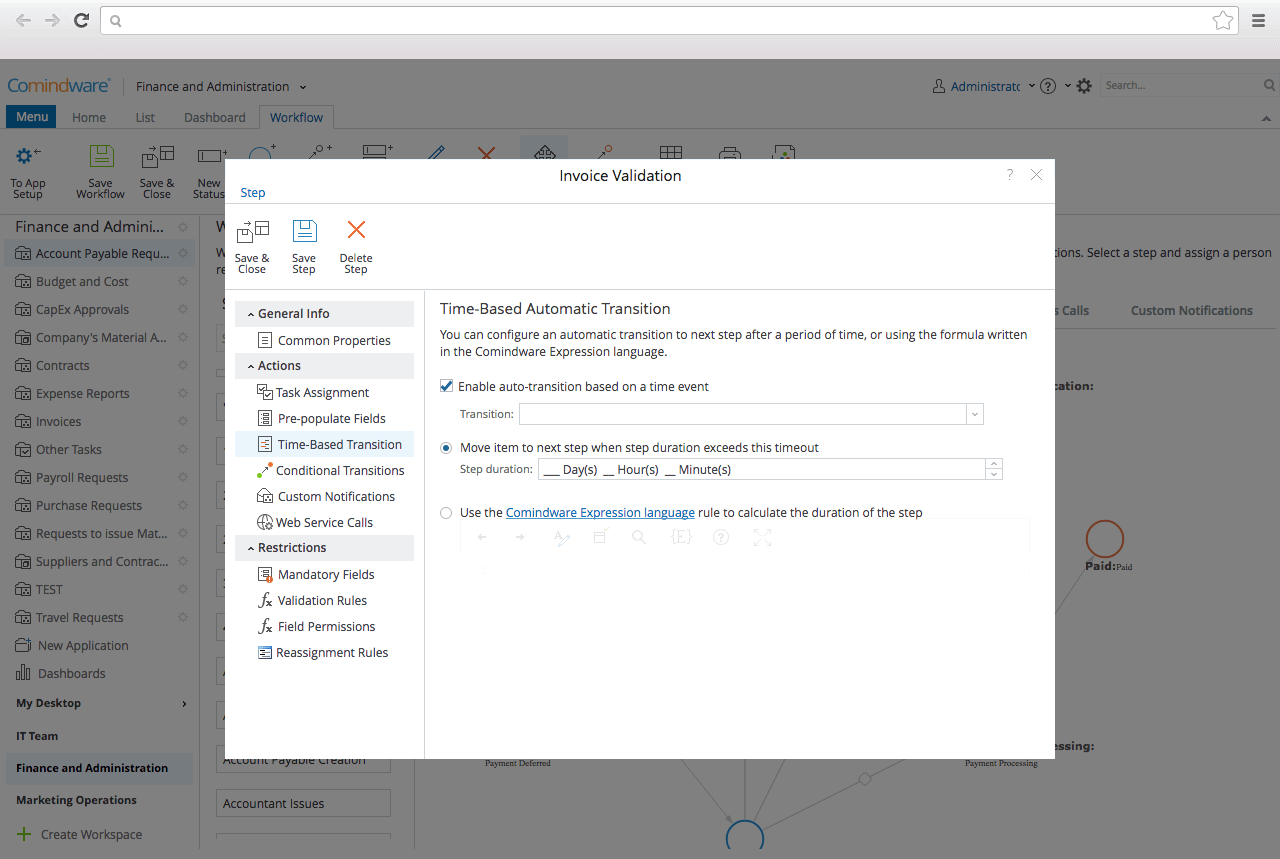
Screenshot of Graphical Workflow BuilderScreenshot of Drag'n'drop Web-form DesignerScreenshot of Collaboration toolsScreenshot of Workflow automationScreenshot of Workflow trackingScreenshot of Outlook intergration