Cisco Prime LAN Management (discontinued) vs. NetVizura NetFlow Analyzer

Overview
ProductRatingMost Used ByProduct SummaryStarting Price
Cisco Prime LAN Management (discontinued)
Score 8.4 out of 10
N/A
Cisco Prime LAN Management Solution is discontinued. Current users are encouraged to explore Cisco Catalyst Center as a modern solution.N/A
NetVizura NetFlow Analyzer
Score 7.6 out of 10
Mid-Size Companies (51-1,000 employees)
NetVizura NetFlow Analyzer, from Soneco, is designed to help network admins with network traffic monitoring, analysis and reporting. The vendor says their solution enables users to do the following: Monitor network bandwidth on routers and interfaces Monitor custom traffic on IP subnets and IP subnets groups Monitor end user traffic (username based) Quickly get insight into traffic structure (top talkers) by hosts, services, protocols, conversations, QoS,…N/A
Pricing
Cisco Prime LAN Management (discontinued)NetVizura NetFlow Analyzer
Editions & Modules
No answers on this topic
Offerings
Pricing Offerings
Cisco Prime LAN Management (discontinued)NetVizura NetFlow Analyzer
Free Trial
NoYes
Free/Freemium Version
NoYes
Premium Consulting/Integration Services
NoNo
Entry-level Setup FeeNo setup feeNo setup fee
Additional DetailsPrice is based on the number of processed flows. No limitations on the number of user, interfaces etc.
More Pricing Information
Community Pulse
Cisco Prime LAN Management (discontinued)NetVizura NetFlow Analyzer
Best Alternatives
Cisco Prime LAN Management (discontinued)NetVizura NetFlow Analyzer
Small Businesses
NinjaOne
NinjaOne
Score 9.0 out of 10
NinjaOne
NinjaOne
Score 9.0 out of 10
Medium-sized Companies
Intermapper
Intermapper
Score 8.4 out of 10
Intermapper
Intermapper
Score 8.4 out of 10
Enterprises
Cisco Meraki Dashboard
Score 9.3 out of 10
Cisco Meraki Dashboard
Score 9.3 out of 10
All AlternativesView all alternativesView all alternatives
User Ratings
Cisco Prime LAN Management (discontinued)NetVizura NetFlow Analyzer
Likelihood to Recommend
9.2
(0 ratings)
9.0
(0 ratings)
Support Rating
7.6
(0 ratings)
-
(0 ratings)
User Testimonials
Cisco Prime LAN Management (discontinued)NetVizura NetFlow Analyzer
Likelihood to Recommend
Cisco Prime can monitor faults and performance, generate heat maps, manage device configuration, and alert. The tools that we find will help us identify wireless access points, network switches, and everything in between. It's simple to manage a dozen devices, but hundreds or thousands require a platform like Cisco LMS. Its bulk configuration and backup configuration features are crucial. We can also access dashboards that show admins and technicians the network's health at a glance.
Read full review
The capacity planning was a big help in our company as we grew the number of connected locations. Grow or die is pretty much the business model of today but that growth is only as good as the network it travels on. Being able to recommend appropriate network requirements is a big deal in our line of business.
Read full review
Pros
  • You can deploy from simple snippets of config to a whole template to multiple devices at the same time. That saves us a lot of time (remember that time is money) when we need to change some setting globally, like adjust a ACL or add new global policy. Doesn't matter how many models of the same equipment you have.
  • The Network Topology map is also a great tool for troubleshooting. You can check several aspects of the topology, the connection between the equipment, the status of the connections and even check specific alarms related to that part of the topology (or map). Again, consider that in a multi site, global environment and you'll see the benefits.
  • Inventory and firmware updates are also great tools inside the solution. You have check exactly what equipment is outdated and schedule an update with a couple of clicks. You can do that also in a batch, saving a lot of time (and money) and avoid to go handle the equipment one by one, sometimes even needing to have physical access to those equipment.
Read full review
  • Ease of use
Read full review
Cons
  • Prime can be be difficult to use in some cases where the UI falls short in doing things effeciently
  • Prime maps can take quite a while to load with lots of APs
  • Locations for certain key functions are sometimes buried away behind menus that don't pertain to it
Read full review
  • At this point, I don't have any suggestion for improvements.
Read full review
Support Rating
We are very happy using Cisco Prime LAN Management Solution for the following reason: 1- Ease of use with the GUI. 2- Very well organized dashboard which can view many statistics on your devices. 3- Customized dashboard for different views ( for technical team and executives ) 4- Schedule configuration templates to use whenever we need on whatever device we want.
Read full review
No answers on this topic
Alternatives Considered
Although there are many powerful tools available in the market such as Solarwinds, Micro Focus, CA Spectrum with advanced configuration options and customization options available still Cisco Prime [LAN Management Solution] is the preferred tool for following reasons - 1. If you have only Cisco Infrastructure then go for Cisco Prime Blindly. 2. Extensive information on network devices mapping layout. 3. Devices configuration management specially for wireless.
Read full review
In comparison to SolarWinds, Scrutinizer, and WhatsUp I would say the ease of setup and the graphical interface. The flow of the interface to monitor bandwidth, performance and detect anomalies makes it a winner over the other three. Compared to PRTG is how it organizes the information and search ability. Wireshark is a quick and dirty look and NetFlow analyzer is more for data mining and analyzing over time.
Read full review
Return on Investment
  • It has helped us with our quarterly wireless security testing by pinpointing the location of non-approved access points vs. hunting for them via signal strength.
  • Saves time by helping to identify network health issues before they become a definitive problem causing downtime.
  • With errors detected early, we have noticed our wi-fi network is much more stable thus freeing up our engineer's time elsewhere.
Read full review
  • Load balancing and qos depending on type of traffic
Read full review
ScreenShots

NetVizura NetFlow Analyzer Screenshots

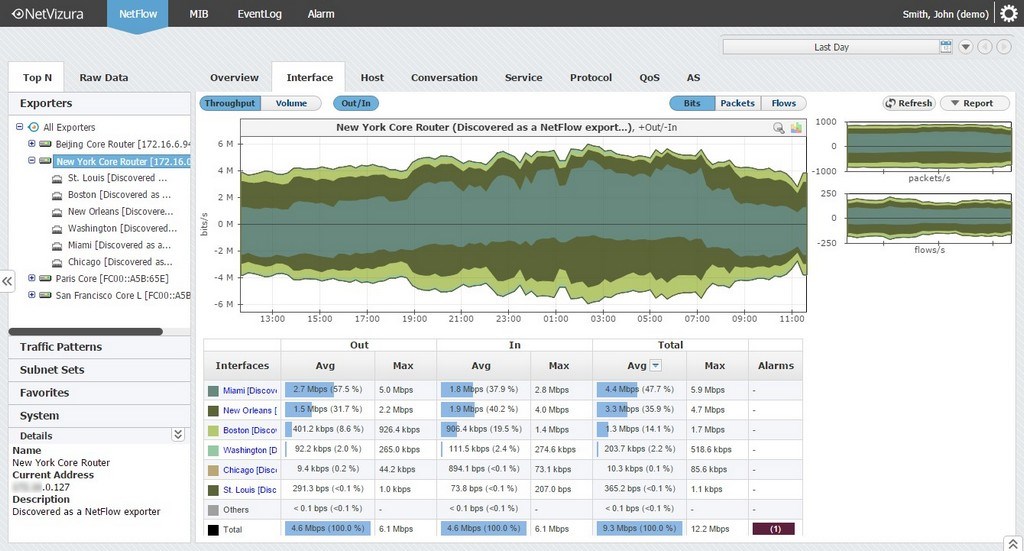
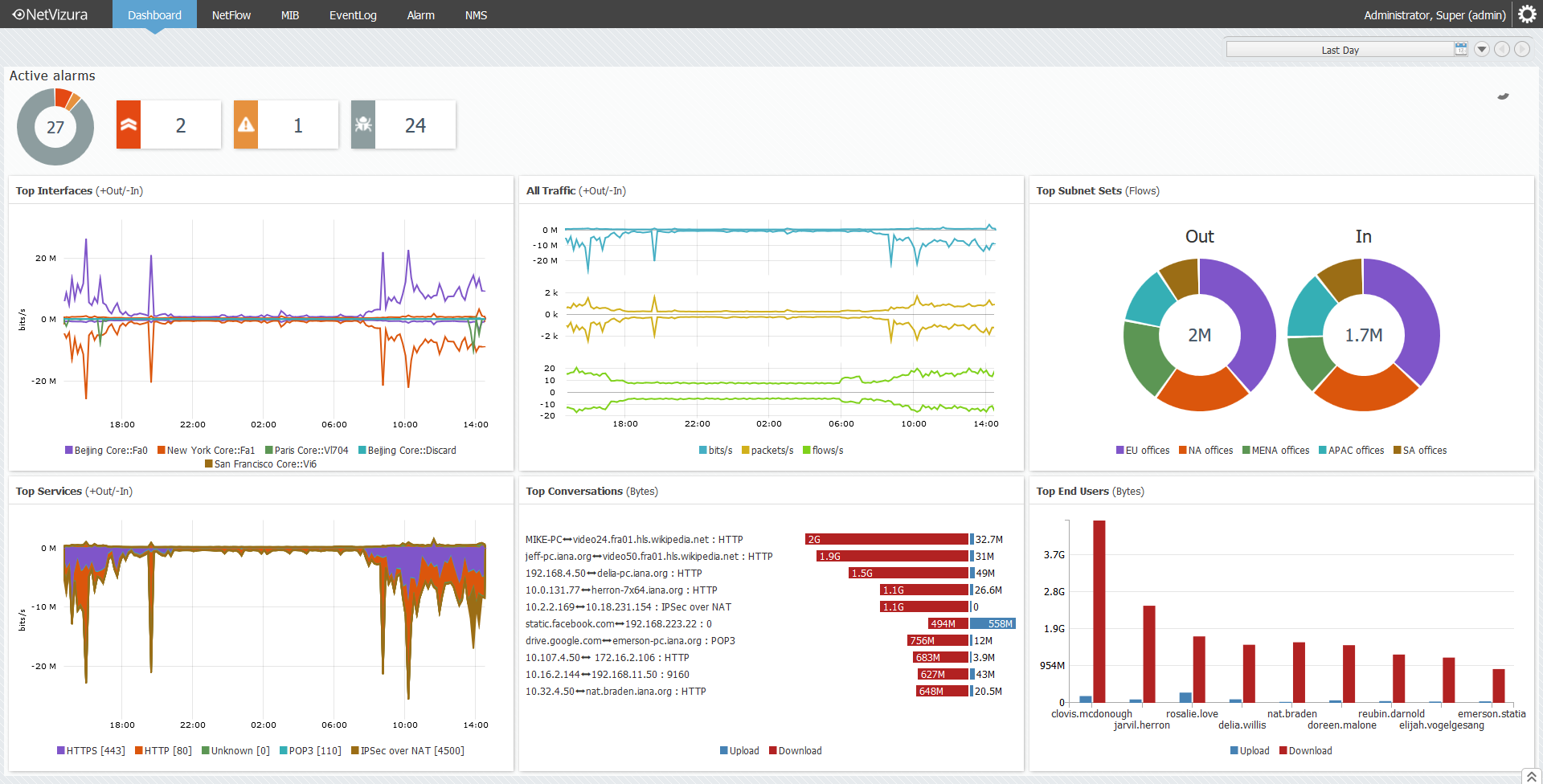
Screenshot of Interface traffic monitoring in NetVizuraScreenshot of IP subnet traffic monitoring in NetVizuraScreenshot of Investigating flow records in NetVizuraScreenshot of Setting top talker number per node in NetVizuraScreenshot of End user traffic monitoring in NetVizuraScreenshot of Dashboard overview in NetVizura