
Cisco Encrypted Traffic Analytics (ETA) vs. ManageEngine NetFlow Analyzer
Cisco Encrypted Traffic Analytics (ETA) vs. ManageEngine NetFlow Analyzer
| Product | Rating | Most Used By | Product Summary | Starting Price |
|---|---|---|---|---|
 Cisco ETA | N/A | Cisco Encrypted Traffic Analytics (ETA) is a solution available to users of Cisco's Stealthwatch and Catalyst series switches, supporting analysis of encrypted traffic for malware. | N/A | |
 ManageEngine NetFlow Analyzer | N/A | NetFlow Analyzer is a complete bandwidth monitoring tool that utilizes flow technology to monitor and analyze network bandwidth usage. It helps users identify and avoid bandwidth delays and bottlenecks with customized reports, and set threshold-based email and SMS alerts to help understand the severity of an issue. This analytics tool detects, diagnoses, and troubleshoots network anomalies and zero-day intrusions, and plans future bandwidth needs based on application growth to… | N/A |
| Cisco Encrypted Traffic Analytics (ETA) | ManageEngine NetFlow Analyzer | |||||||||||||||
|---|---|---|---|---|---|---|---|---|---|---|---|---|---|---|---|---|
| Editions & Modules | No answers on this topic | No answers on this topic | ||||||||||||||
| Offerings |
| |||||||||||||||
| Entry-level Setup Fee | No setup fee | $595 per installation | ||||||||||||||
| Additional Details | — | — | ||||||||||||||
| More Pricing Information | ||||||||||||||||
| Cisco Encrypted Traffic Analytics (ETA) | ManageEngine NetFlow Analyzer |
|---|
| Cisco Encrypted Traffic Analytics (ETA) | ManageEngine NetFlow Analyzer | |
|---|---|---|
| Likelihood to Recommend | - (0 ratings) | 9.1 (0 ratings) |
| Usability | - (0 ratings) | 8.0 (0 ratings) |
| Support Rating | - (0 ratings) | 10.0 (0 ratings) |
| Cisco Encrypted Traffic Analytics (ETA) | ManageEngine NetFlow Analyzer | |
|---|---|---|
| Likelihood to Recommend | No answers on this topic | 
|
| Pros | No answers on this topic |
|
| Cons | No answers on this topic |
|
| Usability | No answers on this topic |
|
| Support Rating | No answers on this topic |
|
| Alternatives Considered | No answers on this topic |
|
| Return on Investment | No answers on this topic |
|
| ScreenShots | ManageEngine NetFlow Analyzer Screenshots  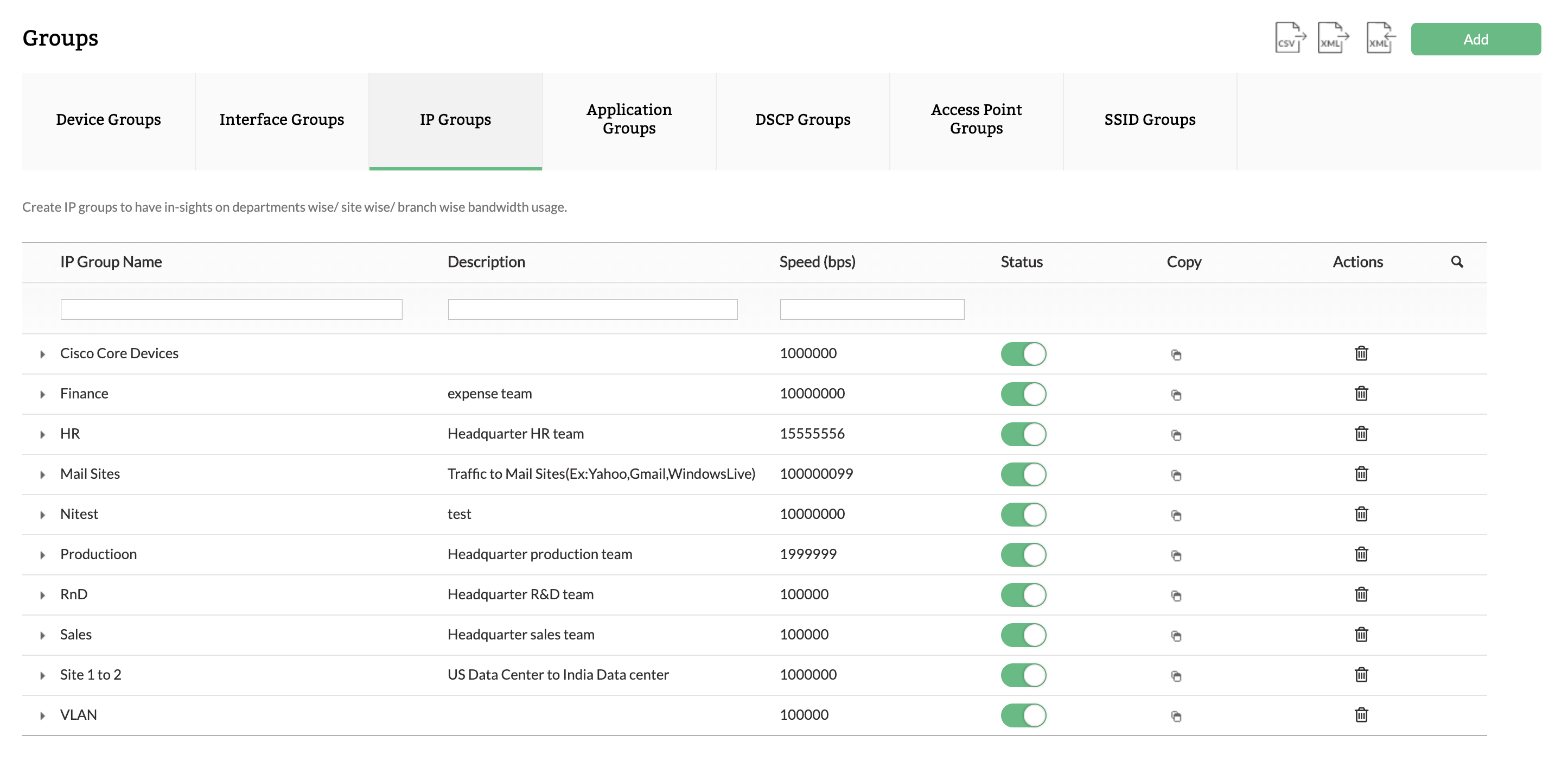  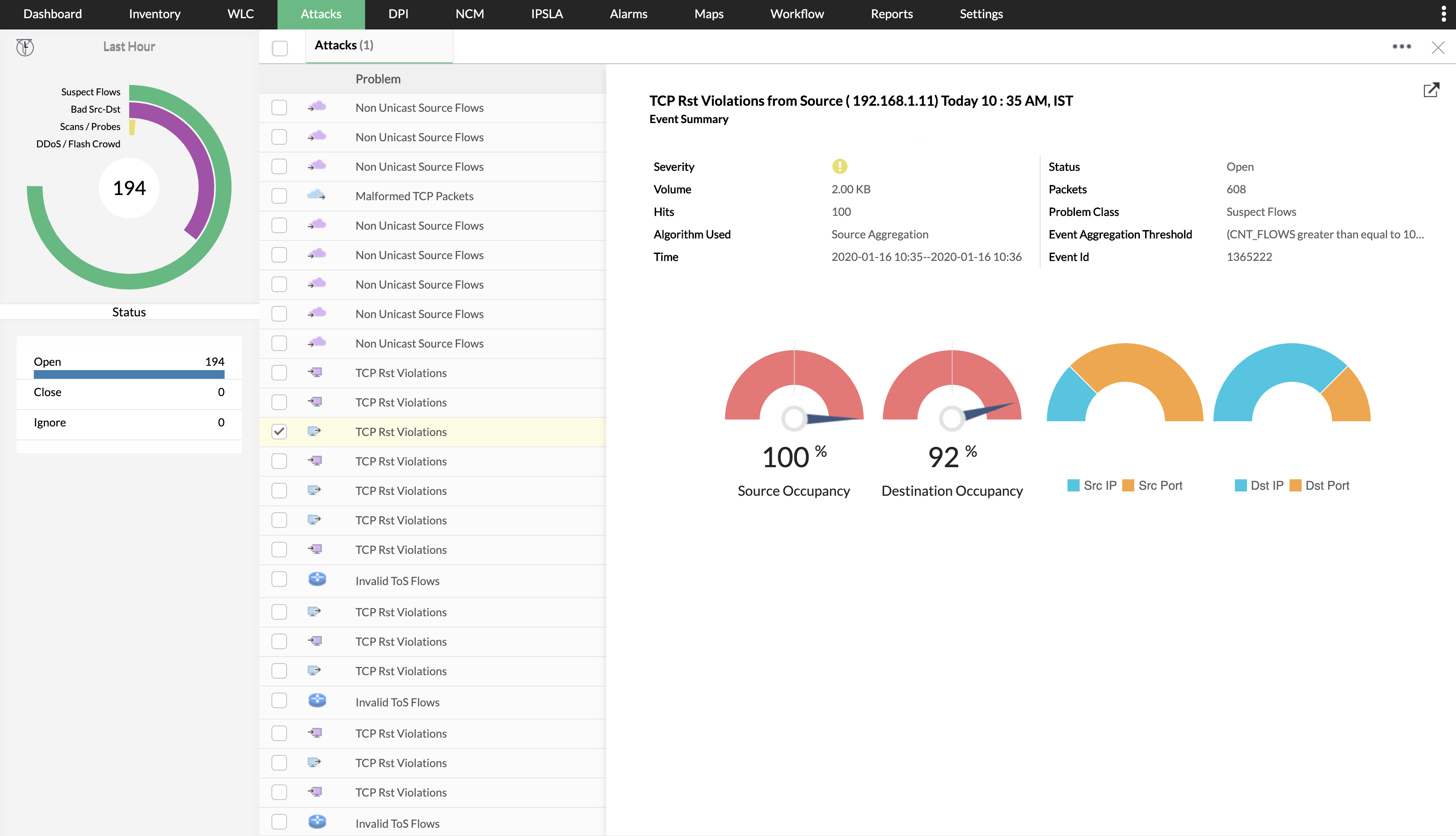  |