ChiroTouch is cloud chiropractic software offering an integrated EHR software built for chiropractors, top to bottom. ChiroTouch is an integrated system for payment processing and insurance claims management.
$159
per month
Zoho Calendar
Score9.8 out of 10
N/A
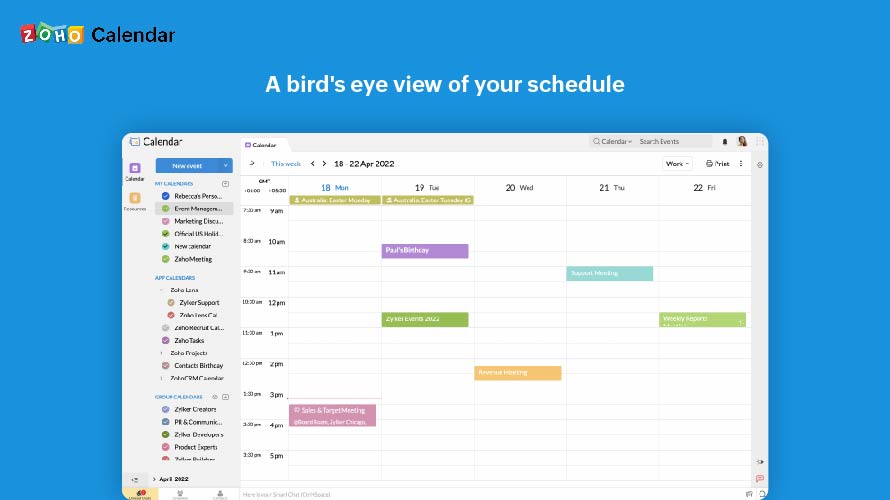
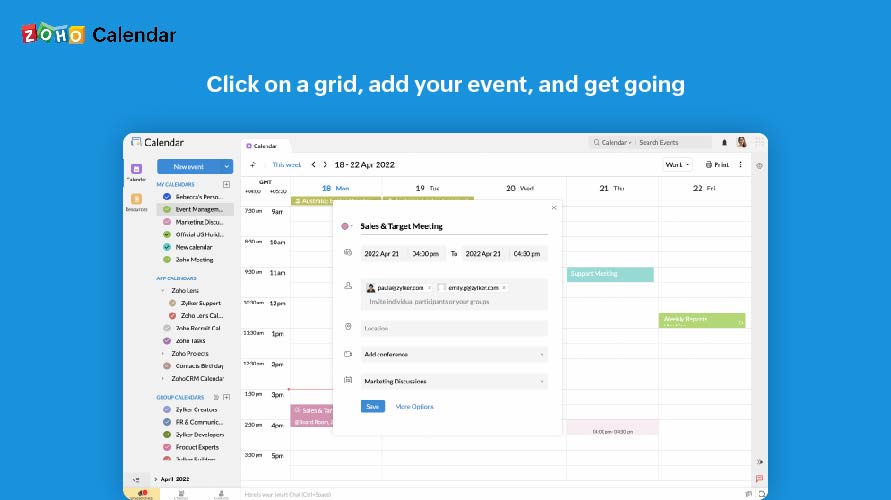
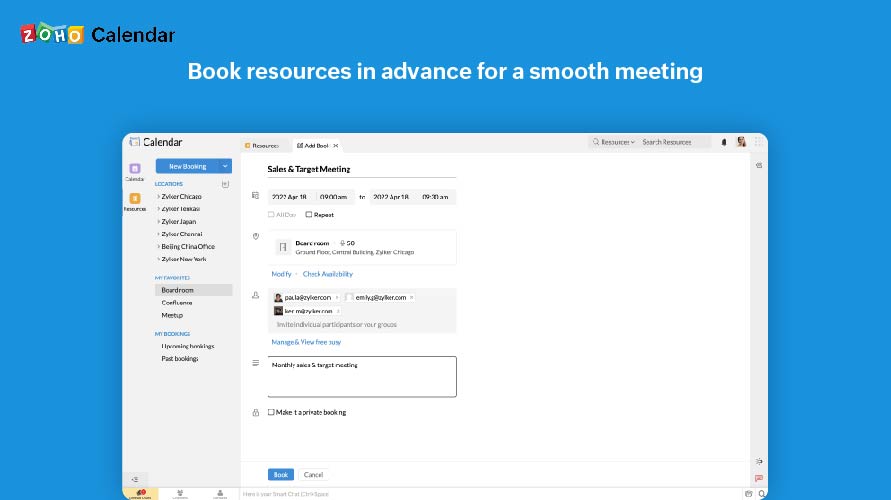
Zoho Calendar is an online business calendar designed to make scheduling easy. It can be used to stay on top of a schedule, or to share scheduled events with peers.
ChiroTouch has helped us maintain more accurate records, notes, billing, and the text reminders help to ensure the patients remember their appointment which keeps our numbers good.
A de minimis incentive was given to thank the reviewer for their time. The incentive was not used to bias or drive a particular response, nor was the incentive contingent on a positive endorsement. More Info
It is good for office use for keeping track of meetings and various important events. It is very nice to share a calendar with the whole team and the whole team has access to it, everyone can modify and update events. Furthermore, it is less appropriate when you use it on mobile, and it also cannot record the meetings.
A de minimis incentive was given to thank the reviewer for their time. The incentive was not used to bias or drive a particular response, nor was the incentive contingent on a positive endorsement. More Info
A de minimis incentive was given to thank the reviewer for their time. The incentive was not used to bias or drive a particular response, nor was the incentive contingent on a positive endorsement. More Info
A de minimis incentive was given to thank the reviewer for their time. The incentive was not used to bias or drive a particular response, nor was the incentive contingent on a positive endorsement. More Info
There is quite a bit to learn, even if you have experience with other EHR systems like I did, and required our staff and providers time and patience to get accustomed to it. It may be helpful for the Chirotouch team to develop a curriculum of sorts to navigate practices through learning the system in a logical way.
The EHR system is higher in price than other comparable systems, especially with all the add-ons - it would be nice if Chirotouch were a little more transparent about what you get when purchasing the item off the shelf, and, more importantly, what features are not included without a package upgrade.
The graphic layout and color scheme isn't as "pretty" as other EHR systems I've worked with, and actually looks quite outdated. It might be worthwhile for Chirotouch to work with graphic designers to make the interface a little more aesthetically pleasing.
A de minimis incentive was given to thank the reviewer for their time. The incentive was not used to bias or drive a particular response, nor was the incentive contingent on a positive endorsement. More Info
A de minimis incentive was given to thank the reviewer for their time. The incentive was not used to bias or drive a particular response, nor was the incentive contingent on a positive endorsement. More Info
A de minimis incentive was given to thank the reviewer for their time. The incentive was not used to bias or drive a particular response, nor was the incentive contingent on a positive endorsement. More Info
I subscribe to Zoho One so I use many of the modules that come with that single subscription. I've had intermittent issues with scheduled Zoho Meetings through Zoho CRM not appearing in my Zoho Calendar. Zoho has been working on the issue but it will be fixed for a while and then I'll miss a meeting because it wasn't appearing.
A de minimis incentive was given to thank the reviewer for their time. The incentive was not used to bias or drive a particular response, nor was the incentive contingent on a positive endorsement. More Info
It is fine once it is up and running, but the customization takes a long time, does not have some things setup in advance that seem very straight forward, and for most people the learning curve is very high for learning the system even once it is properly setup and customized. However, it is "fine" not particularly impressive. Additionally, their customer support and training is substandard.
A de minimis incentive was given to thank the reviewer for their time. The incentive was not used to bias or drive a particular response, nor was the incentive contingent on a positive endorsement. More Info
Since there are lots of preference options, it can be a little confusing when setting up. It does integrate with other calendars where you can choose one or two way syncing which is helpful if you keep separate personal and work calendars. You can set your start day of the week which for me I have it set to Monday. There are also time zone options which are great but still a bit confusing to me.
A de minimis incentive was given to thank the reviewer for their time. The incentive was not used to bias or drive a particular response, nor was the incentive contingent on a positive endorsement. More Info
Sometimes we get weird error messages. We have been having a problem with our check-in computer and ChiroTouch hasn't been able to figure out the problem
A de minimis incentive was given to thank the reviewer for their time. The incentive was not used to bias or drive a particular response, nor was the incentive contingent on a positive endorsement. More Info
Generally we never have problems with speed. If we have, it's been because we needed to perform software updates, and then it went back to working quickly.
A de minimis incentive was given to thank the reviewer for their time. The incentive was not used to bias or drive a particular response, nor was the incentive contingent on a positive endorsement. More Info
A de minimis incentive was given to thank the reviewer for their time. The incentive was not used to bias or drive a particular response, nor was the incentive contingent on a positive endorsement. More Info
Support has been excellent. As always, they are quickly responsive, and I feel they genuinely wish to address and fix any issues. It's unfortunate that my issues with meetings created in Zoho CRM don't always appear in my Zoho Calendar. While they mostly appear, my confidence level on any given week that I can see what is on my schedule is decidedly lacking.
A de minimis incentive was given to thank the reviewer for their time. The incentive was not used to bias or drive a particular response, nor was the incentive contingent on a positive endorsement. More Info
The particular person we were assigned was not very well versed in the software. Several things we asked about we were told we not possible, and then I later figure out how to do them by myself after getting to know the software. I guess that is what comes from trainers who use the system in theory but not in an actual office. They are basically reading off a script that guides you how to set things up, nothing more. If she didn't know the answer, she didn't research it, she just told us it wasn't possible. However, it was a multi-session training spread out over a couple weeks and they did walk you through all the basics. It does take a lot of customization, so this was appreciated. It would have been very intimidating to do without guided support sessions.
A de minimis incentive was given to thank the reviewer for their time. The incentive was not used to bias or drive a particular response, nor was the incentive contingent on a positive endorsement. More Info
A de minimis incentive was given to thank the reviewer for their time. The incentive was not used to bias or drive a particular response, nor was the incentive contingent on a positive endorsement. More Info
We had been using medisoft before and it wasn't organized enough or clear enough for insurance billing, coding and doctors notes. Chirotouch solved all of these problems with the additional bonus of being customizable
A de minimis incentive was given to thank the reviewer for their time. The incentive was not used to bias or drive a particular response, nor was the incentive contingent on a positive endorsement. More Info
Zoho calendar allows us to schedule, manage and track your appointment, meetings, birthdays, and other important dates. And also collaborate, share and publish your daily activities. Zoho Calendar also provides you to make it more creative by changing the themes. Event reminders are also available on Zoho Calendar, so we can be reminded either via email or through a pop-up about appointments, dates, milestones, and events. Reminders can pop up as early as 30 days before an event.
A de minimis incentive was given to thank the reviewer for their time. The incentive was not used to bias or drive a particular response, nor was the incentive contingent on a positive endorsement. More Info
It's reliable, though occasionally has connectivity issues. Their support says it's our computing issue, not the software, but we don't have similar problems with other software. Definitely needs to be backed up daily. We use ChiroTouch's backup and it works well
A de minimis incentive was given to thank the reviewer for their time. The incentive was not used to bias or drive a particular response, nor was the incentive contingent on a positive endorsement. More Info
A de minimis incentive was given to thank the reviewer for their time. The incentive was not used to bias or drive a particular response, nor was the incentive contingent on a positive endorsement. More Info
Once the meeting is created on the Zoho calendar, you don't need to remind invitees to join the meeting at a particular time or day. Zoho calendar does that for you.
If any invitees are unable to join the meeting, they can ask for a different time prior to that meeting.
Sometimes if many meetings are in the pipeline then there can be overlap.
A de minimis incentive was given to thank the reviewer for their time. The incentive was not used to bias or drive a particular response, nor was the incentive contingent on a positive endorsement. More Info