
Checkmk vs. Lansweeper
| Product | Rating | Most Used By | Product Summary | Starting Price |
|---|---|---|---|---|
 Checkmk | Score9.6 out of 10 | N/A | Checkmk is a solution for IT Monitoring of servers, applications, networks, cloud infrastructures (public, private, hybrid), containers, storage, databases and environment sensors. It can be deployed under all major Linux distributions or users can run it as Docker container or virtual appliance on other operating systems including Windows. The tool is available as a Raw Edition, which is open-source, and as an Enterprise Edition with a many additional enterprise features. The… | $0 up to 10 systems |
 Lansweeper | Score8.5 out of 10 | N/A | Lansweeper is an IT asset management solution that provides network discovery of all connected users, devices, and software within the IT estate. Lansweeper's device recognition capabilities provide complete visibility across the entire IT estate, in one centralized IT inventory. Lansweeper automatically and continuously discovers IT assets across infrastructure — servers, laptops, desktops, virtual & cloud machines, networks devices and IoT assets— in order to… | $2,868 per year (includes 2000 assets) |
| Checkmk | Lansweeper | |||||||||||||||
|---|---|---|---|---|---|---|---|---|---|---|---|---|---|---|---|---|
| Editions & Modules |
|
| ||||||||||||||
| Offerings |
| |||||||||||||||
| Entry-level Setup Fee | $600 for up to 3,000 Services / around 100 hosts | No setup fee | ||||||||||||||
| Additional Details | — | — | ||||||||||||||
| More Pricing Information | ||||||||||||||||
| Checkmk | Lansweeper | |
|---|---|---|
| Considered Both Products | No answer on this topic | No answer on this topic |
| Key User Insights | ||
| Would buy again | ||
No answers on this topic | 100% Would buy again 5 Answers | |
| Delivers good value for the price | ||
No answers on this topic | No answers on this topic | |
| Happy with the feature set | ||
No answers on this topic | 100% Happy with the feature set 5 Answers | |
| Lived up to sales and marketing promises | ||
No answers on this topic | No answers on this topic | |
| Implementation went as expected | ||
No answers on this topic | No answers on this topic | |
| Checkmk | Lansweeper | ||||||||||||||||
|---|---|---|---|---|---|---|---|---|---|---|---|---|---|---|---|---|---|
| IT Asset Management |
| ||||||||||||||||
| Checkmk | Lansweeper | |
|---|---|---|
| Small Businesses |  Veeam ONE Score8.2 out of 10 | No answers on this topic |
| Medium-sized Companies |  Icinga Score7.8 out of 10 |  KACE Asset Management Appliance Score7.5 out of 10 |
| Enterprises | Veeam ONE Score8.2 out of 10 |  Ivanti Neurons for ITAM Score6.6 out of 10 |
| All Alternatives | View all alternatives | View all alternatives |
| Checkmk | Lansweeper | |
|---|---|---|
| Likelihood to Recommend | 10.0 | 8.0 |
| Likelihood to Renew | 10.0 | 10.0 |
| Usability | 9.0 | - |
| Support Rating | - | 9.9 |
| Checkmk | Lansweeper | |
|---|---|---|
| Likelihood to Recommend |
|
|
| Pros |
|
|
| Cons |
|
|
| Likelihood to Renew |
|
|
| Usability |
| No answers on this topic |
| Support Rating | No answers on this topic |
|
| Alternatives Considered |
|
|
| Return on Investment |
|
|
| ScreenShots | Lansweeper Screenshots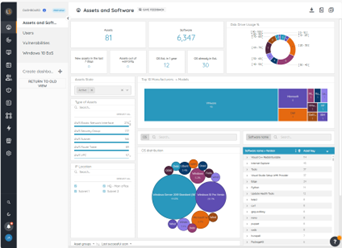 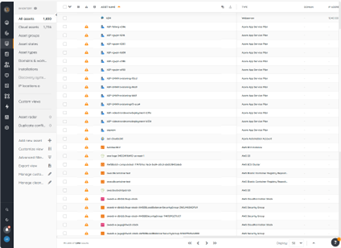 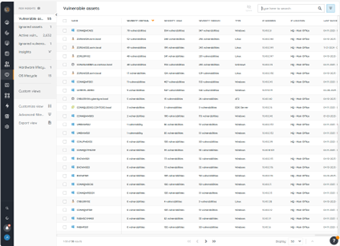 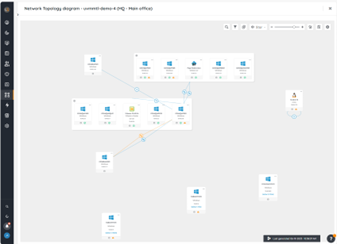 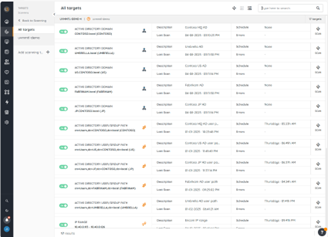 |




