CheckMark Payroll vs. Patriot Payroll

Overview
ProductRatingMost Used ByProduct SummaryStarting Price
CheckMark Payroll
Score 0.0 out of 10
N/A
Engineered for small businesses, CheckMark Payroll software for Macintosh and Windows is a solution for small business owners, accountants, and payroll professionals. Features include direct deposit, MICR encoding blank check stock printing and users can process as many payrolls as desired for employees and companies. Up-to-date Federal and State tax withholding tables and printable IRS forms are included.
$509
per year
Patriot Payroll
Score 9.7 out of 10
N/A
Patriot Software headquartered in Canton, Ohio offers Patriot PAY, their benefits administration and payroll software.
$174
Pricing
CheckMark PayrollPatriot Payroll
Editions & Modules
CheckMark Payroll 2023 Edition
$509
per year
Basic Payroll
$17/mo + $4 per employee/contractor
Accounting Basic
$20/mo (unlimited use)
Accounting Premium
$30/mo (unlimited use)
Full Service Payroll
$37/mo + $4 per employee/contractor
Offerings
Pricing Offerings
CheckMark PayrollPatriot Payroll
Free Trial
YesYes
Free/Freemium Version
NoNo
Premium Consulting/Integration Services
NoNo
Entry-level Setup FeeNo setup feeNo setup fee
Additional DetailsPatriot Software has two payroll options to choose from: Basic Payroll, and Full Service payroll software. Both start with a simple three-step payroll process. With the Full Service Payroll, Patriot will collect, deposit, and file federal, state, and local payroll taxes on the customer's behalf; end-of-the-year payroll tax filing is included at no extra charge. Print W2s on 8 x 1/2 x 11 plain white office paper to hand to employees, or post to the free employee portal. Also, Patriot Software offers free direct deposit.
More Pricing Information
Community Pulse
CheckMark PayrollPatriot Payroll
Features
CheckMark PayrollPatriot Payroll
Payroll Management
Comparison of Payroll Management features of Product A and Product B
CheckMark Payroll
-
Ratings
Patriot Payroll
8.3
Ratings
1% above category average
Pay calculation00 Ratings9.50 Ratings
Support for external payroll vendors00 Ratings10.00 Ratings
Off-cycle/On-Demand payment00 Ratings8.70 Ratings
Benefit plan administration00 Ratings6.00 Ratings
Direct deposit files00 Ratings9.20 Ratings
Salary revision and increment management00 Ratings8.20 Ratings
Reimbursement management00 Ratings6.30 Ratings
User Ratings
CheckMark PayrollPatriot Payroll
Likelihood to Recommend
-
(0 ratings)
9.7
(0 ratings)
Likelihood to Renew
-
(0 ratings)
9.0
(0 ratings)
Usability
-
(0 ratings)
9.3
(0 ratings)
Support Rating
-
(0 ratings)
8.7
(0 ratings)
User Testimonials
CheckMark PayrollPatriot Payroll
Likelihood to Recommend
No answers on this topic
Patriot is well suited for an office with a small staff without complicated tax issues to manage. My office had 2 employees: one full-time and one part-time. There were no 1099's issued, and no special tax exemptions or other special tax situations for employees. The owner was a sole proprietor, so she was not paid as an employee through Patriot. It was easy to quickly run simple payroll tasks on a bi-weekly basis in my situation. However, I believe a more complex situation with more employees would still be suitable for this software if there was an employee dedicated to performing payroll and human resources tasks. Information must be manually entered each payroll period and submitted before 8pm to process at the scheduled pay date, so if there was not a dedicated employee for the task, it would be easy to end up paying employees a business-day late. I know that Patriot offers add-on services for human resource tasks, such as time sheets and tools to manage sick days, benefits, and record employee attendance. I did not require these extra services, but I like that Patriot offers services a la carte so that there is no need to pay for tools you do not need
Read full review
Pros
No answers on this topic
  • Patriot's software is very easy to use for running payroll. It takes about 30 seconds to do.
  • The payroll reports are abundant, easy to find and print, and make my accounting very easy.
  • Having a full service payroll provider as easy to use as Patriot leaves me with more availability to focus on treating patients and running other aspects of my business.
Read full review
Cons
No answers on this topic
  • The third party direct deposit processor Patriot previously used was not particularly easy to work with...but Patriot just brought all direct deposit processing in house.
  • Clergy housing allowance has to be manually entered each payday. They tell me they're close to adding the capability of making it (and other similar pay types) as a recurring item.
  • The setup process is geared toward novice users who need to be hand-held through the process. That's great for those who need it but a more streamlined, no-frills process payroll pros would be welcome.
Read full review
Likelihood to Renew
No answers on this topic
It works well because it is cheap for us.
Read full review
Usability
No answers on this topic
I think it is great once things are setup as for general user looking to look for simple things like a copy of a paystub or a current pay rate for an employee. However, to find specialized things like a state withholding number or payroll integration settings those do require a bit more digging to find or possibly a call to customer service for help.
Read full review
Support Rating
No answers on this topic
Generally speaking it is pretty good that when I need to call somebody up for a payroll question I can generally within five minutes get somebody on the phone and they can help me resolve the problem or specify where specifically I need to go or contact to find my answers. However, that being said, for my specific situation as a partner my assigned contact has not always been very responsive.
Read full review
Alternatives Considered
No answers on this topic
Cost is the major factor here, but the ease of use (and design of the interface) is a big advantage for Patriot PAY. Items are (ironically) more "intuitive" to find and manage in Patriot PAY than Intuit.

Patriot PAY is closer to ADP/Gusto/Paychex in how it looks and feels and operates in a full-service capacity, but it is much more affordable.
Read full review
Return on Investment
No answers on this topic
  • Patriot allows the entire team to be on the same page when it comes to a campaign or donor. All of the information is in one place to see how much a donor gave or communication with that donor by a specific team member.
  • It provides comparative historic data and donor analysis. The organization of donations by appeal allows teams to know which campaigns were successful in previous years.
Read full review
ScreenShots

CheckMark Payroll Screenshots

Screenshot of A dashboard giving access to setup, payroll processing, and reporting functions. A News Feed is constantly updated with important payroll changes. Other useful information is listed for quick reference including the number of active employees and where the data is being saved. Quick links in the upper right-hand corner provide access to order paper products, contact support, browse the Knowledge Base, open the Payroll Manual.Screenshot of A Company or Trade Name can be used to print on checks and reports. Also, an encrypted password keeps information away from prying eyes.Screenshot of 20 Additional Income categories can be set up for the company and up to 8 per employee assigned. Offers a list of pre-set categories to use or modify.Screenshot of Set up to 30 Deduction categories for the company and assign up to 16 per employee. Users can set up an Employer Match for categories like a 401(k).Screenshot of Sort employees by their last name, employee number, or department. Separate active or inactive employees, track accrued hours and assign specific Incomes and Deductions for each employee.Screenshot of Input hours in a spreadsheet-type format or import them from a time and attendance system. Option to sort hourly employees first vs. those set up as salary for easier input.

Patriot Payroll Screenshots

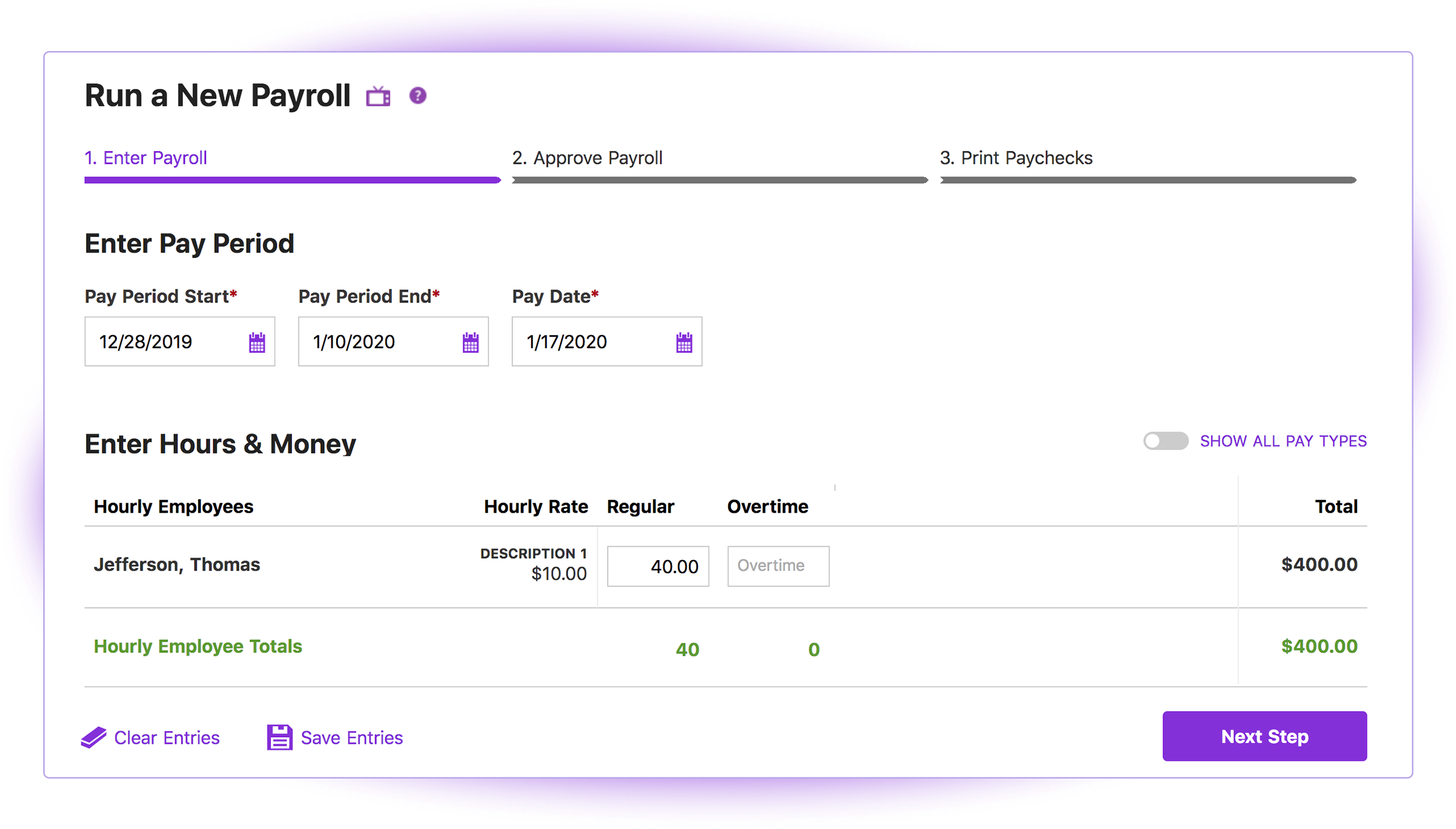
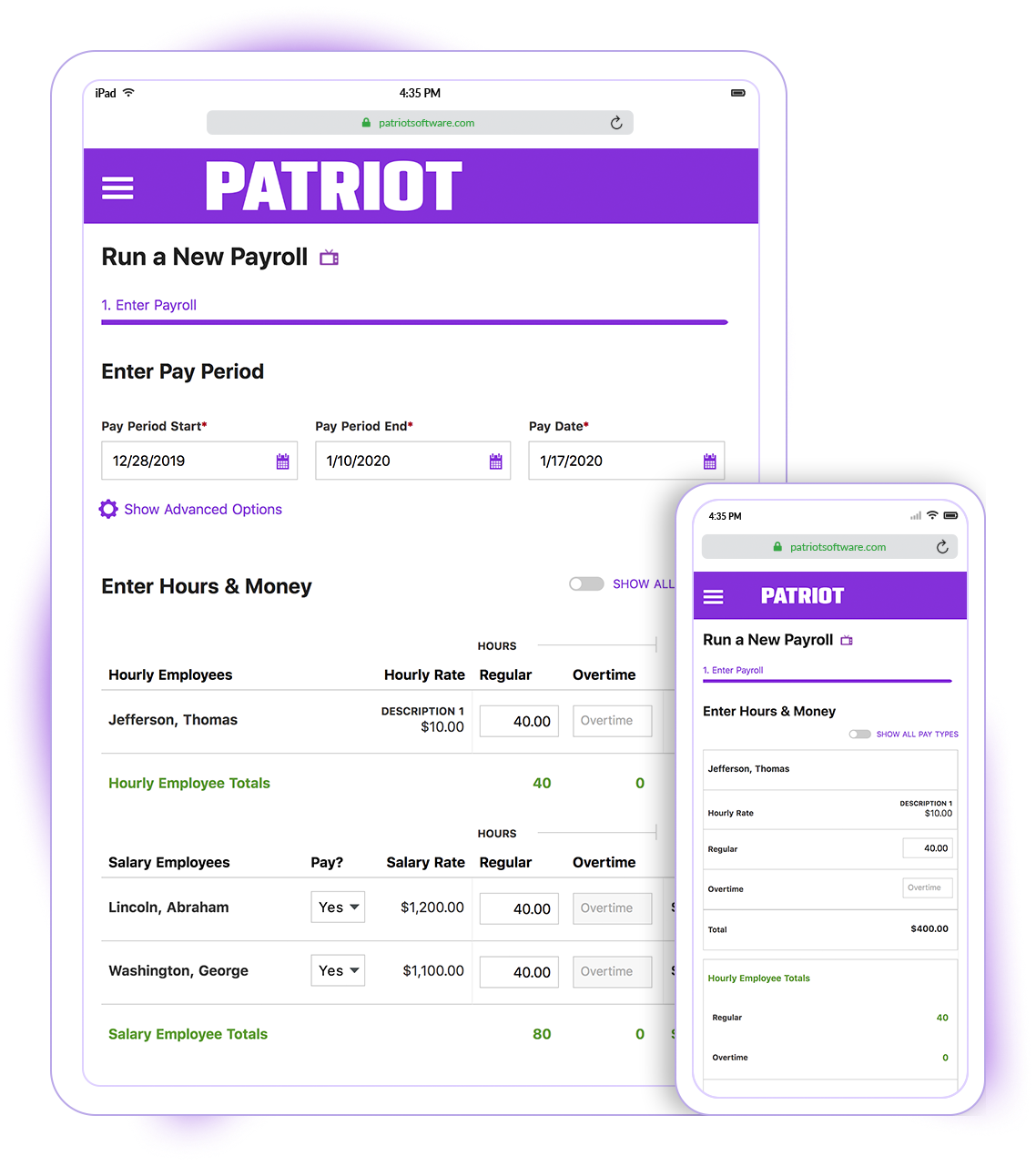
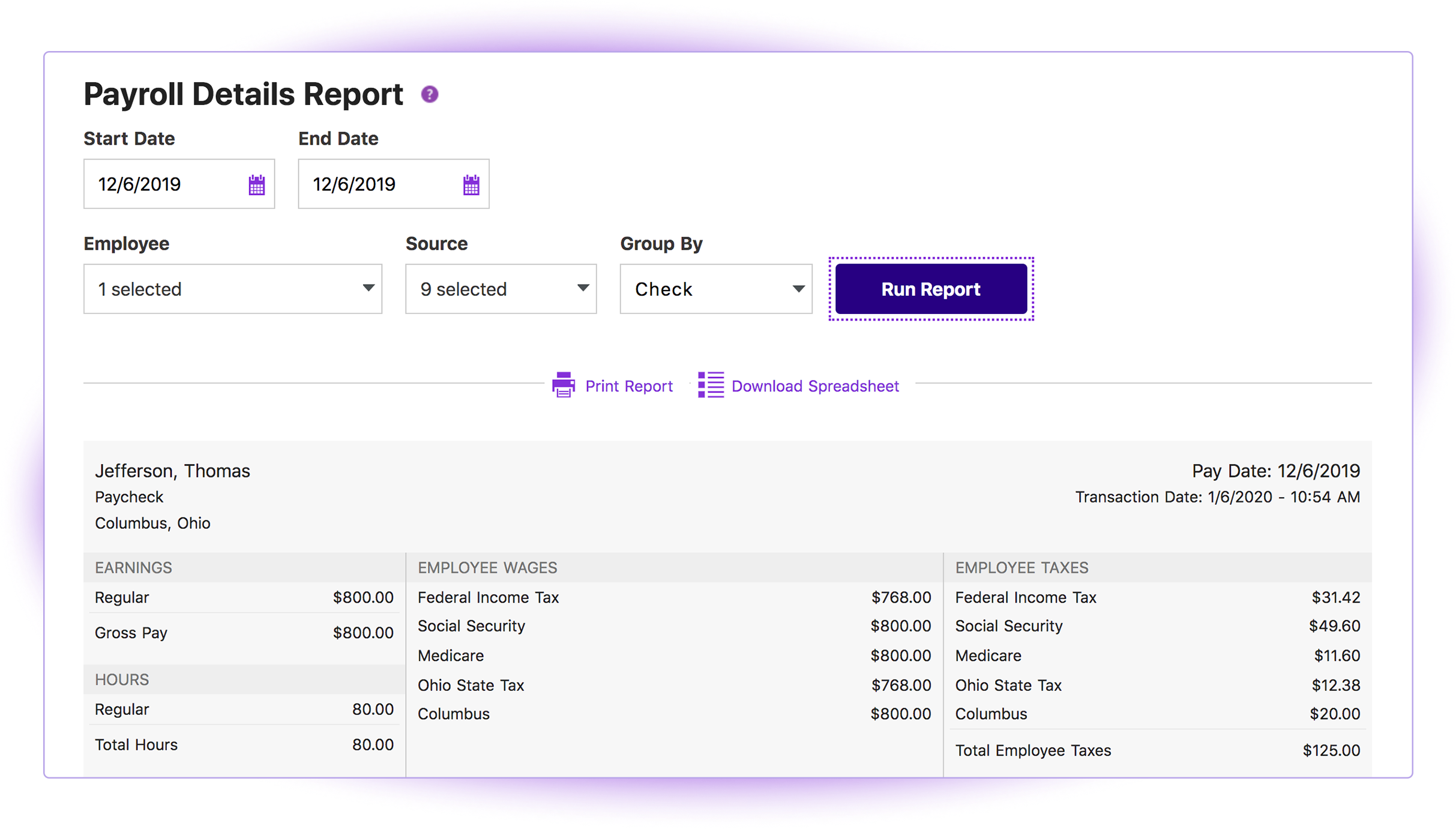
Screenshot of the 3-step process to carry out payrollScreenshot of the Payroll interface, which can be used run payroll on any device with internet or data connection. There is no need to download and maintain a separate payroll app.Screenshot of a payroll report, to sort by work location, employee, and date range.