ChatBot vs. ACE Virtual Leasing Assistant by LeaseHawk

Overview
ProductRatingMost Used ByProduct SummaryStarting Price
ChatBot
Score 9.0 out of 10
Enterprise companies (1,001+ employees)
ChatBot is an all-in-one platform to create, deploy, and track chatbots across channels. With it the vendor states users can create chatbots in minutes with diverse templates and automate key tasks right away, or easily drag-and-drop new elements to adapt any template to your needs. ChatBot is ready to work out of the box, while AI algorithms help users improve responses over time. Design conversational experiences to build better relationships with customers.…N/A
ACE Virtual Leasing Assistant by LeaseHawk
Score 0.0 out of 10
N/A
ACE is a chatbot and lead generator that nurtures prospects, 24/7. ACE answers leasing phone calls, text messages, and chats.N/A
Pricing
ChatBotACE Virtual Leasing Assistant by LeaseHawk
Editions & Modules
No answers on this topic
Offerings
Pricing Offerings
ChatBotACE Virtual Leasing Assistant by LeaseHawk
Free Trial
YesNo
Free/Freemium Version
NoNo
Premium Consulting/Integration Services
NoNo
Entry-level Setup FeeNo setup feeNo setup fee
Additional Details
More Pricing Information
Features
ChatBotACE Virtual Leasing Assistant by LeaseHawk
Chat Analytics and Reports
Comparison of Chat Analytics and Reports features of Product A and Product B
ChatBot
7.8
Ratings
6% below category average
ACE Virtual Leasing Assistant by LeaseHawk
-
Ratings
Chat history and transcripts9.00 Ratings00 Ratings
Chat reporting7.00 Ratings00 Ratings
Chat and web analytics7.50 Ratings00 Ratings
User Ratings
ChatBotACE Virtual Leasing Assistant by LeaseHawk
Likelihood to Recommend
9.0
(0 ratings)
-
(0 ratings)
Usability
9.0
(0 ratings)
-
(0 ratings)
Support Rating
8.0
(0 ratings)
-
(0 ratings)
User Testimonials
ChatBotACE Virtual Leasing Assistant by LeaseHawk
Likelihood to Recommend
If you're an organisation looking to start deploying a ChatBot solution on your website, this product solves your use case. Especially, if you haven't worked with a ChatBot solution before and have little or no prior experience. Their help videos, training section will be sufficient for you to start with the basics of deploying a ChatBot on your website. Use their templates effectively too to start off with.
Read full review
No answers on this topic
Pros
  • Answering most of the FAQs.
  • Sending users in the right direction rather then going from one support staff to other.
  • Reduces unnecessary load from the the team
Read full review
No answers on this topic
Cons
  • I think the pricing could be a little more competitive
Read full review
No answers on this topic
Likelihood to Renew
As long as budget is not an issue - we renewing this solution.
Read full review
No answers on this topic
Usability
Since I deployed this solution end to end for my organisation, I would speak from my experience that since I was a newbie to this platform I took ample support from their team, their training resources. However, the product's UI/UX was simply very intuitive that it helped me to get a lot of hand-on practice on the product well. This helped me with the timely deployment of this solution.
Read full review
No answers on this topic
Support Rating
Full end-to-end support is critical to maintain the ongoing service, robustness, training and customer service Chatbot offers.
Read full review
No answers on this topic
Alternatives Considered
ChatBot is more stable and enhanced as compared to other rivals which are new in this segment and also provides a lot of details which is missing in other products like report etc. Also, chatBot is more commonly used so support wise it is also great and you can find multiple examples on the internet and from your peers as well.
Read full review
No answers on this topic
Return on Investment
  • Good customer engagement levels (positive intent recognition).
  • Positive CSAT.
  • Not enough volume yet to have a cost ROI.
Read full review
No answers on this topic
ScreenShots

ChatBot Screenshots

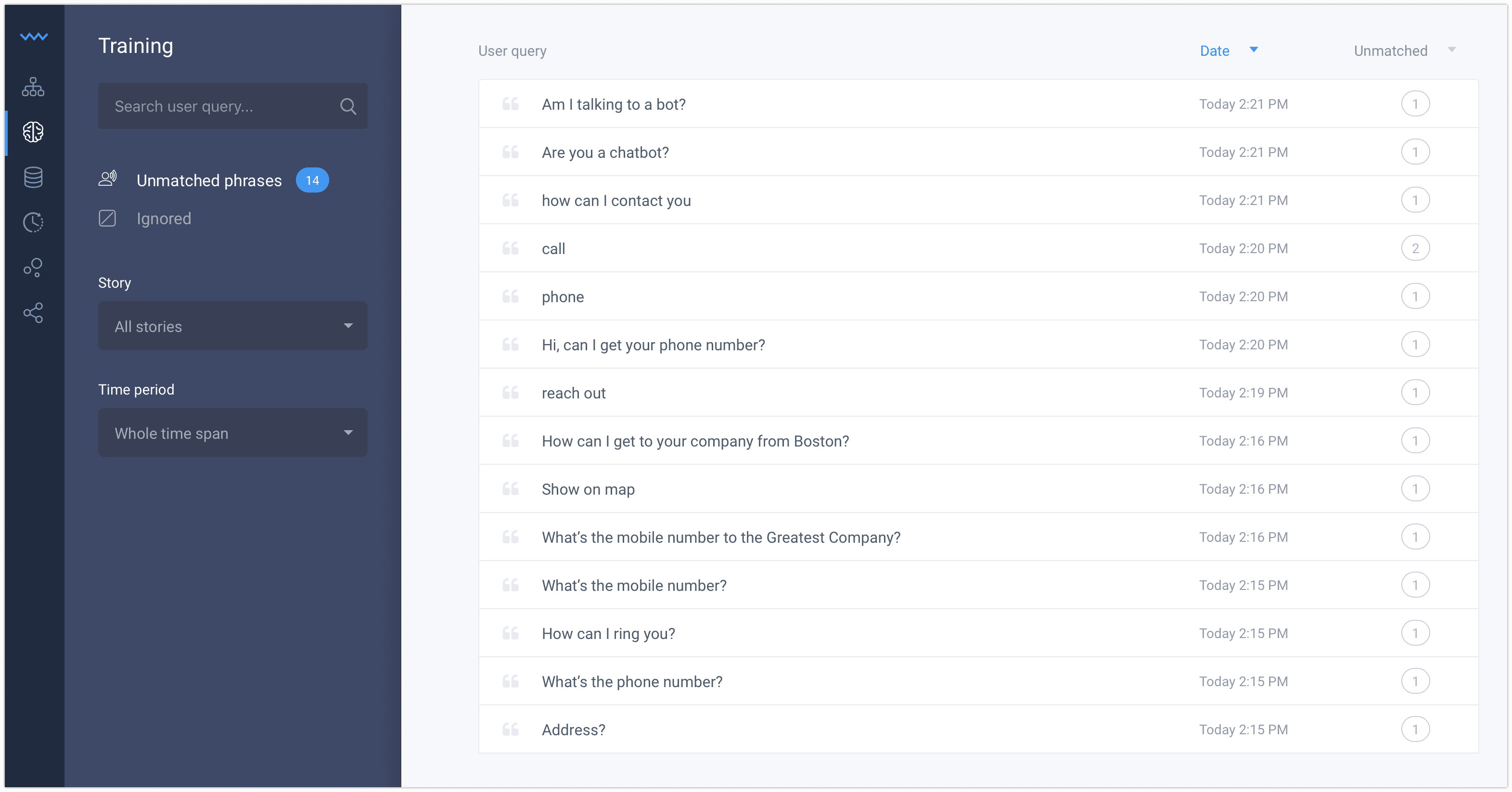
Screenshot of Chatbot conversations are automatically archived, allowing users to analyze and improve their story flows.Screenshot of With ChatBot you can control the entire conversation flow.Screenshot of Improve your chatbot day by day using the training tool.Screenshot of Save your time importing a ready to use template and turn it into your own bot assistant.Screenshot of Stories are an intuitive way to tell the bot how to react to different situations. Create Stories for frequent questions and cases to save more time for the difficult ones.Screenshot of To create a fully operating chatbot you don’t need any other tools or apps. The scenario tree structure and drag and drop interface are very intuitive.