Chartbeat vs. Quantcast Measure

Overview
ProductRatingMost Used ByProduct SummaryStarting Price
Chartbeat
Score 6.9 out of 10
N/A
Chartbeat delivers real-time analytics, insights, and transformative tools for content teams around the world, to help improve audience engagement, inform editorial decisions, and increase loyalty.N/A
Quantcast Measure
Score 8.0 out of 10
N/A
Quantcast is a web analytics platform built around total cross-platform measurement with flexible audience segmentation across those platforms.N/A
Pricing
ChartbeatQuantcast Measure
Editions & Modules
No answers on this topic
Offerings
Pricing Offerings
ChartbeatQuantcast Measure
Free Trial
YesYes
Free/Freemium Version
NoYes
Premium Consulting/Integration Services
NoNo
Entry-level Setup FeeNo setup feeNo setup fee
Additional DetailsChartbeat pricing is based on monthly site page views. Discounts are applied to multi-year contracts. The Basic Plan includes the Real-time Dashboard, Historical Dashboard, Heads Up Display, Reports, Big Board, iOS and Android app, and Real-time API endpoints. The Plus Plan includes all of the Basic Plan features, plus ONE of the following Premium features: Headline Testing, Advanced Queries, or Multi-Site View. The Premium Plan includes all of the Basic Plan features, plus ALL Premium features: Headline Testing, Advanced Queries, Multi-Site View, and enterprise-level support and custom trainings.
More Pricing Information
Community Pulse
ChartbeatQuantcast Measure
Features
ChartbeatQuantcast Measure
Web Analytics
Comparison of Web Analytics features of Product A and Product B
Chartbeat
7.4
Ratings
8% below category average
Quantcast Measure
-
Ratings
Lead Conversion Tracking6.10 Ratings00 Ratings
Bounce Rate Measurement6.90 Ratings00 Ratings
Device and Browser Reporting7.00 Ratings00 Ratings
Pageview Tracking7.90 Ratings00 Ratings
Event Tracking7.00 Ratings00 Ratings
Reporting in real-time9.00 Ratings00 Ratings
Referral Source Tracking8.00 Ratings00 Ratings
Customizable Dashboards7.50 Ratings00 Ratings
User Ratings
ChartbeatQuantcast Measure
Likelihood to Recommend
8.6
(0 ratings)
8.0
(0 ratings)
Likelihood to Renew
9.9
(0 ratings)
-
(0 ratings)
Usability
7.9
(0 ratings)
-
(0 ratings)
Support Rating
8.1
(0 ratings)
8.0
(0 ratings)
User Testimonials
ChartbeatQuantcast Measure
Likelihood to Recommend
It is well suited to keeping me toward a specified goal, and gives me concrete numbers and gives me an idea of what we need to do to meet our goals. It's less appropriate if you want something more than pageviews, and doesn't really do a lot for video views.
Read full review
If you are looking for a basic website analytics tool that provides some good, high level information about who is visiting your site and where traffic is coming from, Quantcast is a good tool. It's a bit less intimidating than a tool like Google Analytics as there are no custom dashboards.
Read full review
Pros
  • Provides easy at-a-glance look at what people are reading right now
  • Heads-up Display allows you to make sure the homepage is showing the content people want to read
  • Headline testing tool provides fascinating insight into what makes people read a story and improves headline-writing ability
Read full review
  • Analyze volume of traffic
  • Show geographic distribution of traffic
  • Demographic information of website visitors
Read full review
Cons
  • Source of traffic needs improvement. Search and social make sense, but "internal" and "links" is a grey area. It would be helpful to define those with an organization and provide an information icon so users can easily remember what each of those buckets is tracking.
  • More ways to customize the real-time board. For example, with video content, that's great that I can see a user has started a video, but what is the completion rate, was that only on O&O or can that track Facebook, too?
  • Would like to see demo (age) information included as a way to slice the data so I can see what's working with my older and younger demo.
Read full review
  • Even more details
  • Some of the generalizations of data feel vague.
Read full review
Likelihood to Renew
I gave Chartbeat a 5 for a renewal rating, because, while it delivers clear and understandable content, Google Analytics also provides many of the same features for free. For a small to medium website, I believe it would be more cost effective to use Google Analytics. A website with a high amount of traffic, however, could merit spending the money on Chartbeat to maximize their potential.
Read full review
No answers on this topic
Usability
Chartbeat is really pretty straightforward. The only things that may cause confusion are the string of sidebar features and tools at the left of the screen. I mostly use the big leader board in real-time and the historical feature (looking at the monthly or weekly performance of my team's content) and then generate reports automatically from there.
Read full review
No answers on this topic
Support Rating
I have had limited experience of support for Chartbeat but whenever I have needed help it has been there. Recently there was an issue of seeing different forms of data in real time - app and otherwise effectively, and the issue was being clearly dealt with and communicated back to us.
Read full review
I haven't really worked with their support.
Read full review
Alternatives Considered
Google Analytics has gradually become much more difficult to use, and much slower in its realtime reporting. It was the changes that came in with Google Analytics 4 that gave us the final push to work with Chartbeat - a product some of us were already familiar with from previous jobs. Things are just much harder to find in GA, and when time is always tight you can't afford to spend a long time looking for particular data - it should be quick and easy to locate
Read full review
I think both Google Analytics and Quantcast Measure are useful to have at the same time. You can see how some data differs, but both services give different kinds of data that can be useful for research and marketing purposes. The essential features of both services are free, so there's minimal risk in trying out both tools.
Read full review
Return on Investment
  • It has helped us save time in report generation and performance analysis.
  • By helping us evaluate our contributors, we're able to get our money's worth.
  • Seeing our numbers on the Big Board fosters healthy competition among brands, motivating us to distribute our stories better.
Read full review
  • Only positive for us - It helps us get a better idea of who our audience is, which we use when talking to advertisers.
Read full review
ScreenShots

Chartbeat Screenshots

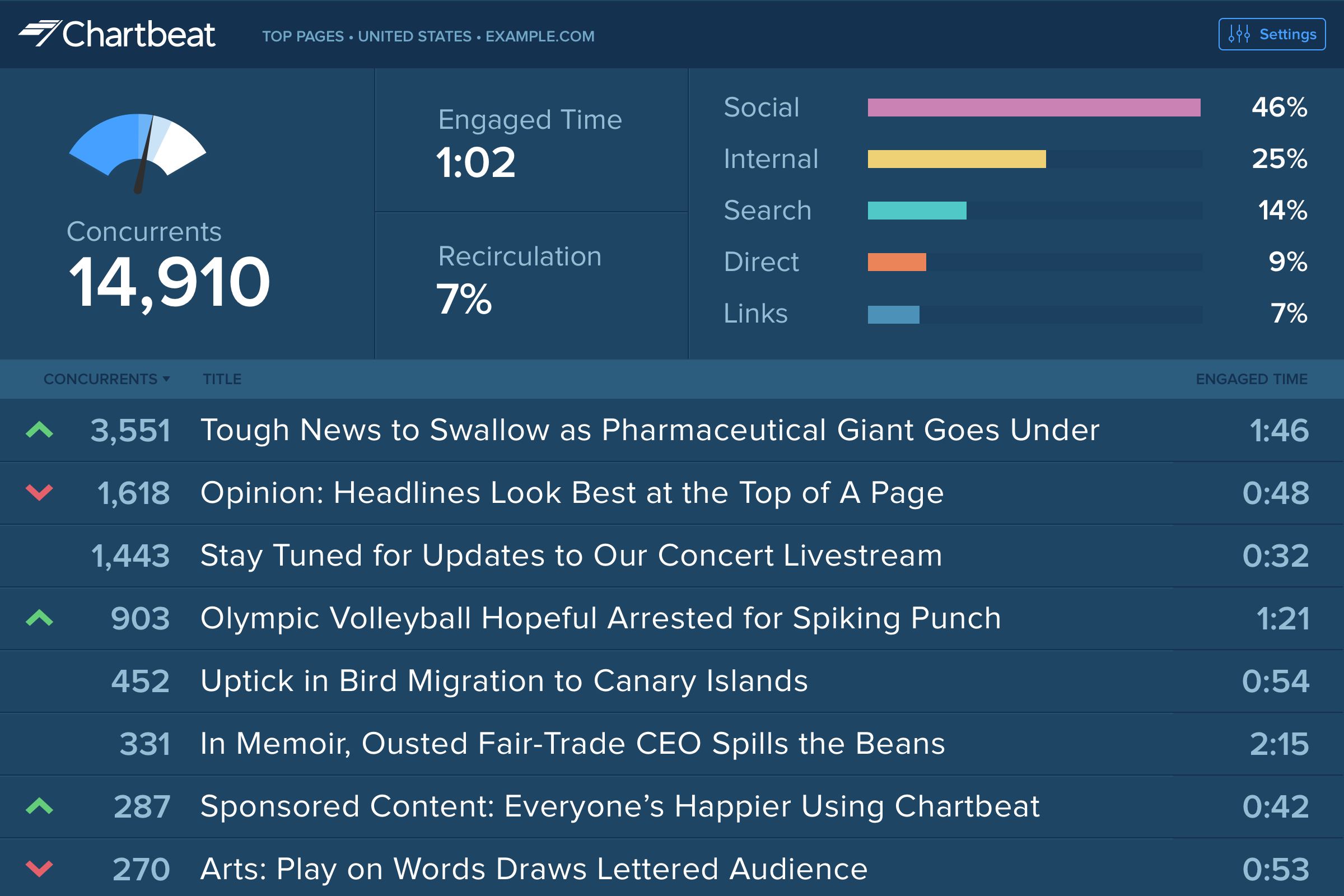
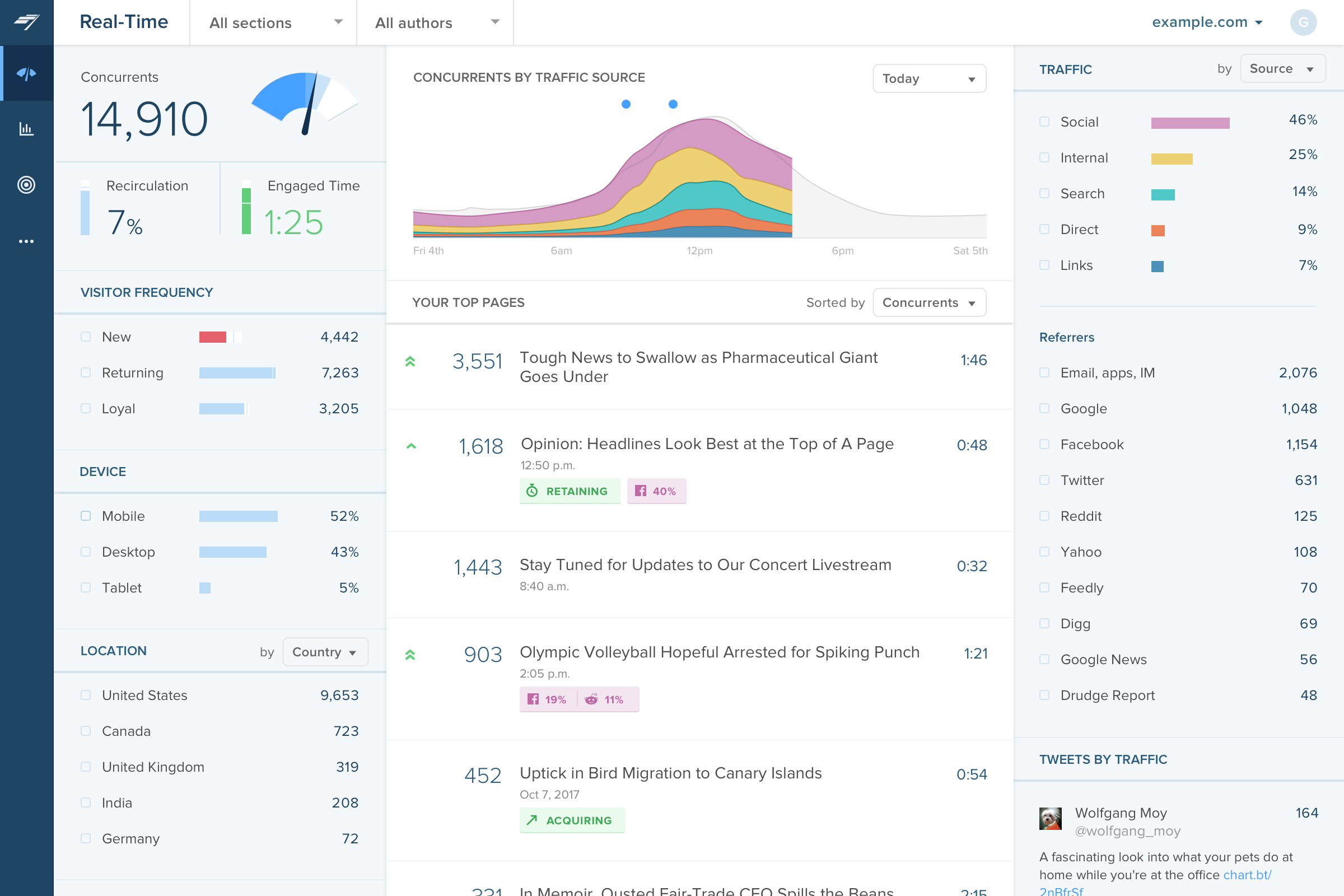
Screenshot of Big Board: For newsrooms, the leaderboard-style visualization shows the top stories on the biggest screen.Screenshot of Real-time dashboard: Displays how an audience is connecting with content in the moment – across platforms, channels, and devices.Screenshot of Historical Dashboard: To assess content performance, KPIs, and valuable trends over the long term.Screenshot of Heads Up Display: Shows which homepage articles are the top performers, how stories are trending up or down in traffic, and how far visitors are scrolling down the page.Screenshot of Video Dashboard: Reveals how video content captures viewer attention.Screenshot of Conversion Dashboard: Tracks conversion metrics and insights.