Cascade CMS (formerly Cascade Server) by Hannon Hill is a content management system, with built-in tools to help users eliminate stale content, increase digital outreach, and promote end-user adoption and accountability. Cascade CMS is designed for decentralized web teams in most major industries, including higher education, government, healthcare, and technology.
Included is Clive, an engagement and real-time personalization tool for collecting information and using it to craft personalized…
N/A
WebWave
Score 9.5 out of 10
N/A
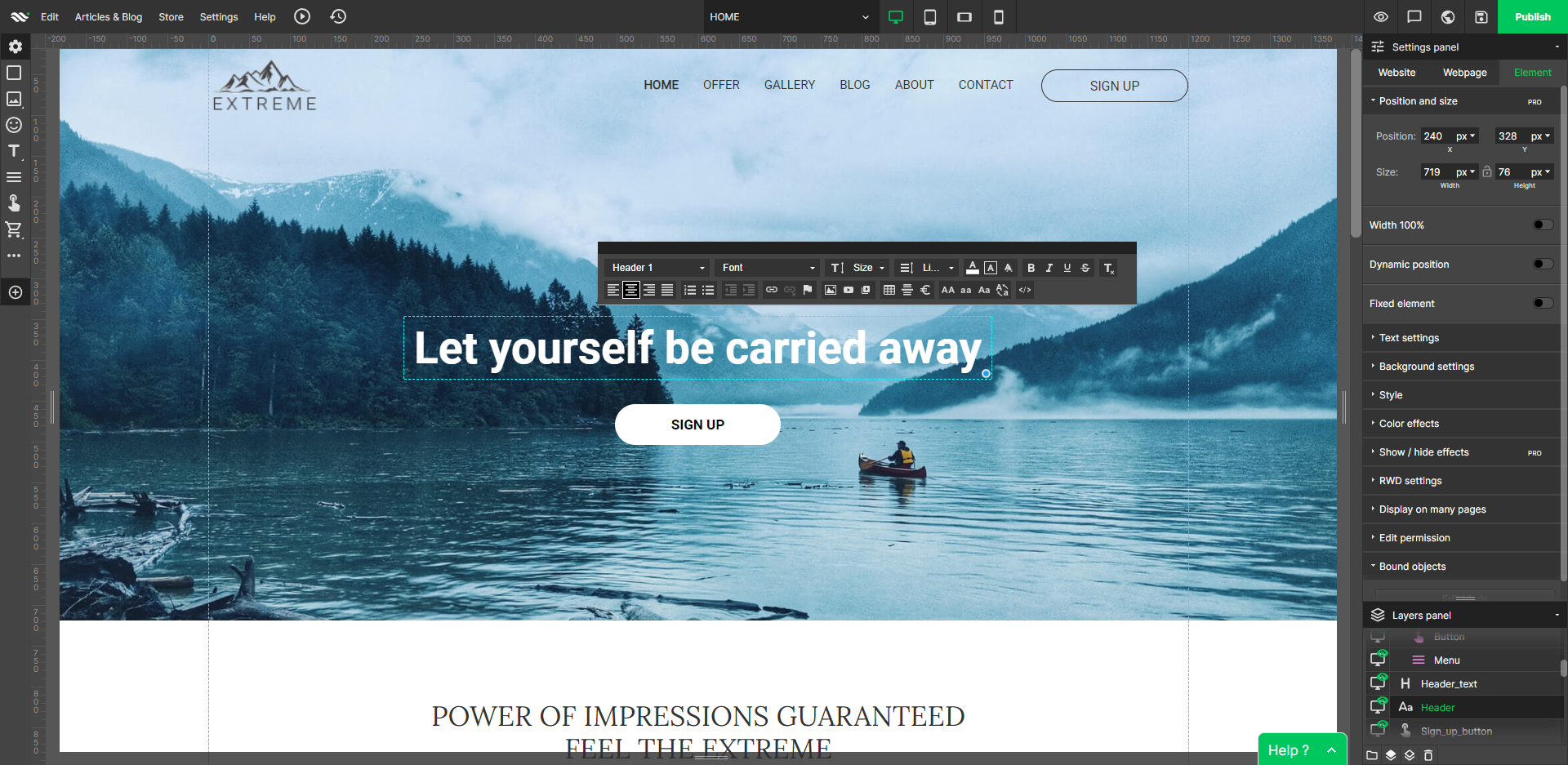
WebWave — an alternative for agencies and freelancers for creating custom websites for clients with the support of CMS. Using CMS with no sacrifices WebWave is a CMS platform that gives a designer precision up to 1 px in every single detail just like in more sophisticated graphic programs such as Photoshop while remaining a drag and drop software. This is to make creating websites much faster without loosing on details. Spend less time talking WebWave…
N/A
Pricing
Cascade CMS
WebWave
Editions & Modules
No answers on this topic
No answers on this topic
Offerings
Pricing Offerings
Cascade CMS
WebWave
Free Trial
Yes
Yes
Free/Freemium Version
No
Yes
Premium Consulting/Integration Services
No
No
Entry-level Setup Fee
Optional
$7 per month
Additional Details
—
—
More Pricing Information
Community Pulse
Cascade CMS
WebWave
Features
Cascade CMS
WebWave
Security
Comparison of Security features of Product A and Product B
Cascade CMS
8.0
Ratings
1% below category average
WebWave
-
Ratings
Role-based user permissions
8.00 Ratings
00 Ratings
Platform & Infrastructure
Comparison of Platform & Infrastructure features of Product A and Product B
Cascade CMS
7.1
Ratings
7% below category average
WebWave
-
Ratings
API
7.00 Ratings
00 Ratings
Internationalization / multi-language
7.30 Ratings
00 Ratings
Web Content Creation
Comparison of Web Content Creation features of Product A and Product B
Cascade CMS
7.1
Ratings
8% below category average
WebWave
-
Ratings
WYSIWYG editor
6.10 Ratings
00 Ratings
Code quality / cleanliness
6.00 Ratings
00 Ratings
Admin section
8.00 Ratings
00 Ratings
Page templates
9.00 Ratings
00 Ratings
Library of website themes
5.50 Ratings
00 Ratings
Mobile optimization / responsive design
7.00 Ratings
00 Ratings
Publishing workflow
9.00 Ratings
00 Ratings
Form generator
6.40 Ratings
00 Ratings
Web Content Management
Comparison of Web Content Management features of Product A and Product B
Cascade Server is well suited with it's WYSIWYG editor being better than most editors that I have used in other systems. In context, editing makes adding content easy compared to the last CMS I used where you had to wing it and view the page outside of the CMS to see if it was correct. The ability mix HTML, CSS, and the Script of your choice anywhere and with ease.
The scenarios were Cascade Server is less appropriate would be in the use of compilers or programs like Visual studio. You need to go out of Cascade Server and go to other environments to perform tasks and then copy the result to Cascade Server. You can write directly in Cascade Server, but it's easier to do in and editor that is specific to a function.
The WYSIWYG web builder marketspace is saturated, but there are not many solutions out there that eschew table-based design in favor of letting creators build sites where anything goes wherever you want. You’ll likely want to skip this product if you need a plug-and-play solution where everything is automatically responsively. However, if you have an eye for design, love creative control, and like to sweat the details until you have made the perfect website, WebWave is a must buy.
Very easy-to-use. I trained over 200 users, and never once heard someone say that it was difficult to figure out. People generally left the training excited to get started managing their content.
Technology independent. We were able to put any language into it that our customers required: .NET, classic ASP, PHP, static HTML.
Customer Support. The Hannon Hill team was truly amazing when it came to helping their customers, including us. They always went above and beyond to fix issues, help customers figure out complex methods for using Cascade Server, and general support.
Annual User's Conference. This was a great event that brought Cascade Server enthusiasts together, and the entire Hannon Hill staff was present and available for customers to talk 1-on-1 with.
WebWave's site builder is the platform's truly innovative feature. I've never come across another service that deploys a layer-based approach in web design, as most of them usually deploy a grid-based system. This is an incredible alteration that ensures WebWave behaves much like a traditional graphic design tool, thereby resulting in an experience that is a lot more intuitive and instinctive. I believe this has the potential to radically change the way people approach no-code web design.
WebWave provides automatic, daily backups and a free SSL certificate for every website. This results in excellent security.
WebWave's support team is first-class! I had some teething-issues in the beginning, but the support team quickly got me back on track.
WebWave's community/forum is an excellent place to vote and request new features. This proves the development team is committed to making WebWave better by listening to their users.
Not much that I can add here, except that as a non-programmer, it can be a bit overwhelming to understand all the options and capabilities of the system. We have programmers who have been able to do almost anything we need with the system, but I can't understand it!
Some scope for improvement in UX (colors are not very appealing). It is simple to use but design is a little dated. Especially in the builder section, I'd like to see modern design for buttons and maybe gradients also: as this is where visual motivation is also important
Some edits take effect only after pressing OK. That should be eliminated as it's an unnecessary addition. It's also kind of annoying to do that again and again, which can add up to a lot as we do so many small tweaks while building the website.
Few things (maybe glitches) in design. The rectangle below the footer was uneditable for me. I spent quite some time trying to figure it out so I'm convinced it's a glitch.
Changing systems would require too much effort. Our institution is using Cascade Server, WordPress and Drupal but we only serve 2200 students so we have 1 too many content management systems. Reflecting on current technical resources we would like to drop down to 2. This effort hasn't moved forward because of the extensive work required to migrate content and train users in a new system.
Cascade CMS is completely usable on mobile devices, we can train our content editors in a single 2-hour session, and we support 1,000 users with a very small team.
There is a level of complexity for the system administrators, site managers and web programmers who implement templates and content types. But the complexity is neither arbitrary nor inconsistent – and once learned provides a powerful environment within which we can develop robust sites that are beautiful and powerful, yet easy for our content editors to manage.
They have always regarded any question or problem we encountered as very important. We have never felt that they ignore or downplay any issue and not once has anything been left unresolved. They also hold an annual conference where users are invited to attend and share their experiences and wisdom with the entire Cascade community. And with the care and support the provide, we all feel a part of that community.
1. The support person does not seem to understand the issues, and seems like they go off to talk to somebody and revert back every 5 to 10 minutes. It takes up a lot of time. 2. There is a lack of reading material to address simple issues like changing the website name in the dashboard, pasting a code, etc.
The key to any CMS implementation is PLAN, PLAN, PLAN. Proper planning with Cascade can increase your satisfaction exponentially once the site migration/creation is complete. When all is said and done, your implementation can make your site run like a Yugo or Maserati. Be smart and deliberate in your decisions. Drive the Maserati. It is already paid for.
Cascade CMS focuses on managing content and gives you the tools to display this content any way that is needed. While it may lack some features/extensions found in other popular platforms, the user management, workflow and template engine are the best you can get.
Fast load times: WebWave's websites have fast load times, which is critical for ensuring a positive user experience and better SEO performance. Responsive design: WebWave's websites are optimized for mobile devices, ensuring that they look great and function well on any screen size. Wix simply just doesn't have that and I was really struggling with this issue. Cost-effective: WebWave's pricing plans are affordable and provide excellent value for money, making it a cost-effective option for small businesses and entrepreneurs.
Initially, ROI was positive - because we completely redesigned the website when we implemented Cascade.
Over time, the inability to keep up with the latest interactive tools has reduced visitors time on site.
Also over time, the difficulty of use has led to less buy-in by backend users, leading to outdated pages, little timely information, and lower visitors.